Customers
- Academic
- Large Enterprises (>10,000)
- Non Profits
- Small/Medium Businesses
Use Cases
- Academic Learning
- Continuing Education
- Employee Training
- Extended Enterprise
- Training Companies
Industries
- Education Management
- eLearning
- Events Services
- Higher Education
- Professional Training & Coaching
Deployment
- Desktop Application
- Mobile Application
- Software as a Service / Cloud
Browsers
- Apple Safari
- Google Chrome
- Internet Explorer
- Mozilla Firefox
Training
- Documentation
- In Person
- Live Online
- Online Tutorials
- Webinars
Support
- 24/7
- Email
- FAQ
- Knowledge Base
- Live Online
What is Acadly?
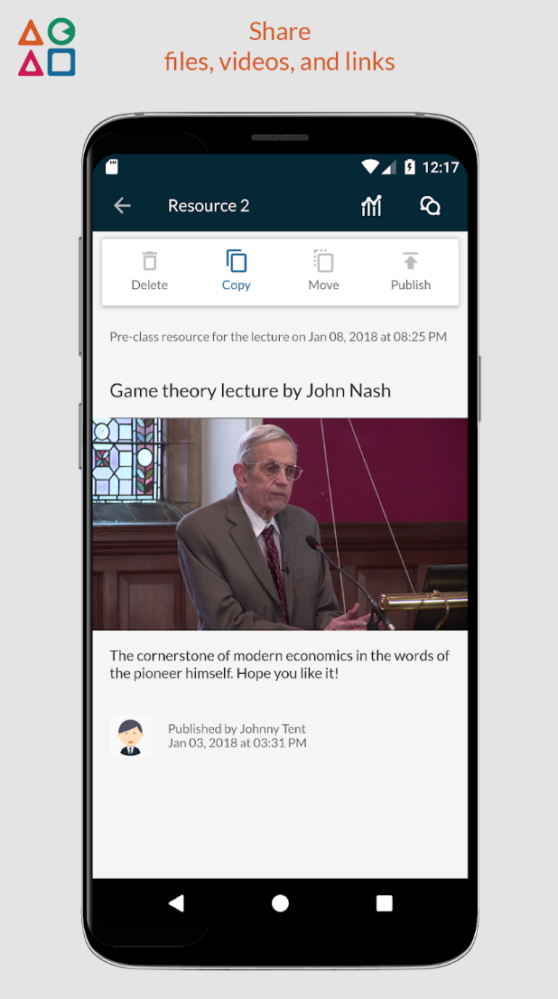
Acadly helps professors engage students during lectures, and capture attendance at the tap of a button.
A key highlight of Acadly is its unique mesh-network based automatic attendance technology. It discovers students in your proximity instantly using nothing but the mobile devices used by professors and students, and has been used in classrooms with over 400 students.
It is completely free for higher education professors and students, and helps classrooms save thousands of dollars per semester on alternatives like clickers and polling apps.
Other key features include polls, quizzes, Word Clouds and student-led Q&A. It supports crucial features like the ability to insert LaTeX expressions, images and attachments, and places practically no limits on the size of the classroom.
Acadly's paid enterprise version includes an LMS plugin which helps universities integrate the platform with their IT infrastructure. This LMS plugin works with LTI-compliant LMSs like Blackboard and Canvas.
The enterprise version of Acadly includes a Learning Analytics and Student Success dashboard that helps administrators identify at-risk students early into the academic term.
Read more
Read less
Overview of Acadly benefits
The key benefits of Acadly for professors include:
- Automating attendance recording using a unique mesh-network based technology with best-in-class accuracy and speed
- Boosting interactivity inside and outside the classroom with activities such as polls, quizzes and word clouds
- Huge savings of up to $3,000 per semester for professors and students with best-in-class features that are free for individual classrooms
- Making class communication simpler with features like messaging, announcements and more
- Reducing the complexity of the technology stack with features that encompass both in-class and pre-class tasks like communication, class interactivity and attendance automation
- Helping students track their class performance along crucial parameters like engagement, communication, and attendance
Acadly's enterprise version includes an LMS plugin and helps administrators in the following ways:
- Easy integration with LMS and VLE platforms like Blackboard and Canvas
- Student success dashboard that helps universities identify at-risk students early into the academic term
- Administrative dashboard to automate tasks like course creation and data exports
Features
Learn more about Acadly features that set it apart from the competition. Discover how its unique tools and capabilities enhance your processes.
Accounts
Add a new user
Allows administrators to add new users directly to their LMS for streamlined user management.
Archive users
Deactivate and store user accounts without deleting them.
Custom/Mandatory User profile fields
Activity grading
Gradebook
Centralized view of all learner grades.
Gradebook audit trail
Gradebook comments
Multiple grading scales
AI Features
Adaptive Learning
AI Powered
Chatbot
Content development
Content Translation
Intelligent recommendations
Natural Language Processing
Predictive analysis
Quiz generation
Text-to-speech
Authentication
Manual Accounts
No login
Categories
Assign Courses to categories
Create new Categories
Manage Categories
Priced Categories (Bundle)
Certificate management
Certification life-cycle
Manage certification templates
Predefined certification templates
Unique Certificate by Course
Unique Certification by Curriculum
Compliance management
Certificate expiration notifications
Certification Expiration Management
Course Creation
Changing Course default settings
Content Library
Drag & Drop Interactions
Hybrid Learning Courses
Learning Paths (Curriculums)
LRS
Upload courses
Customization
Mobile Learning Support
Enrollment
Automated Enrollment (based on User data)
Guest Access Settings
Progress Tracking
Survey enrollment (based on a response)
Format
Gamification Format
Learner Upload
Social Format
Topics Format
Video Conferencing Integration
Gamification
Badge customization
Badges
Customize Gamification mechanics
Leaderboards
Levels
Points
Award points for activity.
Rewards
Offer incentives for achievements.
Interface options
Additional external pages
Block Management
Language settings
Learning Accessibility
Location Settings
Multilanguage Support
Ready-made Themes
Learning types
Asynchronous Self-paced
Mobile learning
Offline (disconnected Mobile app)
Offline
Support for offline access to content
Reports
Automated Report Scheduling
Canned Reports
Exporting Reports in variety of formats
Grading Report Settings
Learning Analytics Tools
Security
Anti-spam
Anti-virus
IP Blocker
Restrict registration to specific domains
Strong Passwords
Shopping cart
Built-In Shopping Cart
Shopping Cart as Plug-In
System reports
Custom reports generator
Live Logs
Pricing
Learn more about Acadly's pricing options, cost, and plans so you can make a well-informed, business-wise decision on the best software to use for organization.
Pricing Model
-
Free
-
Free Trial
-
Freemium
-
Subscription
All teaching and learning features of Acadly are absolutely free for higher education professors and students. The enterprise version of Acadly for universities, which comes with administrative add-ons like an LMS plugin and a Learning Analytics module, is paid. Access to Acadly is paid for non-higher education users.
Integrations
Learn more about Acadly's integration options.
-
Have you used Acadly before?
Answer a few questions and help the community to make the best decisions
Alternatives
Not a match? Find software alternatives that better suit your needs and compare them to discover the one that's right for you.