About the vendor
Located In Lyon, FR
Founded In 2018
Customers
- Academic
- Freelancers
- Large Enterprises (>10,000)
- Non Profits
- Public Administrations
- Small/Medium Businesses
Use Cases
- Compliance Training
- Continuing Education
- Employee Onboarding
- Franchise/Dealer Training
- Microlearning
- Training Companies
- Workforce Development
Industries
- eLearning
- Executive Office
- Human Resources
- Insurance
- Internet
- Professional Training & Coaching
- Retail
Deployment
- Desktop Application
- Mobile Application
- Software as a Service / Cloud
Browsers
- Apple Safari
- Google Chrome
- Mozilla Firefox
Training
- Documentation
- In Person
- Live Online
- Online Tutorials
- Webinars
Support
- Business Hours
- Email
- FAQ
- Knowledge Base
- Live Online
- Phone
Supported Specifications
- SCORM 1.2
- SCORM 2004
- SCORM 2004 3rd Edition
- SCORM 2004 4th Edition
- xAPI/Tin Can API
Languages Supported
- Arabic
- German
- English
- Spanish
- French
- Italian
- Japanese
- Dutch
- Portuguese
- Chinese
What is Cards?
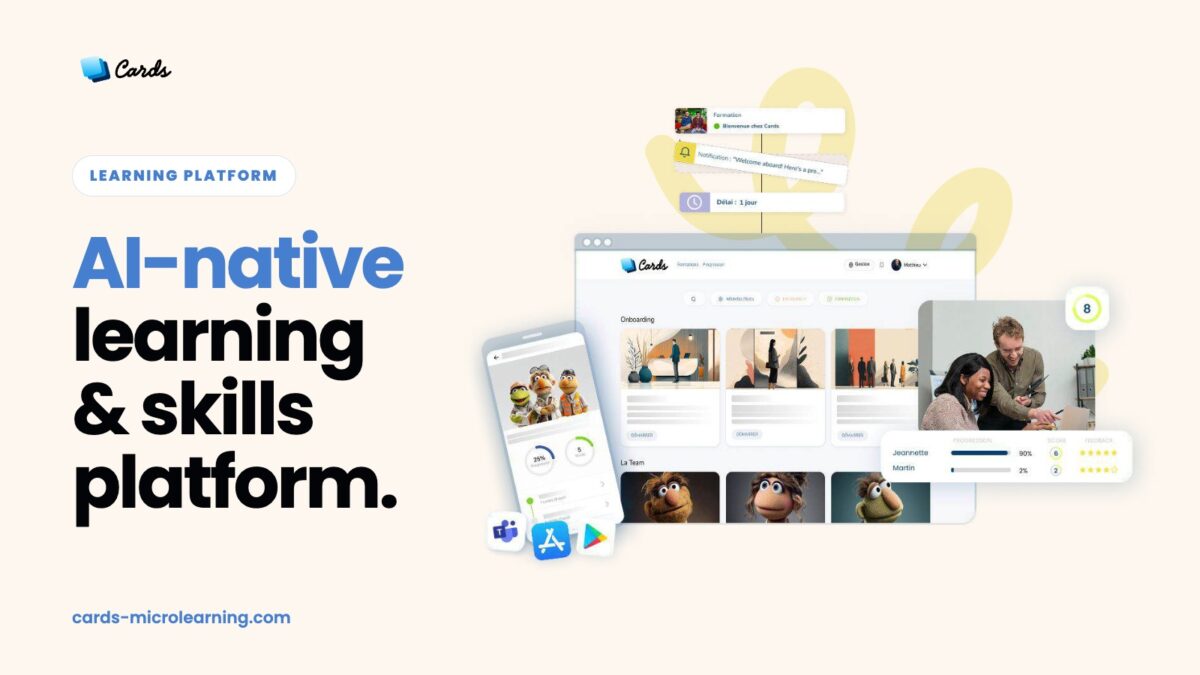
Cards is the AI-native microlearning platform built to make knowledge stick.
Most training is forgotten within weeks. Cards solves the real problem: not access to content, but the cost of forgetting. Our proprietary Learning Routine® engine anchors key knowledge over time with adaptive routines that adjust to each learner’s pace, level, and progress.
L&D teams, HR leaders, and subject-matter experts use Cards to design short, memorable training in minutes, with no instructional design or technical skills required.
With Cards, organizations can:
-
Turn internal know-how into short, mobile-first learning sequences
-
Create or adapt content in minutes with built-in AI agents
-
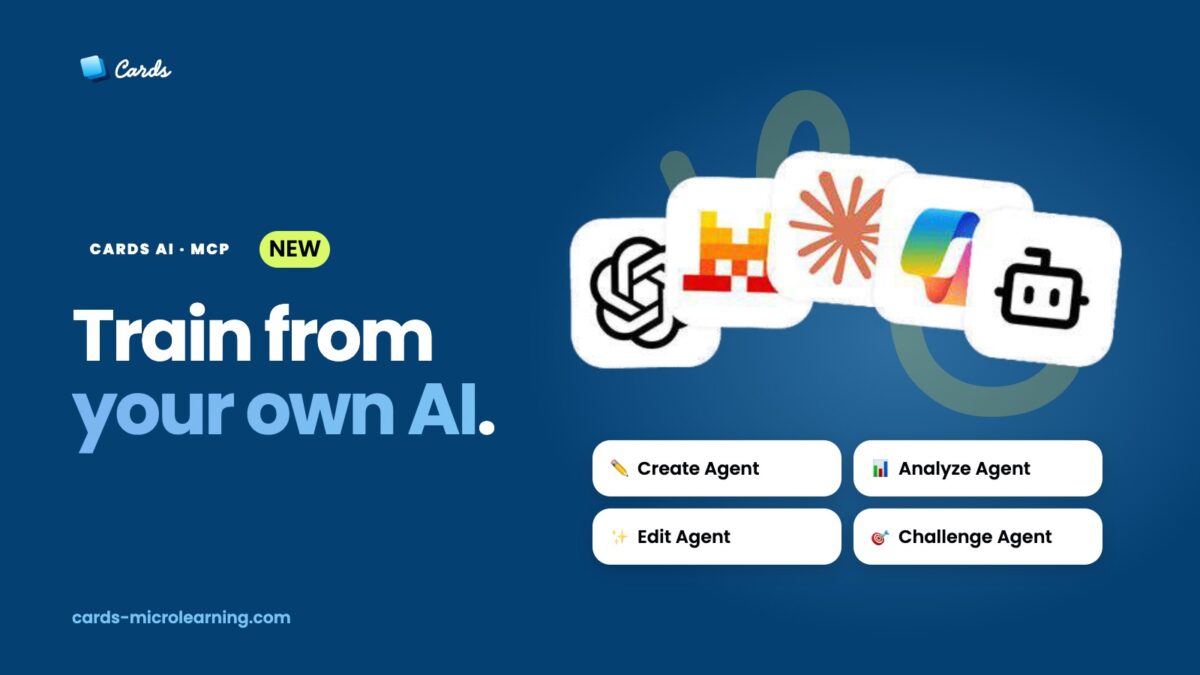
Connect Cards to any AI assistant (Claude, ChatGPT and more) through our MCP connector
-
Automate adaptive anchoring routines for the right people, at the right time
-
Import and export SCORM to fit any existing LMS
-
Track every learning trace in one dashboard
Used by 100,000+ learners across onboarding, compliance, safety, sales enablement, and operational excellence.
In short: Cards helps your teams learn faster, remember longer, and perform better.
Read more
Read less
Overview of Cards benefits
Cards helps organizations anchor the right reflexes and activate the right knowledge, with speed, simplicity, and measurable engagement.
🧠 Adaptive Knowledge Anchoring
-
Learning Routine® engine: spaced repetition that adapts to each learner’s rhythm, level, and progress
-
Conditions and branching turn one routine into a personalized path
-
Proven to fight the forgetting curve, not just deliver content
🤖 AI-Native, Without Compromise
-
Built-in AI agents to create, adapt, or translate microlearning in minutes
-
MCP connector: build and manage training directly from your preferred AI assistant
-
Full data sovereignty: no training on your data, hosting in France (other regions on request)
🚀 Fast and Accessible Authoring
-
Instructional design best practices embedded in the authoring experience
-
Quizzes, polls, videos, documents, and SCORM import in one flow
-
Budget-friendly pricing designed for mid-size and large organizations
📱 Mobile-First, Field-Ready
-
Seamless learner experience on desktop, tablet, and smartphone
-
Short, interactive modules that fit the daily flow of work, in the office or in the field
-
White-label mobile app available on the App Store and Google Play
🔒 Secure and Compliant
-
GDPR compliant, ISO 27001 and ISO 9001 certified hosting, regular penetration testing
-
SSO, accessibility score of 94/100
📊 Engagement and Analytics
-
Points, badges, certificates (shareable on LinkedIn), and leaderboards with anonymous mode
-
All learning traces in one dashboard, with Excel export
Trusted by 100,000+ learners, 96% satisfaction.
Read more
Read less
Features
Learn more about Cards features that set it apart from the competition. Discover how its unique tools and capabilities enhance your processes.
Accounts
Add a new user
Allows administrators to add new users directly to their LMS for streamlined user management.
Archive users
Activity grading
Gradebook
Centralized view of all learner grades.
Gradebook audit trail
Gradebook comments
Manual Grading ("Marking")
AI Features
Chatbot
Natural Language Processing
Predictive analysis
Authentication
Manual Accounts
No login
Allow content access without authentication.
Categories
Priced Categories (Bundle)
Certificate management
Unique Certificate by Course
Compliance management
Certificate expiration notifications
Certification Expiration Management
Course Creation
Content Library
A repository of pre-made templates, existing content, multimedia sets, and learning outlines.
LRS
Learning Record Store for xAPI data.
Tests Engine
Enrollment
Self-enrollment (with a PIN #)
Format
Course Discussions
Learner Upload
LIVE Chat Option
Social Format
Video Conferencing Integration
Gamification
Badges
Award digital achievements.
Levels
Define progression stages.
Points
Award points for activity.
Rewards
Offer incentives for achievements.
Interface options
Ready-made Themes
Learning types
Synchronous Virtual Classroom
Mobile learning
Offline (disconnected Mobile app)
Offline
Support for offline access to content
Reports
Canned Reports
Email delivery of Reports
Grading Report Settings
Training Record Maintenance
Roles
Teams and Team Hierarchies
Security
Anti-virus
IP Blocker
Shopping cart
Built-In Shopping Cart
Shopping Cart as Plug-In
System reports
Live Logs
Monitor system activity in real time.
Pricing
Learn more about Cards's pricing options, cost, and plans so you can make a well-informed, business-wise decision on the best software to use for organization.
Starting Price
-
99 USD / month - 20 users licence, unlimited microlearning creation, AI integrated
• Starter = $4.4k USD / year for 100 licences • Business = starting $10.5k USD / year for 300 licences • Enterprise = From 1000 licences to unlimited (Ask for a quote)
Integrations
Learn more about Cards's integration options.
Have you used Cards before?
Answer a few questions and help the community to make the best decisions
Reviews
Is Cards the right solution for you? Read verified Cards reviews from people in industries like yours to make a confident choice.
Great tool that allows to quickly and easily create dynamic lessons. Excellent support from the team
Overall Rating
98%
-
Usefulness
-
Usability
-
Customer Experience
-
Likelihood to Recommend
What do you like best?
I liked to create engaging training materials very easily and in many different format. I also appreciate the quick response of the team when we asked for information and training.
What do you dislike?
I didn't get the chance to use the learning routines (it wasn't part of the training unfortunaltely but I found it very useful )

Cards
—
Jun 25, 2025
Thank you so much for your kind words! We’re thrilled you enjoyed creating engaging content so easily, and we’ll make sure you get to explore the Learning Routine® next time 😉 Our team is always here if you need anything!
It's a time-saving tool for me, fun and easy for the learners and essential for ongoing training.
Overall Rating
96%
-
Usefulness
-
Usability
-
Customer Experience
-
Likelihood to Recommend
What do you like best?
I like the micro-learning format because it's short and fun for my teams. It really helps them memorize and they can repeat as much as they want. I like that AI is integrated to the tool: I can get the AI to help me create an interactive micro-training from contents I already created in the past. It's a time-saving tool for me and my employees who use Cards for their initial and on-going training.
What do you dislike?
There is nothing that I like the least. The Cards' teams are always very responsive and eager to listen to adapt to our needs!
Cards
—
Jun 25, 2025
Thank you so much! We’re really happy to hear that Cards is saving you time and making training fun and effective for your teams. The fact that past content comes back to life thanks to AI, that’s exactly the kind of impact we aim for 🙌 Always here to support you!
Cards micro-learning delivers concise, targeted knowledge, making learning fast and easy to retain
Overall Rating
93%
-
Usefulness
-
Usability
-
Customer Experience
-
Likelihood to Recommend
What do you like best?
I love how cards micro-learning delivers bite-sized, focused content that's easy to digest, review, and remember—perfect for quick, on-the-go learning!
What do you dislike?
What I like the least is that cards micro-learning can sometimes oversimplify complex topics, making it hard to explore subjects in depth.
Cards
—
Jun 25, 2025
Thank you for your great feedback! We’re glad you find Cards effective for quick, focused learning. You’re right, micro-learning is perfect for memorization, but for complex topics, it works best as a complement to deeper formats. Appreciate your input
Its use is as (or more) simple and intuitive as it is presented. This is rare enough to be noted.
Overall Rating
99%
-
Usefulness
-
Usability
-
Customer Experience
-
Likelihood to Recommend
What do you like best?
I really appreciate how all the tools and features are both smart and straightforward. Everything feels designed to save time and make content creation fluid and enjoyable.
What do you dislike?
At first, I felt the available features were more than enough — until I discovered the next one… and realized I had actually been missing it all along.
Cards
—
Jun 25, 2025
Thank you David! What a compliment! We’re so glad the experience matched (or exceeded!) your expectations. And we love that “aha” moment when a new feature clicks into place… More to come Always a pleasure to support you!
Cards
—
Jun 25, 2025
Thank you! We’re happy to hear that Cards helps you support your clients and reduce churn, that’s exactly the kind of impact we aim for 🙌 When you’re ready to dive deeper, we’ll be here to help you unlock even more features!
Alternatives
Not a match? Find software alternatives that better suit your needs and compare them to discover the one that's right for you.
![Connecteam - Mobile Teams LMS logo]()
Connecteam - Mobile Teams LMS
4.0/5
Compare