Customers
- Large Enterprises (>10,000)
- Non Profits
- Small/Medium Businesses
Use Cases
- Channel Training
- Compliance Training
- Customer Training
- Employee Onboarding
- Employee Training
- Extended Enterprise
- Workforce Development
Industries
- Banking
- Food & Beverages
- Hospitality
- Logistics and Supply Chain
- Manufacturing
- Retail
- Telecommunications
Deployment
- Desktop Application
- Mobile Application
- Self-Hosted Cloud-based
- Self-Hosted System
- Software as a Service / Cloud
Browsers
- Apple Safari
- Google Chrome
- Internet Explorer
- Mozilla Firefox
Training
- Documentation
- In Person
- Live Online
- Online Tutorials
- Webinars
Support
- 24/7
- Email
- FAQ
- Knowledge Base
- Live Online
- Phone
Supported Specifications
- SCORM 1.2
- SCORM 2004
- SCORM 2004 3rd Edition
What is CleverLMS?
CleverLMS is a versatile Learning Management System (LMS) tailored for businesses, offering sales-inspired features for employee development, task management, and fostering corporate culture.
- Employee Fast Learning: CleverLMS facilitates quick and efficient learning for employees, ensuring they acquire necessary skills and knowledge. With built-in features, users can create engaging video and text materials in seconds, without technical knowledge.
- Task Management and Control: It provides tools for managers to monitor and supervise employee tasks effectively, enhancing productivity, quality and accountability.
- Socializing, Motivation and Inclusion into Corporate Culture: CleverLMS fosters social interaction among employees and promotes inclusion into the company's culture. With the platform, it's possible to reward employees, organize contests and competitions, and engage them to participate in corporate activities, ensuring a cohesive and engaged workforce.
CleverLMS is your business training hub. Onboard, manage, motivate, and track performance with ease.
Overview of CleverLMS benefits
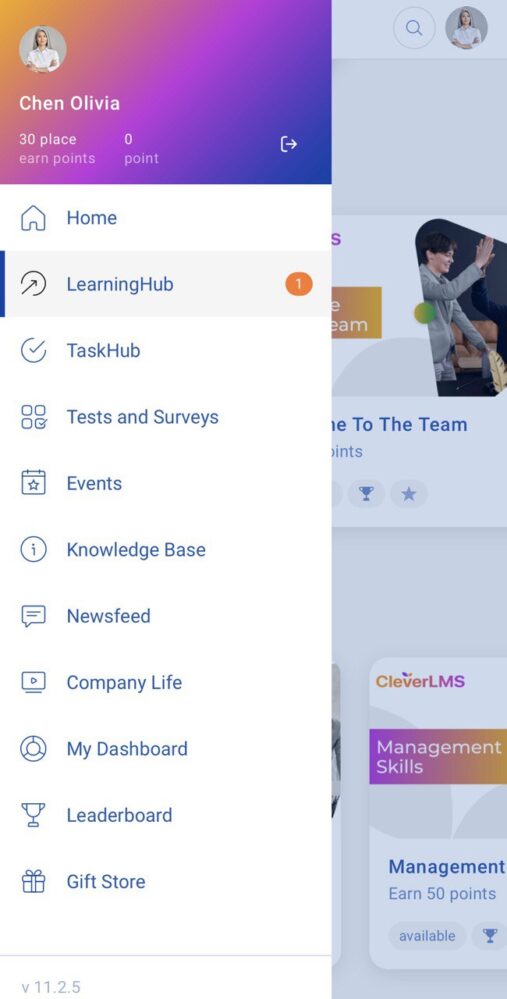
Employee's profile, training progress, and widgets that display important and necessary information
An employee can easily resume any interrupted training and access relevant materials from the home page, as well as view their results.
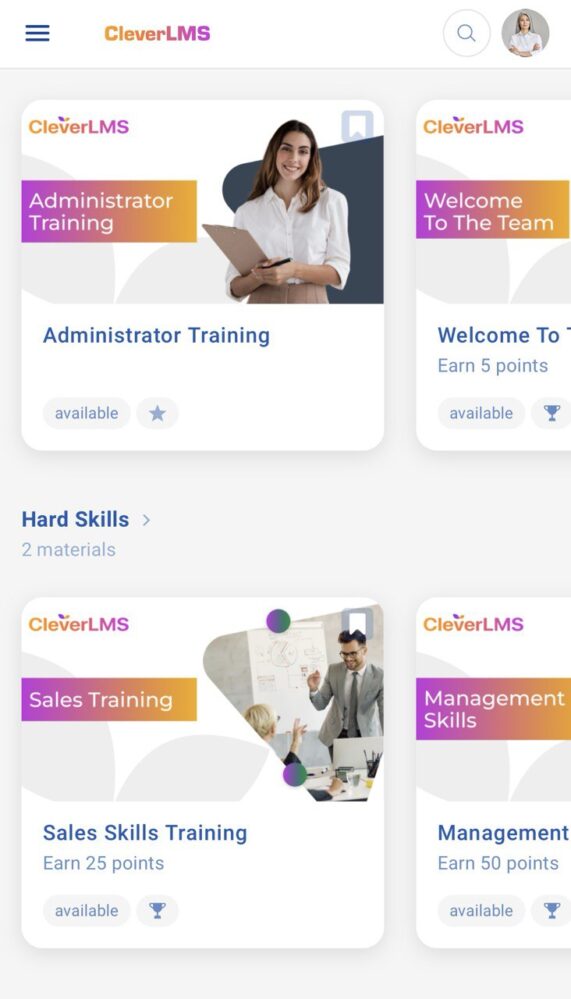
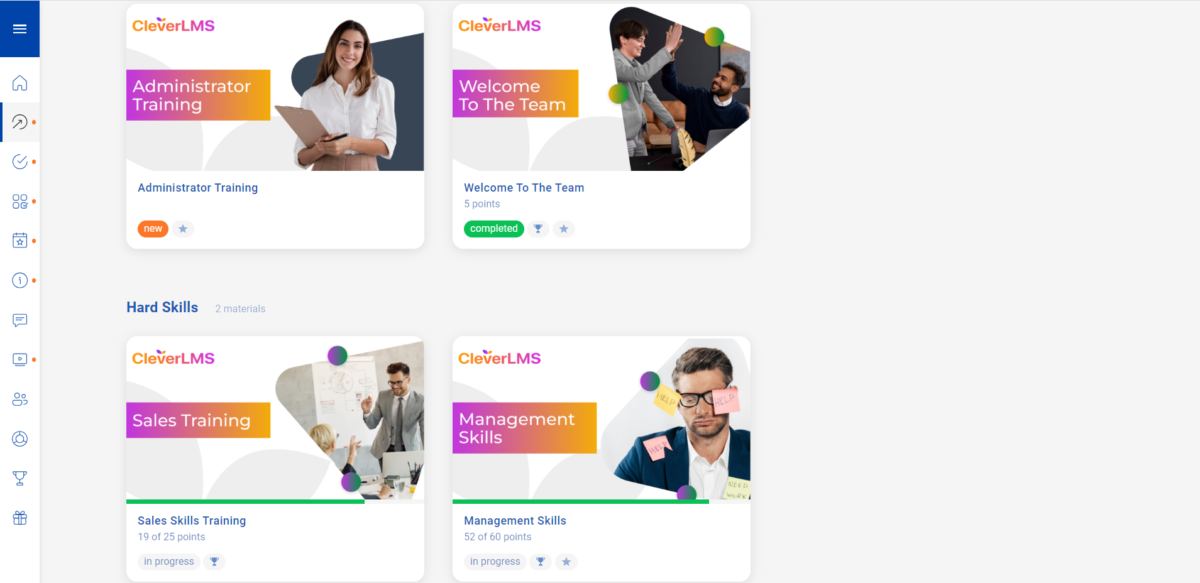
Learning journeys
The administrator designs the employee's growth journey using a mix of online training, assessments, and in-person events.
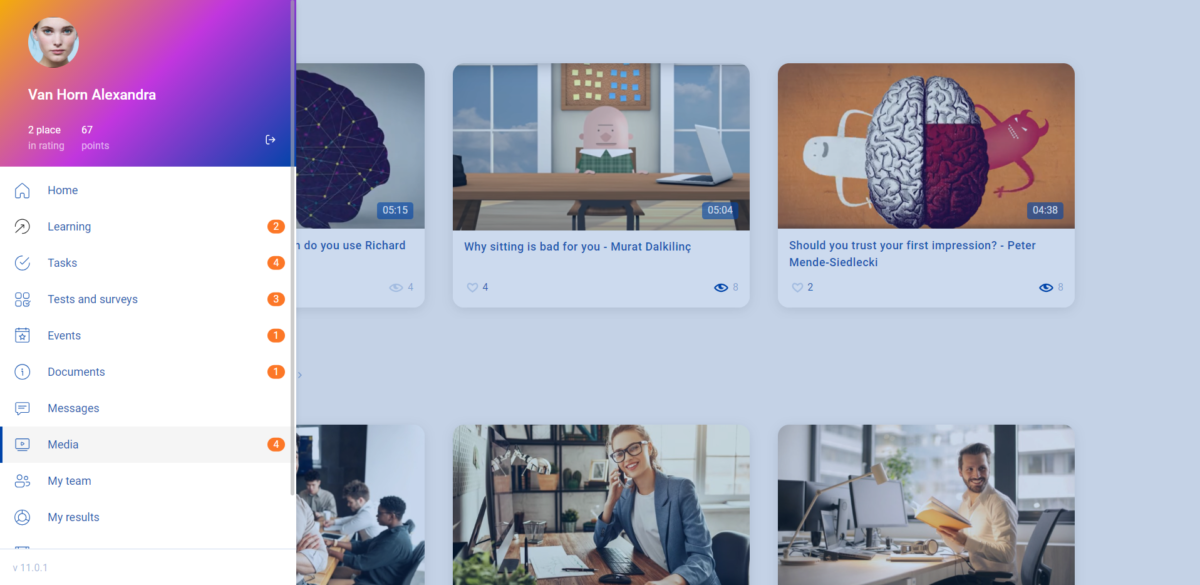
Media library
A corporate video hosting platform, similar to YouTube, exclusively for your employees.
Tests and surveys
This section is designed to make it easy to conduct assessments during training, hiring, and incoming testing. Use surveys to gather feedback on processes, events, and exit interviews.
Knowledge base
A corporate information portal with fast offline access — all the necessary documents and up-to-date information are always at the fingertips of all employees.
Messages
Use messages to share important company or department news. Congratulate employees on holidays and important dates.
A section displaying the personal user achievements
This section displays the user's personal achievements across all completed and assigned courses, tests, and surveys.
Rating
Visualize your results within your team, department, or company. You can view the Rating details based on your and your coworkers' performance.
Gift store
Maximize employee engagement by allowing them to redeem the points they earn in the app for exciting rewards such as gifts, electronic certificates, discount coupons, and more.
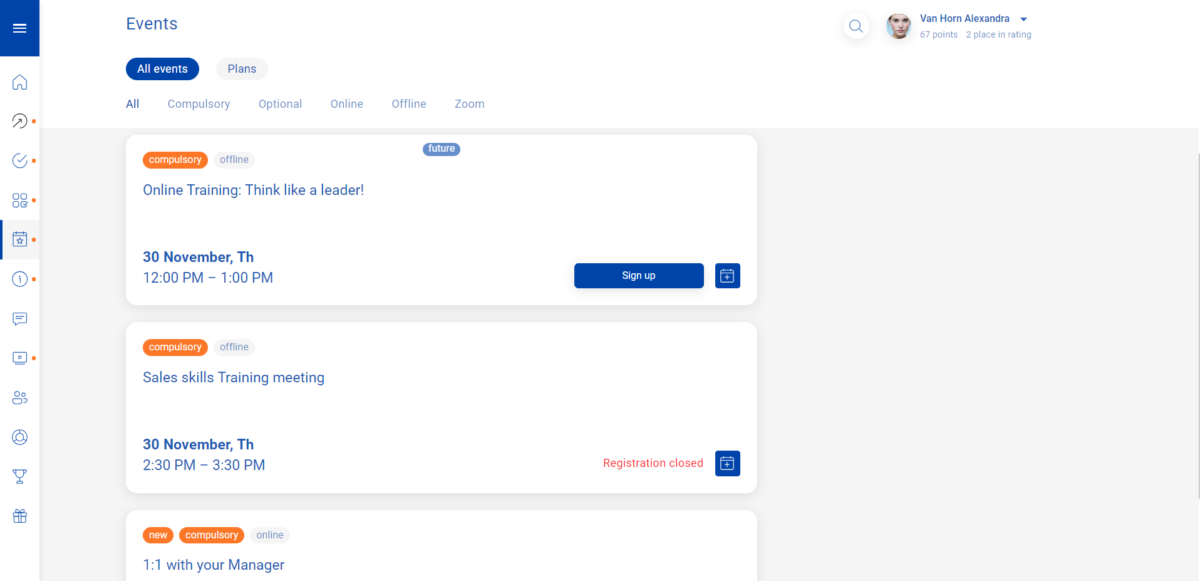
Events
This collection includes all offline and online events, both internal and external, that have taken place, are in progress, or are planned.
Read more
Read less
Features
Learn more about CleverLMS features that set it apart from the competition. Discover how its unique tools and capabilities enhance your processes.
Accounts
Add a new user
Allows administrators to add new users directly to their LMS for streamlined user management.
Archive users
Deactivate and store user accounts without deleting them.
Activity grading
Gradebook
Centralized view of all learner grades.
Gradebook audit trail
Gradebook comments
Multiple grading scales
AI Features
Adaptive Learning
AI Powered
Chatbot
Content development
Content Translation
Intelligent recommendations
Natural Language Processing
Predictive analysis
Quiz generation
Text-to-speech
Authentication
Manual Accounts
No login
Categories
Priced Categories (Bundle)
Certificate management
Predefined certification templates
Unique Certificate by Course
Unique Certification by Curriculum
Compliance management
Certificate expiration notifications
Course Creation
Content Library
Course backup Options
Hybrid Learning Courses
LRS
Enrollment
Survey enrollment (based on a response)
Gamification
Badges
Award digital achievements.
Levels
Define progression stages.
Points
Award points for activity.
Rewards
Offer incentives for achievements.
Interface options
Calendar Settings
Learning Accessibility
Ready-made Themes
Reports
Email delivery of Reports
Learning Analytics Tools
Security
Anti-spam
Anti-virus
Restrict registration to specific domains
Shopping cart
Built-In Shopping Cart
Shopping Cart as Plug-In
System reports
Automatic email reports in predefined intervals
Custom reports generator
Email notification settings
Live Logs
Pricing
Learn more about CleverLMS's pricing options, cost, and plans so you can make a well-informed, business-wise decision on the best software to use for organization.
Discover our flexible pricing system tailored to your needs, based on the number of users and required features. Use our open calculator to estimate the budget for your chosen solution: https://cleverlms.com/pricing/calculator
Integrations
Learn more about CleverLMS's integration options.
Have you used CleverLMS before?
Answer a few questions and help the community to make the best decisions
Reviews
Is CleverLMS the right solution for you? Read verified CleverLMS reviews from people in industries like yours to make a confident choice.
Great software, where our users can learn and find all information in one place
Overall Rating
87%
-
Usefulness
-
Usability
-
Customer Experience
-
Likelihood to Recommend
What do you like best?
Creation of courses, where users can check their existing and acquired knowledge about different areas that we have prepared for them.
What do you dislike?
What I like least is that in the knowledge base a subfolder cannot have its own subfolder. Well, visually it seems that there are a lot of folders

CleverLMS
—
May 14, 2024
Thank you for your feedback! We're glad you appreciate our course creation features. Regarding subfolders, we'll take your suggestion into account for future updates to enhance user experience.
An easy-to-learn and highly functional LMS with advanced features for engaging teams.
Overall Rating
97%
-
Usefulness
-
Usability
-
Customer Experience
-
Likelihood to Recommend
What do you like best?
The service is excellent! I enjoyed it during the platform familiarization stage when our company was choosing a solution, as well as during actual use. CSM responds promptly and stays accessible. We addressed various questions, from simple to complex ones about integration, and always provided quick help.
What do you dislike?
Basic scenarios are well-implemented, including training, corporate portals, team chats, and task modules. However, it's inconvenient that only administrators can access statistics and task results. It would be beneficial for line managers to have limited access to these statistics.
CleverLMS
—
Apr 18, 2024
Thank you for your detailed review of CleverLMS! We're delighted to hear that you found our service excellent and reliable. We appreciate your feedback regarding access to statistics and task results, and we'll take it into account as we continue to improve our platform. Thank you for choosing CleverLMS!
The process of hiring and training employees has become much more efficient
Overall Rating
91%
-
Usefulness
-
Usability
-
Customer Experience
-
Likelihood to Recommend
What do you like best?
I am thoroughly pleased with the CleverLMS. The balance between price and quality is perfect, with no issues encountered, and the communication with support is swift. The option to fully customize the product to align with our branding was a key deciding factor for us.
What do you dislike?
Actually, I'm quite content with everything as it stands. There isn't anything specific that comes to mind needing improvement. I'm open to future enhancements but currently appreciate it as is.
CleverLMS
—
Apr 18, 2024
Thank you for your kind words! We're delighted to hear that you're pleased with CleverLMS.
Very good solution for B2B Medium and Big sizes, Next level of LMS
Overall Rating
88%
-
Usefulness
-
Usability
-
Customer Experience
-
Likelihood to Recommend
What do you like best?
CleverLMS offers a wide range of features that are suitable for businesses - Logistics, Delivery, Plants, Distribution and remote. With CleverLMS, you can create and manage programs, track progress, and generate reports with ease. The platform is highly customizable; you can create a unique learning experience tailored to your specific requirements.
What do you dislike?
Need to be customized for your business needs, it took 3 weeks before roll-out
Alternatives
Not a match? Find software alternatives that better suit your needs and compare them to discover the one that's right for you.
![Connecteam - Mobile Teams LMS logo]()
Connecteam - Mobile Teams LMS
4.0/5
Compare