



Branding Icon 1
Tech Solutions to HR Problems
About the vendor
-
Customers
  • Large Enterprises (>10,000)
  • Small/Medium Businesses
Industries
  • Computer Software
  • Farming
  • Information Technology and Services
  • Logistics and Supply Chain
Deployment
  • Self-Hosted Cloud-based
Platforms
  • Mac
  • Windows
Browsers
  • Apple Safari
  • Google Chrome
Training
  • Documentation
  • Live Online
  • Webinars
Support
  • Email
  • FAQ
  • Knowledge Base
  • Online Community
  • Phone
Languages Supported
-
LinkedIn Page
-
X
-
Change your privacy settings to see the content.
In order to watch this video you need to have advertising cookies enabled.
You can adjust your cookie preferences here.

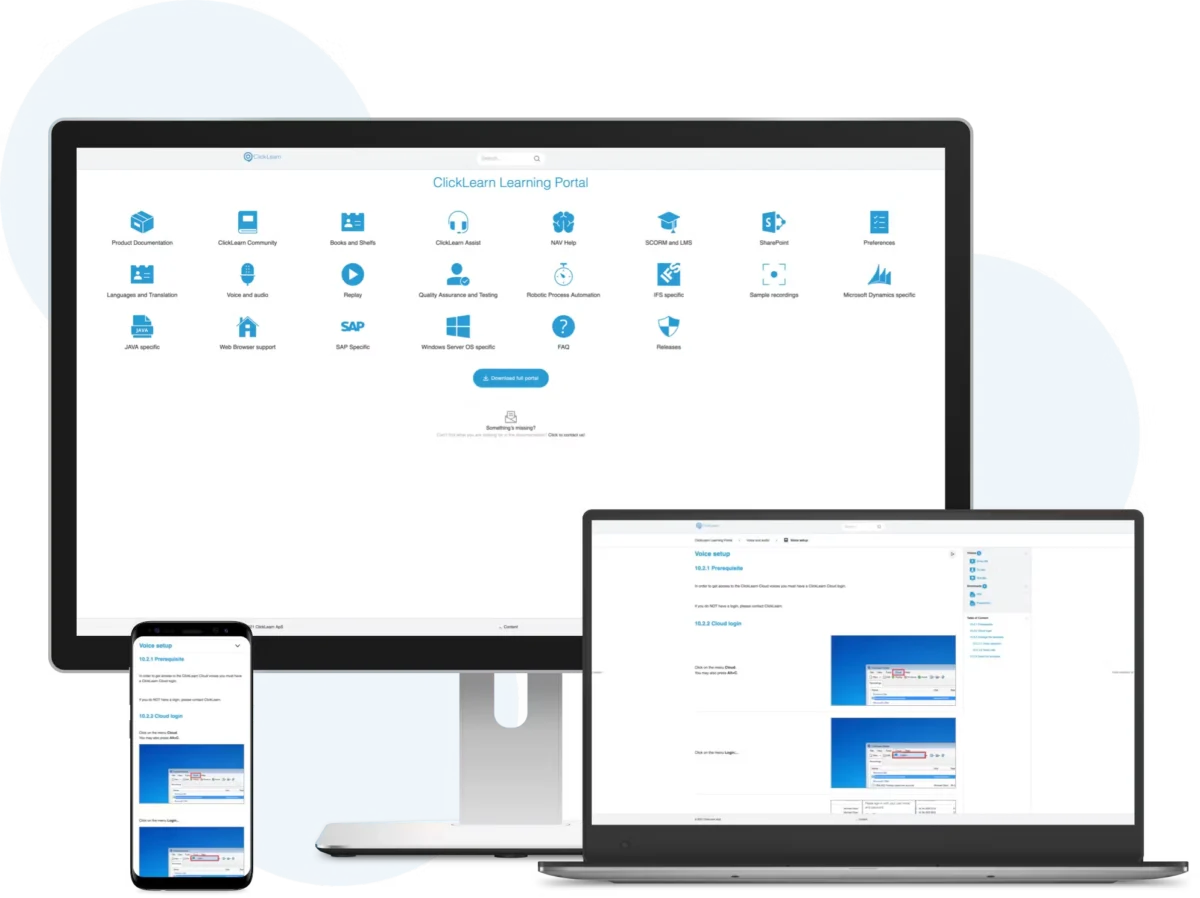
What is ClickLearn?

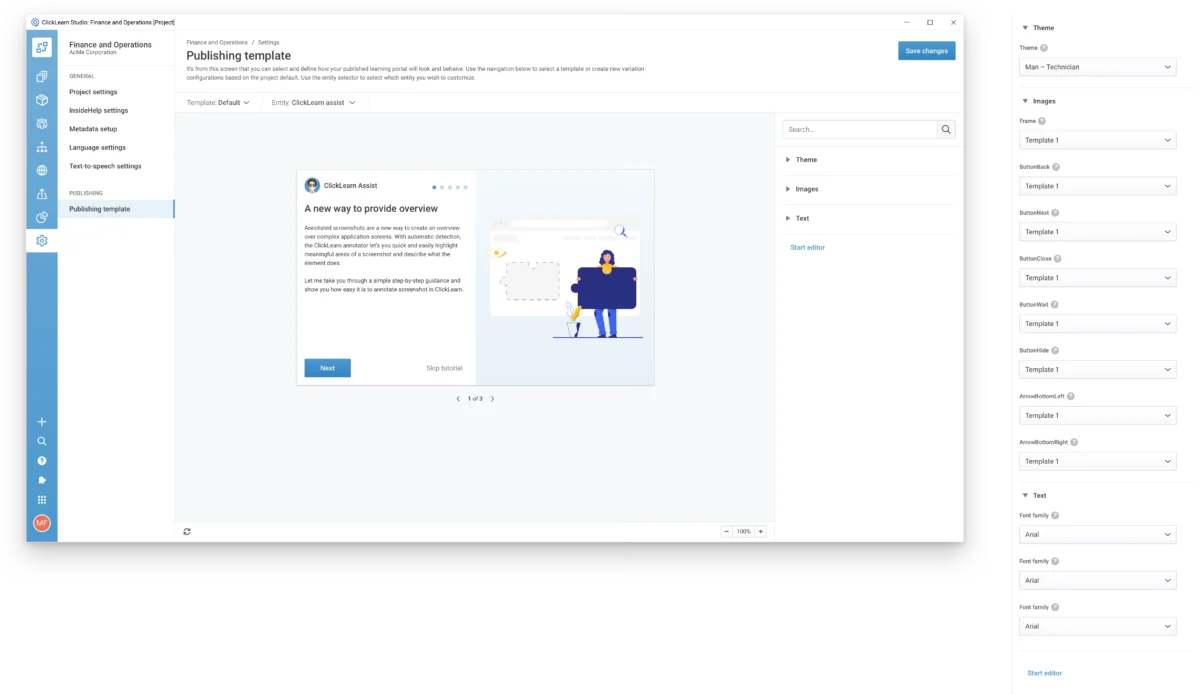
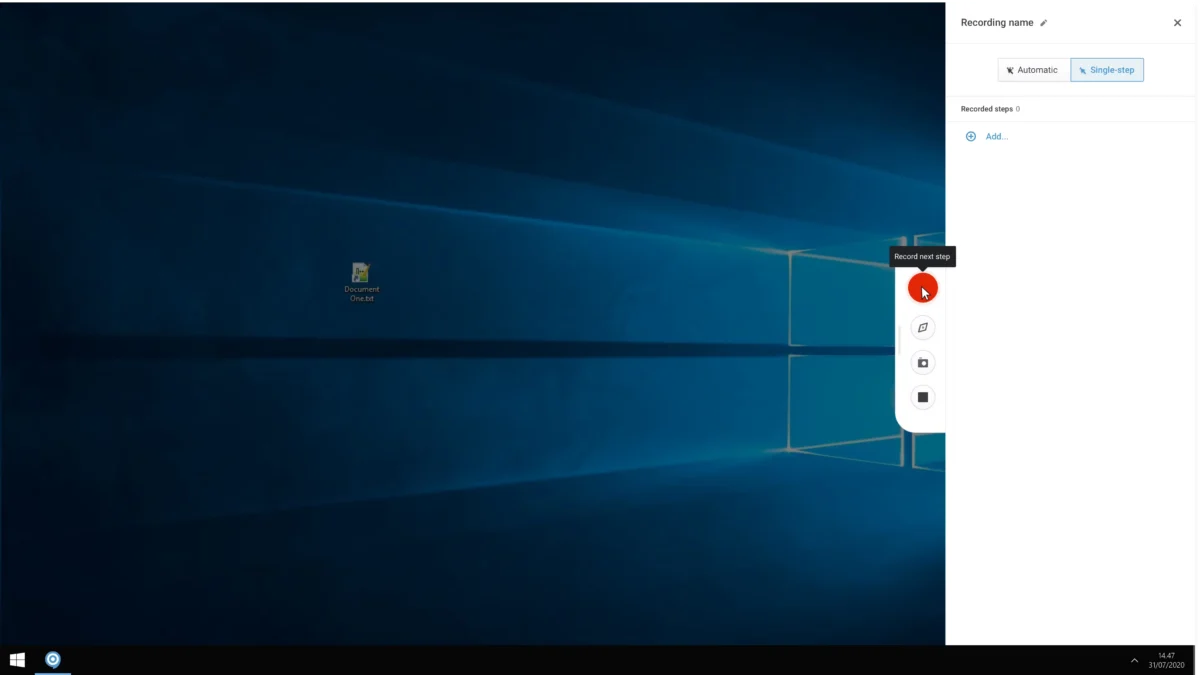
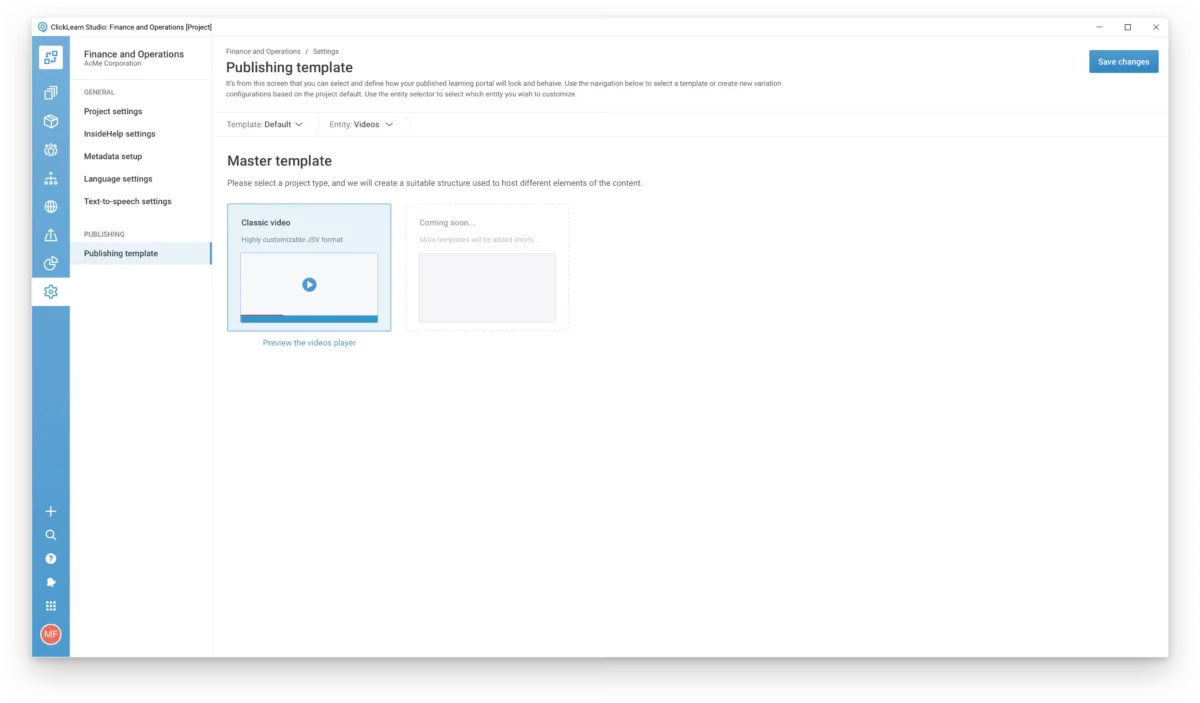
ClickLearn is a digital adoption platform that automates the creation of training materials and documentation for popular business systems like Microsoft D365, SAP, and Oracle. It saves time for content creators by recording every click in a process and generating work instructions, interactive videos, PowerPoint presentations, and in-app virtual assistants. These resources help guide users through tasks and support user adoption. If there’s an update or process change, ClickLearn automatically refreshes instructions and screenshots, ensuring content stays current. Users can edit recordings to add extra details before publishing them to a 24/7 accessible learning portal, available online or offline on any device. ClickLearn integrates seamlessly with business systems or SharePoint for easy access whenever guidance is needed. Trusted by enterprises globally, ClickLearn enhances end-user productivity, performance, and maximizes ROI on software investments.

Overview of ClickLearn benefits

-Efficient Documentation: Automates the creation of training materials and documentation for systems like Microsoft Dynamics 365, SAP, and Oracle.

-Multiple Formats: Delivers content in 7 formats: step-by-step guides (HTML, Word, PDF), PowerPoint slides, interactive videos (Show-me, Try-me, Test-me), and in-app assistants.

-Easy Recording: Users simply click through processes, and ClickLearn records these actions, making content creation quick and intuitive.

-Simple Updates: One-click updates automatically refresh instructions and screenshots, ensuring content is always current after software changes.

-User-Friendly: Enables anyone in the organization to create and edit training content, reducing dependency on technical teams.

-24/7 Learning: Provides continuous access to e-learning materials, enhancing digital adoption and boosting software ROI.

Features

Learn more about ClickLearn features that set it apart from the competition. Discover how its unique tools and capabilities enhance your processes.

Accounts & Permissions

Access Control
Approval Process Control
Role Based Permissions
Single Sign In

Attendance Reporting Features

Absence Management
Progress Tracking
Sick Leave Tracking
Time Attendance
Vacation Tracking

Communication Management

Communication Management
Email Notifications
Multi Language
Real Time Notifications

Customization

Custom Fields
Custom Forms
Custom Landing Pages
Customizable Branding
Customizable Reporting
Customizable Templates
Email Templates
Forms Management
Template Management

Data Management Features

Business Intelligence
Content Management
Data Import Export
Document Management
Document Storage
Employee Database
Employee Profile
Feedback Collection
Knowledge Base
Real Time Data
Timesheets

Financial Features

Benefits Management
Billing Invoicing
Direct Deposit
Payroll Management

HR Features

360 Degree Feedback
Career Development Planning
Competency Management
Employee Management
Employee Onboarding
HR Management
Performance Appraisal
Performance Management
Recruiting Management

Integration

API
Application Integration
CRM Integration
Email Integration
Mobile Integration
Social Media Integration
Third Party Integration

Interaction Features & UX

Activity Dashboard
Collaboration Tools
Drag Drop Interface
Employee Self Service
New Employee Portal
Search Functionality
Self Service Portal

L&D Features

Asynchronous Learning
Blended Learning
Content Library
Gamification
Learning Management
Training Management

Monitoring Features

Configurable Workflow
Monitoring
Task Management
Workflow Management

Reporting & Analytics

Audit Trail
Engagement Analytics
Goal Setting Tracking
Overtime Tracking
Performance Reports
Real Time Analytics
Real Time Reporting
Real Time Updates
Reporting Statistics
Surveys Feedback

Scheduling & Planning

Activity Tracking
Automated Scheduling
Automatic Reminders
Calendar Management
Interview Scheduling

Security & Compliance

Compliance Management
Digital Signature
Electronic Signature Capture
HIPAA Compliance
Secure Data Storage
SSL Security

Signalling & Screening

Applicant Tracking
Assessment Management
Certificate Management
Job Application Management
Reference Checking
Resume Parsing
Skills Assessment
Skills Tracking
Status Tracking
Pricing

Learn more about ClickLearn's pricing options, cost, and plans so you can make a well-informed, business-wise decision on the best software to use for organization.

Pricing Model
  • Free Trial
  • Subscription
License
Starting Price
  • $208
Free Trial
  • Yes

Per Month

ClickLearn logo
Have you used ClickLearn before?
Answer a few questions and help the community to make the best decisions
Alternatives

Not a match? Find software alternatives that better suit your needs and compare them to discover the one that's right for you.

ClickLearn

iSpring LMS - Onboarding

Compare

Connecteam - Employee Onboarding

4.4/5
Compare