Customers
- Academic
- Freelancers
- Small/Medium Businesses
Deployment
- Desktop
- Mobile Application
- Self-Hosted Cloud-based
- Self-Hosted System
- Software as a Service / Cloud
Browsers
- Apple Safari
- Google Chrome
- Mozilla Firefox
Training
- Documentation
- Live Online
- Training
- Webinars
Support
- Business Hours
- Email
- FAQ
- Knowledge Base
What is Virtual Classroom?
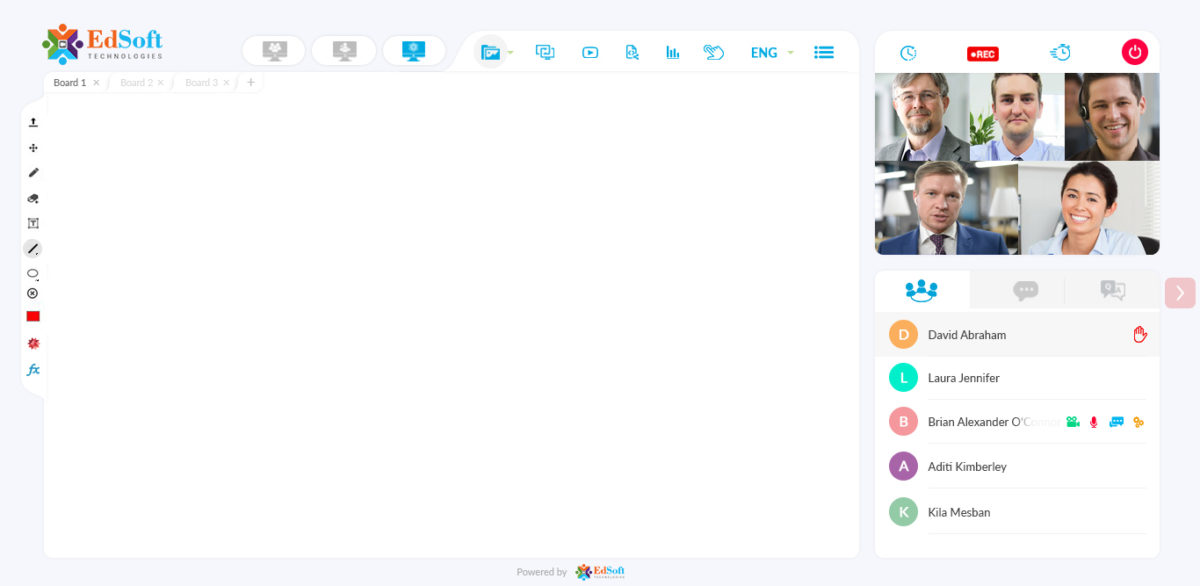
The Virtual Classroom—also known as a Virtual Learning Environmentis a teaching and learning environment where participants can interact, communicate, view and discuss presentations, and engage with learning resources while working in groups, all in an online setting. It is very much known for u ltimate ease of use and simplicity.
The virtual classroom has the potential to provide significant value to online learning by addressing the needs of the learners. They can also create a new standard in the learning experience that goes above and beyond the physical space of the classroom and traditional teaching methods because of the use of technology., EdSoft Virtual Classroom empowers online teaching/tutoring, distance education, employee training.
VIRTUAL CLASSROOM CAN BE INCLUDED IN ANY EXISTING SYSTEMS
The role of Virtual Classroom is same as that of the traditional classroom. The only difference is it uses technology to support instructors and learners. Online classroom software works in the same way for businesses as well. You can train employees, partners, vendors, and customers face-to-face in realtime with the use of an app.
Overview of Virtual Classroom benefits
In this global village, the concept of physical classroom/training is getting obsolete, the organizations are finding ways and means to cut the physical barriers of teaching and learning.
In the brick n mortar set up, the teacher has to use specific content type without much flexibility for other modes like - multimedia. The virtual classroom gives the advantage to the teachers to switch and toggle between different content delivery modes like the whiteboard, PPT’s, Audio mode, Video etc.
Interactive Whiteboard: Touch enabled, advanced online whiteboard latex equation editor, for your complicated mathematical equations along with Wolfram Alpha.
Agile Language Interface: We bridge the communication gap across 104 languages, switch the language interface with a single click within the live session.
Live Class Recording: Aren’t we susceptible to missing out a few of the learnings of the classroom? No worries, record all the sessions and relearn by accessing them again.
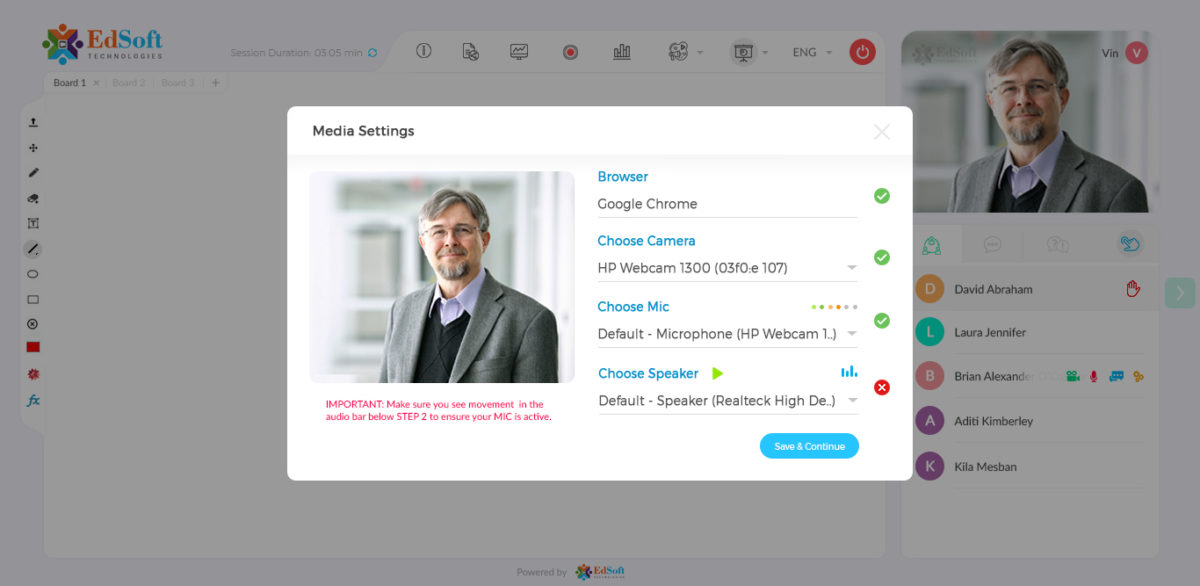
Browser Based: We make e-learning simple, the virtual classroom setup is easy since it’s browser-based; Login is just a click away with no other downloads or plugins.
Read more
Read less
Features
Learn more about Virtual Classroom features that set it apart from the competition. Discover how its unique tools and capabilities enhance your processes.
Advanced Features
Multi-Language Support
On-Demand Webcasting
Recording & Playback
Simulations & Games
Third-Party Recording Tools
Two-Way Audio & Video
VOIP Functionality
VOIP Number
Basic Features
Audio & Video Recording
Audio Calls
Chat
Desk-to-Desk Calls
Follow-Up and Breakout Meetings
Muting
Screenshare
Video Conferencing
Video Streaming
Whiteboard
Conference Management
Agenda Management
Attendee Management
Contact Management
Content Management
Event Management
Materials Management
Meeting Initiation and Joining
Meeting Management
Project Management
Projections
Task Management
Conferencing Modes
Brainstorming
Internal Meetings
Public Conferences and Webinars
Video Call Full HD
Video Lecture
Virtual Meeting
Content
Annotation
Cooperative Writing
Data Import/Export
Discussion Boards
Document Management
File Transfer
Rich Media
Slideshow
Customization
CRM Integration
Custom Forms
Customizable Branding
Customizable Templates
Enterprise Scalability
Mobile Integration
Social Media Integration
Website Integration
Interactive Features
Electronic Hand Raising
Feedback Collection
Group Collaboration
Instant Messaging
Polling
Presentation Tools
Private Text Chat
Q&A
Quizzes
Survey Creation
Pre-meeting Tools
Email Invitations & Reminders
Event Calendar
Group Calendars
Invitation Management
Registration Management
Scheduling
Reports
Activity Dashboards
Real Time Analytics
Real Time Reporting
Pricing
Learn more about Virtual Classroom's pricing options, cost, and plans so you can make a well-informed, business-wise decision on the best software to use for organization.
Pricing Model
-
Free Trial
-
One-time purchased license
-
Subscription
EdSoft offers Yearly as well as Perpetual License
Have you used Virtual Classroom before?
Answer a few questions and help the community to make the best decisions
Alternatives
Not a match? Find software alternatives that better suit your needs and compare them to discover the one that's right for you.