



Branding Icon 1
Tech Solutions to HR Problems
About the vendor
-
Customers
  • Large Enterprises (>10,000)
  • Small/Medium Businesses
Industries
  • Apparel & Fashion
  • Civil Engineering
  • Computer Software
  • Construction
  • Furniture
  • Hospital & Health Care
  • Human Resources
  • Information Services
  • Leisure, Travel & Tourism
  • Management Consulting
  • Nonprofit Organization Management
Deployment
  • Self-Hosted Cloud-based
  • Software as a Service / Cloud
Platforms
  • Mac
  • Windows
Browsers
  • Apple Safari
  • Google Chrome
Training
  • Documentation
  • Live Online
  • Webinars
Support
  • Email
  • FAQ
  • Online Community
  • Phone
Languages Supported
-
LinkedIn Page
-
X
-
Change your privacy settings to see the content.
In order to watch this video you need to have advertising cookies enabled.
You can adjust your cookie preferences here.

What is HR Cloud?

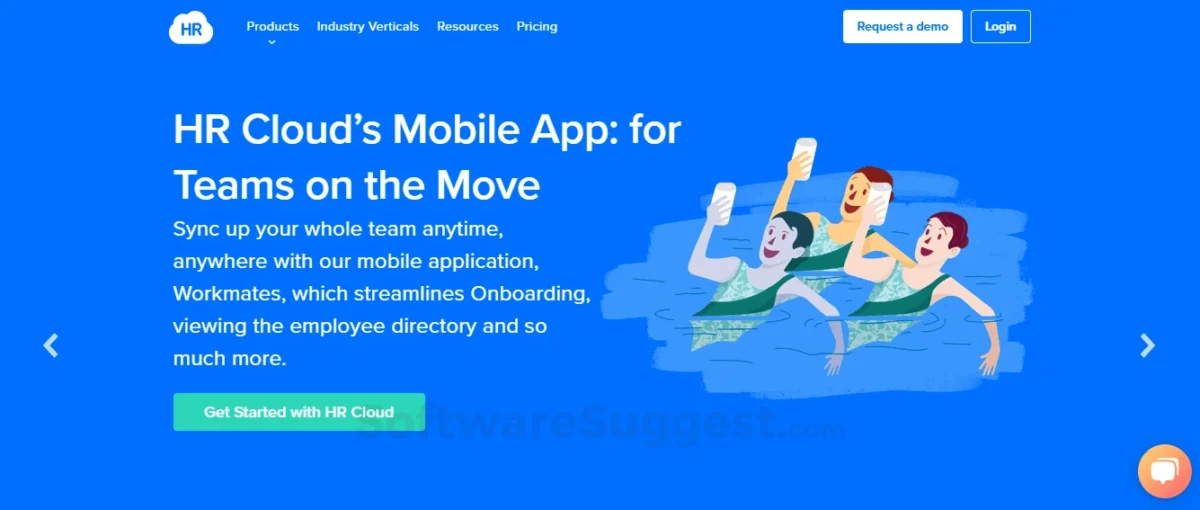
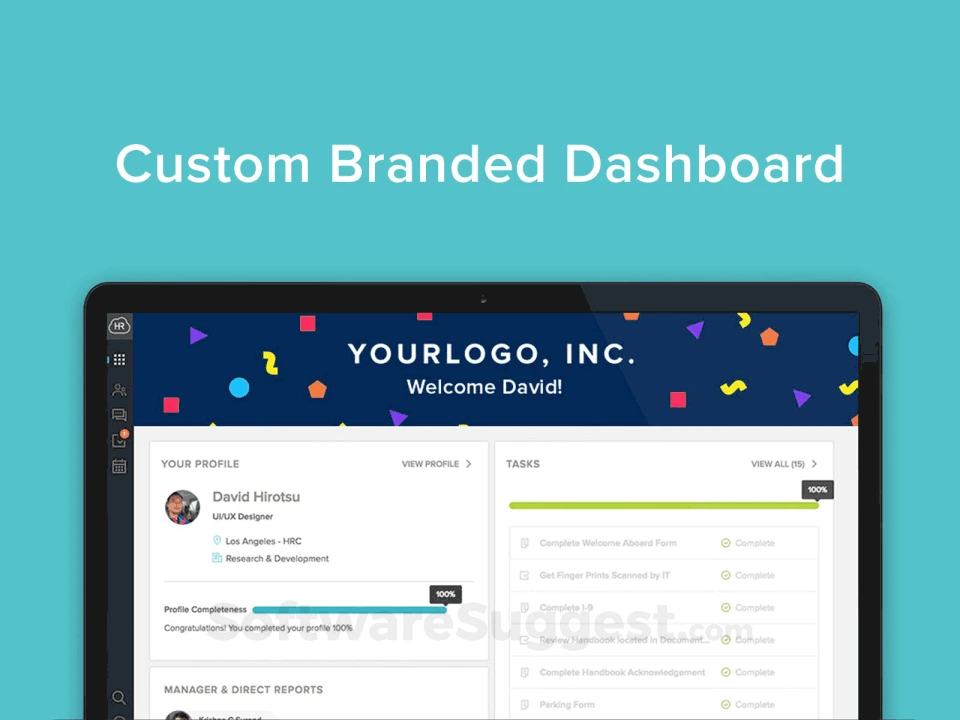
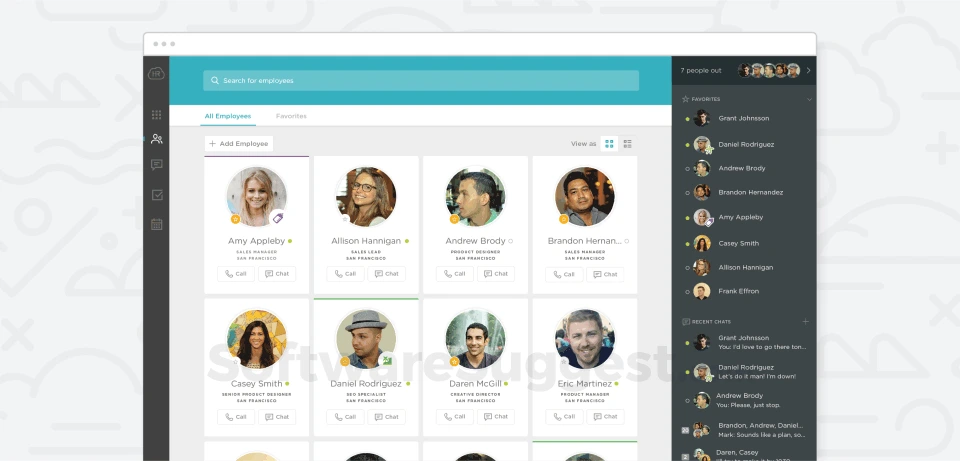
HR Cloud is a cloud-based platform designed for small and medium businesses to efficiently manage employee data. It offers tools for tracking vacation time, sick leave, benefits, and more. HR teams can approve leave requests, monitor attendance, and synchronize data with payroll systems like ADP. Employees can access a self-service portal to manage their time off and requests. The platform also simplifies onboarding with customizable portals and content, and features a real-time Org Chart to help employees navigate the company structure. HR Cloud centralizes employee records, making it easy to generate reports and analyze key metrics.


Overview of HR Cloud benefits

-Centralized Employee Data: All employee information is stored in one secure, easily accessible location.
-Leave & Attendance Tracking: Easily manage and approve vacation, sick leave, and attendance.
-Self-Service Portal: Employees can manage requests, time off, and personal data independently.
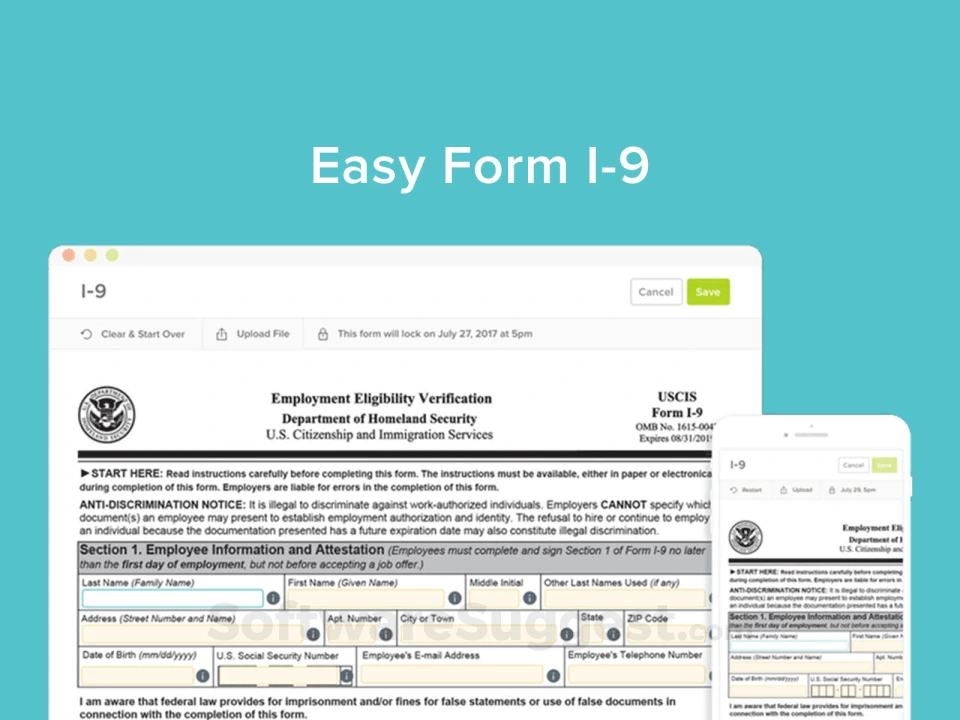
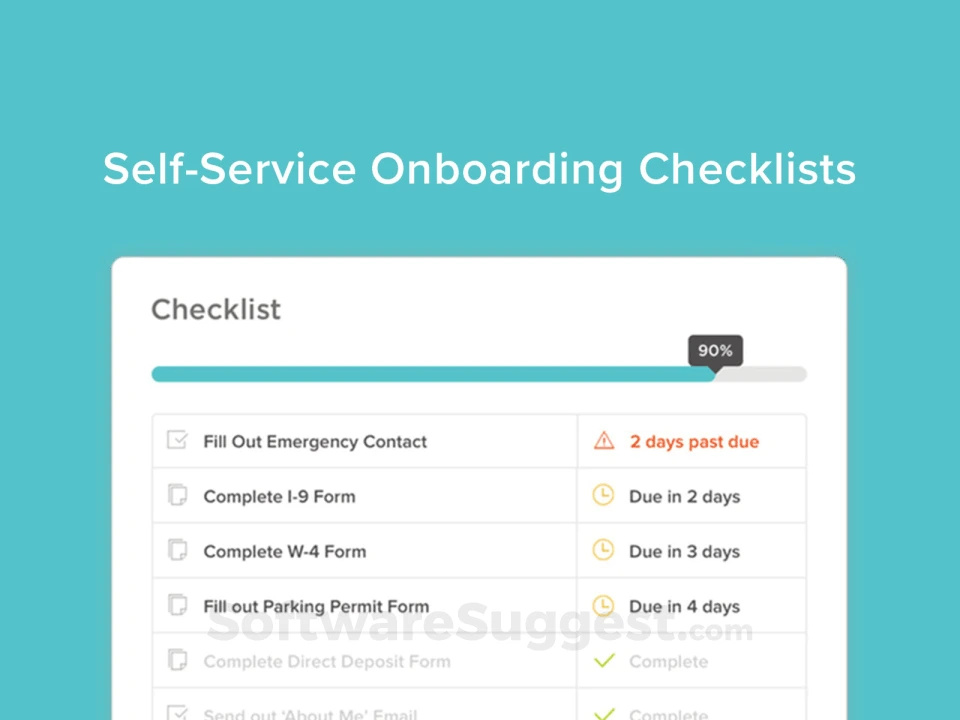
-Onboarding Support: Customize and streamline the onboarding process with videos, documents, and messages.
-Real-Time Org Chart: Provides a visual guide of the company structure, updated with employee data.
-Seamless Payroll Integration: Syncs with payroll platforms like ADP, automating payroll processes.
-Reporting & Analytics: Generate detailed reports on metrics like attendance, employee locations, and more.
-Improved HR Efficiency: Reduces manual work, making HR processes faster and more accurate.
-Compliance Management: Helps ensure all HR activities comply with regulations.

Features

Learn more about HR Cloud features that set it apart from the competition. Discover how its unique tools and capabilities enhance your processes.

Accounts & Permissions

Access Control
Approval Process Control
Role Based Permissions
Single Sign In

Attendance Reporting Features

Absence Management
Progress Tracking
Sick Leave Tracking
Time Attendance
Vacation Tracking

Communication Management

Communication Management
Email Notifications
Multi Language
Real Time Notifications

Customization

Custom Fields
Custom Forms
Custom Landing Pages
Customizable Branding
Customizable Reporting
Customizable Templates
Email Templates
Forms Management
Template Management

Data Management Features

Business Intelligence
Content Management
Data Import Export
Document Management
Document Storage
Employee Database
Employee Profile
Feedback Collection
Knowledge Base
Real Time Data
Timesheets

Financial Features

Benefits Management
Billing Invoicing
Direct Deposit
Payroll Management

HR Features

360 Degree Feedback
Career Development Planning
Competency Management
Employee Management
Employee Onboarding
HR Management
Performance Appraisal
Performance Management
Recruiting Management

Integration

API
Application Integration
CRM Integration
Email Integration
Mobile Integration
Social Media Integration
Third Party Integration

Interaction Features & UX

Activity Dashboard
Collaboration Tools
Drag Drop Interface
Employee Self Service
New Employee Portal
Search Functionality
Self Service Portal

L&D Features

Asynchronous Learning
Blended Learning
Content Library
Gamification
Learning Management
Training Management

Monitoring Features

Configurable Workflow
Monitoring
Task Management
Workflow Management

Reporting & Analytics

Audit Trail
Engagement Analytics
Goal Setting Tracking
Overtime Tracking
Performance Reports
Real Time Analytics
Real Time Reporting
Real Time Updates
Reporting Statistics
Surveys Feedback

Scheduling & Planning

Activity Tracking
Automated Scheduling
Automatic Reminders
Calendar Management
Interview Scheduling

Security & Compliance

Compliance Management
Digital Signature
Electronic Signature Capture
HIPAA Compliance
Secure Data Storage
SSL Security

Signalling & Screening

Applicant Tracking
Assessment Management
Certificate Management
Job Application Management
Reference Checking
Resume Parsing
Skills Assessment
Skills Tracking
Status Tracking
Who uses HR Cloud ?

Based on eLearning Industry reviews from the past 4 years

Company Size

Areas of Focus

Top Industries

Elearning
17%
Financial Services
17%
Consumer Services
9%
Research
9%
Industrial Automation
4%
Other
44%
Pricing

Learn more about HR Cloud's pricing options, cost, and plans so you can make a well-informed, business-wise decision on the best software to use for organization.

Pricing Model
  • Free Trial
  • Subscription
License
Starting Price
  • $5
Free Trial
  • Yes

Per Month

HR Cloud logo
Have you used HR Cloud before?
Answer a few questions and help the community to make the best decisions
Reviews

Is HR Cloud the right solution for you? Read verified HR Cloud reviews from people in industries like yours to make a confident choice.

Performance Overview
Overall Rating 84%
  • Usefulness
  • Usability
  • Customer Experience
  • Likelihood to Recommend

A robust HR software with occasional support delays

Nov 4, 2025

Overall Rating 85%
  • Usefulness
  • Usability
  • Customer Experience
  • Likelihood to Recommend
What do you like best? HR Cloud has become central to our daily HR operations. It handles onboarding, attendance, leave tracking, and monthly salary data all in one place. The interface is clean, easy to use, and the tool integrates well with systems we already use. The convenience of managing everything under a unified dashboard has made life easier for HR teams
What do you dislike? One drawback is the speed at which support sometimes responds. When issues arise, resolution can take longer than expected. Also, more advanced features require extra configuration, which can become tedious. Overall, though, these aren’t major obstacles, just areas where responsiveness and more out-of-box depth would enhance things.
Reviewer photo

Reviewer verified by LinkedIn

Industry : Elearning | Company size : 51-200 | Level : Manager | Focus : Human Resources | Experience using the software : More than 1 year as User, Administrator

Indeed a great choice for automating our daily HR tasks and documentation

Sep 12, 2025

Overall Rating 81%
  • Usefulness
  • Usability
  • Customer Experience
  • Likelihood to Recommend
What do you like best? We found HR Cloud helpful for automating routine items that used to take too long. The onboarding checklists and document tools helped reduce confusion for our new hires. I also like how updates inside the platform keep our team aligned. It feels easy for employees who are not tech-savvy, which is a big win for us.
What do you dislike? The interface looks clean, but some sections feel buried and require extra time to locate. Searching for older items can feel slow, and employees often ask for help finding them. I would love more improvements in search and sorting to make it easier to manage long histories. A smoother layout would help.
Reviewer photo

Lysander T.

Industry : Industrial Automation | Company size : 201-500 | Level : Senior | Focus : Consulting | Experience using the software : More than 1 year as User, Administrator

A very helpful HR platform with incredibly friendly and patient support staff

Aug 6, 2025

Overall Rating 82%
  • Usefulness
  • Usability
  • Customer Experience
  • Likelihood to Recommend
What do you like best? I enjoy how simple it is to complete routine tasks in HR Cloud. The tools for managing documents have saved our team time and made it easier for employees to find what they need. Communication inside the platform works well and keeps everyone updated. Support has consistently responded with clear answers and genuine patience.
What do you dislike? I wish the reporting tools were more flexible because building certain reports takes more time than expected. Some of the filters feel limited and require extra steps to get what we need. The mobile view can also feel a bit cramped for people who move around during the day. It works well enough, but it could feel smoother with a few layout improvements.
Reviewer photo

Peregrine M.

Industry : Elearning | Company size : 501-1,000 | Level : Manager | Focus : Human Resources | Experience using the software : 6-12 months as Administrator

Strong HR features that finally helped us stay organized and track data better

Aug 6, 2025

Overall Rating 84%
  • Usefulness
  • Usability
  • Customer Experience
  • Likelihood to Recommend
What do you like best? HR Cloud gave our growing team a place to bring all our HR tasks together. The tools for tracking employee details are easy to use and keep information clear. I like that the basic setup steps are straightforward, and our managers did not feel overwhelmed. It has helped us keep our processes consistent without much effort.
What do you dislike? There are moments when the load time feels slow, especially during busy hours. A few features feel like they require extra clicks to finish a task, and it can be tiring on long days. I would also like more training resources because some features take a bit of experimenting before they make sense for new users.
Reviewer photo

Caelum V.

Industry : Financial Services | Company size : 501-1,000 | Level : Manager | Focus : Human Resources | Experience using the software : More than 1 year as User

HR Cloud made onboarding feel smooth for our team!

Aug 5, 2025

Overall Rating 79%
  • Usefulness
  • Usability
  • Customer Experience
  • Likelihood to Recommend
What do you like best? HR Cloud helped us organize our onboarding in a simple way that our new hires appreciated. The setup felt easy, and the layout helped our team stay on top of each step. I like how the tools keep everything in one place, so we are not juggling different systems. The support team has also been helpful each time we reached out with questions.
What do you dislike? I wish the reporting tools were more flexible because building certain reports takes more time than expected. Some of the filters feel limited and require extra steps to get what we need. The mobile view can also feel a bit cramped for people who move around during the day. It works well enough, but it could feel smoother with a few layout improvements.
Reviewer photo

Vespera V.

Industry : Computer & Network Security | Company size : 201-500 | Level : Senior | Focus : Consulting | Experience using the software : More than 1 year as User, Administrator

Streamlined Onboarding And Centralization But Analytics Customization Is Limited

Sep 26, 2024

Overall Rating 83%
  • Usefulness
  • Usability
  • Customer Experience
  • Likelihood to Recommend
What do you like best? HR Cloud has honestly taken a lot of stress off my plate. Before we adopted it, onboarding felt scattered and messy, and I spent half the week chasing people for forms. Now everything flows. New hires know what to do, where to click, and how to move forward without me hovering. I love how clean the layout is, and I can jump between tasks quickly without losing track.
What do you dislike? Some parts of the platform feel slower than they should, especially when several people are logged in at once. Customizing smaller details can also take longer because certain settings aren’t easy to find. Reporting is helpful but too shallow for deeper analysis, so I export data more often than I’d like. Support is kind but sometimes slower than ideal when something urgent pops up.
Reviewer photo

Landon R.

Industry : Elearning | Company size : 501-1,000 | Level : Director | Focus : Operations | Experience using the software : More than 1 year as Administrator, User

A solid HR system that supports our remote work environment very effectively

Aug 15, 2024

Overall Rating 42%
  • Usefulness
  • Usability
  • Customer Experience
  • Likelihood to Recommend
What do you like best? Our remote team has benefited from HR Cloud because it gives everyone access to information without confusion. The platform helps with onboarding and communication and keeps new hires from feeling lost. I like how forms and records stay organized so we can find what we need anytime. It supports our hybrid setup without trouble.
What do you dislike? The learning curve for some advanced tools feels longer than expected. Certain features take experimenting with before you know how to use them well. The help articles feel short and could include more examples for clarity. It works fine once you learn it, but the first few days would be easier with stronger guidance.
Reviewer photo

Octavia J.

Industry : Consumer Services | Company size : 501-1,000 | Level : Director | Focus : Consulting | Experience using the software : 6-12 months as Administrator, User

Impressive Feature Set Streamlines HR But Setup Cost And Effort Are High

Jul 9, 2024

Overall Rating 79%
  • Usefulness
  • Usability
  • Customer Experience
  • Likelihood to Recommend
What do you like best? Onboarding used to drain our time, but HR Cloud gave us a fresh start. New hires glide through their first week instead of stumbling through it. Sending forms and collecting signatures digitally has shortened the entire cycle, and I can see exactly where someone is stuck without sending repeated follow-up emails.
What do you dislike? Template adjustments require more tinkering than expected. Some settings feel hidden, and I’ve had to learn them by trial and error. Reporting is fine for basics but lacks the deeper views I want. Notifications arrive at strange times, and customizing them takes more effort than it should.
Reviewer photo

Jonathan B.

Industry : Capital Markets | Company size : 501-1,000 | Level : Senior | Focus : Administrative | Experience using the software : 6-12 months as Administrator, User

A comprehensive HR Platform, but with some rough edges

Jun 25, 2024

Overall Rating 88%
  • Usefulness
  • Usability
  • Customer Experience
  • Likelihood to Recommend
What do you like best? HR Cloud provides a strong all-around HR experience. It supports everything from onboarding and performance to employee data management, which means fewer disconnected tools. The unified approach helps streamline HR tasks and reduces friction in admin work. I also love how its design keeps things visually clean without hiding functions, making navigation across modules less stressful. In use, I find that HR Cloud lets me manage a lot of HR duties while maintaining clarity and structure.
What do you dislike? One area that could use improvement is the consistency in module performance. Sometimes, switching between functions causes lag or small display issues. The mobile access or transition between screens doesn’t always feel as tight as on desktop. Another thing is more helpful in-platform guidance; some features would benefit from in-context tips or walkthroughs, especially for new users. While not a showstopper, these gaps can slow down productivity for teams new to the software
Reviewer photo

Jamie C.

Industry : Financial Services | Company size : 501-1,000 | Level : Director | Focus : Human Resources | Experience using the software : More than 1 year as User, Administrator

Fast Digital Onboarding Workflows But Mobile Interface Can Disrupt User Experience

May 18, 2024

Overall Rating 82%
  • Usefulness
  • Usability
  • Customer Experience
  • Likelihood to Recommend
What do you like best? Employees find the layout simple, and that alone reduces so many of the small questions we’ve dealt with for years. They can manage time off, update information, and find documents without needing us to walk them through every step.
What do you dislike? Reporting doesn’t go deep enough, especially when we need more detailed trends. Some customization options feel limited, and finding the right settings takes more time than I’d prefer. A few pages lag during peak hours, which slows everything down. Support responds, but not always as fast as I’d hope when something time-sensitive hits. It’s useful software, but it isn’t perfect.
Reviewer photo

Cameron G.

Industry : Elearning | Company size : 201-500 | Level : Manager | Focus : Finance | Experience using the software : More than 1 year as Administrator, User

You've viewed 10 out of 23

Alternatives

Not a match? Find software alternatives that better suit your needs and compare them to discover the one that's right for you.

HR Cloud

4.2/5

iSpring LMS - Onboarding

Compare

Connecteam - Employee Onboarding

4.4/5
Compare