Industries
- Education Management
- Education: K-12
- eLearning
- Higher Education
- Primary/Secondary Education
Deployment
- Software as a Service / Cloud
Browsers
- Apple Safari
- Google Chrome
- Mozilla Firefox
Training
- Documentation
- In Person
- Live Online
- Online Tutorials
- Webinars
Support
- 24/7
- Business Hours
- Email
- FAQ
- Knowledge Base
- Live Online
- Online Community
- Phone
What is Myklassroom.com?
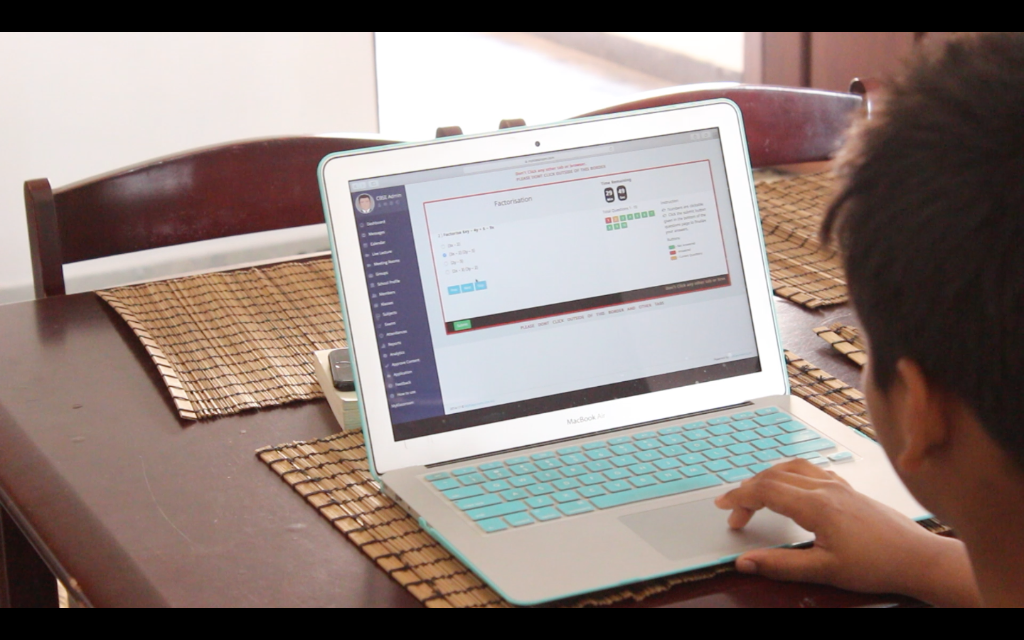
Myklassroom.com is a cloud-based social learning platform to help institution deliver a personalized learning approach to students. It is an EdTech company found my alumni of Wharton Business School and IIT. It was found with the vision of engaging and exposing students through a digital medium and enhancing the learning process at educational institutions. Myklassroom.com is a powerful blend of Social networking and E-learning, which transforms the traditional classroom education to an online collaborative platform for teaching and learning. Our initiative seeks to improve the student’s performance by reducing the time needed for mastering knowledge by increasing retention and increasing engagement.
Myklassroom makes use of the wisdom of the crowds to make the learning experience more engaging. The platform provides curated content as supplementary content for the various topic areas the faculty want to address with personalized delivery of content. With the help of the reports and analytics, the engagement of the various stakeholders can be analyzed. Mobile learning makes it easy to engage students and teachers to the platform.
Myklassroom supports more than 40,000 users and is awarded “The National Education Excellence Award” for “The Best use of Technology in Teaching and Learning Practices” by ASSOCHAM India.
The Social
Overview of Myklassroom.com benefits
At Myklassroom.com, we are trying to understand the student, their skills, their needs, their interest, and map it out to the most relevant content. Like any other social platform, we believe in the community to perfect the job. Our categorization engine chooses appropriate content for the student. The social group at Myklassroom.com helps us to fine-tune the results to a specific user.
Myklassroom.com is built on a SaaS framework to support educational institutions in the ongoing management of their learning process. Our intelligent social mapping algorithm maps the student’s profile with premium educational content available online including but not limited to lectures from a premier institution like Harvard, Stanford, MIT and IIT (free/ paid service).
Myklassroom’s analytical engine will help the teacher to spend less time to analyze class data and help plan class to improve the performance of the students. Our social, collaboration tools will engage all the stakeholders of a school and build a strong community of students and faculty.
Features
Learn more about Myklassroom.com features that set it apart from the competition. Discover how its unique tools and capabilities enhance your processes.
Accounts
Add a new user
Allows administrators to add new users directly to their LMS for streamlined user management.
Archive users
Deactivate and store user accounts without deleting them.
Activity grading
Gradebook
Centralized view of all learner grades.
AI Features
Adaptive Learning
AI Powered
Chatbot
Content development
Content Translation
Intelligent recommendations
Natural Language Processing
Predictive analysis
Quiz generation
Text-to-speech
Authentication
Active Directory/LDAP Integration
Manual Accounts
No login
SAML2/API Integration
Categories
Assign Courses to categories
Create new Categories
Manage Categories
Priced Categories (Bundle)
Certificate management
Certification life-cycle
Manage certification templates
Predefined certification templates
Unique Certificate by Course
Unique Certification by Curriculum
Compliance management
Certification Expiration Management
Course Creation
Built-In Authoring Tool
Changing Course default settings
Content Library
Drag & Drop Interactions
Hybrid Learning Courses
LRS
Upload courses
Customization
Mobile Learning Support
Enrollment
Progress Tracking
Format
Gamification Format
Gamification
Badge customization
Badges
Customize Gamification mechanics
Levels
Points
Rewards
Offer incentives for achievements.
Interface options
Additional external pages
Learning Accessibility
Location Settings
Mobile learning
Offline (disconnected Mobile app)
Offline
Support for offline access to content
Reports
Learning Analytics Tools
Shopping cart
Built-In Shopping Cart
Shopping Cart as Plug-In
System reports
Live Logs
Monitor system activity in real time.
Pricing
Learn more about Myklassroom.com's pricing options, cost, and plans so you can make a well-informed, business-wise decision on the best software to use for organization.
Myklassroom.com charges a service from the institution for using Myklassroom's modules based number of users.
Integrations
Learn more about Myklassroom.com's integration options.
-
Have you used Myklassroom.com before?
Answer a few questions and help the community to make the best decisions
Alternatives
Not a match? Find software alternatives that better suit your needs and compare them to discover the one that's right for you.
![Connecteam - Mobile Teams LMS logo]()
Connecteam - Mobile Teams LMS
4.0/5
Compare