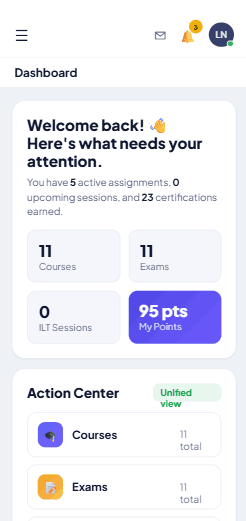
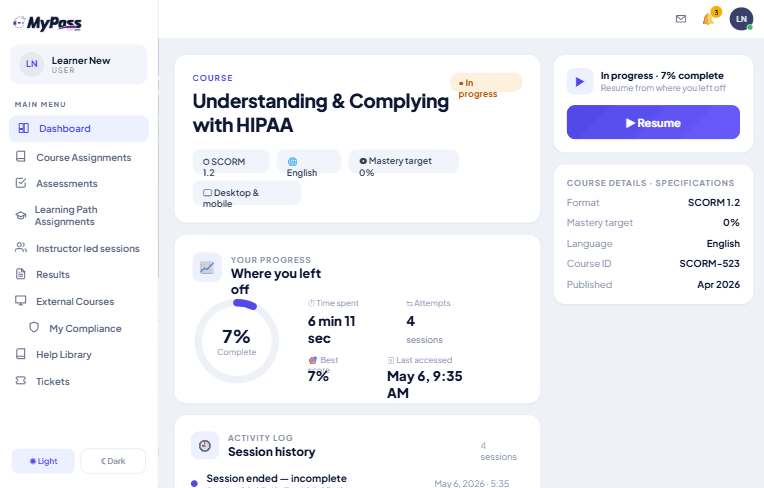
Why settle for another LMS when you can replace the entire learning stack? MyPass gives you a free-forever Community LMS, unlimited users, flexible hosting, and everything needed to create, deliver, manage, and scale learning in one platform.
MyPass LMS serves businesses, nonprofits, associations, schools, training providers, healthcare, govt & enterprises for employee training, compliance, certification, continuing education, customer, partner & member learning with flexible options from free Community to Enterprise
MyPass LMS is a complete learning platform built to simplify how organizations create, deliver, manage, and scale learning.
MyPass LMS brings essential learning tools into one platform, helping organizations spend less time managing disconnected systems and more time delivering effective training.
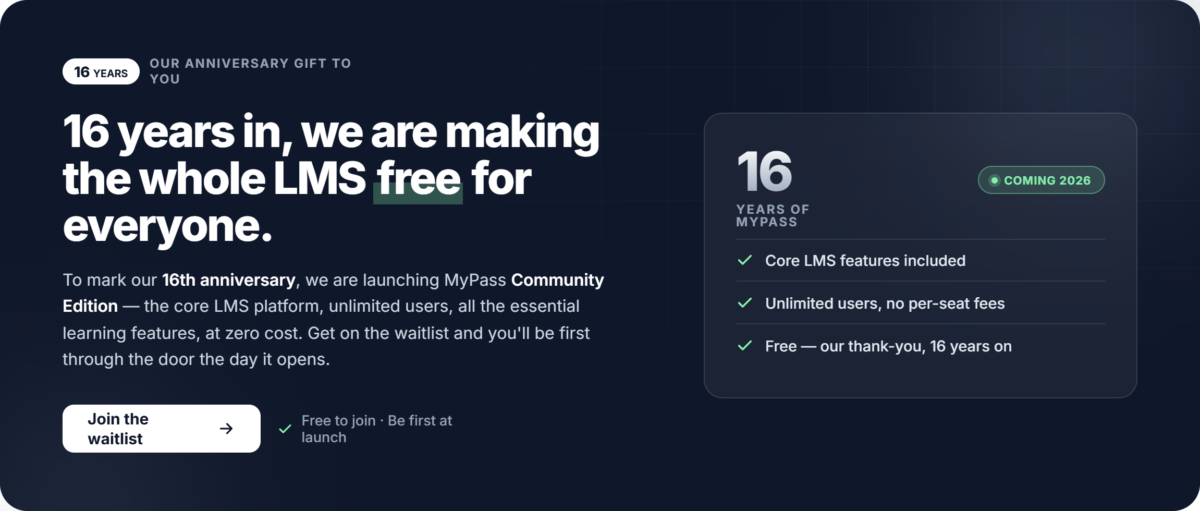
At its core is the Community LMS (OpenCore) a free-forever, self-hosted LMS with unlimited users and no software licensing fees. Organizations can manage courses, learners, SCORM, assessments, certificates, progress, and reporting from one platform.
For organizations that prefer managed infrastructure, MyPass LMS offers Shared Hosting, Private Hosting and Enterprise deployment options, providing a flexible path from self-hosted learning to dedicated and customized environments.
MyPass supports employee onboarding, compliance training, professional development, certification, continuing education, customer education, partner training, association learning, and commercial training.
The platform combines LMS capabilities with AI-powered course authoring, AI grading, AI eProctoring, multilingual translation, DRM, course marketplace, eCommerce, learning paths, reporting, white-label branding, SSO, APIs, surveys and AMS integrations.
Most importantly, MyPass LMS is designed to replace multiple learning tools with one connected platform, reducing technology complexity, administration, integrations, and overall ownership costs.
For organizations evaluating platforms such as Moodle, MyPass LMS offers a complete alternative with a free Community Edition which is easy to install and configure, unlimited users, flexible hosting, and a path to Enterprise.
Whether starting with Community or running a complex enterprise learning operation, MyPass provides one platform, unlimited users, flexible deployment, and room to grow for organizations of all sizes and industries.
MyPass LMS helps organizations simplify learning technology, reduce costs, and manage training, certification, compliance, and continuing education from one platform.
Start Free With Unlimited Users - Community LMS (OpenCore) is free to self-host with no software licensing fees or user limits.
Replace Multiple Tools - Combine LMS, course authoring, assessments, certification, compliance, reporting, DRM, eCommerce, translation and eProctoring in one platform.
Lower Total Cost - Reduce software, integration, administration, and vendor-management costs by consolidating learning technology.
Managed Hosting Without the Hassle - Handles hosting, infrastructure, updates, backups, monitoring, and support.
Create Better Learning - Build courses with AI-powered authoring, SCORM authoring, multilingual translation, learning paths, assessments and certifications.
Smarter Evaluation - Use AI grading and two-level AI eProctoring to simplify assessment and secure online examinations.
Protect & Monetize Content - Use DRM to protect learning content and built-in marketplace and eCommerce to sell courses.
Simplify Compliance - Track training, completion, certifications, renewals, and compliance requirements with less administrative effort.
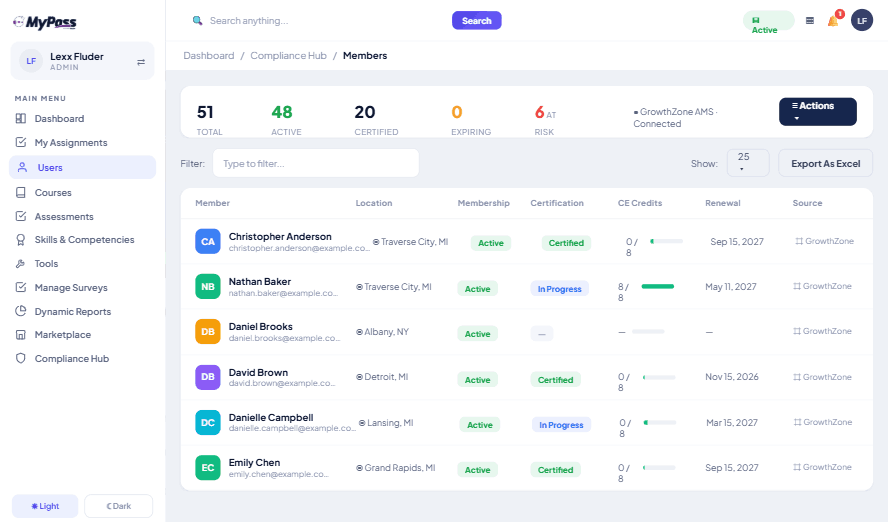
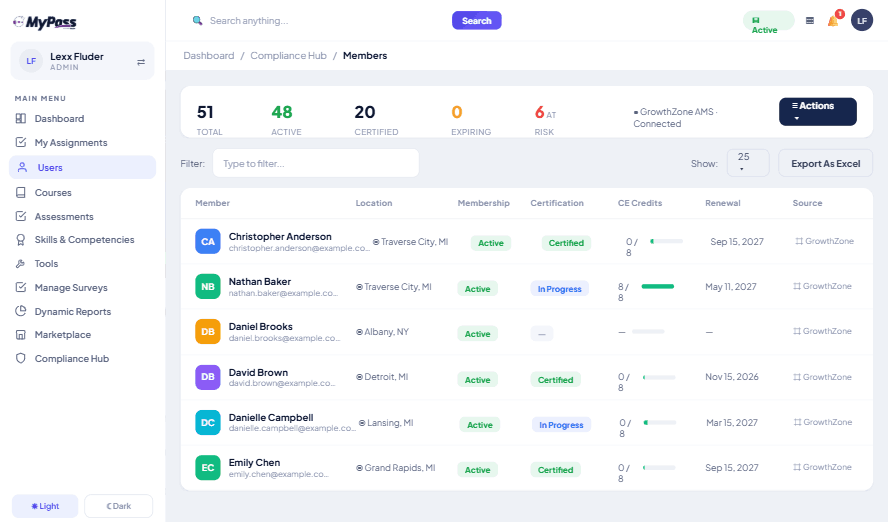
Support Associations & CE - Connect learning with membership through AMS integrations and support member education, continuing education, CE tracking, and certification.
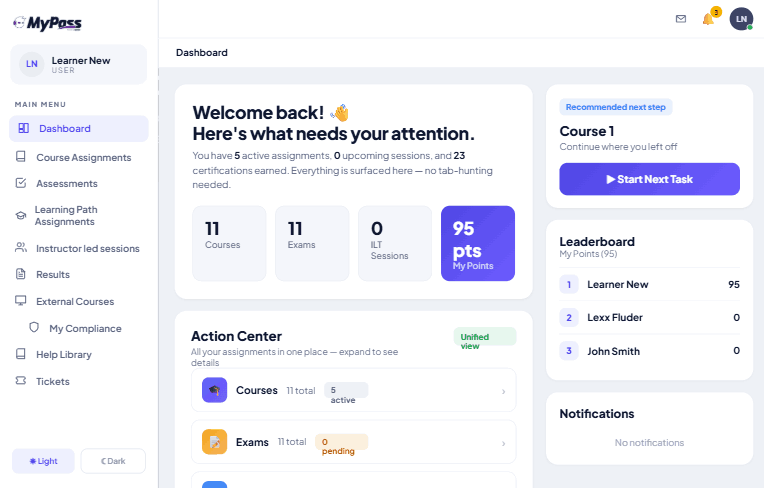
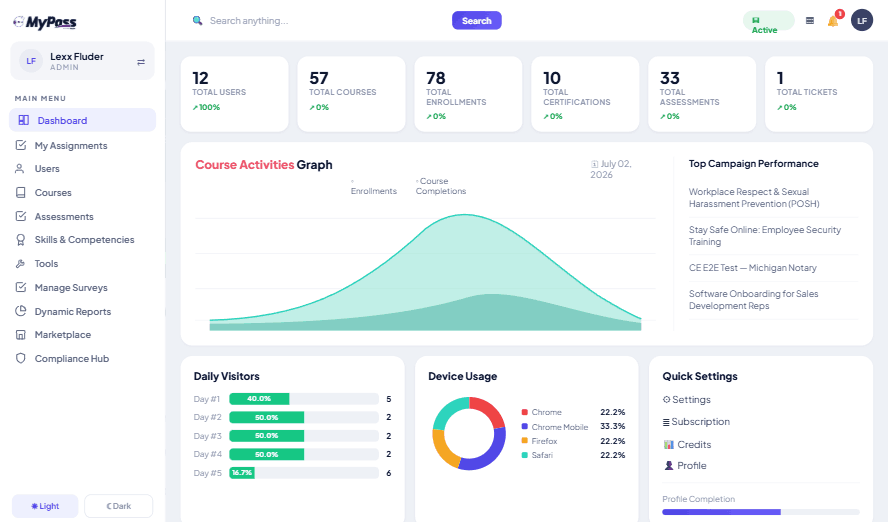
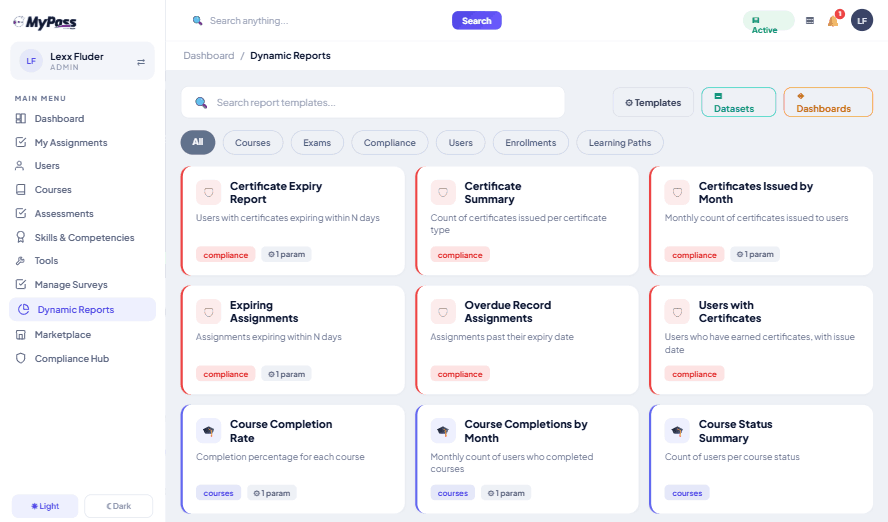
See What Matters - Dynamic reports and dashboards provide visibility into learner progress, completion, assessments, certifications, and performance.
Scale With Confidence - Move from Community to Shared, Private, or Enterprise without replacing your LMS or rebuilding content.
Support Every Audience - Deliver employee, customer, partner, member, volunteer, compliance, certification, and continuing education programs from one platform.
One LMS. Unlimited users. Multiple tools replaced. Start free and scale when you're ready.
Features
Learn more about MyPass LMS features that set it apart from the competition. Discover how its unique tools and capabilities enhance your processes.
Accounts
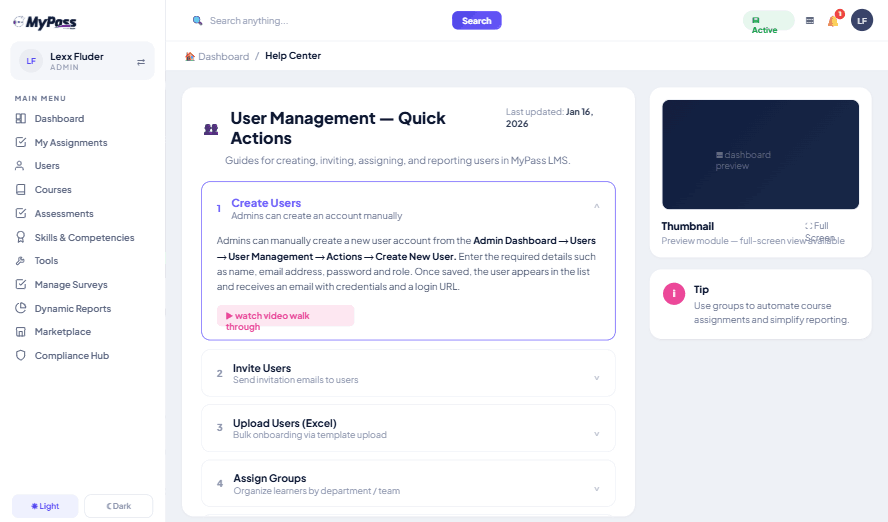
Add a new userAllows administrators to add new users directly to their LMS for streamlined user management.
Archive usersDeactivate and store user accounts without deleting them.
Learn more about MyPass LMS's pricing options, cost, and plans so you can make a well-informed, business-wise decision on the best software to use for organization.
Community Edition - Free LMS
Contact us for pricing
Free, self-hosted OpenCore LMS
Unlimited users
Course and learner management
SCORM course delivery
Assessments, quizzes, and question banks
Certificates and completion tracking
Learning paths and assignments
User groups, roles, and permissions
Progress reports and dashboards
Full core LMS functionality
No software licensing fees
Full control over hosting and data
Shared Hosting — $99/month or $79/month billed annually
Best value
$79/ month
All LMS features included
Unlimited users
Up to 50 simultaneous logins
Managed shared hosting
Course and learner management
AI course authoring and SCORM
Assessments, AI grading, and certificates
Certification and compliance tracking
Continuing education (CE) tracking
Instructor-led and blended learning
AI eProctoring and content protection (DRM)
eCommerce and course marketplace
AI translation and multilingual learning
Reporting and analytics
Native AMS integrations
Managed updates, monitoring, and backups
Standard support
Private Hosting — $319/month or $249/month billed annually
$249/ month
All LMS features included
Unlimited users
Up to 1,000 simultaneous logins
Dedicated hosting environment
Course and learner management
AI course authoring and SCORM
Assessments, AI grading, and certificates
Certification and compliance tracking
Continuing education (CE) tracking
Instructor-led and blended learning
AI eProctoring and content protection (DRM)
eCommerce and course marketplace
AI translation and multilingual learning
Reporting and analytics
Native AMS integrations
Own SSL and subdomain
Managed upgrades, advanced monitoring, and backups
Priority support
Enterprise — Custom pricing
Contact us for pricing
All LMS features included
Unlimited registered users
Custom simultaneous-login capacity
Dedicated infrastructure and deployment
Course and learner management
AI course authoring and SCORM
Assessments, AI grading, and certificates
Certification and compliance tracking
Continuing education (CE) tracking
Instructor-led and blended learning
AI eProctoring and content protection (DRM)
eCommerce and course marketplace
AI translation and multilingual learning
Reporting and analytics
AMS and custom integrations
Custom workflows and configuration
High availability and load balancing
Advanced security review
Dedicated support and custom SLA
Implementation and migration support
Integrations
Learn more about MyPass LMS's integration options.
ADP
API
BambooHR
BigBlueButton
Dropbox
G Suite
Gmail
Google Calendar
GoToMeeting
GoToTraining
GoToWebinar
HubSpot
Office 365
OneDrive
Outlook Calendar
Paypal
Salesforce CRM
SAP CRM
SharePoint
Slack
Stripe
Sugar CRM
WebEx
WooCommerce
Wordpress
Zapier
Zoom
Zopim
Have you used MyPass LMS before?
Answer a few questions and help the community to make the best decisions
Is MyPass LMS the right solution for you? Read verified MyPass LMS reviews from people in industries like yours to make a confident choice.
Performance Overview
Overall Rating
90%
Usefulness
Usability
Customer Experience
Likelihood to Recommend
Fully integrated custom LMS experience at a SAAS cost
Dec 29, 2020
Overall Rating
90%
Usefulness
Usability
Customer Experience
Likelihood to Recommend
What do you like best?
Our team loved the fact that it is multilingual and they can switch the platform to any new language swiftly, this helped us to increase our reach to global customers. MyPass implementation team was patient, knowledgeable and proactive, ensuring the smoothest implementation possible. Would definitely recommend to any one in need of online learning and certification. Custom integrations around our existing projects helped us tremendously.
What do you dislike?
The BI tool used for reporting could be a little easier to use, but the support is great and they are always willing to customize reports to our meet our needs.
You've viewed 1 out of 1
Alternatives
Not a match? Find software alternatives that better suit your needs and compare them to discover the one that's right for you.
MyPass LMS is an all-in-one Learning Management System (LMS) for creating, delivering, managing, and tracking learning. It combines course management, AI-assisted authoring, SCORM, assessments, certification, compliance, continuing education, eCommerce, reporting, content protection, and integrations in one platform. Organizations can start with the free OpenCore Community Edition or choose managed hosting as their needs grow.
Yes. MyPass LMS Community Edition is a free, self-hosted OpenCore Learning Management System with unlimited users and no software licensing fees. Organizations can run their own learning platform and retain control over their hosting environment. Managed hosting is available for organizations that prefer Kprise to manage their infrastructure.
The right free LMS depends on your feature requirements, hosting preferences, and growth plans. MyPass LMS Community Edition offers unlimited users, no software licensing fees, course management, SCORM, assessments, certificates, learning paths, and reporting. It is an option for organizations seeking a free LMS they can self-host and expand into managed hosting as requirements change.
MyPass LMS is an alternative worth evaluating for organizations comparing open-source or self-hosted LMS platforms. Its free OpenCore Community Edition provides unlimited users without software licensing fees, while the broader platform combines learning management with authoring, assessments, certification, compliance, eCommerce, content protection, and other capabilities. Organizations can also choose managed hosting instead of maintaining their own infrastructure.
MyPass LMS focuses on consolidating learning tools into one platform. Instead of managing separate systems for course delivery, authoring, assessments, certification, compliance, commerce, content protection, and reporting, organizations can bring these workflows together. Its free Community Edition, unlimited users, hosting flexibility, and all-inclusive feature approach help organizations manage costs as their learning programs grow.
MyPass LMS is designed for businesses, L&D teams, training providers, associations, nonprofits, schools, certification bodies, and organizations delivering learning to employees, members, customers, partners, volunteers, and other external audiences. It supports employee onboarding, compliance training, professional development, continuing education, certification, and commercial online learning.
MyPass LMS offers a free Community Edition and paid managed hosting options. Shared Hosting is $99 per month or $79 per month billed annually, subject to confirmation of the published annual total. Private Hosting is $319 per month or $249 per month billed annually. Enterprise pricing is customized to infrastructure, capacity, and support requirements.
No. MyPass LMS uses a hosting-based pricing model rather than per-user or per-seat licensing. All plans support unlimited registered users. Managed hosting costs are based on infrastructure, simultaneous-login capacity, and the level of support required.
All paid plans include the complete MyPass LMS feature set. Pricing differences relate to hosting infrastructure, simultaneous-login capacity, deployment, and support. Organizations do not need to purchase a higher plan simply to unlock additional LMS software features.
Shared Hosting provides managed shared infrastructure with up to 50 simultaneous logins. Private Hosting provides a dedicated environment with up to 1,000 simultaneous logins, along with its own SSL and subdomain. Enterprise supports customized infrastructure, capacity, high availability, load balancing, and tailored service requirements. All three include the complete LMS feature set.
Yes. Eligible nonprofits receive an additional 20% discount on managed hosting. The Community Edition is already free to self-host, with unlimited registered users and no software licensing fees.
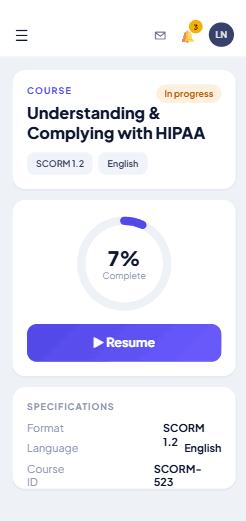
Yes. MyPass includes AI-assisted course authoring and content creation to help teams develop learning materials more efficiently. It also supports SCORM content, allowing organizations to deliver existing compatible course packages alongside newly created learning content.
MyPass supports eCommerce and course marketplace capabilities for organizations offering paid courses and professional training. It can help training providers and businesses bring learning delivery and commercial training workflows together rather than relying entirely on separate platforms.
The self-hosted Community Edition lets organizations operate the LMS within infrastructure they control. Managed hosting is available for organizations that prefer Kprise to operate the environment. The appropriate option depends on internal technical resources, security requirements, and deployment preferences.
Yes. Enterprise hosting is intended for organizations with complex workflows, custom integrations, higher simultaneous-login requirements, high availability, load balancing, dedicated support, and tailored service-level agreements. The Enterprise configuration and pricing are customized to the organization's requirements.
Yes. Shared and Private Hosting offer a 15-day free trial without requiring a credit card to start. Eligible registered nonprofits and member associations receive a two-month trial. The self-hosted Community Edition is a separate free offering, not a time-limited trial.
Yes. MyPass offers a path from the free Community Edition to Kprise-managed hosting. Organizations can begin by hosting the platform themselves and explore migration to managed hosting when they need Kprise to manage infrastructure, updates, backups, and support. Migration requirements should be assessed based on the existing deployment.
Yes. MyPass offers an optional workplace learning library with 29 ready-made, SCORM-ready courses covering areas such as corporate compliance, workplace skills, management, productivity, and AI workforce readiness. The library is a separate content offering, so organizations should confirm the applicable package and price.
Yes. The MyPass Partner Program offers referral and reseller models. Referral partners earn 50% of the first deal, while resellers earn 30% when a deal closes and 10% annually while the client remains active. The program is designed for consultants, content creators, training providers, agencies, technology partners, and HR, compliance, and association advisors.
Yes. Training providers, consultants, and other eligible partners can explore the reseller model to include MyPass in their own offerings. This allows partners to combine learning technology with their existing training, consulting, content, or implementation services. Contact Kprise to discuss the partner model and commercial terms.
Community Edition users can access community-based help and documentation. Organizations that want Kprise to manage hosting, upgrades, and support can choose a managed hosting plan. This lets technically equipped teams self-host while giving other organizations a managed alternative.
Yes. MyPass offers Enterprise configurations for organizations requiring custom infrastructure, integrations, workflows, security reviews, higher capacity, or tailored service-level agreements. Integration requirements can be assessed through the API and custom connector options, with scope and delivery timelines confirmed for each project.
Native AMS integration is included with paid hosting plans. MyPass also provides REST API access and webhooks across its plans. Custom integration work may require separate scoping, depending on the systems and requirements involved.
MyPass supports integrations across association management, HR, video and instructor-led training, content, websites, and payments. REST APIs and webhooks support additional connectivity, and custom connectors can be discussed when an organization's required system is not already supported.
Choose the Community Edition if you want a free LMS and can manage your own hosting. Choose Shared Hosting if you want Kprise to manage the infrastructure and need up to 50 simultaneous logins. Choose Private Hosting for a dedicated environment and up to 1,000 simultaneous logins. Choose Enterprise for custom capacity, high availability, complex integrations, or tailored support. All paid plans include the full LMS feature set.
Yes. MyPass supports learning beyond an organization's own employees, including customer education, partner training, association members, volunteers, and professional learners. This makes it relevant for organizations that need an extended-enterprise LMS rather than an employee-only training platform.
Yes. MyPass supports course delivery, assessments, certificates, continuing education, learner tracking, and eCommerce capabilities. Training providers and certification organizations can use the platform to deliver professional education and manage learning programs for individuals, businesses, members, and other external audiences.
Yes. Organizations can use MyPass for employee onboarding, mandatory training, compliance, professional development, skills development, assessments, and completion tracking. Course management, reporting, and learning paths help teams organize training and monitor progress.
Yes. MyPass supports member education, professional development, certification, continuing education, and external learner training. Its AMS integrations can connect learning with membership systems, helping associations bring education and membership-related workflows into a more connected platform.
Yes. Enterprise hosting is intended for organizations with complex workflows, custom integrations, higher simultaneous-login requirements, high availability, load balancing, dedicated support, and tailored service-level agreements. The Enterprise configuration and pricing are customized to the organization's requirements.
MyPass includes content-protection capabilities such as DRM and protected document access. Depending on the enabled capabilities and configuration, organizations can use these controls to help protect valuable learning materials and manage access to protected content.
MyPass includes AI-assisted grading and eProctoring capabilities for supported assessment workflows. Organizations can evaluate these features for examination, certification, and professional education programs.
MyPass provides AI-assisted translation capabilities to help organizations develop learning content for different language audiences. The appropriate workflow depends on the source material and the languages required.
Yes. MyPass supports instructor-led training and blended learning alongside online courses. Organizations can manage learning activities that combine digital content with instructor-led sessions and related learner tracking.
MyPass supports learning paths, course assignments, learner groups, and progress tracking. These capabilities help organizations organize structured training programs and manage learning requirements across different audiences.