Customers
- Academic
- Freelancers
- Non Profits
- Public Administrations
- Small/Medium Businesses
Use Cases
- Academic Learning
- Continuing Education
Industries
- Education Management
- Education: K-12
- Higher Education
- Primary/Secondary Education
Deployment
- Desktop Application
- Mobile Application
- Software as a Service / Cloud
Browsers
- Apple Safari
- Google Chrome
- Internet Explorer
- Mozilla Firefox
Training
- Documentation
- In Person
- Live Online
- Online Tutorials
- Webinars
Support
- 24/7
- Business Hours
- Email
- FAQ
- Knowledge Base
- Live Online
- Online Community
- Phone
What is Nagwa?
About Us
Nagwa Limited is an educational technology startup with offices in Windsor, UK and in Cairo, Egypt. We have over 450 staff members who are working on creating digital educational products for students.
Mission Statement
Our mission is to educate the world.
Vision Statement
Our vision is to be a leader in digital education and an innovator at the intersection of education, technology, and design.
We spent the first four years preparing the product to make sure it fits the market. In one year after launching Nagwa's different appliocations with have reached more than 3.5M users in 20 different countries.
We help teachers teach and students learn.
Read more
Read less
Overview of Nagwa benefits
Nagwa has several applications that helps the teacher teach and student to learn.
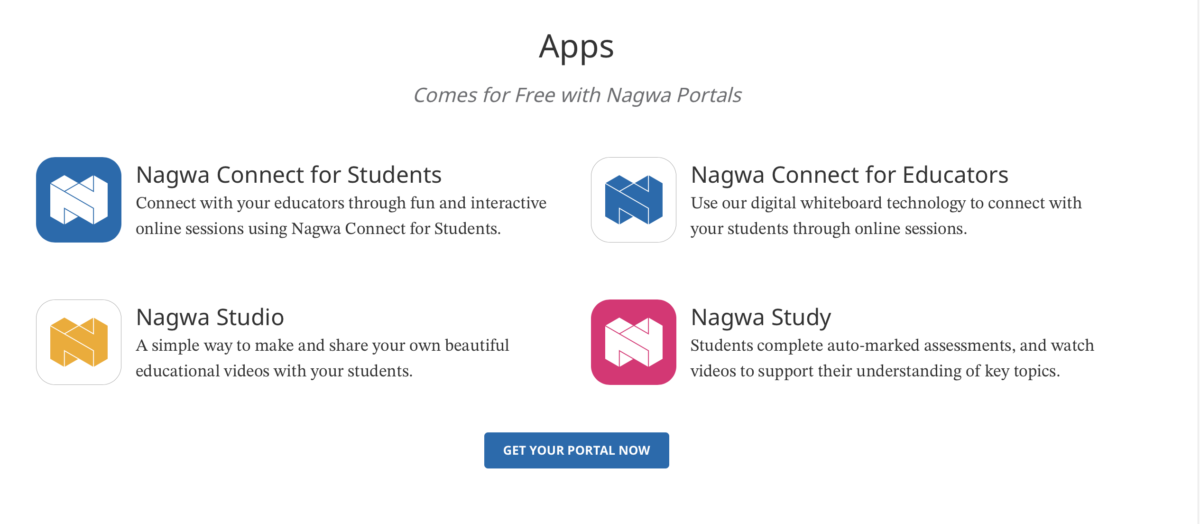
Nagwa Connect
Through this application educators can conduct live sessions with their students. Students can communicate with the educators after their permission.
Nagwa Studio
Throught this applicaiton educators can create videos to be uploaded on the portal. The application has auto edititing feature.
Nagwa Study
Through this application students can find their assessments, homeworks, documnets uploaded by the educators as well as other features.
Nagwa Educators
Through this application educators can engage with their students. They can create assessments, upload files for their students, create homeworks, as well as other features.
At nagwa we have more than 100K+ questions.
We have ready made content for Math, Chemistry, Biology, Physics, and Science in 5 different languages; Arabic, English, Frensh, Spanish, and Portugese.
Read more
Read less
Features
Learn more about Nagwa features that set it apart from the competition. Discover how its unique tools and capabilities enhance your processes.
Accounts
Add a new user
Allows administrators to add new users directly to their LMS for streamlined user management.
Archive users
Deactivate and store user accounts without deleting them.
Browse list of users
Activity grading
Gradebook
Centralized view of all learner grades.
AI Features
Adaptive Learning
AI Powered
Chatbot
Content development
Content Translation
Intelligent recommendations
Natural Language Processing
Predictive analysis
Quiz generation
Text-to-speech
Authentication
Active Directory/LDAP Integration
Custom User login page
Manual Accounts
No login
SAML2/API Integration
Self-Registration
Self-Registration w. Admin Confirmation
Categories
Priced Categories (Bundle)
Certificate management
Certification life-cycle
Manage certification templates
Predefined certification templates
Unique Certificate by Course
Unique Certification by Curriculum
Compliance management
Certificate expiration notifications
Certification Expiration Management
Due Date notifications
Soft/Hard Stop Due Dates
Course Creation
Built-In Authoring Tool
Changing Course default settings
Content Library
Drag & Drop Interactions
Hybrid Learning Courses
LRS
Survey Engine
Enrollment
Automated Enrollment (based on User data)
Guest Access Settings
Progress Tracking
Survey enrollment (based on a response)
Format
Gamification Format
Learner Upload
Social Format
Video Conferencing Integration
Weekly Format
Gamification
Badge customization
Badges
Customize Gamification mechanics
Leaderboards
Levels
Points
Rewards
Interface options
Additional external pages
Block Management
Calendar Settings
Language settings
Learning Accessibility
Location Settings
Media embedding settings
Multilanguage Support
Ready-made Themes
Learning types
Asynchronous Instructor-led
Asynchronous Self-paced
Blended Learning
Synchronous Virtual Classroom
Mobile learning
Offline (disconnected Mobile app)
Online (Internet connected)
Offline
Support for offline access to content
Reports
Learning Analytics Tools
Roles
Teams and Team Hierarchies
Shopping cart
Built-In Shopping Cart
Shopping Cart as Plug-In
System reports
Live Logs
Monitor system activity in real time.
Pricing
Learn more about Nagwa's pricing options, cost, and plans so you can make a well-informed, business-wise decision on the best software to use for organization.
Integrations
Learn more about Nagwa's integration options.
-
Have you used Nagwa before?
Answer a few questions and help the community to make the best decisions
Alternatives
Not a match? Find software alternatives that better suit your needs and compare them to discover the one that's right for you.
![Connecteam - Mobile Teams LMS logo]()
Connecteam - Mobile Teams LMS
4.0/5
Compare