Customers
- Large Enterprises (>10,000)
- Non Profits
- Public Administrations
- Small/Medium Businesses
Use Cases
- Association Learning
- Customer Training
- Employee Onboarding
- Employee Training
- Immersive Learning
- Social Learning
- Workforce Development
Industries
- Banking
- Construction
- Consumer Electronics
- Consumer Goods
- eLearning
- Executive Office
- Nonprofit Organization Management
Deployment
- Mobile Application
- Software as a Service / Cloud
Browsers
- Apple Safari
- Google Chrome
- Internet Explorer
- Mozilla Firefox
Training
- Documentation
- Online Tutorials
Support
- Business Hours
- Email
- FAQ
- Knowledge Base
- Live Online
- Phone
Supported Specifications
- SCORM 1.2
- SCORM 2004
- SCORM 2004 3rd Edition
- SCORM 2004 4th Edition
What is Qbic?
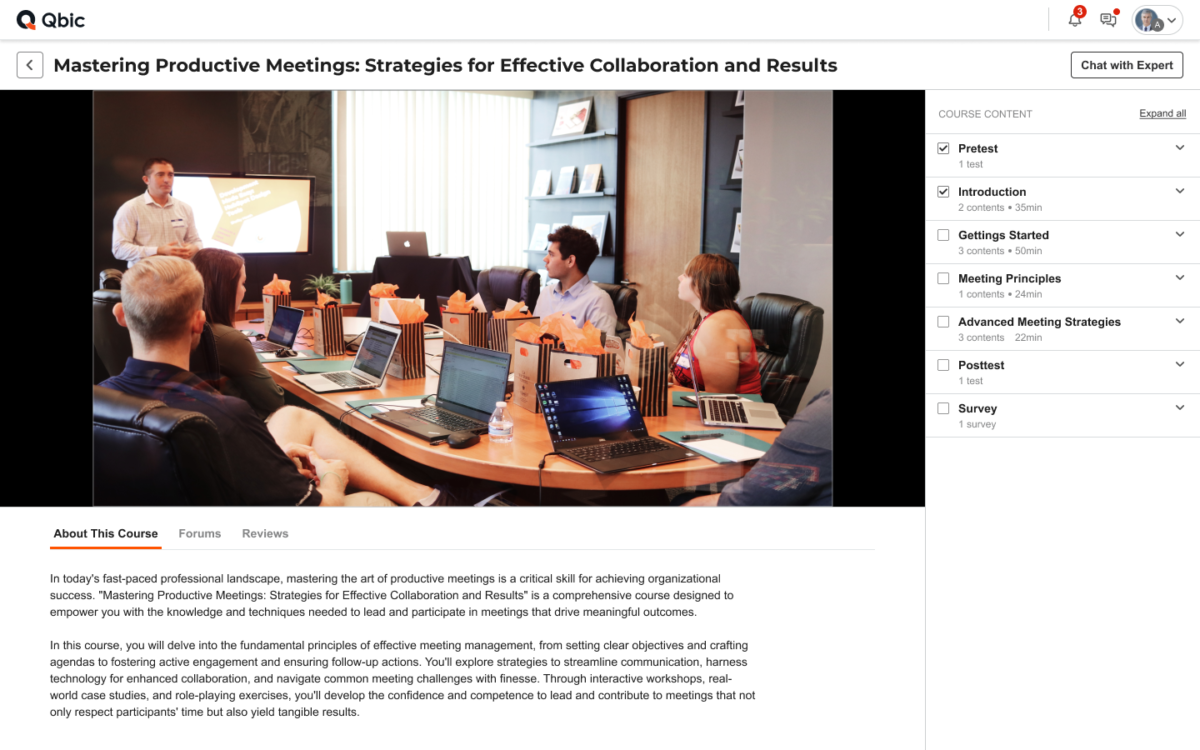
Experience the freedom of shaping your training and development with Qbic. Qbic is an all-in-one solution consisting of a corporate LMS with a dynamic course marketplace, offering you a practical and collaborative platform to chart your distinctive path to growth.
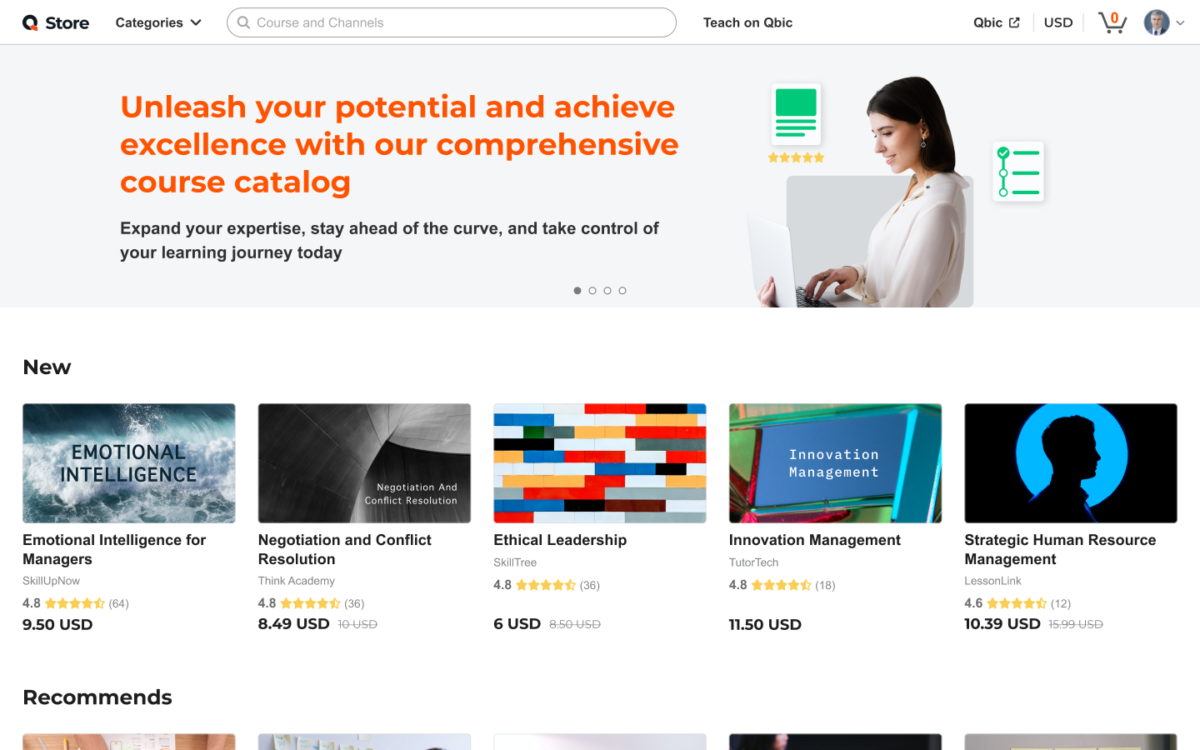
Tailor the corporate LMS to your preferences and needs. Customize it to assess course effectiveness according to your strategy, align it with your organizational structure, and convey your values through personalized branding. Discover a diverse array of courses thoughtfully created by our professional partners within our course marketplace, Q Store. With Qbic's integrated corporate LMS and course marketplace, there are no extra costs to expand your network, making it a practical choice for organizations of all sizes and objectives. Qbic represents more than just an LMS; it stands as your trusted partner in achieving training success.
Overview of Qbic benefits
Auto Enrollment with Your Organizational Structure
Utilize Custom Profile Structures to seamlessly integrate your organizational hierarchy into Qbic. Automate group or team enrollments with precision, including onboarding for new members based on their roles, streamlining the learner management process.
Private Communication with Course Administrators
Enable one-on-one conversations through "Ask the Expert" to connect learners with subject matter experts within your organization. Give learners access to personal assistance by offering private chat support on courses available in the Q Store.
Share Courses with Anyone At No Additional Cost
Establish dedicated channels on Q Store to effortlessly share unlimited courses with partners, vendors, resellers, or any individuals linked to your organization, without incurring additional costs.
Buy or Sell Courses in Qbic’s Open Marketplace
Explore the Q Store to acquire courses necessary for compliance or to enrich your training initiatives. Alternatively, publish your own courses to generate additional revenue and share your expertise with a global audience.
Many Powerful Features for Any Sized Organization
- Custom Workspaces with Unique URLs
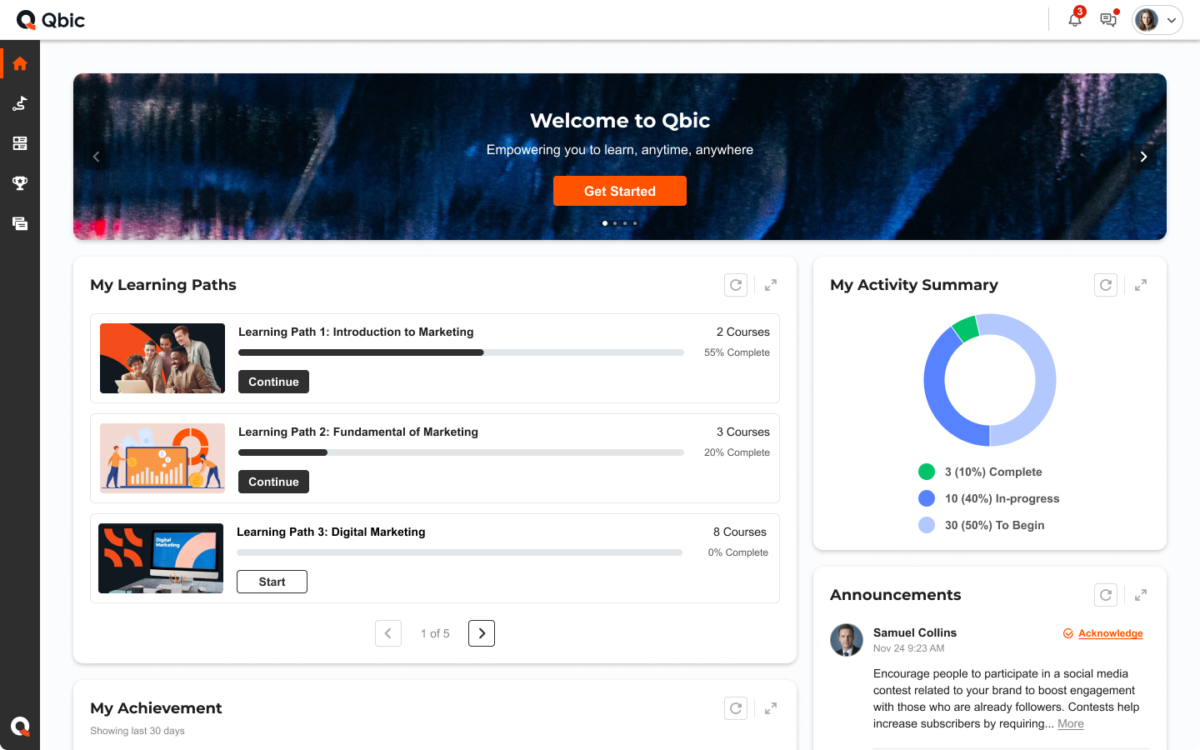
- Customizable Sign-in Page, Home Page and Theme
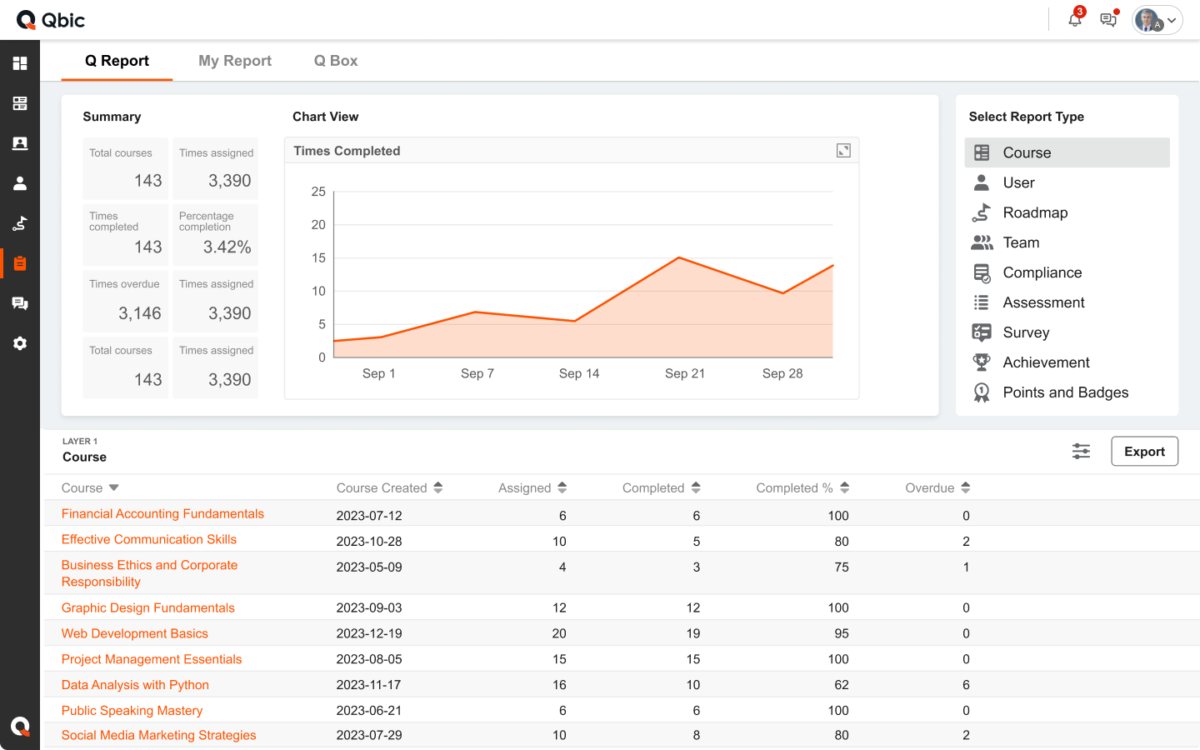
- Custom Reports and Delivery Schedules
- Customizable Assessments and Course Surveys
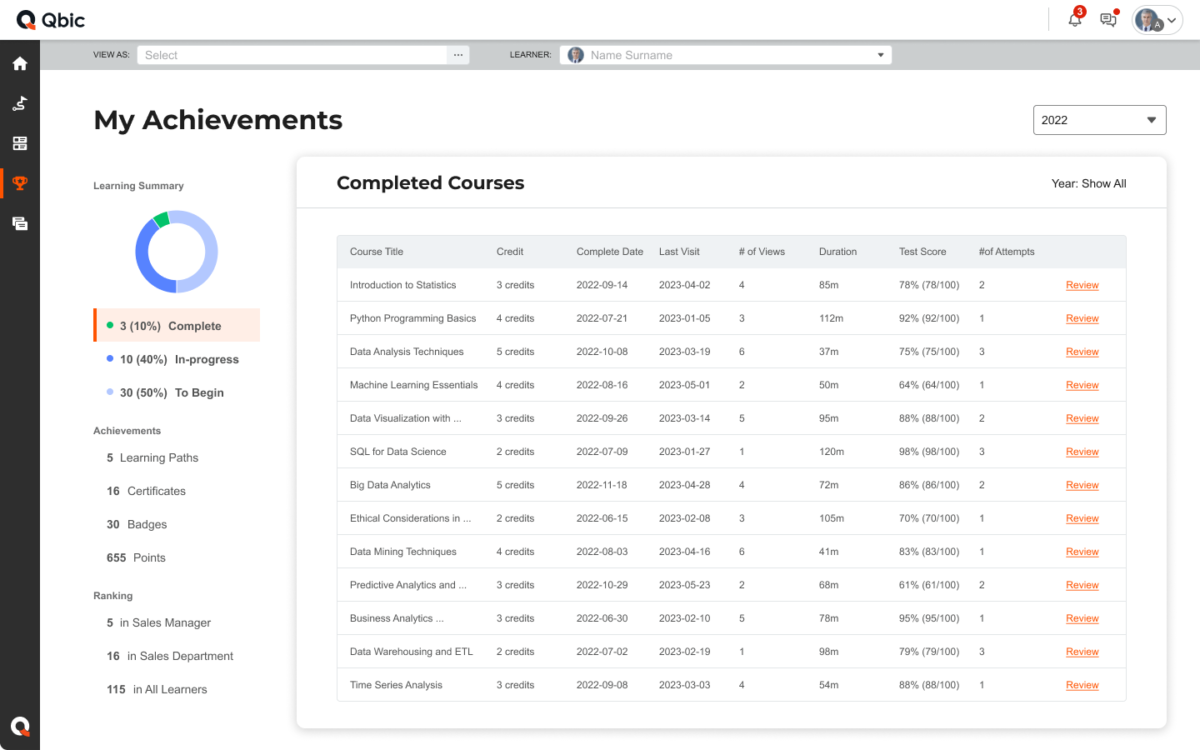
- Gamification for User Engagement
- Personalize Certificates
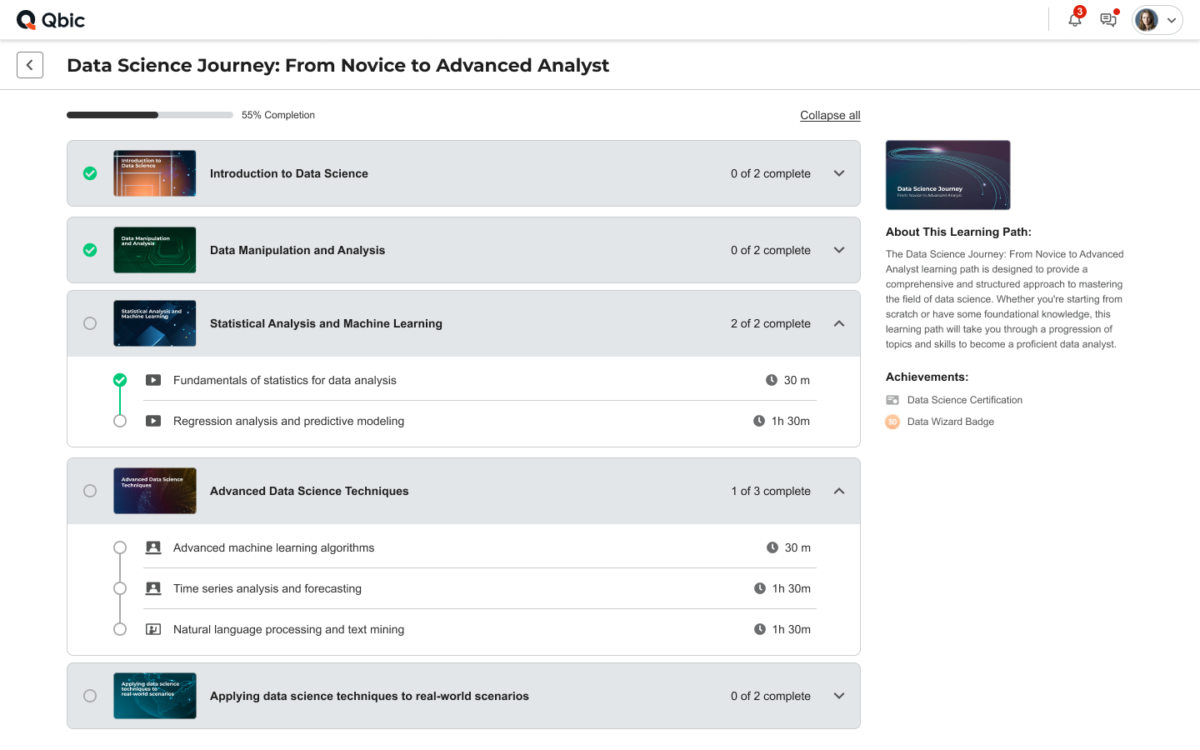
- Visual Learning Paths for Clear Objectives
- Discussion Forum to Support Social Learning
Features
Learn more about Qbic features that set it apart from the competition. Discover how its unique tools and capabilities enhance your processes.
Accounts
Add a new user
Allows administrators to add new users directly to their LMS for streamlined user management.
Archive users
Activity grading
Gradebook
Centralized view of all learner grades.
Gradebook audit trail
Gradebook comments
AI Features
Adaptive Learning
AI Powered
Chatbot
Content development
Content Translation
Intelligent recommendations
Natural Language Processing
Predictive analysis
Quiz generation
Text-to-speech
Authentication
Manual Accounts
No login
SAML2/API Integration
Categories
Priced Categories (Bundle)
Certificate management
Unique Certificate by Course
Unique Certification by Curriculum
Compliance management
Due Date notifications
Course Creation
Changing Course default settings
Consume online video content
Content Library
A repository of pre-made templates, existing content, multimedia sets, and learning outlines.
Course backup Options
Drag & Drop Interactions
Hybrid Learning Courses
LRS
Enrollment
Guest Access Settings
Self-enrollment (with a PIN #)
Format
Social Format
Topics Format
Weekly Format
Gamification
Badges
Award digital achievements.
Levels
Define progression stages.
Points
Award points for activity.
Rewards
Offer incentives for achievements.
Interface options
Additional external pages
Block Management
Calendar Settings
Learning Accessibility
Media embedding settings
Ready-made Themes
Learning types
Synchronous Virtual Classroom
Mobile learning
Offline (disconnected Mobile app)
Offline
Support for offline access to content
Security
Anti-spam
Anti-virus
IP Blocker
Restrict registration to specific domains
Strong Passwords
Shopping cart
Shopping Cart as Plug-In
Pricing
Learn more about Qbic's pricing options, cost, and plans so you can make a well-informed, business-wise decision on the best software to use for organization.
Qbicis available in a Free, Standard and Business plan
Integrations
Learn more about Qbic's integration options.
Have you used Qbic before?
Answer a few questions and help the community to make the best decisions
Reviews
Is Qbic the right solution for you? Read verified Qbic reviews from people in industries like yours to make a confident choice.
@Work, an effective platform for internal communication
Overall Rating
82%
-
Usefulness
-
Usability
-
Customer Experience
-
Likelihood to Recommend
What do you like best?
@Work is really helpful especially for working from home during the pandemic, me and my team can easily and effectively run daily meetings as well as schedule recurring ones. Moreover, I love its simplicity. Easy to sign up, to use, and to work on. The design is also simple, clean, and organized. Besides, it’s great that I can share files between my team directly and they are systematically kept. When I have to search for any doc, it always right there!
What do you dislike?
I faced problem in uploading 2 GB and larger file size, it can’t be uploaded and I can’t continue uploading other files instead. However, the problem is solved after reopening the application. Also, I would be more appreciated if they add calendar reminders into the app.
Learning management system with meeting and chat features
Overall Rating
88%
-
Usefulness
-
Usability
-
Customer Experience
-
Likelihood to Recommend
What do you like best?
The LMS features are easy to grab and use. There are chat and meeting functions inside the app. I and my associates use them to share information about the courses that we are taking.
What do you dislike?
It has so many features that I'm not using right now, but they are there. Could be useful in the future though.
A decent Learning management system (LMS) with so much more
Overall Rating
73%
-
Usefulness
-
Usability
-
Customer Experience
-
Likelihood to Recommend
What do you like best?
Basic LMS features with additional communication and collaboration features, great for onboarding and training purposes.
What do you dislike?
The Learning management system (LMS) features are limited in the free version so it requires a paid subscription.
It is a great tool for bringing staff together and sharing works and news internally.
Overall Rating
78%
-
Usefulness
-
Usability
-
Customer Experience
-
Likelihood to Recommend
What do you like best?
@Works contains all the features needed for communication like text sending, file sharing, voice and video calling features with custom security options. You can connect with your colleagues very easily, it’s very easy to use. The application supports well in all occasion including working outside working spaces especially during the pandemic.
What do you dislike?
What I least like about @Work is the limitation on file storage on trial version. However, majority of its function are still great for me.
Essential Toolbox for Modern Learning Environments
Overall Rating
100%
-
Usefulness
-
Usability
-
Customer Experience
-
Likelihood to Recommend
What do you like best?
@Work includes multiple features which help improve productivity. I like the fact that everything is integrated into a single software suite and that it is highly customizable. It is a useful tool for assigning work, discussing work with instructors through both video chat and a discord like system of messaging. It can provide links and files needed by students.
What do you dislike?
I think it might not be as popular as some other software in this area, however, even so I had no trouble getting support from staff when I needed it. Usually the only fear in these cases is that it would fall behind, but I have no complaints regarding either functionality or support.
Mobile, online learning, and collaboration made simple
Overall Rating
96%
-
Usefulness
-
Usability
-
Customer Experience
-
Likelihood to Recommend
What do you like best?
I need to travel from one place to another all the time during my work hours and mobile learning is quite essential for me to be able to hit my learning target. @work makes it easy for me to learn the courses that I need to complete on my phone which is pretty convenient and comfortable for me. I can even chat and have meetings with my associates on this app.
What do you dislike?
There were times when I was in some remote areas that my phone was out of reach of the internet signal and I couldn't get to my courses.
A decent Learning Management System with so much more
Overall Rating
85%
-
Usefulness
-
Usability
-
Customer Experience
-
Likelihood to Recommend
What do you like best?
Basic Learning Management System features with additional communication and collaboration features, great for onboarding and training purposes.
What do you dislike?
The Learning Management System features are limited in the free version so it requires a paid subscription.
You've viewed 10 out of 10
Alternatives
Not a match? Find software alternatives that better suit your needs and compare them to discover the one that's right for you.
![Connecteam - Mobile Teams LMS logo]()
Connecteam - Mobile Teams LMS
4.0/5
Compare