Customers
- Large Enterprises (>10,000)
- Small/Medium Businesses
Use Cases
- Competency Management
- Compliance Training
- Employee Onboarding
- Employee Training
- Workforce Development
Industries
- Banking
- Computer & Network Security
- Computer Software
- eLearning
- Human Resources
- Information Services
- Information Technology and Services
Deployment
- Software as a Service / Cloud
Browsers
- Apple Safari
- Google Chrome
- Internet Explorer
- Mozilla Firefox
Training
- Live Online
- Online Tutorials
Support
- 24/7
- Business Hours
- Email
- Knowledge Base
- Phone
What is ShieldbyteLMS?
ShieldbyteLMS platform empowers global organizations to Upright Corporate Employee Training. It simplifies the augmentation of employee knowledge for Governance, Risk, Security, and Compliance training for the worldwide workforce. Self-paced e-learning courses and quizzes accessible from anywhere for affordable subscription models meet your learning and development needs.
ShieldbyteLMS is an integrated LMS platform with pre-configured courses and bring your content (BYOC). It enhances employee progress and performance visibility through metrics, quizzes, and badges and acknowledges with certificates.
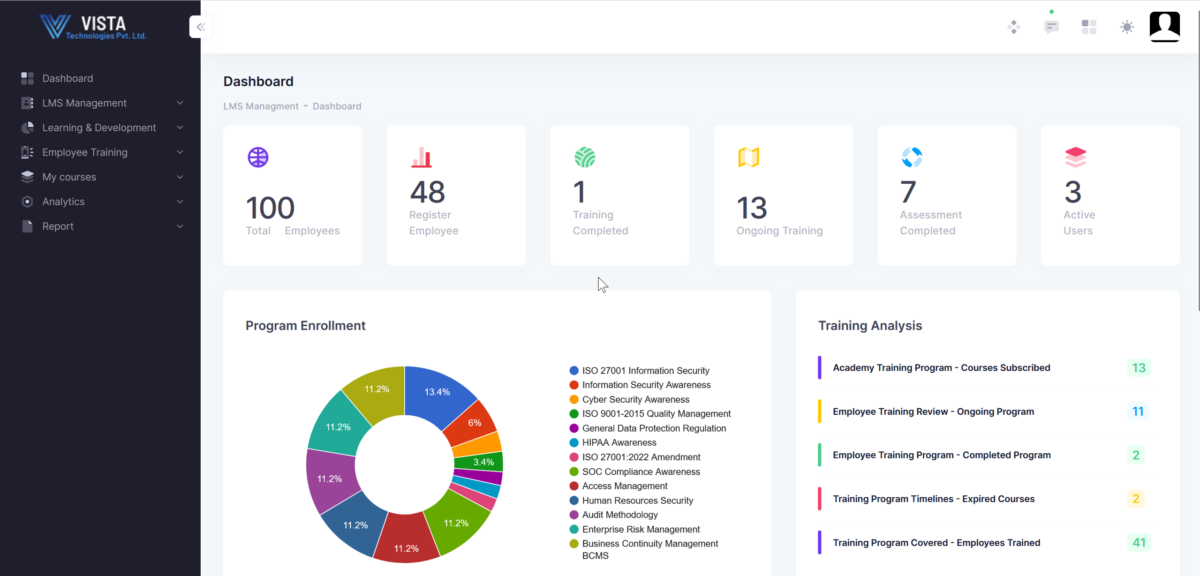
Our Academy Excellence practice enables Organizations to address these challenges by architecting and delivering World-class training capabilities while acting as a Key Pillar in any successful Skill Transformation. It provides seamless visualization of intellectual capital with a collaborative dashboard and course evolution.
Overview of ShieldbyteLMS benefits
Shieldbyte LMS Enterprise and SME platform is suitable for start-ups and companies of all sizes to train their employees quickly. The platform comes with in-built courses for the swift onboarding of employees and nominations for the training program.
Using pre-built eLearning courses, you can have cost-effective training that otherwise needs to create a customized eLearning course. It is a great deal of time since industry subject matter experts develop all the programs and help to train employees in practical knowledge gaining and enriching for employees.
- Course Administration
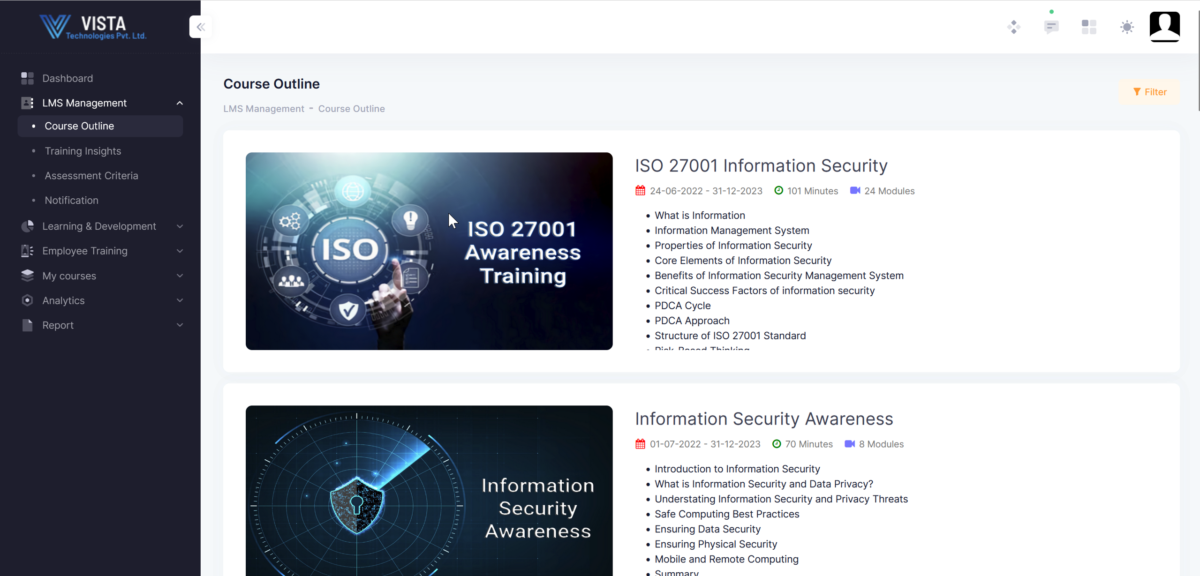
- Pre-configured Courses
- Course Progression
- Swift Deployment
- Recorded Videos
- Anywhere Access
- Assessment and Quiz
- Badges
- Certificates of Course Completion
- Lead Boards
- Bring Your Own Content (BYOC)
- Wide-ranging Analytics and Reports
Features
Learn more about ShieldbyteLMS features that set it apart from the competition. Discover how its unique tools and capabilities enhance your processes.
Accounts
Add a new user
Allows administrators to add new users directly to their LMS for streamlined user management.
Archive users
Deactivate and store user accounts without deleting them.
Activity grading
Gradebook
Centralized view of all learner grades.
Gradebook comments
Manual Grading ("Marking")
Multiple grading scales
AI Features
Adaptive Learning
AI Powered
Chatbot
Content development
Content Translation
Intelligent recommendations
Natural Language Processing
Predictive analysis
Quiz generation
Text-to-speech
Authentication
Active Directory/LDAP Integration
Custom User login page
Manual Accounts
No login
SAML2/API Integration
Self-Registration
Certificate management
Manage certification templates
Unique Certificate by Course
Unique Certification by Curriculum
Compliance management
Soft/Hard Stop Due Dates
Course Creation
Assignments Engine
Built-In Authoring Tool
Can reuse PPTs, PDFs, Videos
Changing Course default settings
Content Library
Course backup Options
Drag & Drop Interactions
Hybrid Learning Courses
LRS
Scheduling LIVE events
Enrollment
Guest Access Settings
Self-enrollment
Format
Gamification Format
LIVE Chat Option
Topics Format
Video Conferencing Integration
Weekly Format
Gamification
Badge customization
Badges
Award digital achievements.
Customize Gamification mechanics
Levels
Points
Rewards
Interface options
Additional external pages
Block Management
Language settings
Learning Accessibility
Location Settings
Media embedding settings
Multilanguage Support
Ready-made Themes
Learning types
Asynchronous Instructor-led
Asynchronous Self-paced
Blended Learning
Synchronous Virtual Classroom
Mobile learning
Offline (disconnected Mobile app)
Online (Internet connected)
Offline
Support for offline access to content
Reports
Automated Report Scheduling
Canned Reports
Learning Analytics Tools
Shopping cart
Built-In Shopping Cart
Shopping Cart as Plug-In
System reports
Custom reports generator
Live Logs
Monitor system activity in real time.
Pricing
Learn more about ShieldbyteLMS's pricing options, cost, and plans so you can make a well-informed, business-wise decision on the best software to use for organization.
Integrations
Learn more about ShieldbyteLMS's integration options.
Have you used ShieldbyteLMS before?
Answer a few questions and help the community to make the best decisions
Alternatives
Not a match? Find software alternatives that better suit your needs and compare them to discover the one that's right for you.