Customers
- Academic
- Large Enterprises (>10,000)
- Non Profits
- Small/Medium Businesses
Industries
- Banking
- Higher Education
- Hospital & Health Care
- Marketing and Advertising
- Professional Services (Agency, Business)
Deployment
- Software as a Service / Cloud
Browsers
- Apple Safari
- Google Chrome
- Internet Explorer
- Mozilla Firefox
Training
- Documentation
- Live Online
- Online Tutorials
- Webinars
Support
- Business Hours
- Email
- FAQ
- Knowledge Base
- Phone
What is Workzone?
Among the earliest cloud-based project management software solutions on the internet, Workzone offers project collaboration, document management, customizable reporting, resource and task management, automated emailed reports, and time tracking.
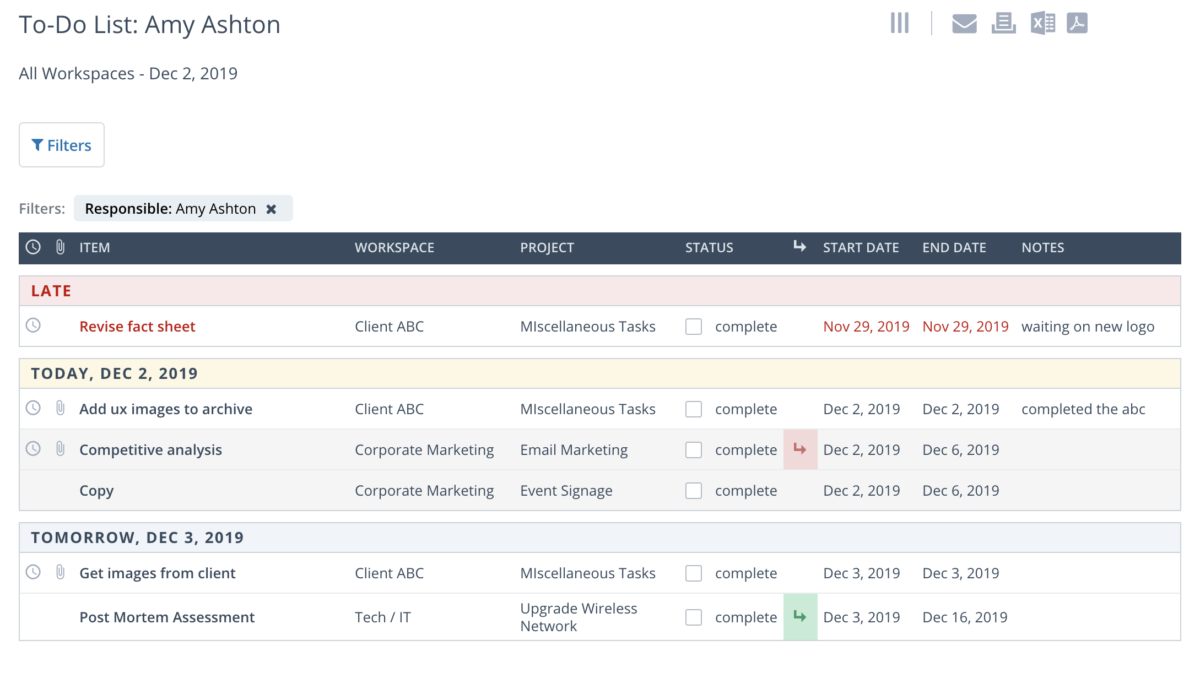
Workzone provides project information at various levels of detail to accommodate different user roles on the project. Users can see cross-project summaries that give organization-wide visibility to projects and resources. Automated and personalized project to-do lists allow users to see what’s next on each project.
The solution links dependent tasks and uses a specific task’s end date to calculate the following task’s start date for projects with tasks that follow a set sequence. Workzone automatically notifies the next party when the dependent task is completed.
Workzone also includes secure web-based file sharing and collaboration. Users can manage multiple versions of documents, with different user roles and file permissions.
Overview of Workzone benefits
Workzone is known across the industry for its unlimited support for all customers and its thoughtful approach to customer on-boarding. Over the years, Workzone has realized that software alone will not make a team successful. A team needs a vendor who knows how to help them adopt and use the software effectively.
Here are just a few of the benefits Workzone provides:
- Get a birds eye view of all projects with the all projects dashboard
- Personalized to-do lists keep team members on track (and can be automatically emailed each day)
- Start projects quicker with project templates
- Get your team up to speed quickly with unlimited support and comprehensive onboarding
- Associate, share, and store documents by each project
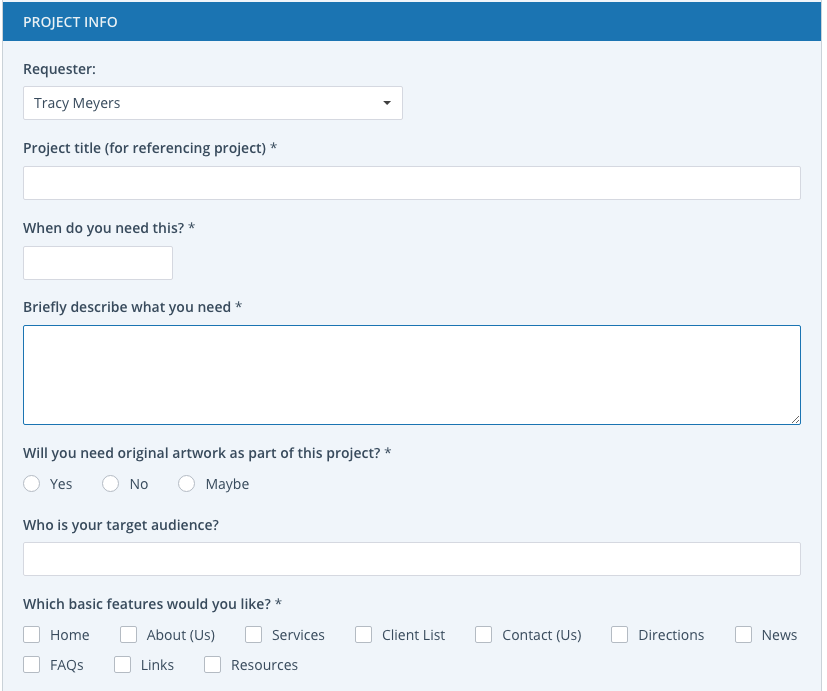
- Intake projects quicker and more accurately with project request forms
- Visualize your project with the interactive Gantt Chart and Calendar
- Set permission levels by project and document, so each person sees just what’s appropriate
Features
Learn more about Workzone features that set it apart from the competition. Discover how its unique tools and capabilities enhance your processes.
Budgeting Tracking
Capacity Tracking
Cost Tracking
Portfolio Budgeting
Project Budgeting
Risk Analysis
ROI and Forecasting
Time Tracking
Workload Capacity
Communication
Discussions
Document Collaboration
Employee Online Status
File Sharing
Instant Messaging
Project Conversations
Tagging
Notifications
Email Notifications
In-App Notifications
Live Notifications
Status Updates
Platform
Custom Fields
Customizable Forms
Customizable Templates
Multi-Language Support
Sections & Columns
Start Dates/Due Dates
Portfolios
Portfolio Coordination
What-If Scenarios
Workflows
Project Planning
Advanced Project Management Features
Collaborative Project Planning
Gantt Charts / Project Mapping
Kanban Board
Milestones
Progress Monitoring
Resource Management
Scheduling
Reporting
Detailed Graphs
Expense Reports
Portfolio Reports
Real-Time Analytics
Real-Time Reporting
Resource Workload Reports
Timesheet Reports
Tasks Management
Idea Management
Subtasks
Task Creation & Assignment
Task Prioritization
To-Do Lists
Team Management
Agile Teams
Comment-Only projects
Comments
Dependencies
Guest Access
Permissions
Teams & Followers
Views
Activity Feed
Calendar View
Files View
My Inbox
My Tasks
Timeline View
Pricing
Learn more about Workzone's pricing options, cost, and plans so you can make a well-informed, business-wise decision on the best software to use for organization.
Starting at $200/month for teams of up to 5 users, Workzone has three levels of subscription: Team, Professional, and Enterprise. Please contact Workzone for custom pricing.
Have you used Workzone before?
Answer a few questions and help the community to make the best decisions
Alternatives
Not a match? Find software alternatives that better suit your needs and compare them to discover the one that's right for you.





![]project-open[ logo](https://cdn.elearningindustry.com/wp-content/uploads/2019/06/156802f572053180015d902d5faa6800.gif)