Customers
- Academic
- Freelancers
- Large Enterprises (>10,000)
- Non Profits
- Public Administrations
- Small/Medium Businesses
Use Cases
- Employee Onboarding
- Employee Training
- Training Companies
- Workforce Development
Industries
- Education Management
- Human Resources
- Information Technology and Services
- Manufacturing
- Marketing and Advertising
Deployment
- Desktop Application
- Mobile Application
- Self-Hosted Cloud-based
- Software as a Service / Cloud
Browsers
- Apple Safari
- Google Chrome
- Internet Explorer
- Mozilla Firefox
Training
- Documentation
- Live Online
- Online Tutorials
- Webinars
Support
- Business Hours
- Email
- FAQ
- Knowledge Base
- Online Community
What is Zoho People - LMS?
Zoho People is an intuitive, cloud-based learning management system that's designed to deliver training and foster a learning culture in small and medium businesses. You don't have to be tech-savvy to learn Zoho People. It's easy to set-up, use and learn as it is designed with a simple user interface to enable hassle-free learning experiences.
A combination of a simple UI and comprehensive features make Zoho People an ideal LMS for businesses of any industry. Whether you're from IT, advertising, healthcare, manufacturing or finance, you can tailor the system to work your way.
With Zoho People's LMS you can have relevant ttraining materials created for onboarding new hires, compliance training, and skills training for any team in your company--be it sales, support, IT, HR or marketing--we've got you covered. Zoho People can be accessed from anywhere, even if you're working remotely.
Join with us to create progressive, learning work cultures. Zoho People comes with feature-paked solutions and not a hefty price tag.
Overview of Zoho People - LMS benefits
Zoho People doesn't have a steep learning curve. With little to no training, you can get the system up and running in no time. Our user interface is designed to deliver learning in a way that does not frustrate organizations.
Simple course creation
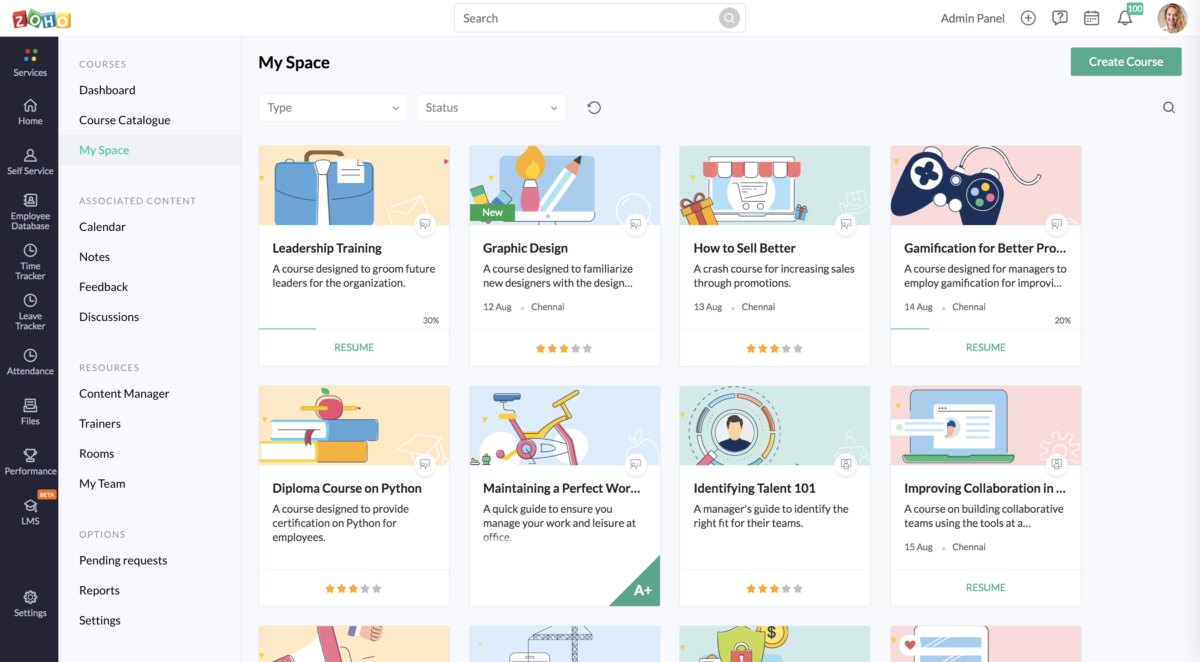
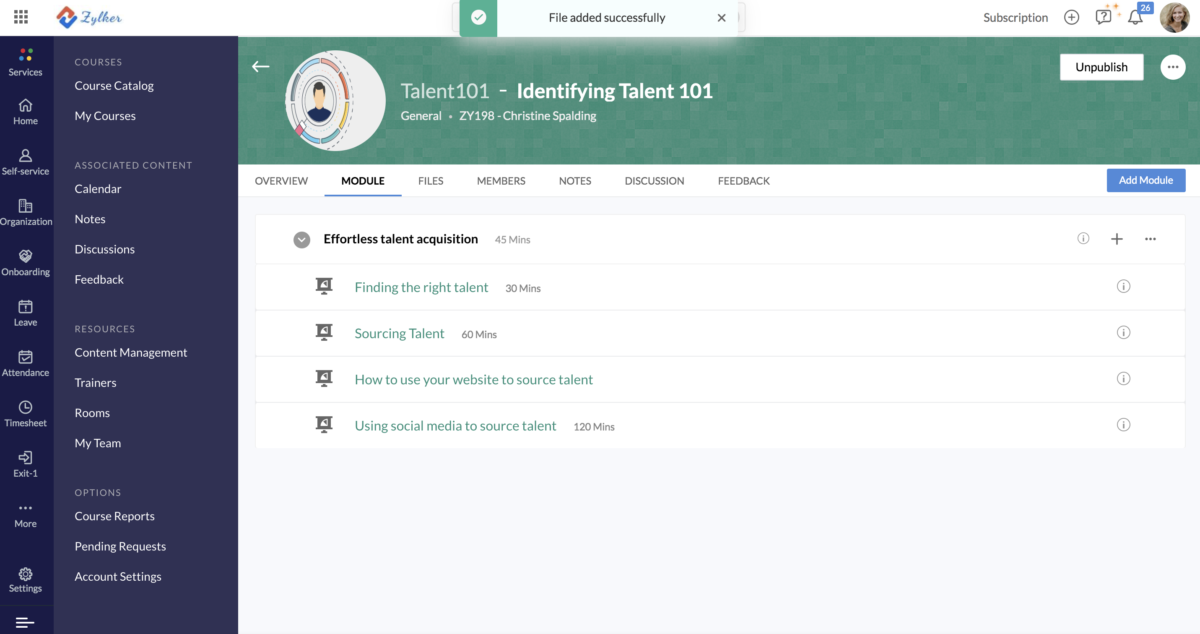
As an admin, you'll be able to create targeted courses for your employees based on their job roles, team or even location. This helps in narrowing down your training and provide micro learning opportunities with engaging content like videos, ebooks and other links to learning materials.
Dual learning mode
You can also have self-paced and blended learning styles for your courses, enabling employees to learn at their own pace while also providing guidance for required training. Our blended learning system, connects learners and trainers in just a few seconds over virtual sessions. This gives an in-the-classroom effect while being dispered in multiple locations.
Discussions and Analytics
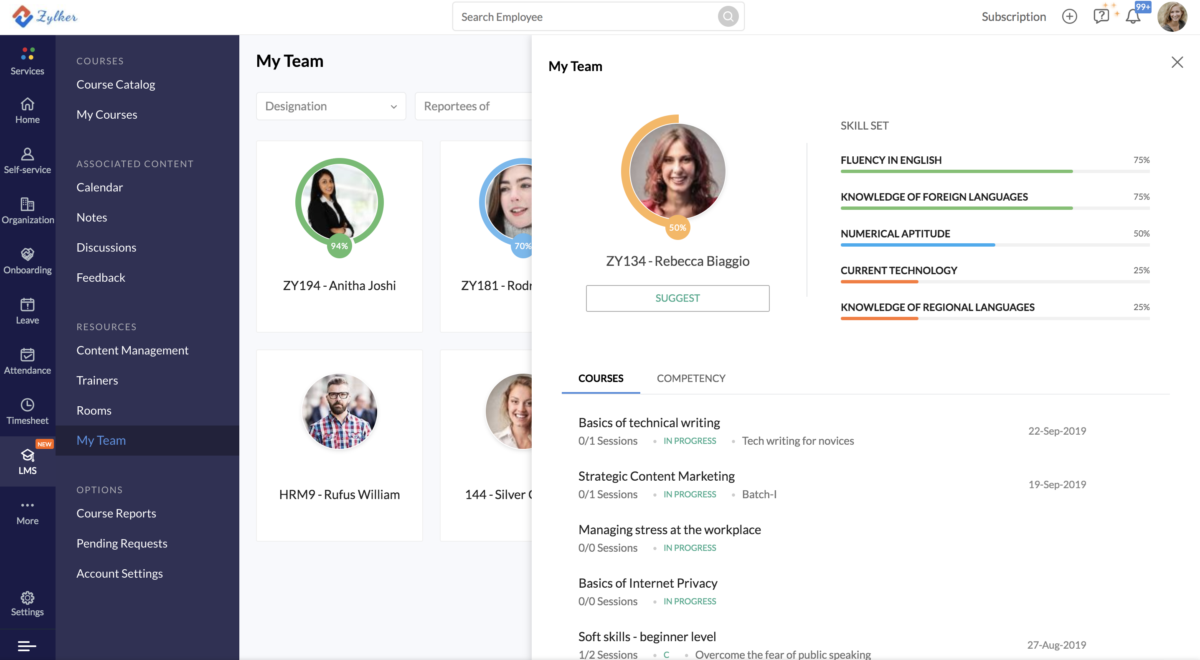
Zoho People provides a space for learners to debate and discuss about concepts in depth and also allows to collect feedback about courses and trainers, enabling better learning. You also get in-depth analytics of your organization's learning patterns.
These are just a few features that makes Zoho People an ideal fit for your organization. Our customer success team is always available to ensure your questions and problems are resolved.
You can take a 15-day free trial to check the product for yourself.
Read more
Read less
Features
Learn more about Zoho People - LMS features that set it apart from the competition. Discover how its unique tools and capabilities enhance your processes.
Accounts
Add a new user
Allows administrators to add new users directly to their LMS for streamlined user management.
Archive users
Deactivate and store user accounts without deleting them.
Activity grading
Gradebook
Gradebook audit trail
Gradebook comments
Multiple grading scales
AI Features
Adaptive Learning
AI Powered
Chatbot
Content development
Content Translation
Intelligent recommendations
Natural Language Processing
Predictive analysis
Quiz generation
Text-to-speech
Authentication
Active Directory/LDAP Integration
Custom User login page
Manual Accounts
No login
SAML2/API Integration
Self-Registration
Self-Registration w. Admin Confirmation
Categories
Priced Categories (Bundle)
Certificate management
Certification life-cycle
Manage certification templates
Predefined certification templates
Unique Certificate by Course
Unique Certification by Curriculum
Compliance management
Certificate expiration notifications
Certification Expiration Management
Due Date notifications
Soft/Hard Stop Due Dates
Course Creation
Built-In Authoring Tool
Content Library
Drag & Drop Interactions
Hybrid Learning Courses
Learning Paths (Curriculums)
LRS
Survey Engine
Tests Engine
Customization
Mobile Learning Support
Personalized views
Enrollment
Automated Enrollment (based on User data)
Guest Access Settings
Progress Tracking
Self-enrollment (with a PIN #)
Survey enrollment (based on a response)
Format
Gamification Format
Learner Upload
LIVE Chat Option
Social Format
Topics Format
Video Conferencing Integration
Weekly Format
Gamification
Badge customization
Badges
Customize Gamification mechanics
Leaderboards
Levels
Points
Rewards
Interface options
Additional external pages
Block Management
Learning Accessibility
Learning types
Asynchronous Instructor-led
Mobile learning
Offline (disconnected Mobile app)
Online (Internet connected)
Offline
Support for offline access to content
Reports
Canned Reports
Dashboards and Graphic Reports
Exporting Reports in variety of formats
Grading Report Settings
Learning Analytics Tools
Training Record Maintenance
Security
IP Blocker
Restrict registration to specific domains
Shopping cart
Built-In Shopping Cart
Shopping Cart as Plug-In
System reports
Automatic email reports in predefined intervals
Live Logs
Pricing
Learn more about Zoho People - LMS's pricing options, cost, and plans so you can make a well-informed, business-wise decision on the best software to use for organization.
Pricing Model
-
Free
-
Free Trial
-
Subscription
Integrations
Learn more about Zoho People - LMS's integration options.
Have you used Zoho People - LMS before?
Answer a few questions and help the community to make the best decisions
Reviews
Is Zoho People - LMS the right solution for you? Read verified Zoho People - LMS reviews from people in industries like yours to make a confident choice.
The platform provides comprehensive HR solutions with a user-friendly design
Overall Rating
93%
-
Usefulness
-
Usability
-
Customer Experience
-
Likelihood to Recommend
What do you like best?
Thanks to the automation this platform offers, it is good at handling HR-related processes like leave management, attendance tracking, employee evaluations, and much more. The reporting features assist the management in making data-based decisions, and the mobile application ensures that employees on the go are not deprived of access. Zoho People easily integrates with Zoho CRM and other apps, managing and streamlining workflows across departments.
What do you dislike?
The system is rich in functionality but has less dashboard customization flexibility. Allowing more control over how data and reports are displayed would enhance the experience for HR managers. Nonetheless, it is absolute gold when it comes to modern human resources.
The platform simplifies employee management while improving productivity for HR teams
Overall Rating
87%
-
Usefulness
-
Usability
-
Customer Experience
-
Likelihood to Recommend
What do you like best?
This is a great HR centralization solution. The system allows us to manage employee data, easily request leave, manage timesheets, and performance reviews. The mechanism of notifications and reminders enables the HR team to be proactive and keep missed deadlines to a minimum. Zoho Payroll easily integrates with the platform and other Zoho apps, which helps you avoid manual errors. Its mobile functionality ensures employees and managers can access essential features on the go.
What do you dislike?
Certain features (especially workflow automation) come with a learning curve. More detailed tutorials or guided workflows could help new users adopt these features faster. Still, it is arguably one of the most useful HR tools for any company that has the potential to grow.
Zoho People has transformed how our HR management team works with ease and efficiency
Overall Rating
87%
-
Usefulness
-
Usability
-
Customer Experience
-
Likelihood to Recommend
What do you like best?
The intuitive interface made our HR processes easier. On this platform, employee onboarding is smooth, and performance tracking is clear and easy to navigate. Automating routine tasks such as leave approvals, attendance tracking, and employee record maintenance has saved our team a significant amount of time. Workflow integration with other Zoho products and third-party applications adds flexibility, streamlining reporting and data centralization for HR.
What do you dislike?
Reporting lacks customization when working with more complex data sets. While the default reports are helpful, having advanced options for filtering and visualizing data would enhance decision-making.
Smooth and streamlined HR processes plus excellent support make Zoho People stand out
Overall Rating
89%
-
Usefulness
-
Usability
-
Customer Experience
-
Likelihood to Recommend
What do you like best?
The platform has significantly reduced the administrative burden for our HR department. Automated leave requests, shift scheduling, performance appraisals, and other features are intuitive and perform optimally while managing data. It provides us with responsive and knowledgeable customer support to help us resolve queries in no time. Having the possibility of monitoring employee presence, creating payroll reports, and managing documents in just a single platform makes our operations efficient
What do you dislike?
Although user-friendly, the user interface can appear cluttered for large teams. It needs a more streamlined dashboard or customizable home screen to make things easier to navigate on a daily basis. However, the disadvantages pale in comparison to the advantages.
Master efficient HR management for medium and large teams with Zoho People
Overall Rating
84%
-
Usefulness
-
Usability
-
Customer Experience
-
Likelihood to Recommend
What do you like best?
Zoho People has been a game-changer for all our HR related tasks. Every process, from onboarding to performance reviews, flows more smoothly. Transparency and efficiency are further enhanced through customizable forms, approval workflows, and detailed reporting options. Its integration with third-party tools lets it connect with your payroll systems, making admin processes less prone to errors. Routine updates give the platform time to develop with current HR solutions.
What do you dislike?
Some advanced features are not immediately apparent and require digging through the documentation. More integrated in-app guidance around these features would benefit the user experience to help them learn things faster.
Strong HR Features Improve Efficiency But Learning Curve Is Noticeable
Overall Rating
83%
-
Usefulness
-
Usability
-
Customer Experience
-
Likelihood to Recommend
What do you like best?
Zoho People gives our HR team a smooth experience with leave tracking, attendance, and payroll handling. The layout is friendly and makes it easy for staff to move between sections without getting lost. I like how employee data is kept in one place since that helped us remove scattered documents.
What do you dislike?
There is a noticeable learning period in the first week, especially for users who have never used HR software before. Some of the written guides skip tiny details, which can slow people down while they try to finish tasks. The notification layout works, but could use a visual refresh.
Smooth Attendance And Friendly Platform But Help Pages Miss Key Details
Overall Rating
83%
-
Usefulness
-
Usability
-
Customer Experience
-
Likelihood to Recommend
What do you like best?
The attendance module in Zoho People has become one of our favorite parts of the system because it works quickly and keeps records clean. The platform itself feels friendly and simple, which made our shift from spreadsheets much easier.
What do you dislike?
New users may need some time to understand how each area of the software connects, especially while setting up longer workflows. Some help pages miss the details needed to solve specific questions, which led us to test things on our own.
Practical System Keeps Tasks Simple But Actions And Reports Feel Slow
Overall Rating
83%
-
Usefulness
-
Usability
-
Customer Experience
-
Likelihood to Recommend
What do you like best?
Zoho People brings the main HR duties into one clean setup, which has helped us stay organized without extra steps. Tracking time off, attendance, and performance in a single location has reduced confusion for our team and saved time every month.
What do you dislike?
Some actions within the system feel slower than expected, especially when you want to pull deeper reports or move through more detailed sections. A few areas could be smoother to help users find information without extra clicking. The features are strong, but the movement between certain screens sometimes breaks the flow.
Insightful Data With Clear Dashboards But Reporting Flow Can Be Sluggish
Overall Rating
83%
-
Usefulness
-
Usability
-
Customer Experience
-
Likelihood to Recommend
What do you like best?
Zoho People stands out because its dashboards give a clear picture of what is happening across the team without any effort from our side. The charts and numbers are easy to understand, which helps us react faster. I enjoy how the reporting area offers room to fine-tune what we want to study.
What do you dislike?
There are moments when I wish the reporting area had a smoother flow, especially as you move through different filters or larger sets of information. Some screens take extra time to load when working with heavy data, which slows down quick checks.
Organized HR Process With Smooth Tools But Support Guides Lack Detail
Overall Rating
83%
-
Usefulness
-
Usability
-
Customer Experience
-
Likelihood to Recommend
What do you like best?
Zoho People has made daily HR work much smoother for our team. The attendance and leave tools save a lot of time, and the salary and payslip features work well for everyone. The interface is simple to move through, which helps new staff get comfortable fast.
What do you dislike?
The support guides cover a wide set of topics, but they miss the finer points that appear during setup or feature adjustments. I have spent time trying to find direct answers that were not listed, which slowed things down.
You've viewed 10 out of 10
Alternatives
Not a match? Find software alternatives that better suit your needs and compare them to discover the one that's right for you.
![Connecteam - Mobile Teams LMS logo]()
Connecteam - Mobile Teams LMS
4.0/5
Compare