About the vendor
Founded In 2012
Customers
  • Large Enterprises (>10,000)
  • Non Profits
  • Public Administrations
  • Small/Medium Businesses
Use Cases
  • Compliance Training
  • Customer Training
  • Employee Onboarding
  • Employee Training
  • Extended Enterprise
Industries
  • Airlines/Aviation
  • Food & Beverages
  • Hospital & Health Care
  • Information Technology and Services
  • Retail
Deployment
  • Mobile Application
  • Software as a Service / Cloud
Platforms
  • Linux
  • Mac
  • Windows
Browsers
  • Apple Safari
  • Google Chrome
  • Internet Explorer
  • Mozilla Firefox
Training
  • Documentation
  • Online Tutorials
  • Webinars
Support
  • Business Hours
  • Email
  • FAQ
  • Knowledge Base
  • Online Community
Supported Specifications
  • SCORM 1.2
  • Section 508
  • xAPI/Tin Can API
Languages Supported
  • Arabic
  • German
  • English
  • Spanish
  • French
  • Italian
  • Japanese
  • Dutch
  • Portuguese
  • Russian
  • Chinese
LinkedIn Page
@Linkedin
X
@X
Change your privacy settings to see the content.
In order to watch this video you need to have advertising cookies enabled.
You can adjust your cookie preferences here.

What is TalentLMS?

TalentLMS is the learning management system (LMS) built for training success.

For everyone to say “yes” to training, TalentLMS offers three things that make adoption easier.

1. A simple and enjoyable experience
2. A quick and easy set-up process
3. Customized training options that make training relevant to the people using it.

The features and functionality of TalentLMS also make it easy to offer the same great training experience for any scenario.

Customers most commonly use the platform to onboard new employees (in-house or remotely), for compliance training, product training, skills training, and various other use cases. And, with the same account, you can train customers, partners, and different external audiences, too.

Great training is a continuous process — so supporting that training should be too. That’s why our customer support teams accompany you throughout, offering unparalleled guidance and making sure each project reaches its goal.

Overview of TalentLMS benefits

With hundreds of stellar online reviews raving about our award-winning platform, and regularly topping best learning management system lists, our customers recognize that TalentLMS puts them in the best position to succeed.

- Setting up is simple, so you can hit the ground running all on your own. No tech help necessary.

- Learners jump into the training experience quickly and stay because it’s a joy to use — whether on desktop, tablet, or smartphone.

- Dozens of customizations make the experience relevant to each team and every learner.

- Different sign-in options and tons of automations built to reduce admin time help you manage without any mess.

- Paid plans with the option to include TalentLibrary: a growing collection of ready-made courses on the skills needed for success at work. Now, you offer more training and growth opportunities to your teams - without creating everything from scratch yourself.

- Brings together all training tools and materials in one convenient place so you can deliver the same great training experience for any scenario and every team.

- All the features you need without the hefty price tag. All plans include functionality for building courses, customization and branding, blended learning, multitenancy, gamification, advanced user management, and at-a-glance and in-depth reporting.

Give training your best shot at success with TalentLMS. The LMS that gets everyone to say “yes”.


Features

Learn more about TalentLMS features that set it apart from the competition. Discover how its unique tools and capabilities enhance your processes.

Accounts

Add a new user Allows administrators to add new users directly to their LMS for streamlined user management.
Archive users Deactivate and store user accounts without deleting them.
Browse list of users View all registered users in the system.
Bulk User Actions Manage multiple user accounts at once.
Custom/Mandatory User profile fields Define required or optional fields for user profiles.
Upload users Import users via spreadsheet.

Activity grading

Course History View completed and ongoing courses for each user.
Gradebook
Gradebook audit trail
Gradebook comments
Manual Grading ("Marking") Manually review and grade submissions.
Multiple grading scales

AI Features

Adaptive Learning
AI Powered Use AI-driven automation and insights.
Chatbot AI assistant for learner support.
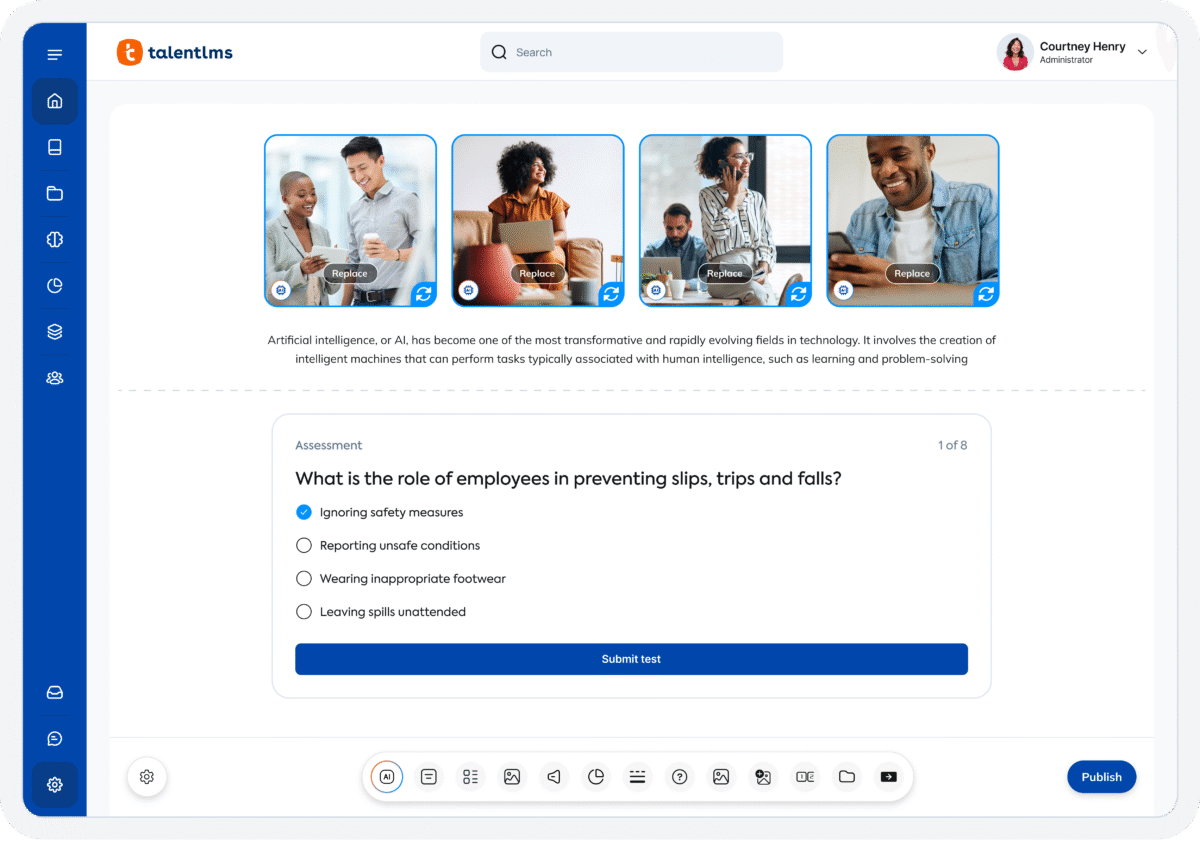
Content development Generate or enhance educational content.
Content Translation Translate learning materials automatically.
Intelligent recommendations
Natural Language Processing
Predictive analysis
Quiz generation Automatically creates AI-generated quizzes.
Text-to-speech

Authentication

Active Directory/LDAP Integration Authenticate users via corporate directories.
Custom User login page Personalized login interface.
Manual Accounts
No login Allow content access without authentication.
SAML2/API Integration Single sign-on and external authentication.
Self-Registration Users create their own accounts.
Self-Registration w. Admin Confirmation User signup requires admin approval.

Categories

Assign Courses to categories Organize courses under specific categories.
Create new Categories Add new organizational groups for courses.
Manage Categories Edit, delete, or update categories.
Priced Categories (Bundle) Sell course bundles grouped by category.

Certificate management

Certification life-cycle Track generation, renewal, and expiration.
Manage certification templates Customize certificate formats.
Predefined certification templates Use ready-made certificate designs.
Unique Certificate by Course
Unique Certification by Curriculum

Compliance management

Certificate expiration notifications Alerts when certificates are near expiry.
Certification Expiration Management Manage timelines and renewal rules.
Due Date notifications Notify learners of upcoming deadlines.
Soft/Hard Stop Due Dates Allow or block access after due dates.

Course Creation

Assignments Engine Create and manage learner assignments.
Built-In Authoring Tool Create content directly inside the platform.
Can reuse PPTs, PDFs, Videos Upload and repurpose existing material.
Changing Course default settings Modify core course configuration.
Consume online video content Embed or stream video lessons.
Content Library A repository of pre-made templates, existing content, multimedia sets, and learning outlines.
Course backup Options Backup and restore course data.
Drag & Drop Interactions Interactive content creation.
Hybrid Learning Courses
Learning Paths (Curriculums) Sequence courses into structured programs.
LRS
Scheduling LIVE events Plan webinars or virtual classes.
Survey Engine Create learner surveys.
Tests Engine Build quizzes and exams.
Upload courses Import courses into the platform.

Customization

Mobile Learning Support
Personalized views Customize interface per user.

Enrollment

Attendance Tracking Track presence in sessions.
Automated Enrollment (based on User data) Enroll users automatically by rules.
Guest Access Settings Allow non‑registered users limited access.
Manual Enrollment Manually assign users to courses.
Progress Tracking Monitor learner progress in real time.
Self-enrollment Allow learners to join courses freely.
Self-enrollment (with a PIN #)
Survey enrollment (based on a response)

Format

Course Discussions Forum-style communication.
Gamification Format
Learner Upload Allow learners to upload content.
LIVE Chat Option Real-time messaging inside courses.
Social Format
Topics Format Organize course by topics.
Video Conferencing Integration Connect with tools like Zoom/Teams.
Weekly Format

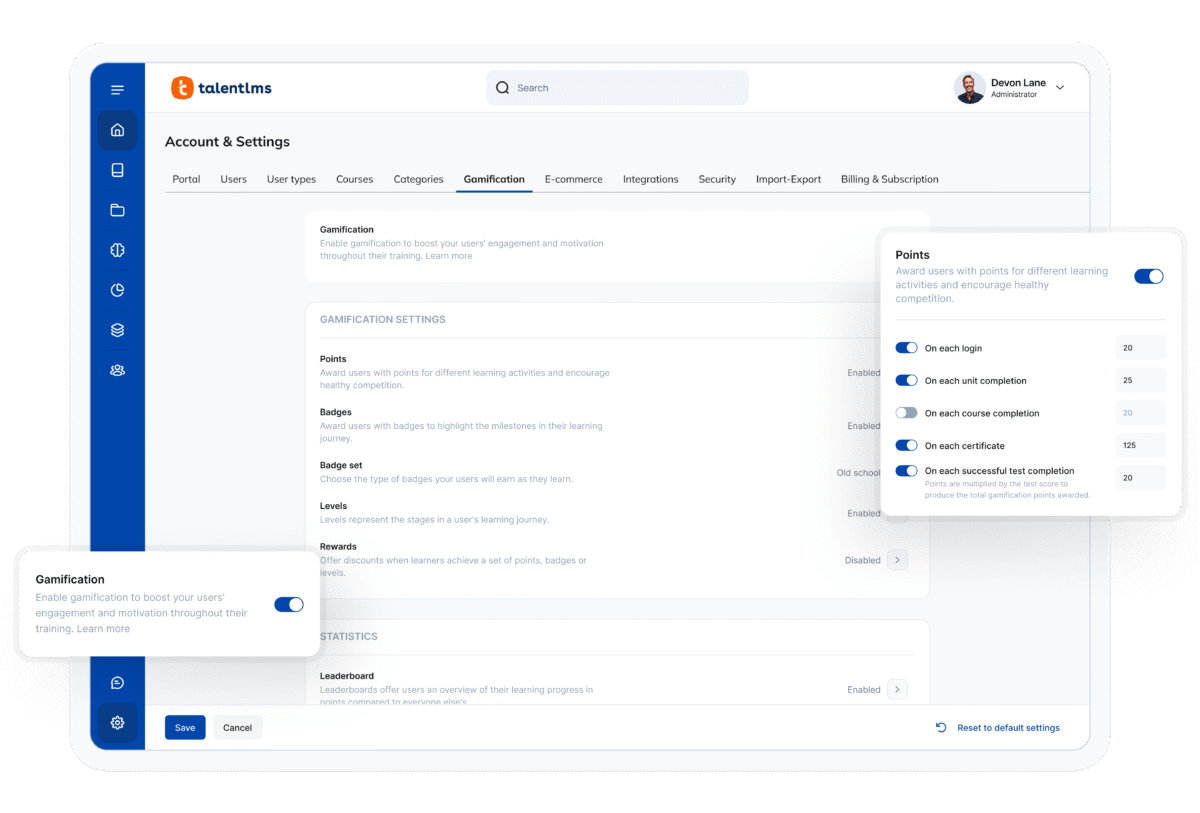
Gamification

Badge customization Design custom achievement badges.
Badges Award digital achievements.
Customize Gamification mechanics Modify points, levels, and rewards.
Leaderboards Rank learners based on achievements.
Levels Define progression stages.
Points Award points for activity.
Rewards Offer incentives for achievements.

Interface options

Additional external pages Add custom pages to the platform.
Block Management
Calendar Settings Configure system calendar.
Language settings Set default or custom system language.
Learning Accessibility
Location Settings Configure regional settings.
Media embedding settings Control embedding permissions.
Multilanguage Support Provide support in multiple languages.
Ready-made Themes Prebuilt platform designs.

Learning types

Asynchronous Instructor-led Instructor-led but not in real time.
Asynchronous Self-paced Learners progress independently.
Blended Learning Mix online and face‑to‑face training.
Synchronous Virtual Classroom Live real-time classes.

Mobile learning

Offline (disconnected Mobile app) Access mobile content without internet.
Online (Internet connected) Access content with full connectivity.

Offline

Support for offline access to content Downloadable materials for offline study.

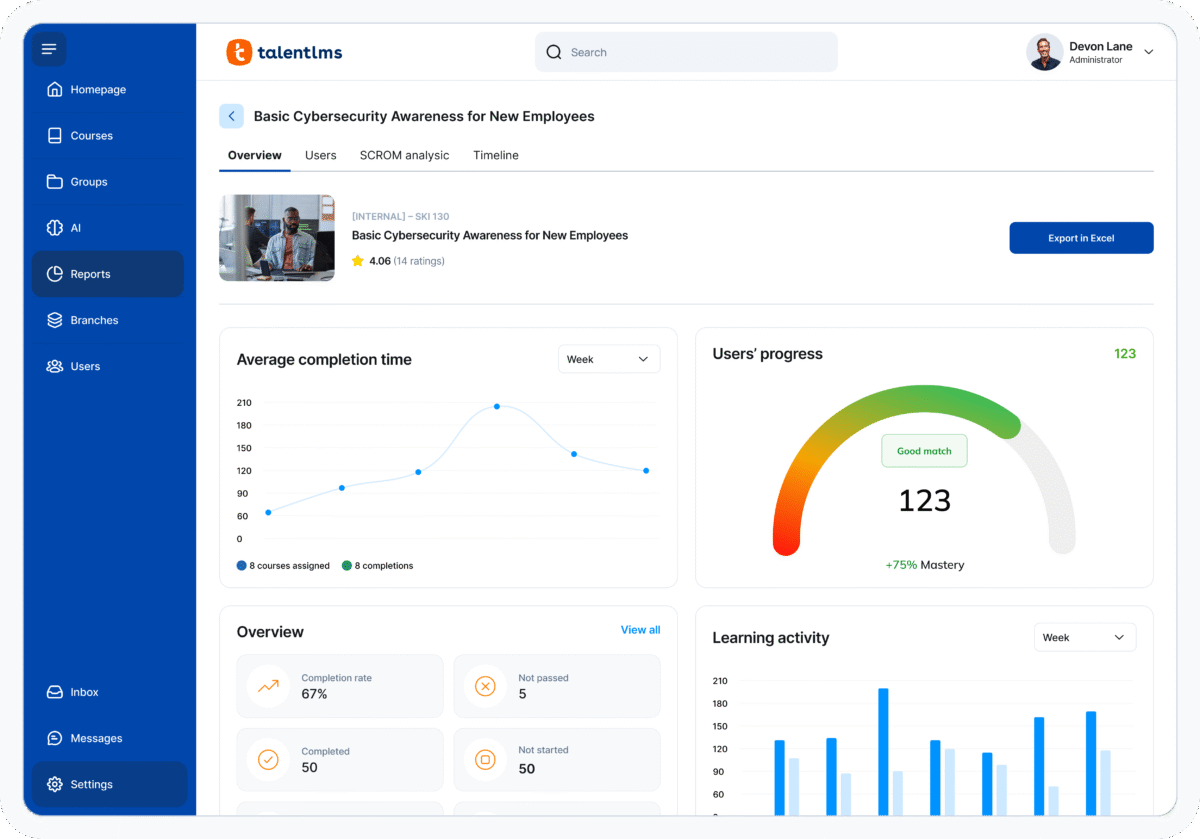
Reports

Automated Report Scheduling Send reports automatically.
Canned Reports Prebuilt report templates.
Dashboards and Graphic Reports Visual analytics dashboards.
Email delivery of Reports Send reports via email.
Exporting Reports in variety of formats Export data as PDF, Excel, etc.
Grading Report Settings
Learning Analytics Tools
Training Record Maintenance Maintain full training logs.

Roles

Define roles Create custom permission roles.
Role Assignment Assign roles to users.
System Permissions per role Control access rights.
Teams and Team Hierarchies Organize users into teams.

Security

Anti-spam Protect forms and communication.
Anti-virus
IP Blocker
Restrict registration to specific domains Limit signups by email domain.
Strong Passwords Enforce secure password rules.

Shopping cart

Built-In Shopping Cart Sell courses directly.
Shopping Cart as Plug-In Add commerce via plugin.

System reports

Automatic email reports in predefined intervals Send periodic system reports.
Custom reports generator Create custom report layouts.
Email notification settings Control notification rules.
Live Logs Monitor system activity in real time.
Who uses TalentLMS ?

Based on eLearning Industry reviews from the past 4 years

Company Size

Areas of Focus

Top Industries

Elearning
26%
Information Technology and Services
8%
Computer Software
6%
Professional Training & Coaching
5%
Education - Higher
4%
Other
51%
Pricing

Learn more about TalentLMS's pricing options, cost, and plans so you can make a well-informed, business-wise decision on the best software to use for organization.

Core

$119 / month
  • Up to 100 users

  • Unlimited Courses Unlimited

  • Email Support

  • Custom homepage

  • Single Sign-on Support

  • Custom Domain + SSL

  • Consultation Call TalentCraft

Grow

$229 / month
  • Up to 500 active users

  • Unlimited Courses

  • Unlimited Email Support

  • Custom homepage

  • Single Sign-on Support

  • Custom Domain + SSL 3 branches

  • Onboarding

  • Custom Reports

  • TalentCraft Premium

Enterprise

Contact us for pricing

>1000 active users 

Integrations

Learn more about TalentLMS's integration options.

API

API

BambooHR

BambooHR

BigBlueButton

BigBlueButton

G Suite

G Suite

Google Calendar

Google Calendar

GoToMeeting

GoToMeeting

GoToTraining

GoToTraining

GoToWebinar

GoToWebinar

Mailchimp

Mailchimp

Okta

Okta

OneLogin

OneLogin

Outlook Calendar

Outlook Calendar

Paypal

Paypal

Salesforce CRM

Salesforce CRM

Shopify

Shopify

Slack

Slack

Stripe

Stripe

WebEx

WebEx

WooCommerce

WooCommerce

Wordpress

Wordpress

Zapier

Zapier

Zendesk

Zendesk

Zoom

Zoom

Zopim

Zopim

TalentLMS logo
Have you used TalentLMS before?
Answer a few questions and help the community to make the best decisions
Reviews

Is TalentLMS the right solution for you? Read verified TalentLMS reviews from people in industries like yours to make a confident choice.

Pros
  • Ease of Use & Navigation Reviewers consistently highlight that TalentLMS is intuitive, with a clean interface that admins and learners adopt quickly. Setup and daily use are straightforward, even for non-technical users.
  • Implementation & Onboarding Many reviewers say that launching the platform and creating courses is fast and simple, enabling teams to go live quickly without lengthy configuration.
  • Feature Set & Functionality Features like progress tracking, gamification (quizzes, badges), branches for audience segmentation, and AI tools (e.g., TalentCraft) are repeatedly mentioned as valuable for engaging learning.
  • Value for Money / Pricing & ROI Multiple reviewers note that TalentLMS offers a strong balance of capabilities for its price, making it a cost-effective choice for growing organizations.
  • Customer Support & Service Support responsiveness and helpfulness come up positively, with several users saying assistance is timely and useful when issues arise.
Cons
  • Reporting & Analytics Issues Several users want more advanced or customizable reporting options; while basic reports work well, deeper analytics can be challenging to produce.
  • Complexity & Learning Curve (New Interface) Some reviewers mention that recent interface changes can introduce a learning curve—especially for long-time users accustomed to the old UI.
  • Performance & Minor Technical Quirks A few comments point to occasional minor system lag or less intuitive search functionality, though these don’t significantly impede workflows for most users.
  • Customization Limitations (UI/AI Tools) There are mentions that AI features have limitations (e.g., restricted formatting options) and that broader interface customization could be improved.
  • Support Access Options There are mentions that AI features have limitations (e.g., restricted formatting options) and that broader interface customization could be improved.
Performance Overview
Overall Rating 96%
  • Usefulness
  • Usability
  • Customer Experience
  • Likelihood to Recommend

TalentLMS is an intuitive, straightforward platform that makes creating and managing employee training courses remarkably simple.

Aug 22, 2026

Overall Rating 100%
  • Usefulness
  • Usability
  • Customer Experience
  • Likelihood to Recommend
What do you like best? The user interface is clean and easy to navigate for both learners and administrators. Setting up courses, uploading SCORM packages, and assigning users takes just minutes without requiring any complex technical setup.
What do you dislike? The reporting and analytics features can feel a bit limited if you need highly customized metrics. Additionally, advanced UI customization options are somewhat restricted unless you know CSS.
Reviewer photo

Reviewer verified by LinkedIn

Industry : Apparel & Fashion | Company size : 1,001-5,000 | Level : CXO | Focus : Human Resources | Experience using the software : More than 1 year as User, Administrator

TalentLMS is an intuitive, cloud-based learning management system that's easy to set up, user-friend

Jun 26, 2026

Overall Rating 51%
  • Usefulness
  • Usability
  • Customer Experience
  • Likelihood to Recommend
What do you like best? What I like most about TalentLMS is its simplicity—it makes creating, managing, and delivering online training quick and easy without requiring extensive technical expertise.
What do you dislike? What I like the least is that its customization and advanced reporting features can feel somewhat limited for organizations with highly complex training or branding needs.
Reviewer photo

Reviewer verified by LinkedIn

Industry : Design | Company size : 1-10 | Level : Intern | Focus : Information Technology | Experience using the software : Free Trial as User

TalentLMS logo
TalentLMS — Jul 10, 2026

Thank you for the review. We’re glad TalentLMS has made it simple to create, manage, and deliver training without technical complexity. We also appreciate your feedback on customization and advanced reporting. We understand that some teams need added flexibility for complex training or branding needs, and we’ll share this with our team.

TalentLMS is a great product - stable, consistent and builds improvements thoughtfully and steadily.

Mar 9, 2026

Overall Rating 100%
  • Usefulness
  • Usability
  • Customer Experience
  • Likelihood to Recommend
What do you like best? It's very intuitive to use, the customer service (especially the self-service through the knowledge center) is terrific). My users like it and find it easy to navigate.
What do you dislike? Honestly, there's very little I don't like about it. We use the TalentLibrary, and also create our own courses.
Reviewer photo

Reviewer verified by LinkedIn

Industry : Retail | Company size : 51-200 | Level : Director | Focus : Human Resources | Experience using the software : More than 1 year as Administrator, Member of the deployment/customization team, Member of the procurement team

TalentLMS logo
TalentLMS — Jul 10, 2026

Thank you for the fantastic review! We’re happy TalentLMS feels stable, intuitive, and easy for your users to navigate. It’s also great to hear the Knowledge Base and customer service have been helpful. We love that you’re using both TalentLibrary and your own courses to support training.

Complete, easy to deploy and fast to get ready for users

Mar 5, 2026

Overall Rating 77%
  • Usefulness
  • Usability
  • Customer Experience
  • Likelihood to Recommend
What do you like best? Easy configuration settings and learning adoption to use. New features for old users without New adquisitions. Overall so good
What do you dislike? Some times to much steps to configure a Course and i would like to have native integration with third party reporting tools like powerbi
Reviewer photo

.

Industry : Financial Services | Company size : 201-500 | Level : Senior | Focus : Human Resources | Experience using the software : More than 1 year as User, Administrator, Member of the deployment/customization team, Member of the procurement team

TalentLMS logo
TalentLMS — Jul 10, 2026

Thank you for the thoughtful review! We’re glad TalentLMS has been easy to configure, quick to deploy, and simple for learners to adopt. It’s also great to hear the ongoing feature updates are valuable. We appreciate your feedback on course setup steps and Power BI-style reporting integrations, and we’ll share it with the team.

It's a great LMS with all the features one needs and is super easy to use.

Mar 4, 2026

Overall Rating 97%
  • Usefulness
  • Usability
  • Customer Experience
  • Likelihood to Recommend
What do you like best? It offers an AI course development tool and translation for a good price that offers similar features like other standalone L&D development software.
What do you dislike? The branding / whitelabeling is limited to a few buttons and colors, so it is challenging to provide a full immersive customer experience across different platforms.
Reviewer photo

Reviewer verified by LinkedIn

Industry : Renewables & Environment | Company size : 201-500 | Level : Manager | Focus : Education | Experience using the software : More than 1 year as User, Administrator, Member of the deployment/customization team

TalentLMS logo
TalentLMS — Jul 10, 2026

Thank you for the great review! We’re glad TalentLMS gives you the features you need while staying easy to use and cost-effective. It’s great to hear the AI course creation and translation tools are useful. We also appreciate your feedback on branding and white labeling, and we’ll share it with our team.

An excellent and professional educational tool for any training or educational facility.

Feb 28, 2026

Overall Rating 91%
  • Usefulness
  • Usability
  • Customer Experience
  • Likelihood to Recommend
What do you like best? The fact that all learning material os grouped in one area all together and that you can send e-mails to a certain group, all with great ease.
What do you dislike? It may not be suitable for people who are not competent with computers. Also it woukd be a lot easier if users who send e-mails were able to attach more than one file.
Reviewer photo

Reviewer verified by LinkedIn

Industry : Fine Art | Company size : 1-10 | Level : Senior | Focus : Education | Experience using the software : More than 1 year as Administrator

TalentLMS logo
TalentLMS — Jul 10, 2026

Thank you for the strong review! We’re glad TalentLMS helps you keep learning materials organized and makes group communication easy. We appreciate your feedback on user computer confidence and email attachments. The ability to attach multiple files would be useful, and we’ll share this with our team.

Excellent LMS, Easy to use, customise reporting and user friendly interface

Feb 27, 2026

Overall Rating 66%
  • Usefulness
  • Usability
  • Customer Experience
  • Likelihood to Recommend
What do you like best? Wide variety of courses in Talent Library which gives the organisation a quick jump to begin training easy.
What do you dislike? No Mining and Geology Courses in Talent Library. Courses are not diverse in the technical field. more is needed there
Reviewer photo

Reviewer verified by LinkedIn

Industry : Government Administration | Company size : 501-1,000 | Level : Senior | Focus : Human Resources | Experience using the software : More than 1 year as Administrator

TalentLMS logo
TalentLMS — Jul 10, 2026

Thank you for the review! We’re glad TalentLibrary helps your organization start training quickly with a wide range of ready-made courses. We also appreciate your feedback on adding more technical content, including mining and geology topics. We’ll share this with our team.

Powerfull and easy to use LMS. Starting is simple and starts with a free plan.

Feb 27, 2026

Overall Rating 97%
  • Usefulness
  • Usability
  • Customer Experience
  • Likelihood to Recommend
What do you like best? Ease of use: easy to start with and to implement further functions. Cloud version: Never had any issues with "not available services". Maximum timeout ever: 30 minutes and not sure if it was an issue on the LMS side or due to my internet connection. Very reliable.
What do you dislike? Courses in multiple languages require creating one course per language. It would be much easier to create courses that could cover multiple languages (selected by user language or after starting the course)
Reviewer photo

Reviewer verified by LinkedIn

Industry : Machinery | Company size : 1,001-5,000 | Level : Manager | Focus : Education | Experience using the software : More than 1 year as User, Administrator, Member of the deployment/customization team, Member of the procurement team

TalentLMS logo
TalentLMS — Jul 10, 2026

Thank you for the excellent review! We’re glad TalentLMS has been easy to start with, simple to expand, and reliable for your team. We also appreciate your feedback on multilingual courses. Managing one course across multiple languages based on learner preference would be useful, and we’ll share this with our team.

Definitely a competitor who is always looking to improve their offerings, including built in AI.

Feb 27, 2026

Overall Rating 95%
  • Usefulness
  • Usability
  • Customer Experience
  • Likelihood to Recommend
What do you like best? Simplicity, power of reach and TalenLMS library makes this a go to LMS as it is well structured and gives more than what is required.
What do you dislike? N/A - Everything about TalentLMS is easy to use. For my purposes, I would like to see psychometric testing built into the platform to provide realism in assessments.
Reviewer photo

Reviewer verified by LinkedIn

Industry : Information Technology and Services | Company size : 201-500 | Level : Manager | Focus : Education | Experience using the software : More than 1 year as Administrator

TalentLMS logo
TalentLMS — Jul 14, 2026

Thank you for the fantastic review! We’re glad TalentLMS stands out for its simplicity, reach, TalentLibrary, and ongoing improvements, including AI. It’s great to hear the platform gives you more than you need. We also appreciate your suggestion around built-in psychometric testing, and we’ll share it with our team.

User-friendly, super easy to use and implement, near-zero downtime, supersonic support

Feb 27, 2026

Overall Rating 100%
  • Usefulness
  • Usability
  • Customer Experience
  • Likelihood to Recommend
What do you like best? Content clarity, high engagement, gamification and Wide-range course catalogue, Analytics and reports,
What do you dislike? There is nothing that I don't like about TalentLMS. All features are useful and effective for a complete learner experience.
Reviewer photo

Reviewer verified by LinkedIn

Industry : Marketing and Advertising | Company size : 501-1,000 | Level : Manager | Focus : Human Resources | Experience using the software : More than 1 year as Administrator

TalentLMS logo
TalentLMS — Jul 10, 2026

Thank you for the amazing review! We’re thrilled TalentLMS has been easy to implement, reliable, and backed by fast support. It’s great to hear that content clarity, engagement, gamification, the course catalog, analytics, and reports are all helping create a complete learner experience.

You've viewed 10 out of 307

Our take

Get an in-depth, unbiased expert analysis of TalentLMS. Our team breaks down its features, pricing, and real-world performance to help you make an informed decision.

Christopher Pappas profile image
Christopher Pappas
View Profile

TalentLMS Overview

TalentLMS is an award-winning cloud-based solution ideal for delivering engaging online training. Major corporations like OYO, Delonghi, CP, Triton Aerospace, Hudl, and more trust TalentLMS in order to implement a successful training strategy. And for good reason.

An eLearning tool like this can make the life of your L&D team easier. How? By simplifying and enhancing the way you design training. Being a user-friendly LMS makes it one of the best eLearning solutions, especially for companies that need to create training programs fast.

TalentLMS had a simple vision from its very beginning. To become a lean tool that offers the most intuitive and hassle-free learning experience possible. Well, they have succeeded. They managed to create an online learning platform that's immediately accessible but also has power and flexibility to spare.

There’s no doubt you can use TalentLMS to implement efficient eLearning course development. You can use it to create courses for your employees and for your partners and customers, too.

So, what's the story behind this tool? TalentLMS is the top product made by the well-known learning tech vendor Epignosis. With 15 years of experience and dedication in the eLearning business, they can assist you in delivering high-quality training.

Epignosis serves a vast client base around the globe with customers in over 30 industries, from small startups to multinational organizations. Their main offices are based in key locations like San Francisco, London, and Athens.

The company is highly active in the eLearning niche. And, they strive to help you deliver top-notch training by continually optimizing their LMS.

What Is TalentLMS?

TalentLMS is a fully customizable cloud-based eLearning tool. That’s yet another of its pros as you can make plenty of adjustments. With it, you can design a variety of online training that fits your business needs.

This SaaS training platform is easy to use and can go a long way in making your L&D team’s eLearning efforts more streamlined. Your training managers will love the mobility and flexibility creating online courses on a cloud-based LMS offers. An easy-to-use eLearning platform is vital in the fast-paced corporate world.

Any L&D manager can benefit from the vast features of TalentLMS. From blended learning to content and assessment options, you get an all-in-one tool. An eLearning solution that can help you create engaging courses that bring results. You can also take advantage of TalentLMS’s analytics and reporting tools (including custom reports).

I found the user management options very reliable, especially the way you get to manage extensible user profiles. Videoconferencing support is one of its key features. The above will come in handy if you’re interested in Instructor-Led Training. Plus, its customization options and branches are useful. There is also the ability to sell your courses.

If your workforce is on the move, you’ll appreciate the responsive design of this cloud-based solution. You’ll love getting to know its mobile-specific feature sets. There is a free version of TalentLMS that you can try in order to test if it's the ideal solution for your business needs.

Courses And Types Of Learning Scenarios

TalentLMS might be a simple tool; but, it’s also highly sophisticated. This type of platform will become your go-to solution if you want to simplify the way you deal with eLearning courses, online seminars, and other training material.

It can help you design and create eLearning courses in a matter of minutes. The course creation tools of TalentLMS are robust. They can quickly adapt to any diverse requirements that your eLearning program might have. This is the main factor that makes this system stand out from its competitors. Plus, its gamification capabilities can add excitement and anticipation to your training. This will make your learning paths even more engaging.

And, if you want to use an authoring tool, TalentLMS supports SCORM and TinCan (xAPI) efficiently and handles CMI5 packaging, too.

eLearning professionals can use this software's course creation tools to design engaging learning experiences that your employees, customers, and partners won’t soon forget. It can help enhance the way your learners study and even reinforce career growth.

The platform also allows you to create unlimited branches and courses. The fact that it supports multiple languages makes it suitable for your extended enterprise as well. The fact that it uses Amazon CloudFront for content delivery is one of its pros. Plus, you can leverage its rest-API for data retrieval.

With this platform, training managers can provide employees with continuous training, even on the go. TalentLMS is completely mobile-responsive, giving your learners the opportunity to access courses anytime, anywhere.

This LMS can help you create and deliver several types of training effectively. I find it ideal for mobile learning, blended learning, and sales training.

Targeted Businesses

TalentLMS is king at offering intuitive learning experiences. So, companies within a variety of industries can benefit. Your users don’t need advanced knowledge of software. Even novice users will quickly learn how to use it.

Companies in tech, manufacturing, healthcare, and retail will find TalentLMS incredibly suitable. The key is to take advantage of its user-friendly environment and only use the features you need.

With advanced multitenancy, TalentLMS also makes training your extended enterprise simple. You can even white-label your LMS. Add a custom domain, logo, and theme and make it entirely yours for a more branded experience.

The same multitenant features also make it flexible to use across your organization. Whether you’re training one department or five, you can organize the platform and your users to only see what they need to see.

TalentLMS can help bring your employee development ideas into life. Its simplicity and cost-effectiveness make TalentLMS an excellent eLearning tool for businesses of all sizes, in particular, SMBs.

Setup And System Configuration

When choosing an LMS, one of the main factors you should be looking for is great User Experience. You don’t want a system that overcomplicates things, and it must be easy to use interface. That is the case here.

TalentLMS, with its simplicity, manages to offer a good UX even for the most novice users.

And, what's even cooler is that you don’t need to have major technical skills for the implementation. Even if you want to customize the platform, you'll find that it is much easier to navigate and manage the eLearning environment. You can master course development in a few days, and get your course catalog up and running smoothly. Its excellent functionality and intuitive management tools add to the experience.

You can trust that your users will find this solution easy and accessible.

License Model/Pricing

This LMS has a simple and affordable pricing model, allowing you to bring your entire staff onto the platform. Its pricing model depends upon the number of users. Whether you have 20 or 4000 employees, you’ll have no issue delivering robust training to your workforce.

The number of users is one of the main differentiators between plans but as you move up the tiers you’ll also notice extra features, like SSO, SSL, Custom Reports, a dedicated Customer Success representative and Live Chat support.

This platform offers an excellent feature set for an exceptionally competitive cost. I strongly encourage you to give the free trial of TalentLMS a try. It will help you check for yourself if it fits your training needs.

Plus, you can take advantage of its online technical support in case you need assistance in uploading content or other administrative matters.

TalentLMS has a starting price of $59/month on an annual plan, otherwise, it’s $79 per month.

Integrations

In addition to its ease of use, advanced features, and intuitive management, TalentLMS also offers plenty of integrations. You can leverage its direct integration with Salesforce, BambooHR, WordPress, and GoToMeeting to enhance your training. By using the system’s built-in tool for video conferencing, you can conduct meetings remotely. In addition, it has excellent integration with ZOOM, so those who wish for a web conference functionality will find it suitable.

This cloud-based solution is, of course, compatible with SCORM, Tin Can (xAPI), and CMI5. The system also offers API and JavaScript integrations adding extendability. By adding Zapier, you get access to more than 750 tools, including Zendesk and Slack.

TalentLMS also integrates easily with Shopify, making it a great solution if you want to sell courses. Its integration with Stripe and PayPal are also worth mentioning.

Feature Highlights

This eLearning solution manages to balance the advantages of a self-hosting Moodle site with the features of a high-end LMS. And those looking for an LMS with a variety of features will agree that this is a value-for-money tool.

TalentLMS is an intuitive, yet simple platform that offers built-in content creation. Its design helps avoid confusion and makes things more accessible, even for the most inexperienced users. You'll love using Wix pages by embedding them in order to produce any content you desire. You can also use the iFrame option to add any webpage you need. Depending on the tools you already use, you’ll enjoy the variety of add-ons and integrations it offers.

With this LMS, you'll be able to create branches that will help your L&D team track compliance and learning scores effectively. I'd also like to highlight the User Interface regarding the test sections, which I think is a great plus.

The fresh approach of TalentLMS helps keep employee engagement high. Its gamification features can add an extra touch to your training and motivate your learners to compete with themselves.

TalentLMS also allows users to map domains. This facilitates using your URLs by handling updates and content remotely on their servers. Being fully customizable is one of its strong points.

Such a simple and powerful platform will give flexibility to any Instructional Designer. Being reliable and refreshing, it has everything your L&D team might need in order to customize the learning experience. Its mobile-friendly environment is easily accessible. You can use its administration tools at ease, while at the same time manage to customize the reporting procedures.

To conclude, you’ll definitely enjoy the extra features added as tiers grow like SSO, SSL, custom reports, automation, dedicated customer success rep, live chat, etc.

Pros/Cons Of TalentLMS

First off, I liked the fact that this platform has a simple setup and a fast configuration. You can quickly switch between different roles, which makes the administration even more delightful.

Users can choose between different content types. The above will make your L&D team’s life easier. Adding material is more systematic in the last updates, and it all seems to work out smoothly. I was also very impressed with the configuration of the gamification settings.

TalentLMS is an online eLearning platform with a well-thought-out design. Even though it offers a wide variety of sophisticated features, it manages to avoid complexity. Being user-friendly is one of its top pros.

L&D managers will find the test options pretty valuable. They include attractive features that can increase employee engagement. For example, drag and match, fill in the blank, or putting things in order can add to the User Experience. Of course, I’d love to see more testing options. Plus, I’d like to have a bit more control over the SEO of my content.

In case you want your LMS to have a good look and feel, this is a tool that has both. With its clean and elegant interface, it provides a great experience. Admins, instructors, and users will enjoy using this tool without frustration.

You’ll be able to quickly create eLearning courses without having to deal with a painful learning curve. With TalentLMS, you get high-quality features at a reasonable price. Plus, you avoid complexity and you can create enjoyable courses within minutes.

With a few workarounds, you can make User Experience work for your team. I wish they would work a bit more on system notifications in a future update. Also, an integrated grade book would be an excellent addition.

User Satisfaction

When talking about user satisfaction, the essential factor for any software is to be user-friendly. TalentLMS is precisely that. Its user-friendly environment and simplicity will make users happy. This platform has an intuitive design that can offer a robust experience for all users. Learners, instructors, and administrators alike can benefit from this intuitive tool.

Having a simple administration that doesn't require special skills means that everyone can use it—even users with no LMS experience. Also, if you have never created a training program or carried out a training evaluation, you can find all the tips you need. All this information is available from the moment you log in for the first time.

By adding training material on TalentLMS, training managers will be able to save time while keeping all of their staff up-to-date. Its administration tools can help deliver current information and new practices to the entire workforce. In this way, managers have more time, so that they can optimize their training and coaching. Plus, you get to monitor your employees' training progress. This helps ensure that your staff's training is adequate.

Customer Support

TalentLMS has a support team that always shows dedication in keeping customer satisfaction high. With their excellent product knowledge, customer support gives invaluable tips and can assist users in overcoming issues easily and swiftly. Troubleshooting situations quickly will not be hard, even for someone with no previous experience.

What’s more, TalentLMS offers free video tutorials. These videos can cover the fundamental functions of the platform. For example, you can find information on how to create courses, use branches, find tips on gamification, and more.

Depending on the plan you have, you might also have a dedicated customer success manager working closely with you. TalentLMS’s customer success manager is able to offer advice on best practices etc.

In case you have any issues, you can solve them instantly by using the live chat support service. I’d like to note here that live chat support is available on Premium and Enterprise plans only.

Benefitting From TalentLMS 

By opting for TalentLMS, you get an excellent eLearning tool at a very reasonable price. Its dashboard and reporting features made a great appeal to me. Being easy to understand and simple to use makes it an ideal solution even if you have never used an LMS before. Τhe formatting and structure of the system offer outstanding functionality.

The video tutorials help you solve problems and this just adds to the overall user experience. Customer support is always prompt and ready to help. From its pricing to its vast features and customizations, everything about TalentLMS feels seamless.

Go for it, especially if you need a user-friendly LMS. Your L&D team will be able to set up and launch the platform in just a few weeks. Even if you need a more complicated setup for different branches, you’ll also manage to get it going fast. Plus, customer service is outstanding.

I’ve evaluated dozens of eLearning solutions, and I can say that some of them were too expensive for what they offered. For its price and feature set, TalentLMS is a goldmine.

Alternatives

Not a match? Find software alternatives that better suit your needs and compare them to discover the one that's right for you.

TalentLMS

4.8/5

Synergy Learning LMS

Compare

Connecteam - Mobile Teams LMS

4.0/5
Compare

Acorn

4.6/5
Compare

360Learning

4.7/5
Compare

GoSkills

4.4/5
Compare

Thought Industries

4.3/5
Compare
FAQs

Learn more about TalentLMS.

TalentLMS is a cloud-based Learning Management System designed to help organizations deliver online training with minimal setup.  

TalentLMS offers a free plan with limited users and features, along with paid plans based on usage and functionality.  

TalentLMS is best suited for small to mid-sized businesses and organizations seeking an easy-to-use LMS.  

Yes, TalentLMS is fully cloud-based and does not require installation or self-hosting.  

TalentLMS supports branding customization and flexible course creation but offers limited deep customization compared to open-source LMS platforms.  

Yes, TalentLMS integrates with popular tools such as video conferencing platforms, CRMs, and automation services.  

TalentLMS uses industry-standard security measures, including encrypted data transmission and secure authentication.  

Yes, TalentLMS provides features that support GDPR compliance, including data protection and user privacy controls.
Resources

Explore a curated collection of resources that provide insights, guidance, and ideas to help you make informed decisions.