
Trending Learning Management Systems (LMS)
About the vendor
-
Customers
  • Academic
  • Freelancers
  • Large Enterprises (>10,000)
  • Non Profits
  • Public Administrations
  • Small/Medium Businesses
Use Cases
  • Competency Management
  • Compliance Training
  • Employee Onboarding
  • Employee Training
  • Extended Enterprise
  • Social Learning
  • Workforce Development
Industries
  • Electrical/Electronic Manufacturing
  • Financial Services
  • Government: State/Local
  • Hospital & Health Care
  • Professional Services (Agency, Business)
  • Professional Services (Technical, Web, IT)
  • Telecommunications
Deployment
  • Mobile Application
  • Self-Hosted Cloud-based
  • Self-Hosted System
  • Software as a Service / Cloud
Platforms
  • Linux
  • Mac
  • Windows
Browsers
  • Apple Safari
  • Google Chrome
  • Internet Explorer
  • Mozilla Firefox
Training
  • Documentation
  • In Person
  • Live Online
  • Online Tutorials
  • Webinars
Support
  • 24/7
  • Business Hours
  • Email
  • FAQ
  • Knowledge Base
  • Online Community
Supported Specifications
  • AICC
  • IMS Common Cartridge
  • IMS LTI
  • SCORM 1.2
  • SCORM 2004
  • xAPI/Tin Can API
Languages Supported
-
LinkedIn Page
-
X
-

What is Totara Learn?

Don't let your LMS hold you back.

Totara Learn is a customizable enterprise LMS to train your workforce, improve employee performance and satisfy compliance at scale.

With Totara’s fully customizable LMS, your organizations can have:

Limitless customization: fully customizable open code, you’re not limited to what your LMS “allows” you to do.

Learning & compliance at scale: handle all your learning and compliance needs no matter your industry, complexity or scale.

Global partner network: Totara’s LMS partner network builds and deploys everything for you, turning your ideal LMS into reality.

Minimise costs and maximize efficiency: reduce auditing, training, and admin costs and enhance compliance, reporting, and onboarding efficiency.

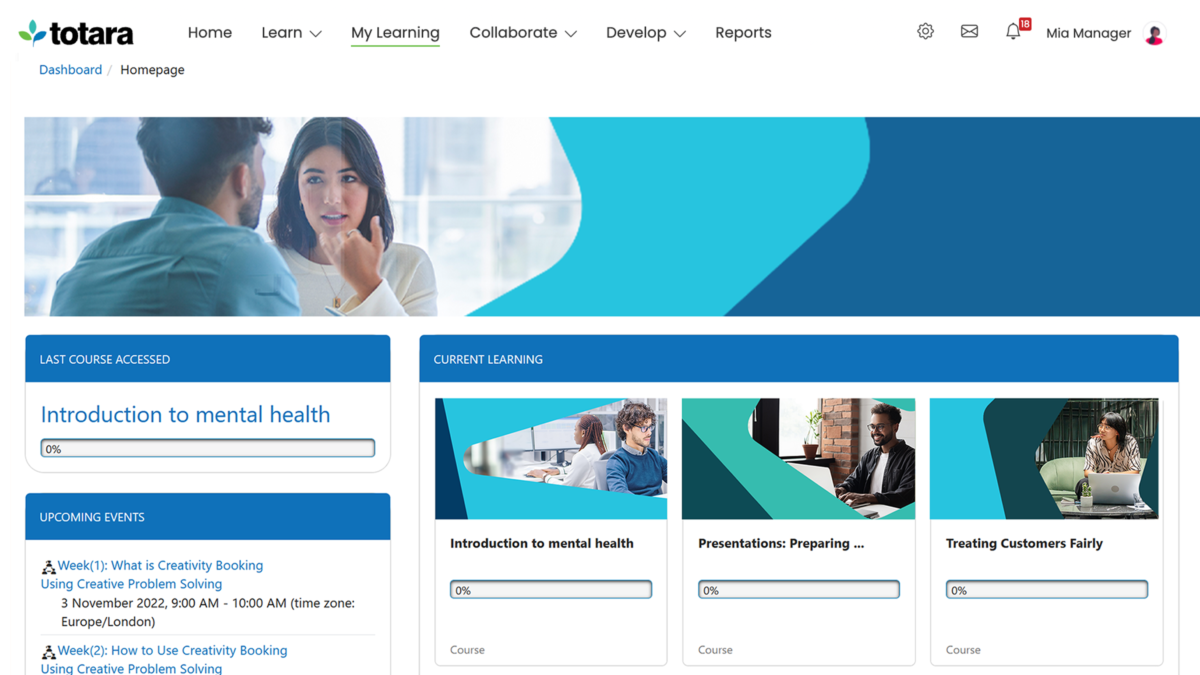
Learning Experience Platform (LXP): Totara Learn LMS and LXP allow your organization to share, learn, and grow with personalized collaboration tools.

Learning on the go: Totara’s customizable mobile app makes learning, training, and compliance accessible in any work environment.

Branded your way: custom theming with an easy-to-navigate interface gives employees an instantly recognizable and engaging experience.

Easy access: single sign-on supports easy access with Microsoft, Google, or Facebook credentials, boosting login and engagement rates.


Overview of Totara Learn benefits

  • Cater to multiple groups or customers from a single instance of your LMS, combining a streamlined admin experience with distinctly branded and isolated tenant environments.
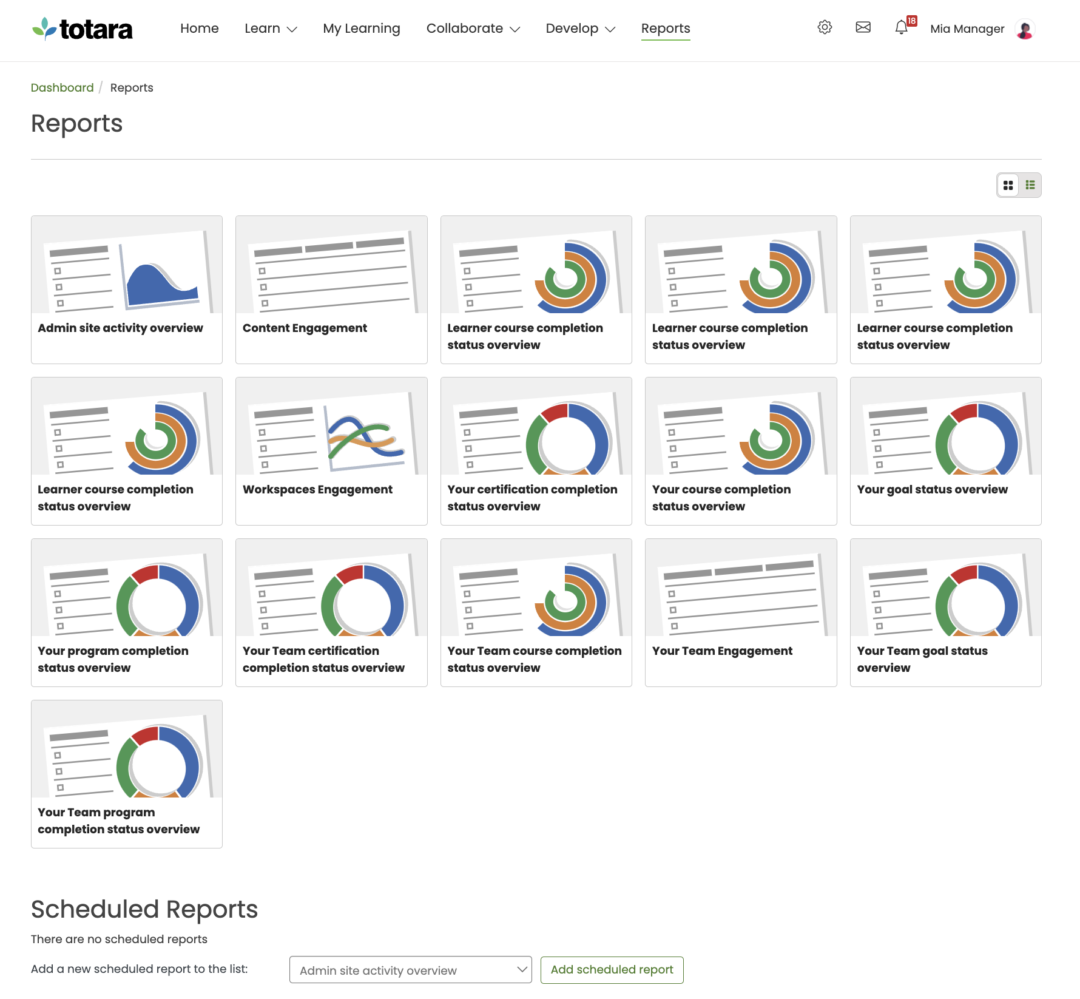
  • Enjoy powerful reporting features and analytics to stay abreast of learner performance, automate how you communicate with stakeholders and prove compliance certifications.
  • Ensure compliance with configurable programs and pathways to improve safety and reduce business risks.
  • Use existing HR information (such as location, position, start date) to automate learning and performance activities for each person.
  • Structure the skills and behaviors your people must demonstrate and assign them to individuals or groups.
  • Dynamic audiences change with your organization. You choose the rules and Totara adds and removes users automatically.
  • Show the way forward by creating learning plans, linking learning to competencies and combining courses into programs and certifications.
  • Make it easy for your people to assess their own proficiency in real-time.
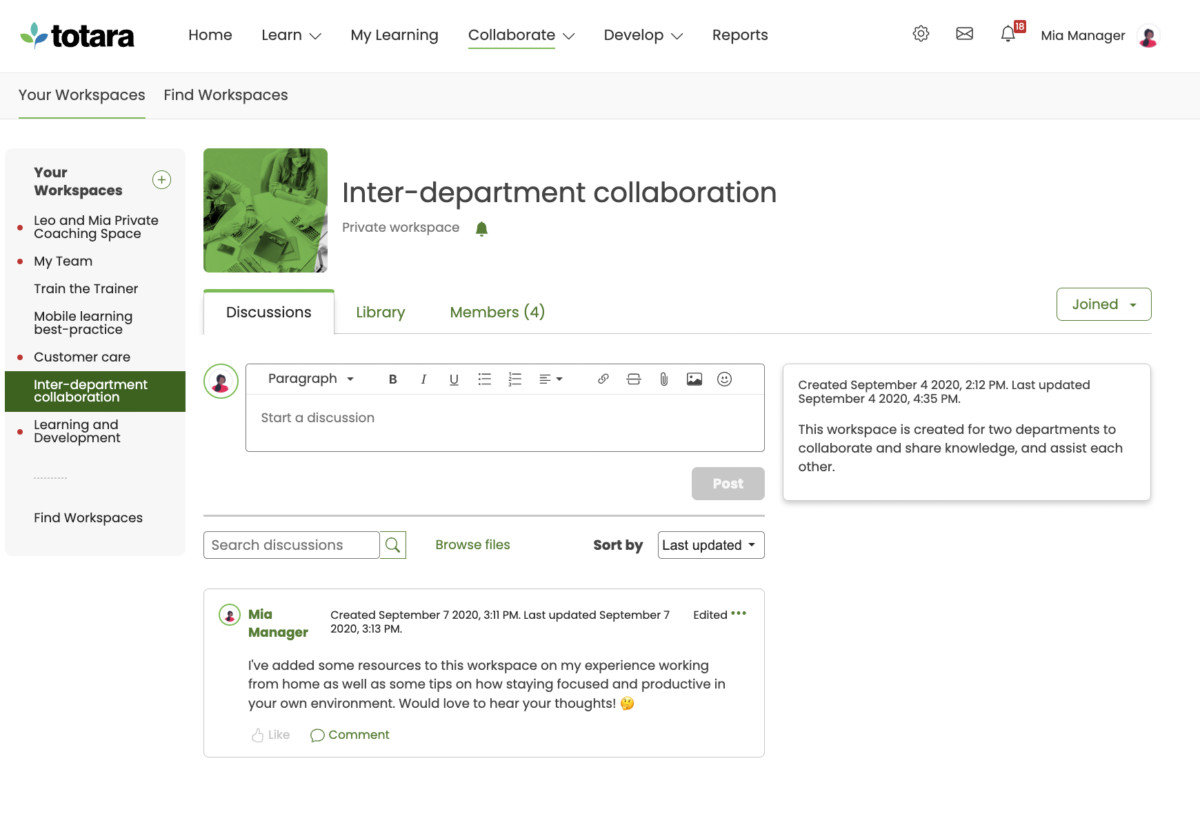
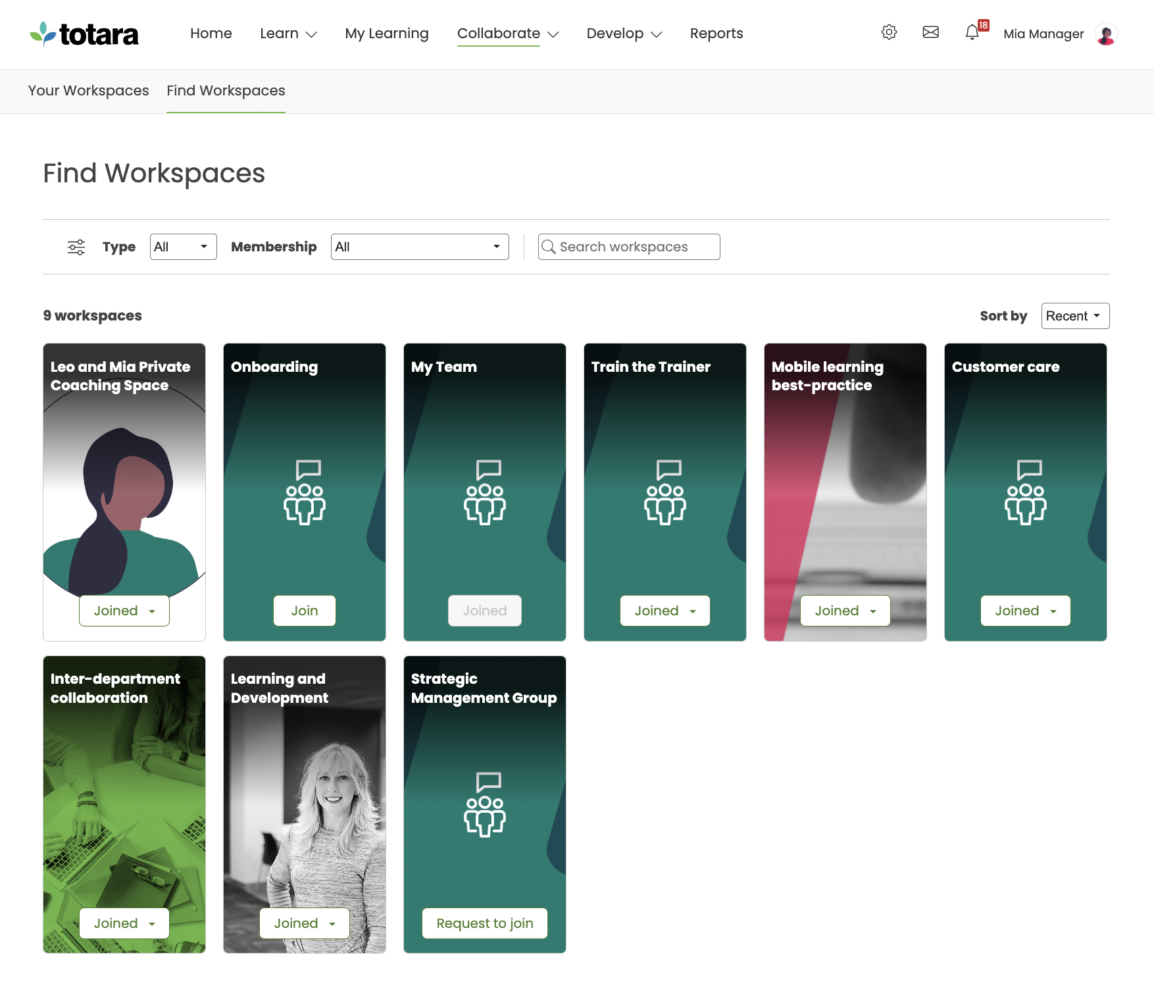
  • Use workspaces and forums to provide space for collaboration and group development - from action learning sets to one-to-one coaching.


Features

Learn more about Totara Learn features that set it apart from the competition. Discover how its unique tools and capabilities enhance your processes.

Accounts

Add a new user Allows administrators to add new users directly to their LMS for streamlined user management.
Archive users Deactivate and store user accounts without deleting them.
Browse list of users View all registered users in the system.
Bulk User Actions Manage multiple user accounts at once.
Custom/Mandatory User profile fields Define required or optional fields for user profiles.
Upload users Import users via spreadsheet.

Activity grading

Course History View completed and ongoing courses for each user.
Gradebook Centralized view of all learner grades.
Gradebook audit trail Track all grade changes over time.
Gradebook comments Add comments to learner grades.
Manual Grading ("Marking") Manually review and grade submissions.
Multiple grading scales Support for different grading systems.

AI Features

Adaptive Learning
AI Powered Use AI-driven automation and insights.
Chatbot
Content development
Content Translation
Intelligent recommendations
Natural Language Processing
Predictive analysis
Quiz generation
Text-to-speech

Authentication

Active Directory/LDAP Integration Authenticate users via corporate directories.
Custom User login page Personalized login interface.
Manual Accounts
No login Allow content access without authentication.
SAML2/API Integration Single sign-on and external authentication.
Self-Registration Users create their own accounts.
Self-Registration w. Admin Confirmation User signup requires admin approval.

Categories

Assign Courses to categories Organize courses under specific categories.
Create new Categories Add new organizational groups for courses.
Manage Categories Edit, delete, or update categories.
Priced Categories (Bundle)

Certificate management

Certification life-cycle Track generation, renewal, and expiration.
Manage certification templates Customize certificate formats.
Predefined certification templates Use ready-made certificate designs.
Unique Certificate by Course
Unique Certification by Curriculum Different certificate per learning path.

Compliance management

Certificate expiration notifications Alerts when certificates are near expiry.
Certification Expiration Management Manage timelines and renewal rules.
Due Date notifications Notify learners of upcoming deadlines.
Soft/Hard Stop Due Dates Allow or block access after due dates.

Course Creation

Assignments Engine Create and manage learner assignments.
Built-In Authoring Tool Create content directly inside the platform.
Can reuse PPTs, PDFs, Videos Upload and repurpose existing material.
Changing Course default settings Modify core course configuration.
Consume online video content Embed or stream video lessons.
Content Library
Course backup Options Backup and restore course data.
Drag & Drop Interactions Interactive content creation.
Hybrid Learning Courses
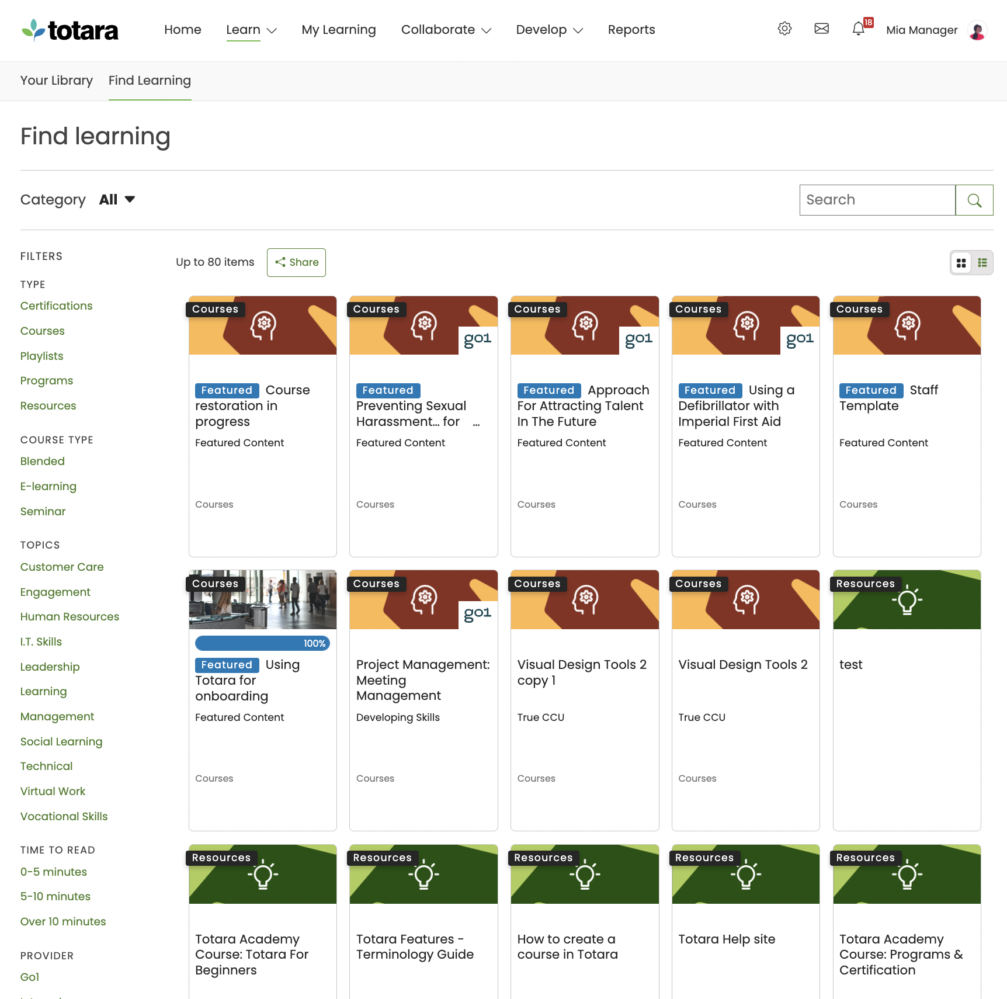
Learning Paths (Curriculums) Sequence courses into structured programs.
LRS
Scheduling LIVE events Plan webinars or virtual classes.
Survey Engine Create learner surveys.
Tests Engine Build quizzes and exams.
Upload courses Import courses into the platform.

Customization

Mobile Learning Support Optimize learning for mobile devices.
Personalized views Customize interface per user.

Enrollment

Attendance Tracking Track presence in sessions.
Automated Enrollment (based on User data) Enroll users automatically by rules.
Guest Access Settings Allow non‑registered users limited access.
Manual Enrollment Manually assign users to courses.
Progress Tracking Monitor learner progress in real time.
Self-enrollment Allow learners to join courses freely.
Self-enrollment (with a PIN #) Require a PIN for enrollment.
Survey enrollment (based on a response) Enroll based on survey answers.

Format

Course Discussions Forum-style communication.
Gamification Format Add game elements to courses.
Learner Upload Allow learners to upload content.
LIVE Chat Option Real-time messaging inside courses.
Social Format Social interaction‑focused layout.
Topics Format Organize course by topics.
Video Conferencing Integration Connect with tools like Zoom/Teams.
Weekly Format Course structured week by week.

Gamification

Badge customization Design custom achievement badges.
Badges Award digital achievements.
Customize Gamification mechanics
Leaderboards Rank learners based on achievements.
Levels
Points
Rewards Offer incentives for achievements.

Interface options

Additional external pages Add custom pages to the platform.
Block Management Control layout blocks/widgets.
Calendar Settings Configure system calendar.
Language settings Set default or custom system language.
Learning Accessibility
Location Settings Configure regional settings.
Media embedding settings Control embedding permissions.
Multilanguage Support Provide support in multiple languages.
Ready-made Themes Prebuilt platform designs.

Learning types

Asynchronous Instructor-led Instructor-led but not in real time.
Asynchronous Self-paced Learners progress independently.
Blended Learning Mix online and face‑to‑face training.
Synchronous Virtual Classroom Live real-time classes.

Mobile learning

Offline (disconnected Mobile app) Access mobile content without internet.
Online (Internet connected) Access content with full connectivity.

Offline

Support for offline access to content Downloadable materials for offline study.

Reports

Automated Report Scheduling Send reports automatically.
Canned Reports Prebuilt report templates.
Dashboards and Graphic Reports Visual analytics dashboards.
Email delivery of Reports Send reports via email.
Exporting Reports in variety of formats Export data as PDF, Excel, etc.
Grading Report Settings Customize grade reporting.
Learning Analytics Tools
Training Record Maintenance Maintain full training logs.

Roles

Define roles Create custom permission roles.
Role Assignment Assign roles to users.
System Permissions per role Control access rights.
Teams and Team Hierarchies Organize users into teams.

Security

Anti-spam Protect forms and communication.
Anti-virus Scan uploaded files for threats.
IP Blocker Block specific IP ranges.
Restrict registration to specific domains Limit signups by email domain.
Strong Passwords Enforce secure password rules.

Shopping cart

Built-In Shopping Cart
Shopping Cart as Plug-In Add commerce via plugin.

System reports

Automatic email reports in predefined intervals Send periodic system reports.
Custom reports generator Create custom report layouts.
Email notification settings Control notification rules.
Live Logs Monitor system activity in real time.
Who uses Totara Learn ?

Based on eLearning Industry reviews from the past 4 years

Company Size

Areas of Focus

Top Industries

Elearning
21%
Hospital & Health Care
7%
Retail
7%
Newspapers
7%
Education - Higher
7%
Other
51%
Pricing

Learn more about Totara Learn's pricing options, cost, and plans so you can make a well-informed, business-wise decision on the best software to use for organization.

Pricing Model
  • Subscription
License
  • Open Source
Starting Price
  • N/A
Free Trial
  • No

Pricing for Totara Learn is based on total number of active users per year. A range of user tiers are available. Please contact us for the latest pricing tiers - https://www.totara.com/us/request-a-demo-form

Integrations

Learn more about Totara Learn's integration options.

API

API

Dropbox

Dropbox

G Suite

G Suite

Google Analytics

Google Analytics

Google Calendar

Google Calendar

Office 365

Office 365

Outlook Calendar

Outlook Calendar

Paypal

Paypal

Slack

Slack

Zoom

Zoom

Totara Learn logo
Have you used Totara Learn before?
Answer a few questions and help the community to make the best decisions
Reviews

Is Totara Learn the right solution for you? Read verified Totara Learn reviews from people in industries like yours to make a confident choice.

Pros
  • Customization & Flexibility

    As an open-source platform, reviewers highly valued its extensive tailorability, stating it can be customized "without the need for consultants." Users successfully deployed custom themes, co-branded content for clients, and praised its absolute flexibility to support "both simple and very complex scenarios."

  • Ease of Use & Navigation

    Reviewers highlighted the platform's "clean interface" and "intuitive design," which makes it "very easy for non-computer-minded students" to use. Others noted it was "easy to learn, minimizing disruption in the workplace," while offering a well-executed user experience and quick load times.

  • Feature Set & Functionality

    The core capabilities and administrative automations are highly effective. Reviewers highlighted the excellent report-building tool where "you don't need to be a database expert to generate reports," as well as automated functions like "Audiences," which "reduced our administrator job load significantly."

  • Customer Support & Service

    Users feel well-supported by both the vendor and peers. Reviews highlighted "amazing supplier support running alongside an online forum support and upgrade request forum," complemented by a "massive community of other administrators" available for sharing ideas and troubleshooting.

  • Value for Money / Pricing & ROI

    The software is recognized as an economical investment for enterprise needs. Reviewers described it as a "highly cost-effective solution" that provides the necessary tracking and reporting functions required for completing "ROI evaluation."

Cons
  • Complexity & Learning Curve

    The platform's vast capabilities create a steep initial barrier. Reviewers noted that the "initial setup is complex" and "can be quite demanding," requiring significant time, expert planning, and technical expertise to fully optimize. The sheer volume of endless features can easily become "overwhelming for new users and mainly admins."

  • Reporting & Analytics Issues

    Despite being powerful, the reporting infrastructure can be challenging to manage. Reviewers stated that the reporting tools "can get complex to configure," and administrative screens hit limitations where a "course completion report can look messy if there are a large number of components."

  • Limited Features / Missing Tools

    Reviewers called out specific gaps in the platform's core offering. A major complaint was the total absence of a native mobile application ("no App to support the platform"), alongside administrative limitations like having "no way to clone enrolment methods, or pull activities from multiple courses into a single course in bulk."

  • Customization Limitations

    Certain native structures lack the agility required for specific industry compliance. One administrator flagged a "terrible native competency framework" because it "doesn't allow for repeated completion via certification," while another noted a "lack of ability in adding a language package" since not all European languages are covered.

  • Cost & Add-ons

    Long-term upkeep can become financially burdensome depending on the deployment model. A reviewer explicitly warned that "once customizations are made to the core, it's expensive to have Kineo continue to host and maintain it."

Performance Overview
Overall Rating 88%
  • Usefulness
  • Usability
  • Customer Experience
  • Likelihood to Recommend

Simple. Powerful. But can be limited in some areas (this may specific to my industry).

Aug 6, 2024

Overall Rating 77%
  • Usefulness
  • Usability
  • Customer Experience
  • Likelihood to Recommend
What do you like best? Clean interface. Admin (mostly) made simple. Reliable and robust reporting. Good level of customisation available.
What do you dislike? Terrible native competency framework* - doesn't allow for repeated completion via certification, which I require for my industry. Brickwall limits with some screens - course completion report can look messy if there are a large number of components in the course. No way to clone enrolment methods, or pull activities from multiple courses into a single course in bulk. *I was able to achieve what I wanted in the system using other native functionality and no plugins.
Reviewer photo

Ben Q. — e-Learning Developer

Industry : Government Administration | Company size : 501-1,000 | Level : Senior | Focus : Education | Experience using the software : More than 1 year as Administrator, Member of the deployment/customization team

We primarily use it for LMS, e-learning, and training compliance, and it meets all our needs

Jul 24, 2024

Overall Rating 100%
  • Usefulness
  • Usability
  • Customer Experience
  • Likelihood to Recommend
What do you like best? It fulfills all our requirements and even offers additional features. While the initial setup is complex, once configured, it functions smoothly. The reporting capabilities are excellent and save us a significant amount of time.
What do you dislike? There is not much to add here as we are very pleased with our selections. We have only received positive feedback from both admins and learners
Reviewer photo

Reviewer verified by LinkedIn

Industry : Entertainment | Company size : 501-1,000 | Level : Senior | Focus : Education | Experience using the software : More than 1 year as Administrator, Member of the deployment/customization team

Learner centric platform

Jul 14, 2024

Overall Rating 93%
  • Usefulness
  • Usability
  • Customer Experience
  • Likelihood to Recommend
What do you like best? That I am not restricted by a box when designing support/ learning interactions. Detailed tracking and audit capabilities. User friendly for both user and administrator. Works on any internet connected device. Amazing supplier support running alongside an online forum support and upgrade request forum.
What do you dislike? no App to support the platform
Reviewer photo

Reviewer verified by LinkedIn

Industry : Hospital & Health Care | Company size : 5,001-10,000 | Level : Senior | Focus : Education | Experience using the software : 6-12 months as User, Administrator, Member of the deployment/customization team, Member of the procurement team

It is very flexible, powerful and affordable

Jul 8, 2024

Overall Rating 96%
  • Usefulness
  • Usability
  • Customer Experience
  • Likelihood to Recommend
What do you like best? The flexibility which allows you to set up and support both simple and very complex scenarios
What do you dislike? -
Reviewer photo

Reviewer verified by LinkedIn

Industry : Elearning | Company size : 11-50 | Level : Partner | Focus : Marketing | Experience using the software : More than 1 year as Administrator

Good LMS for those that want to be in control of their LMS

Jul 6, 2024

Overall Rating 82%
  • Usefulness
  • Usability
  • Customer Experience
  • Likelihood to Recommend
What do you like best? Can be customised without the need for consultants. There is a massive community of other administrators that can be used for ideas and support. Open source.
What do you dislike? Reporting capability, although brilliant, can get complex to configure.
Reviewer photo

Chris G. — Digital Learning Business Partner at Nobia

Industry : Retail | Company size : 1,001-5,000 | Level : Partner | Focus : Human Resources | Experience using the software : 6-12 months as Administrator, Member of the deployment/customization team, Member of the procurement team

Open-Source Magic LMS! Totally customizable to fit your needs!

Jun 12, 2024

Overall Rating 100%
  • Usefulness
  • Usability
  • Customer Experience
  • Likelihood to Recommend
What do you like best? The features are tailored to much the needs of any businesses, including reporting. Additionally, as it is an open-source software, Totara is totally customizable.
What do you dislike? Nothing at all. Initial set-up can be quite demanding, which requires good planning ahead.
Reviewer photo

Reviewer verified by LinkedIn

Industry : Professional Training & Coaching | Company size : 501-1,000 | Level : Director | Focus : Human Resources | Experience using the software : More than 1 year as Administrator

Totara Learn is a highly flexible and open-source LMS, offers robust customization for learning.

Jun 12, 2024

Overall Rating 100%
  • Usefulness
  • Usability
  • Customer Experience
  • Likelihood to Recommend
What do you like best? What I like most about Totara Learn is its extensive customization options and scalability, which allow organizations to tailor the platform to their specific needs and growth.
What do you dislike? What I like the least about Totara Learn is its complexity in setup and configuration, which can require significant time and expertise to fully optimize.
Reviewer photo

Reviewer verified by LinkedIn

Industry : Newspapers | Company size : 11-50 | Level : Senior | Focus : Marketing | Experience using the software : Less than 6 months as Administrator

We use Totara for our digital leadership development content

Jun 5, 2024

Overall Rating 100%
  • Usefulness
  • Usability
  • Customer Experience
  • Likelihood to Recommend
What do you like best? Totara’s open-source nature allows for extensive customization to fit our organization’s specific needs. We’re using it for leadership development and have successfully implemented custom themes, making the platform uniquely ours, while also co-branding content for our clients.
What do you dislike? Endless features, so I understand that this might be overwhelming for new users and mainly admins.
Reviewer photo

Reviewer verified by LinkedIn

Industry : Online Media | Company size : 1,001-5,000 | Level : Director | Focus : Education | Experience using the software : More than 1 year as Administrator

Easy to learn, intuitive, well-designed! What else could one ask for?

Apr 8, 2024

Overall Rating 100%
  • Usefulness
  • Usability
  • Customer Experience
  • Likelihood to Recommend
What do you like best? This software was easy to learn, minimizing disruption in the workplace, which is ideal for new implementations. The technology behind it feels current, and the software runs smoothly with quick load times. The design and user experience are well-executed, offering a slight edge over standard LMS platforms.
What do you dislike? There's nothing to add to this section, as we haven’t really encountered any drawbacks so far.
Reviewer photo

Reviewer verified by LinkedIn

Industry : Information Technology and Services | Company size : 1,001-5,000 | Level : Manager | Focus : Human Resources | Experience using the software : More than 1 year as Administrator, Member of the deployment/customization team

This is a highly cost-effective solution for an organization's Learning Management requirements.

Apr 6, 2024

Overall Rating 100%
  • Usefulness
  • Usability
  • Customer Experience
  • Likelihood to Recommend
What do you like best? Totara is both flexible and user-friendly, offering numerous features that are often lacking in other LMS platforms. The report-building tool is excellent—you don't need to be a database expert to generate reports. It also makes branding the LMS straightforward.
What do you dislike? There’s nothing negative to mention. Totara provides a seamless and efficient experience across the board.
Reviewer photo

Reviewer verified by LinkedIn

Industry : Broadcast Media | Company size : 501-1,000 | Level : Director | Focus : Human Resources | Experience using the software : More than 1 year as Administrator

You've viewed 10 out of 28

Alternatives

Not a match? Find software alternatives that better suit your needs and compare them to discover the one that's right for you.

Totara Learn

4.4/5

TalentLMS

4.8/5
Compare

SkyPrep LMS

4.4/5
Compare

Connecteam - Mobile Teams LMS

4.0/5
Compare

Absorb

4.8/5
Compare

360Learning

4.7/5
Compare

Acorn

4.6/5
Compare

GoSkills

4.4/5
Compare
Resources

Explore a curated collection of resources that provide insights, guidance, and ideas to help you make informed decisions.