Customers
- Large Enterprises (>10,000)
- Non Profits
- Public Administrations
- Small/Medium Businesses
Industries
- Business Supplies and Equipment
- Government Administration
- Government: Federal
- Government: Military/Aerospace/Defense
- Government: State/Local
Deployment
- Self-Hosted Cloud-based
- Self-Hosted System
- Software as a Service / Cloud
Browsers
- Apple Safari
- Google Chrome
- Internet Explorer
- Mozilla Firefox
Training
- Documentation
- In Person
- Online Tutorials
- Webinars
Support
- Business Hours
- Email
- FAQ
- Knowledge Base
- Online Community
- Phone
Supported Specifications
- AICC
- SCORM 1.2
- Section 508
What is CourseMill?
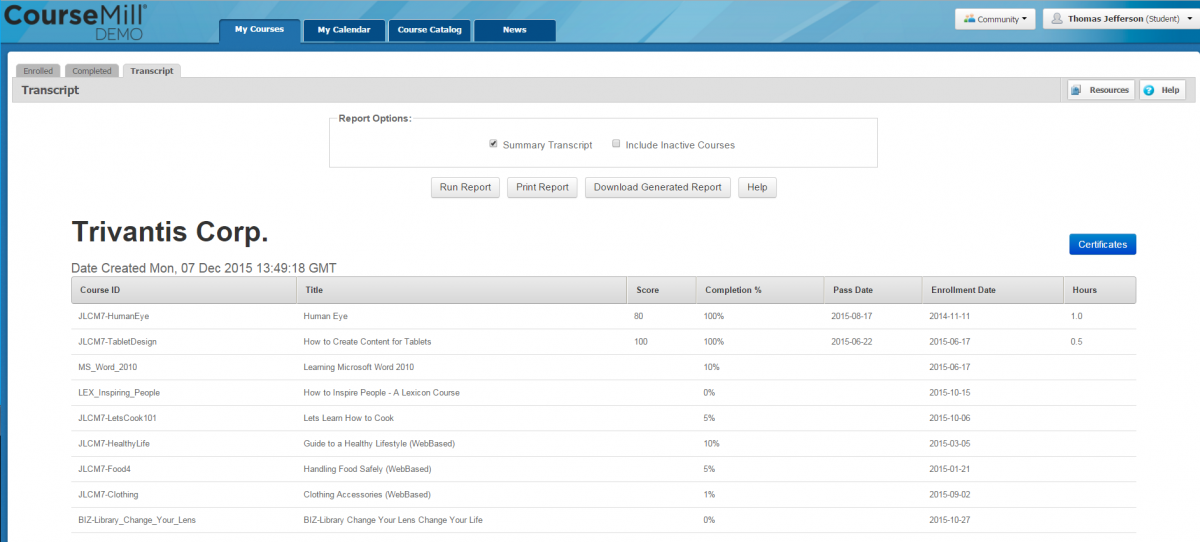
The CourseMill LMS automates enrollment, manages compliance, and makes creating dashboards easy with Advanced Reports. It’s a scalable and customizable LMS solution for blended Learning, online learning and classroom learning. CourseMill is also fully integrated with Lectora, the most powerful e-learning authoring tool on the market today, and Cenario VR, eLearning Brothers’ virtual reality authoring and delivery platform.
CourseMill is used by both small and large organizations looking for an easy and powerful solution to provide effective training at an affordable price. We want you to succeed, so we made it possible to fluidly scale up and down as your organization changes and grows.
Overview of CourseMill benefits
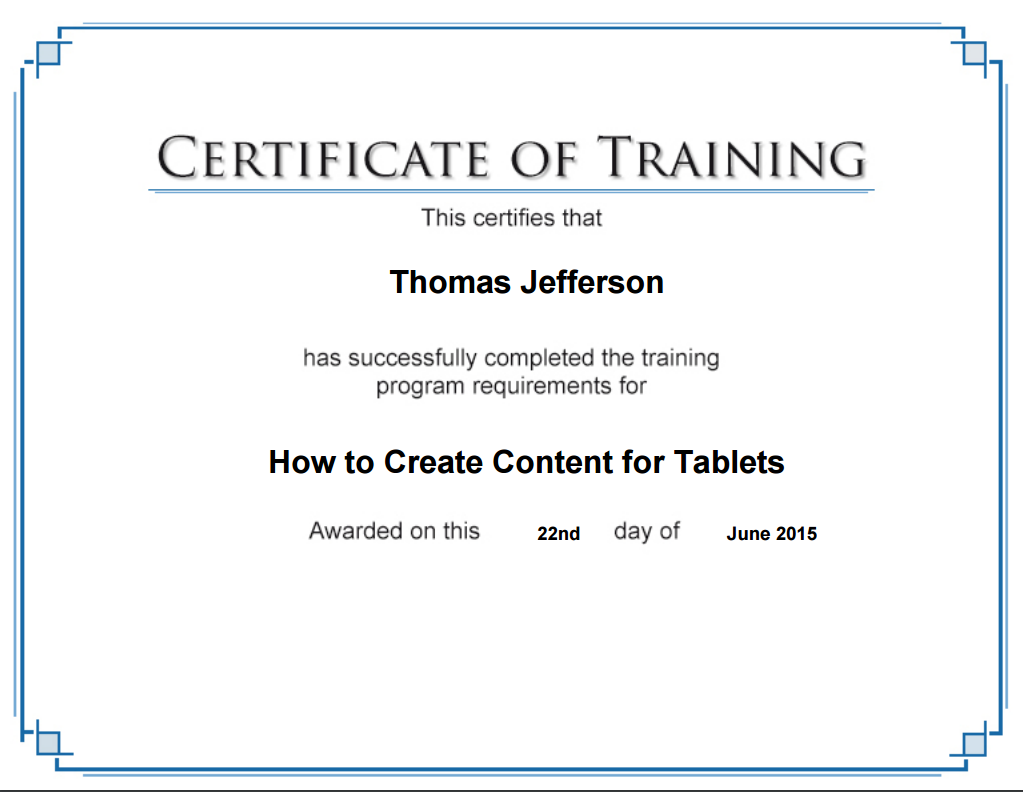
- Compliance & Certification - Manage compliance and certifications to keep your team performing at the highest level.
- Powerful & Affordable - With power comes great responsibility, but that doesn’t mean that it has to cost a fortune. CourseMill provides the tools you need to create quality courses at a price you can afford.
- Supports Microlearning - In order to improve engagement and retention, CourseMill provides the ability to learn quickly and effectively through the convenience of microlearning.
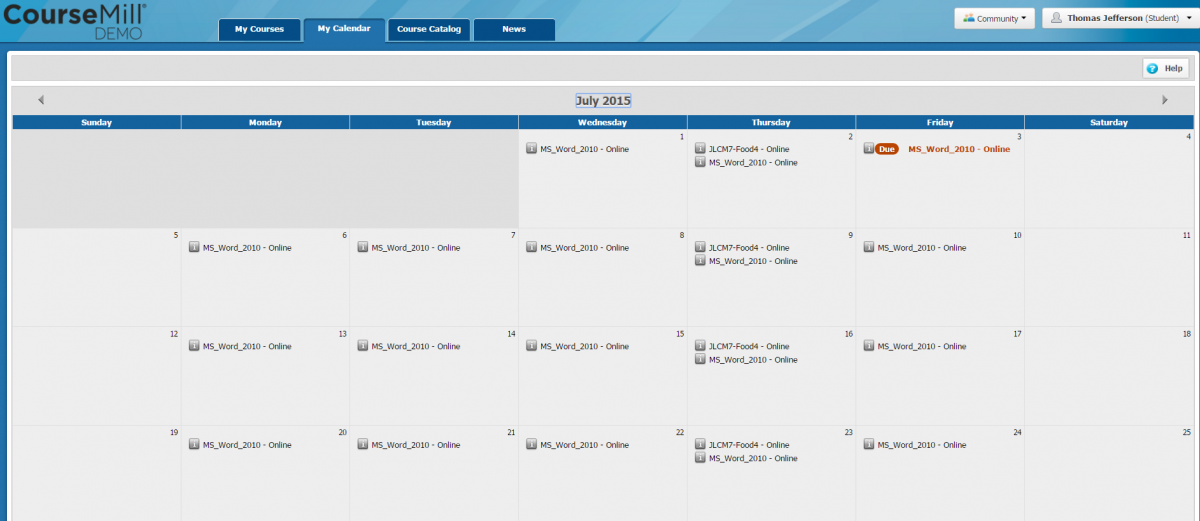
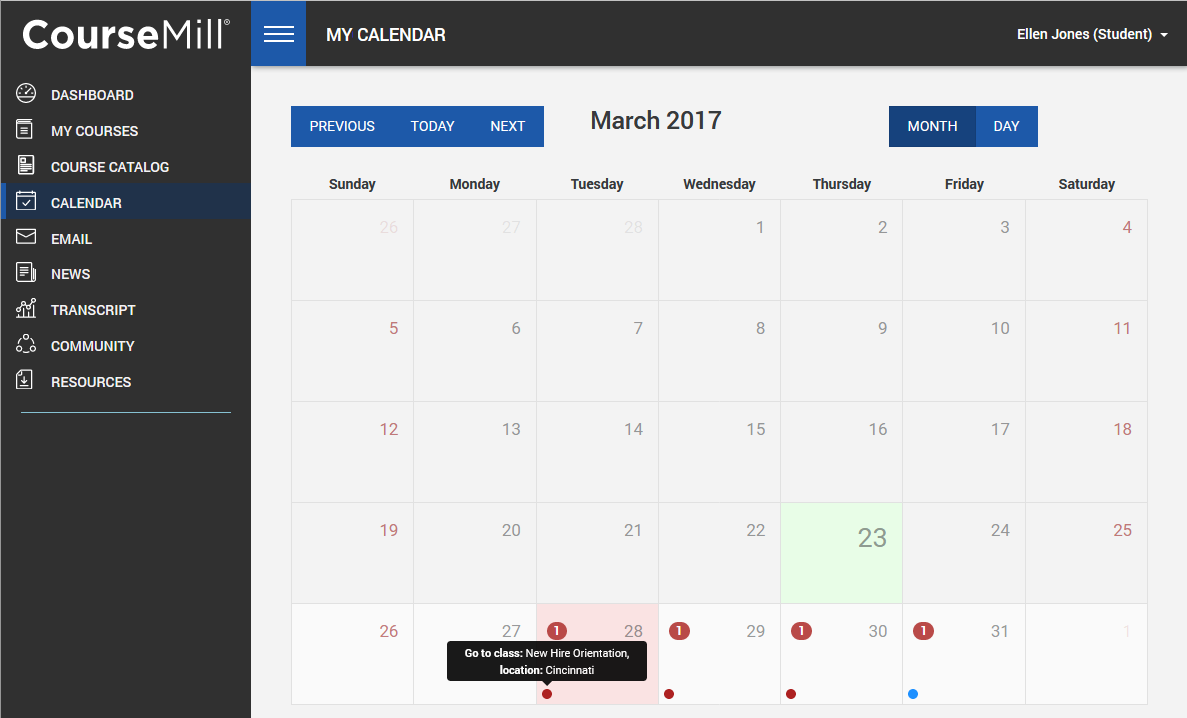
- Convenient Calendar View - Knowing what’s coming keeps your learners on point. CourseMill’s Calendar View will help everyone stay on top of their course work and get the most out of it because they can plan enough time to complete it thoroughly.
- Automates Enrollment - Take the pressure off your shoulders by automating the process of enrollment for new employees, imported users, and specified groups by integrating with your HRI system.
- Solid API For Easy Integrations - Nothing is better than a seamless connection between different systems. A robust API allows you to automate manual processes and save time.
- eCommerce - You make great courses and CourseMill makes it easy for you to sell them online with a custom branded e-commerce interface.
- 508/WCAG Compliant - Accessibility is important, so CourseMill has been designed to allow for learning without boundaries.
Features
Learn more about CourseMill features that set it apart from the competition. Discover how its unique tools and capabilities enhance your processes.
Accounts
Add a new user
Allows administrators to add new users directly to their LMS for streamlined user management.
Archive users
Deactivate and store user accounts without deleting them.
Activity grading
Gradebook
Centralized view of all learner grades.
Multiple grading scales
AI Features
Adaptive Learning
AI Powered
Chatbot
Content development
Content Translation
Intelligent recommendations
Natural Language Processing
Predictive analysis
Quiz generation
Text-to-speech
Authentication
Manual Accounts
No login
Categories
Priced Categories (Bundle)
Certificate management
Certification life-cycle
Unique Certificate by Course
Course Creation
Assignments Engine
Built-In Authoring Tool
Content Library
Drag & Drop Interactions
Hybrid Learning Courses
LRS
Survey Engine
Tests Engine
Customization
Mobile Learning Support
Personalized views
Enrollment
Progress Tracking
Survey enrollment (based on a response)
Format
Gamification Format
Social Format
Weekly Format
Gamification
Badge customization
Badges
Customize Gamification mechanics
Leaderboards
Levels
Points
Rewards
Interface options
Block Management
Learning Accessibility
Media embedding settings
Learning types
Synchronous Virtual Classroom
Mobile learning
Offline (disconnected Mobile app)
Reports
Learning Analytics Tools
Security
Anti-spam
Anti-virus
Restrict registration to specific domains
Shopping cart
Shopping Cart as Plug-In
Pricing
Learn more about CourseMill's pricing options, cost, and plans so you can make a well-informed, business-wise decision on the best software to use for organization.
Integrations
Learn more about CourseMill's integration options.
Have you used CourseMill before?
Answer a few questions and help the community to make the best decisions
Reviews
Is CourseMill the right solution for you? Read verified CourseMill reviews from people in industries like yours to make a confident choice.
A great Learning Management System from a great company
Overall Rating
98%
-
Usefulness
-
Usability
-
Customer Experience
-
Likelihood to Recommend
What do you like best?
The plethora of integrations, excellent client support, scalability, and regular updates. Plus Lectora of course, which I will review in due course.
What do you dislike?
One might say that their platform needs to be updated and the truth is it would be great to revamp the UI.
CourseMill is robust, reliable, easy to use. Great integration between Lectora and CourseMill.
Overall Rating
100%
-
Usefulness
-
Usability
-
Customer Experience
-
Likelihood to Recommend
What do you like best?
I like that it is reliable, and fast. Also, email notifications and automated reports are very handy.
What do you dislike?
User Interface could be better and more modern. I know this is coming, but it has not been released to me yet. Also, it would be helpful if each Org could have its own exit page.
CourseMill is the most flexible and customizable LMS I have worked with.
Overall Rating
78%
-
Usefulness
-
Usability
-
Customer Experience
-
Likelihood to Recommend
What do you like best?
I like how I can customize to meet almost any customer's needs. Many other systems offered limited options for several tasks and coming up with workarounds becomes cumbersome.
What do you dislike?
The admin interface needs upgrading. It's very simple and easy-to-use, which is great, but it lacks visual appeal. I would like to see more graphical elements along with a dashboard feature tied into reporting.
Very Simple, Scalable, and Easy to Use LMS. Not fancy, but solid.
Overall Rating
80%
-
Usefulness
-
Usability
-
Customer Experience
-
Likelihood to Recommend
What do you like best?
It's a very simple and easy to use LMS. There is a REST-based API for more detailed integration with courses, and other software commonly found in an office environment. Support is great, but it can take a bit for them to get back with you.
What do you dislike?
It's a very basic LMS. Don't expect any frills, but that does keep the functionality and maintenance simple. If you host it yourself, you have to contend with an older, non-intuitive, interface. If you want the more modern look and feel you have to pay Trivantis to host it. You also have to pay extra for a mobile interface. There's not really an explanation for either point, other than they want money.
Alternatives
Not a match? Find software alternatives that better suit your needs and compare them to discover the one that's right for you.
![Connecteam - Mobile Teams LMS logo]()
Connecteam - Mobile Teams LMS
4.0/5
Compare
Resources
Explore a curated collection of resources that provide insights, guidance, and ideas to help you make informed decisions.