


Make The Most Of Generative AI For Great eLearning
AI in course creation is having a moment. And yet, most people don't get great results right away. The technology is smart, sure. But it still needs you to steer the process, set context, and refine outputs.
With the help of a few simple principles, AI comes closer to being your actual partner instead of a random text generator. And with tools like iSpring Suite AI, you can go from a rough idea to a structured, editable course in minutes.
Let's break down what makes an AI prompt work and look at 5 ready-made prompts you can copy straight into your workflow for advanced course creation.
Key Principles Of Working With AI
If you only remember one part of this article, let it be this section. These three principles are the difference between generic output and usable content that you’ll be able to refine quickly for your final course.
1. Give AI Context
AI course creators and tools perform better when they know the environment they are creating for. Be sure to mention:
- Who the learners are.
- What skills they need.
- Their professional goals.
- How the course will be delivered.
- Any constraints (time, format, tools, etc.).
The more details you give upfront, the less rewriting you'll need later on.
2. Be Specific About Your Requirements
When prompting AI for content, be as clear as possible to avoid cookie-cutter responses with little value. For example, don't prompt: "Create a course about onboarding."
Instead, prompt: "Create a 15-minute beginner-friendly onboarding module for new customer support reps that focuses on communication standards and escalation rules."
Bottom line: Specific inputs = clean outputs.
3. Collaborate And Refine
The rule of thumb is that the first answer is rarely the final one. AI in Learning and Development works best in loops. Try implementing the following cycle:
- Generate
- Review
- Adjust
- Regenerate
- Finalize
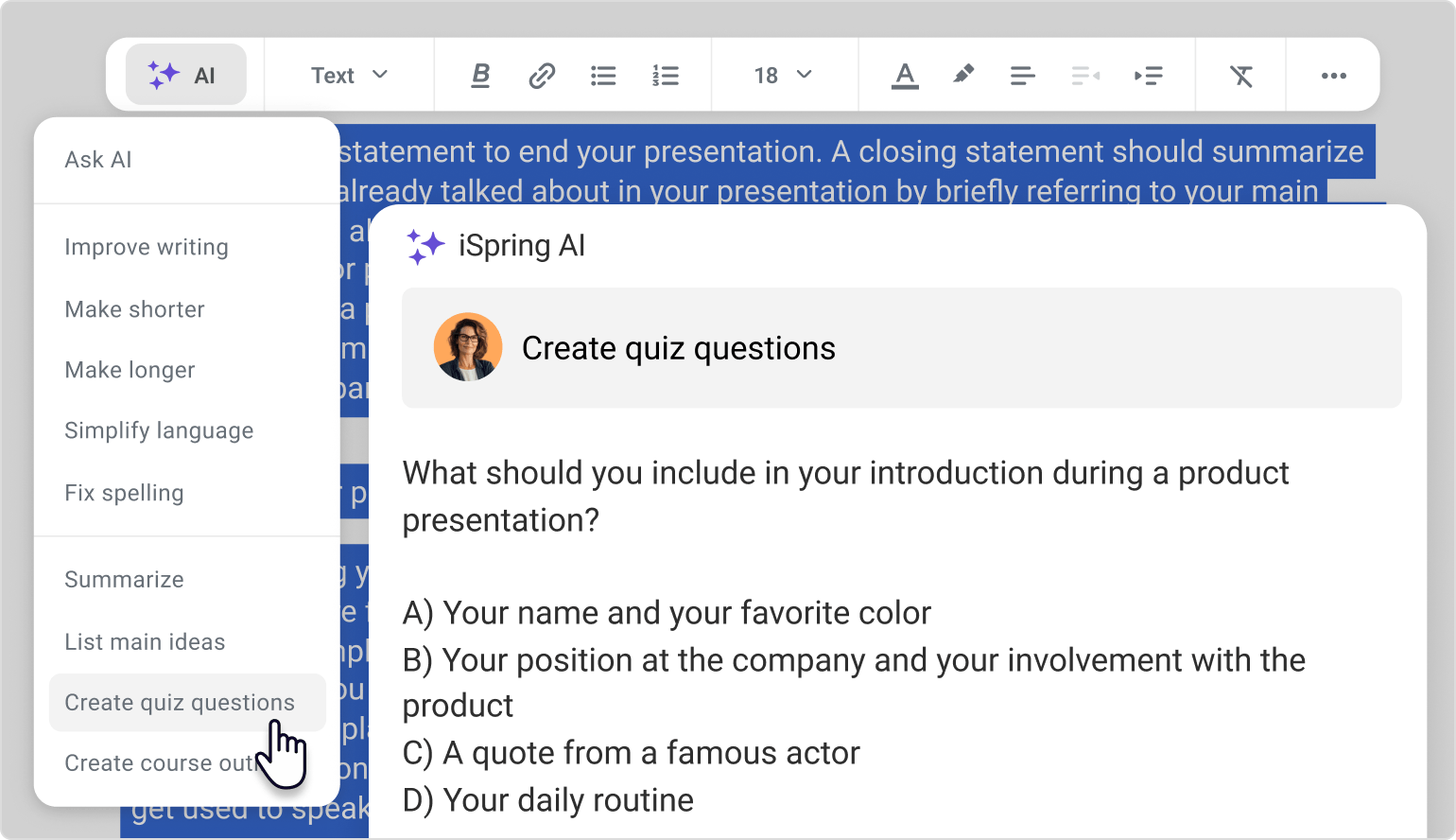
iSpring Suite AI makes this loop easy. You can generate, edit, expand, shorten, and replace visuals, add narration, translate, and build quizzes, all in one place. This flexibility is perfect for refining quickly and saving tons of time on course production.
Course Creation Prompt Examples For Effective eLearning
We'll skip requesting an outline or a course chapter—these things are easy to do even with a relatively generic prompt. But if you want AI to produce content that matches actual Instructional Design logic (structure, relevance, and practice), you'll need more targeted prompts. These examples do exactly that.
1. Learning Objectives Prompt
Learning objectives often end up either too vague or too complex. However, getting them right is essential. They anchor your content, guide assessments, and prevent your course from drifting off-topic.
This sample prompt gives you clear, actionable objectives written in plain language:
Create 3–5 concise and measurable learning objectives for a course module designed for [course topic]. Ensure that each one follows the SMART framework: Specific, Measurable, Achievable, Relevant, and Time-bound. Keep each objective under 20 words.
2. Microlearning Strategy Prompt
Short courses work best when they're structured around one idea per screen. AI can help you maintain focus and segment the content correctly. Use this prompt:
Act as an Instructional Designer and develop a microlearning strategy to strengthen employee skills in [skill area]. Include:
• Recommended microlearning formats (e.g., videos, infographics, mini-quizzes).
• Suggested platforms or tools for delivery.
• A plan for reinforcement and spaced repetition.
By the way, creating scrollable micro-courses inside iSpring Suite AI is the perfect way to deliver segmented learning. They're well-structured, easy to adjust, and visually appealing.
3. Simple Multiple-Choice Questions Prompt
Quizzes are where a lot of IDs stumble, even if they have a lot of experience in Instructional Design. They're time-consuming and easy to overcomplicate. Try this prompt to take the pressure off and get a batch of usable questions you can fine-tune later.
Create ten multiple-choice questions on [course topic]. Each question should:
• Cover key concepts and essential knowledge.
• Include one correct answer and three believable distractors.
• Vary in difficulty.
• Avoid trick questions or ambiguity.
• Randomize correct answer placement.
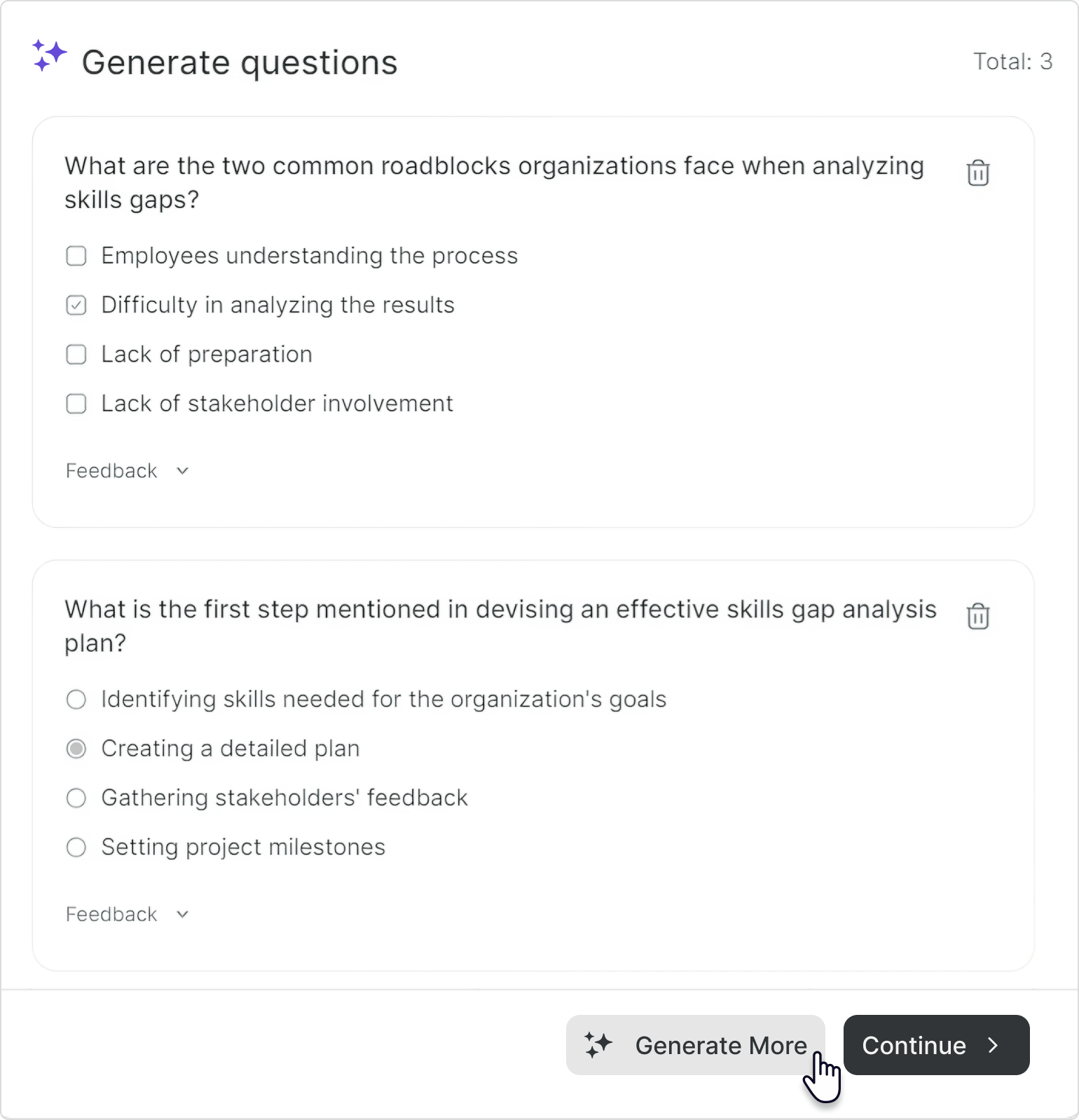
Pro tip: You can generate relevant quiz questions right inside iSpring Suite AI's browser-based course creator. Simply highlight text, select a chapter or a portion of it, or even an entire page, and iSpring AI will suggest single-choice and multiple-response questions.
If you need more questions, click on Generate More, and new questions will be added to the existing ones.
4. Course Engagement Plan Prompt
Content is only half of the story. Engagement is where learning starts to have the impact you strive for.
Use this prompt to design lightweight interaction without turning your course into a huge project.
Design an engagement strategy to keep learners motivated throughout the [course topic] course. Include techniques such as gamification, social learning, progress tracking, and ongoing feedback. Keep it realistic for busy learners.
You can also ask AI for:
- Ideas for an opening activity or short reflection.
- Interactive check-ins halfway through the course.
- Short scenarios or stories that show the topic in action.
- Final reflections or self-assessment questions.
5. Course Marketing Description Prompt
You've built the course. Now you need people to enroll, especially if you want to monetize your expertise. That's where a short, clear description helps.
Try this prompt:
Write a persuasive course description for [course topic] that appeals to [target audience]. Use a professional but engaging tone and include:
• The problem the course solves.
• Key outcomes learners will achieve.
• What makes this course unique.
Use this in your LMS catalog, email announcement, or internal portal.
If you need a different tone for different audiences, you can ask iSpring Suite AI to rewrite the same description as "more formal," "more energetic," "more concise," etc.
Wrap Up
Of course, AI won't magically produce excellent Instructional Design for you. But with the right prompts, it can take care of the heavy lifting, so you can focus on:
- Actual learner problems.
- Smart structure.
- Meaningful practice.
- A human voice in your content.
The most important piece of advice here is a simple one: start small. Pick one upcoming course and test several prompts. See how well your chosen AI tool responds, tweak your input depending on what it generates, and keep refining until the output feels genuinely useful.
It makes things even faster and smoother if your AI assistant is built right into your authoring tool, as it is in iSpring Suite AI, but you can always experiment with several tools or platforms and then decide which one is the best fit.