
Trending Learning Management Systems (LMS)
About the vendor
-
Customers
  • Academic
  • Freelancers
  • Large Enterprises (>10,000)
  • Non Profits
  • Public Administrations
  • Small/Medium Businesses
Use Cases
  • Academic Learning
  • Continuing Education
  • Employee Training
  • Microlearning
  • Social Learning
  • Training Companies
  • Workforce Development
Industries
  • Civic & Social Organization
  • Computer Software
  • Education Management
  • Education: K-12
  • eLearning
Deployment
  • Desktop Application
  • Mobile Application
  • Self-Hosted Cloud-based
  • Self-Hosted System
  • Software as a Service / Cloud
Platforms
  • Linux
  • Mac
  • Windows
Browsers
  • Apple Safari
  • Google Chrome
  • Internet Explorer
  • Mozilla Firefox
Training
  • Documentation
  • In Person
  • Live Online
  • Online Tutorials
  • Webinars
Support
  • Business Hours
  • Email
  • FAQ
  • Knowledge Base
  • Live Online
  • Phone
Supported Specifications
  • IMS LTI
  • SCORM 1.1
  • SCORM 1.2
  • SCORM 2004
  • SCORM 2004 3rd Edition
  • SCORM 2004 4th Edition
  • Section 508
  • xAPI/Tin Can API
Languages Supported
  • Arabic
  • German
  • English
  • Spanish
  • Italian
  • Portuguese
  • Russian
LinkedIn Page
@Linkedin
X
@X
Change your privacy settings to see the content.
In order to watch this video you need to have advertising cookies enabled.
You can adjust your cookie preferences here.

What is Open edX?

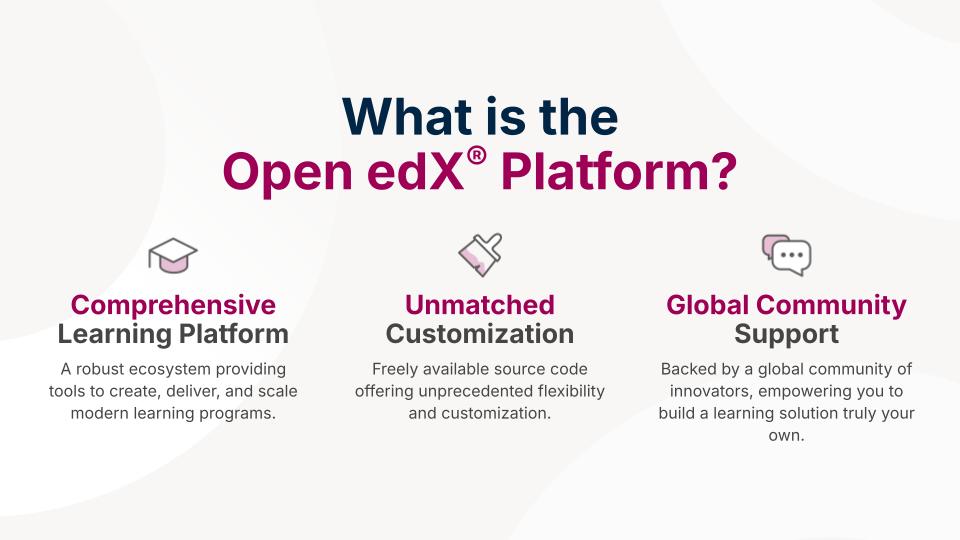
Open edX is a free, open-source learning management system (LMS) and course authoring platform originally developed in 2012 to power edX.org. Today it is stewarded by Axim Collaborative, a nonprofit founded by its original creators.

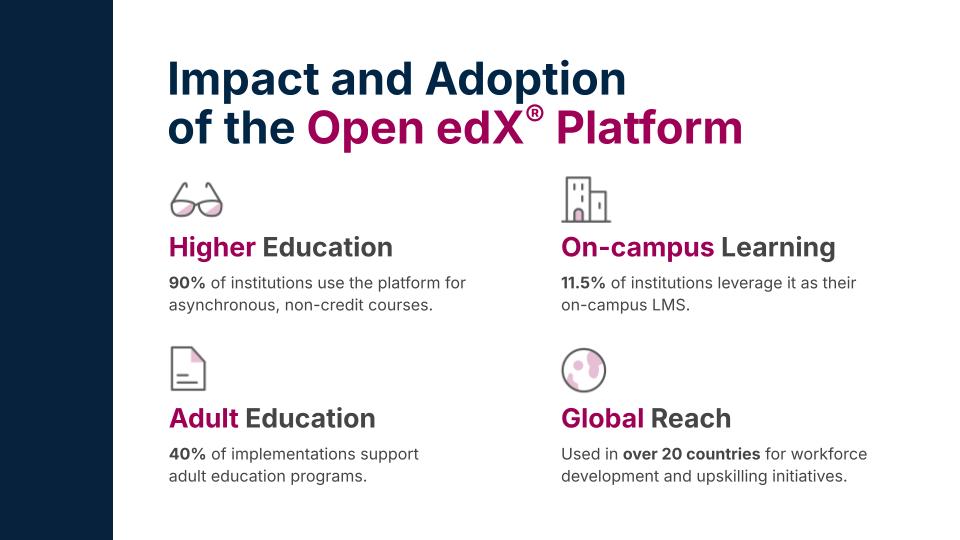
The platform serves over 140 million learners across 196 countries, deployed by universities (Stanford, Arizona State University), enterprises (Google, Microsoft, IBM, AWS, McKinsey, Johnson & Johnson), government and international organizations (NASA, the IMF, Amnesty International), and technology companies (MongoDB).

Open edX is released under the AGPLv3 and Apache 2.0 licenses with source code publicly available on GitHub. There are no licensing fees. Organizations handle hosting and maintenance either self-managed or through a service provider in the official Open edX Marketplace. (https://openedx.org/partners/)

The project follows a biannual release cycle. The latest stable release is Verawood (June 2026), the 22nd community release. Willow is planned for December 2026.

Built on Python/Django with a microservices architecture, the platform is containerized via Docker, deployed using Tutor, and supports Kubernetes for production-scale environments.

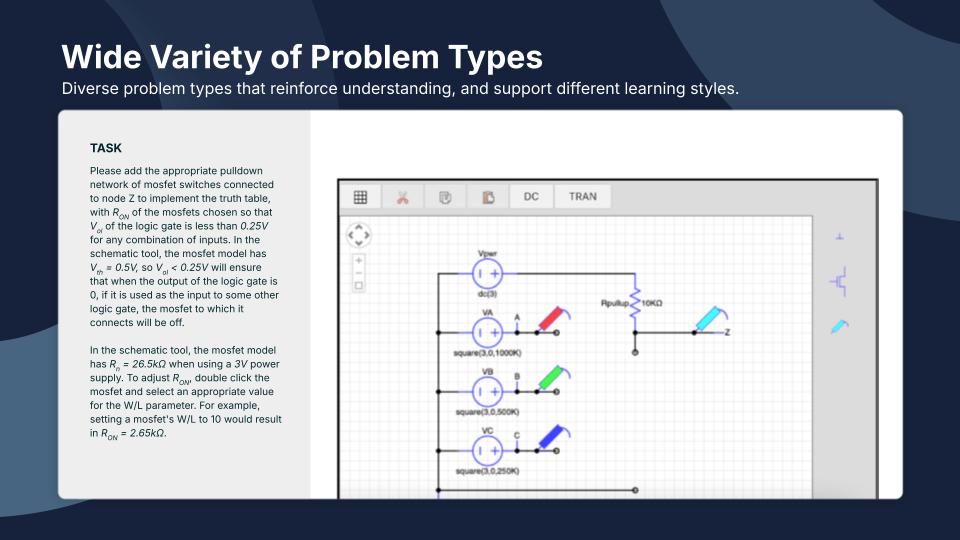
Open edX is formally certified as LTI Advantage Complete by 1EdTech for LTI 1.3, Deep Linking 2.0, Assignment & Grade Services 2.0, and Names & Role Provisioning Services 2.0 across multiple releases. Its XBlock architecture enables custom interactive content types — simulations, virtual labs, AR/VR experiences, and peer assessments — without modifying the platform core. Content delivery is supported in dozens of languages, with Arabic, Spanish, French, Portuguese, and Chinese among the fastest-growing deployments. Governance through Axim Collaborative and its Technical Oversight Committee ensures long-term direction is shaped by community priorities.


Overview of Open edX benefits

Open edX gives organizations complete data ownership and digital sovereignty. All learner data, content, and platform configurations remain under the organization's control - no data is shared with third parties unless explicitly integrated. This makes it a strong fit for institutions operating under GDPR, government data residency requirements, or strict internal data governance policies.

The platform scales from small training programs to millions of concurrent users. edX.org, the world's largest MOOC platform, runs on this same codebase and has served over 86 million registered learners - proving production reliability at extreme scale.

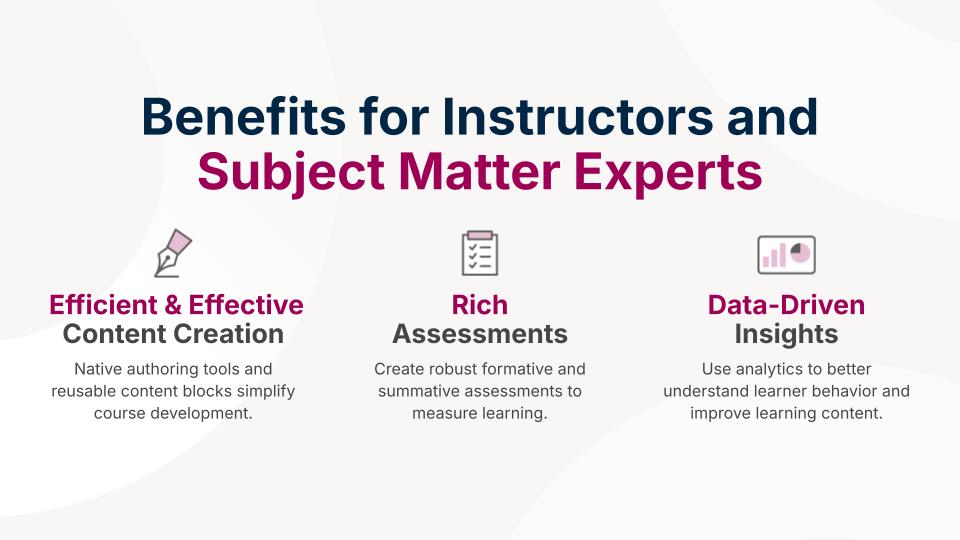
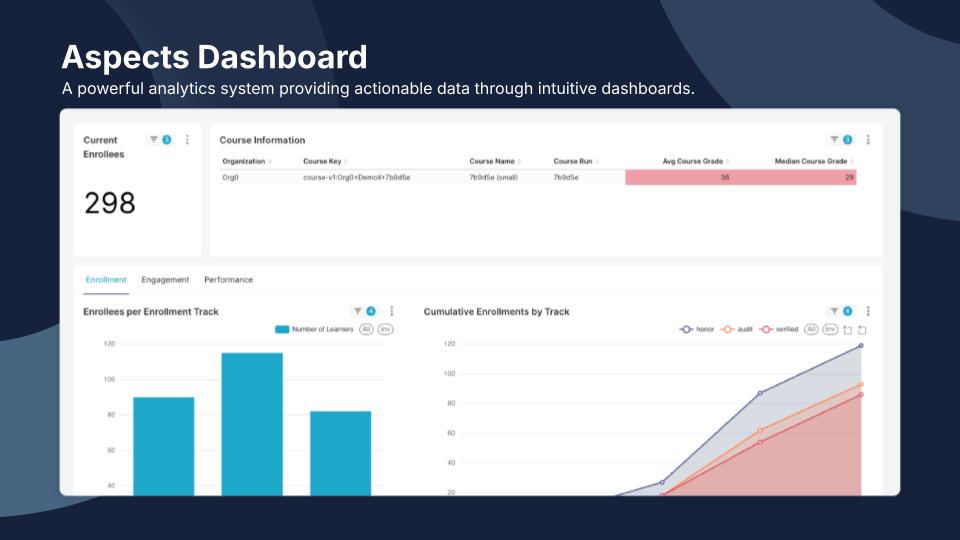
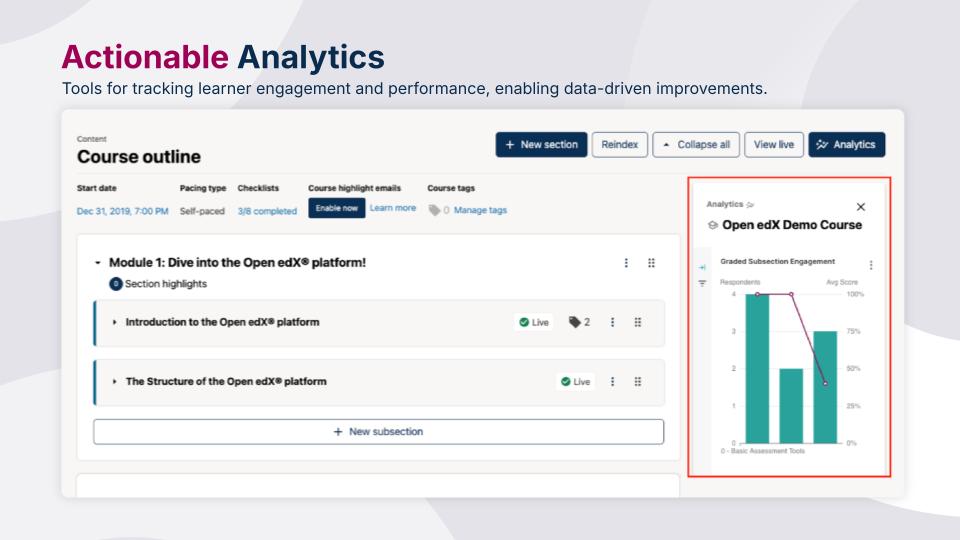
Open edX Aspects, the built-in analytics solution powered by Apache Superset and ClickHouse, provides near real-time dashboards for learner activity tracking, course performance, cohort analysis, and data export. Organizations can also connect to external Learning Record Stores via xAPI for cross-platform learning analytics.

Native mobile applications for iOS and Android support offline video download, course browsing, quizzes, discussions, and push notifications. Custom-branded mobile apps can be built from the open-source repositories.

The platform integrates with enterprise systems through SAML 2.0, OAuth 2.0, and OpenID Connect for single sign-on, and offers comprehensive REST APIs for connecting to student information systems, HR platforms, CRMs, and data warehouses.

Built-in eCommerce supports course purchases, subscription bundles, coupon codes, and multi-payment options including PayPal. Organizations can monetize learning programs directly through the platform.

A global community of developers, educators, and service providers continuously contributes improvements, plugins, and integrations - ensuring the platform evolves with the needs of its users rather than a single vendor's roadmap.

Features

Learn more about Open edX features that set it apart from the competition. Discover how its unique tools and capabilities enhance your processes.

Accounts

Add a new user Allows administrators to add new users directly to their LMS for streamlined user management.
Archive users Deactivate and store user accounts without deleting them.
Browse list of users View all registered users in the system.
Bulk User Actions Manage multiple user accounts at once.
Custom/Mandatory User profile fields Define required or optional fields for user profiles.
Upload users Import users via spreadsheet.

Activity grading

Course History View completed and ongoing courses for each user.
Gradebook Centralized view of all learner grades.
Gradebook audit trail Track all grade changes over time.
Gradebook comments Add comments to learner grades.
Manual Grading ("Marking") Manually review and grade submissions.
Multiple grading scales Support for different grading systems.

AI Features

Adaptive Learning Adjust learning paths based on learner behavior.
AI Powered Use AI-driven automation and insights.
Chatbot AI assistant for learner support.
Content development Generate or enhance educational content.
Content Translation Translate learning materials automatically.
Intelligent recommendations Suggest courses based on learner activity.
Natural Language Processing Interprets and responds to text inputs.
Predictive analysis Forecasts learner performance and trends.
Quiz generation Automatically creates AI-generated quizzes.
Text-to-speech Converts written content to audio.

Authentication

Active Directory/LDAP Integration Authenticate users via corporate directories.
Custom User login page Personalized login interface.
Manual Accounts
No login Allow content access without authentication.
SAML2/API Integration Single sign-on and external authentication.
Self-Registration Users create their own accounts.
Self-Registration w. Admin Confirmation User signup requires admin approval.

Categories

Assign Courses to categories Organize courses under specific categories.
Create new Categories Add new organizational groups for courses.
Manage Categories Edit, delete, or update categories.
Priced Categories (Bundle) Sell course bundles grouped by category.

Certificate management

Certification life-cycle Track generation, renewal, and expiration.
Manage certification templates Customize certificate formats.
Predefined certification templates Use ready-made certificate designs.
Unique Certificate by Course
Unique Certification by Curriculum Different certificate per learning path.

Compliance management

Certificate expiration notifications Alerts when certificates are near expiry.
Certification Expiration Management Manage timelines and renewal rules.
Due Date notifications Notify learners of upcoming deadlines.
Soft/Hard Stop Due Dates Allow or block access after due dates.

Course Creation

Assignments Engine Create and manage learner assignments.
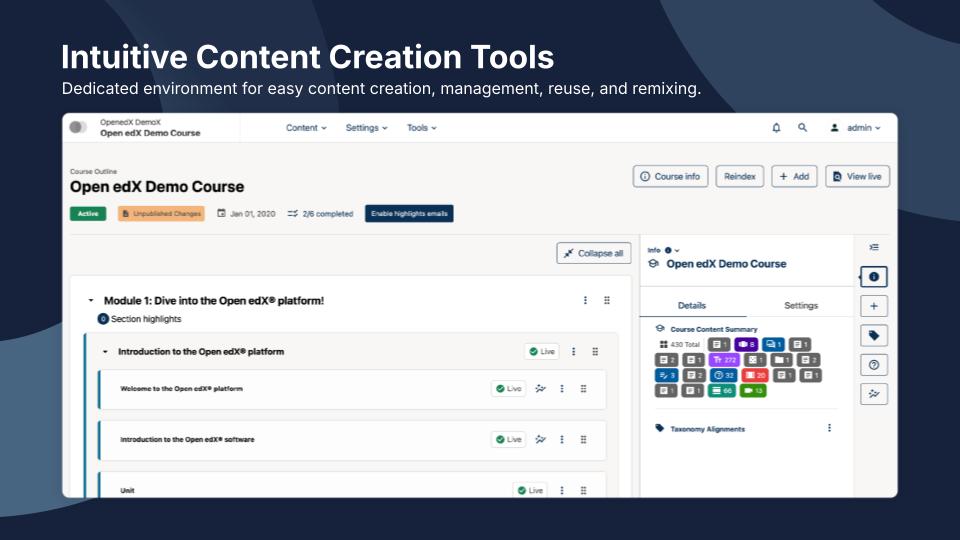
Built-In Authoring Tool Create content directly inside the platform.
Can reuse PPTs, PDFs, Videos Upload and repurpose existing material.
Changing Course default settings Modify core course configuration.
Consume online video content Embed or stream video lessons.
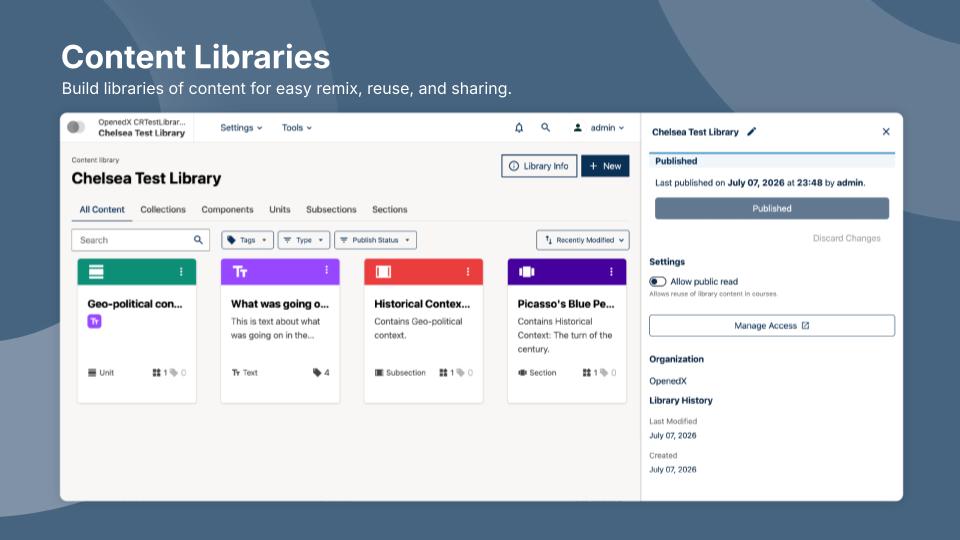
Content Library A repository of pre-made templates, existing content, multimedia sets, and learning outlines.
Course backup Options Backup and restore course data.
Drag & Drop Interactions Interactive content creation.
Hybrid Learning Courses Blend online and in‑person lessons.
Learning Paths (Curriculums) Sequence courses into structured programs.
LRS Learning Record Store for xAPI data.
Scheduling LIVE events Plan webinars or virtual classes.
Survey Engine Create learner surveys.
Tests Engine Build quizzes and exams.
Upload courses Import courses into the platform.

Customization

Mobile Learning Support Optimize learning for mobile devices.
Personalized views Customize interface per user.

Enrollment

Attendance Tracking Track presence in sessions.
Automated Enrollment (based on User data) Enroll users automatically by rules.
Guest Access Settings Allow non‑registered users limited access.
Manual Enrollment Manually assign users to courses.
Progress Tracking Monitor learner progress in real time.
Self-enrollment Allow learners to join courses freely.
Self-enrollment (with a PIN #)
Survey enrollment (based on a response) Enroll based on survey answers.

Format

Course Discussions Forum-style communication.
Gamification Format Add game elements to courses.
Learner Upload Allow learners to upload content.
LIVE Chat Option Real-time messaging inside courses.
Social Format Social interaction‑focused layout.
Topics Format Organize course by topics.
Video Conferencing Integration Connect with tools like Zoom/Teams.
Weekly Format Course structured week by week.

Gamification

Badge customization Design custom achievement badges.
Badges Award digital achievements.
Customize Gamification mechanics Modify points, levels, and rewards.
Leaderboards Rank learners based on achievements.
Levels Define progression stages.
Points Award points for activity.
Rewards Offer incentives for achievements.

Interface options

Additional external pages Add custom pages to the platform.
Block Management Control layout blocks/widgets.
Calendar Settings Configure system calendar.
Language settings Set default or custom system language.
Learning Accessibility Tools for users with disabilities.
Location Settings Configure regional settings.
Media embedding settings Control embedding permissions.
Multilanguage Support Provide support in multiple languages.
Ready-made Themes Prebuilt platform designs.

Learning types

Asynchronous Instructor-led Instructor-led but not in real time.
Asynchronous Self-paced Learners progress independently.
Blended Learning Mix online and face‑to‑face training.
Synchronous Virtual Classroom Live real-time classes.

Mobile learning

Offline (disconnected Mobile app) Access mobile content without internet.
Online (Internet connected) Access content with full connectivity.

Offline

Support for offline access to content Downloadable materials for offline study.

Reports

Automated Report Scheduling Send reports automatically.
Canned Reports Prebuilt report templates.
Dashboards and Graphic Reports Visual analytics dashboards.
Email delivery of Reports Send reports via email.
Exporting Reports in variety of formats Export data as PDF, Excel, etc.
Grading Report Settings Customize grade reporting.
Learning Analytics Tools Analyze learner behavior.
Training Record Maintenance Maintain full training logs.

Roles

Define roles Create custom permission roles.
Role Assignment Assign roles to users.
System Permissions per role Control access rights.
Teams and Team Hierarchies Organize users into teams.

Security

Anti-spam Protect forms and communication.
Anti-virus Scan uploaded files for threats.
IP Blocker Block specific IP ranges.
Restrict registration to specific domains Limit signups by email domain.
Strong Passwords Enforce secure password rules.

Shopping cart

Built-In Shopping Cart Sell courses directly.
Shopping Cart as Plug-In Add commerce via plugin.

System reports

Automatic email reports in predefined intervals Send periodic system reports.
Custom reports generator Create custom report layouts.
Email notification settings Control notification rules.
Live Logs Monitor system activity in real time.
Who uses Open edX ?

Based on eLearning Industry reviews from the past 4 years

Company Size

Areas of Focus

Top Industries

Elearning
38%
Education - Higher
19%
Computer Software
17%
Information Technology and Services
12%
Education - Secondary
5%
Other
9%
Pricing

Learn more about Open edX's pricing options, cost, and plans so you can make a well-informed, business-wise decision on the best software to use for organization.

Pricing Model
  • Free
License
  • Free
  • Open Source
Starting Price
  • N/A
Free Trial
  • No

Open edX is free, open-source software released under the AGPLv3 license. There are no licensing fees. Organizations are responsible for hosting infrastructure, deployment, customization, and ongoing maintenance. Costs vary based on traffic, number of learners, customization requirements, and whether the organization self-manages or works with a managed hosting provider. Managed hosting typically starts from approximately $500-$2,000/month depending on scale. Consult the Open edX Marketplace (https://openedx.org/partners/) for service providers and pricing.

Integrations

Learn more about Open edX's integration options.

API

API

BigBlueButton

BigBlueButton

Wordpress

Wordpress

Zoom

Zoom

Open edX logo
Have you used Open edX before?
Answer a few questions and help the community to make the best decisions
Reviews

Is Open edX the right solution for you? Read verified Open edX reviews from people in industries like yours to make a confident choice.

Performance Overview
Overall Rating 84%
  • Usefulness
  • Usability
  • Customer Experience
  • Likelihood to Recommend

Useful LMS especially because it is free and you know how to code

Jun 14, 2023

Overall Rating 77%
  • Usefulness
  • Usability
  • Customer Experience
  • Likelihood to Recommend
What do you like best? It is open. It is flexible if you know to build code for your own needs and create new function with Xblocks
What do you dislike? It is not so user friendly. For totally beginners may be difficult to follow at the first time and it need some time to spend
Reviewer photo

Reviewer verified by LinkedIn

Industry : Education - Higher | Company size : 1-10 | Level : Owner | Focus : Administrative | Experience using the software : More than 1 year as Administrator

Open edX logo
Open edX — Sep 8, 2026

Thank you for your feedback. Since your review, the Ulmo and Verawood (June 2026) releases have significantly improved usability — redesigned course home, better navigation, and a modernized Studio interface. We'd encourage you to explore the latest version. Verified partners at https://openedx.org/partners/ can help with setup and onboarding.

An amazing tool for MOOCs and SPOOCs that is robust, customizable, and scalable.

Aug 10, 2022

Overall Rating 95%
  • Usefulness
  • Usability
  • Customer Experience
  • Likelihood to Recommend
What do you like best? Streamlined authoring and learning interface, robust and easily scalable (cloud-based) software, created by Harvard and MIT and backed by edx.org (huge learning destination). My prime choice for self-paced, video and text-based courses. Also, the license is open source, which matches by personal preferences and makes the software customizable (although this requires intervention from a third-party vendor).
What do you dislike? It does not have the same feature set as "traditional" LMS such as instructor-learner interaction (aside from course forums), very little use of the course schedule, no easily editable gradebook.
Reviewer photo

Reviewer verified by LinkedIn

Industry : Information Technology and Services | Company size : 11-50 | Level : Director | Focus : Administrative | Experience using the software : More than 1 year as User, Administrator

Open edX logo
Open edX — Sep 8, 2026

Thank you for this detailed review. Several gaps you mentioned have been addressed - Ulmo introduced activity notifications and improved instructor engagement, and Verawood (June 2026) brings a modern React-based instructor dashboard. Verified partners at https://openedx.org/partners/ can provide a demo of what's new.

It proved to be a solid platform for our MOOC, allowing us to reach an excellent customisation

Jul 10, 2022

Overall Rating 88%
  • Usefulness
  • Usability
  • Customer Experience
  • Likelihood to Recommend
What do you like best? the ease of management and the excellent level of customisation that has been achieved, as well as the intuitiveness that has resulted in a smooth user experience for students.
What do you dislike? the wiki section is particularly uninvolving, perhaps due to the changing times, and in general it would be desirable to increase the types of interactive activities, e.g. assignments.
Reviewer photo

Reviewer verified by LinkedIn

Industry : Education - Higher | Company size : 1,001-5,000 | Level : Manager | Focus : Education | Experience using the software : More than 1 year as Administrator

Open edX logo
Open edX — Sep 8, 2026

Thank you for sharing your experience. Interactive activity types have expanded considerably - recent releases support enhanced content libraries, improved open response assessments, and a growing XBlock ecosystem. Verified partners at https://openedx.org/partners/ can walk you through the latest capabilities.

Open edX handles the fast development in ed industry with the most important features.

Jul 1, 2022

Overall Rating 90%
  • Usefulness
  • Usability
  • Customer Experience
  • Likelihood to Recommend
What do you like best? The professional service in setting up the new version. Abstract Technology understands our needs. A.T. guides us very well through a mix of requirements combined with hot fixes and long term solutions. They professionally calm down the situation and clear it! These are examples of features we and our customers like: the microsites, auto enrollments.
What do you dislike? I miss a standard solution for bulk registration in the open edX community. Currently it's a bit cumbesome to register 100 people or more.
Reviewer photo

Christian K.

Industry : Elearning | Company size : 51-200 | Level : Manager | Focus : Program and Project Management | Experience using the software : More than 1 year as User, Administrator, Member of the deployment/customization team

Open edX logo
Open edX — Sep 8, 2026

Thank you, Christian. The bulk registration challenge you mentioned now has several community solutions and provider-built tools addressing it. The platform continues evolving with biannual releases - Verawood (June 2026) is the latest. Verified partners are listed at https://openedx.org/partners/.

One of the most interesting LMS, but don't just jump on the bandwagon

Jun 8, 2022

Overall Rating 79%
  • Usefulness
  • Usability
  • Customer Experience
  • Likelihood to Recommend
What do you like best? As a "user" it is very simple to use, it allows you to focus on the learning process and not on the use of the tool.
What do you dislike? As an "administrator" it is very difficult to master, especially if you need to change it to suite your need
Reviewer photo

Reviewer verified by LinkedIn

Industry : Education - Higher | Company size : 1,001-5,000 | Level : Director | Focus : Information Technology | Experience using the software : More than 1 year as Administrator, Member of the deployment/customization team

Open edX logo
Open edX — Sep 8, 2026

Thank you for the honest perspective. Recent releases invested heavily in administration — a new admin console, modernized instructor dashboard, and improved role-based permissions in Ulmo and Verawood. The admin experience has improved meaningfully. Verified partners at https://openedx.org/partners/ can provide a guided demo.

A MOOC with enormous features to use, as well with various option to extend and customize

Jun 8, 2022

Overall Rating 83%
  • Usefulness
  • Usability
  • Customer Experience
  • Likelihood to Recommend
What do you like best? From a DevOps/SRE perspective: There is a large community around the product. For example: there is a always a very high chance that someone already asked about a your problem in forum.
What do you dislike? From a DevOps/SRE perspective: It might be a bit overwhelming to get to work as you need, since there are many features and each needs some configuration to set it up.
Reviewer photo

Ghassan M.

Industry : Computer Software | Company size : 1-10 | Level : Consultant | Focus : Engineering | Experience using the software : More than 1 year as Administrator, Member of the deployment/customization team

Open edX is a useful learning-system and we work a lot with it

Jun 8, 2022

Overall Rating 66%
  • Usefulness
  • Usability
  • Customer Experience
  • Likelihood to Recommend
What do you like best? I like the clean design. Everything is well structured. The video integration could be better though.
What do you dislike? I don't like the Administration-Features. It is too complicated to get the students data or to review their progress.
Reviewer photo

Reviewer verified by LinkedIn

Industry : Education - Higher | Company size : 1-10 | Level : Senior | Focus : Education | Experience using the software : More than 1 year as Administrator

Open edX logo
Open edX — Sep 8, 2026

Thank you for your feedback. Open edX Aspects - the new analytics solution powered by Apache Superset and ClickHouse - now provides near real-time dashboards for learner progress and data export. Video integration has also improved. Verified partners at https://openedx.org/partners/ can demo the updated tools.

it is a Flexible, Scalable and Innovative platform.

Jun 1, 2022

Overall Rating 79%
  • Usefulness
  • Usability
  • Customer Experience
  • Likelihood to Recommend
What do you like best? that you can integrate remote learning tools, such as applications and textbooks, into your course with the learning tools interoperability (LTI) component.
What do you dislike? It requires a team effort of educational technology integration professionals and Instructional designers to take the most of the platform. But the good thing is there are many good providers such as Edunext.co =)
Reviewer photo

Angie R.

Industry : Elearning | Company size : 51-200 | Level : Manager | Focus : Business Development | Experience using the software : 6-12 months as Administrator

It is a cost-effective software with an excellent reputation worldwide.

Jun 1, 2022

Overall Rating 87%
  • Usefulness
  • Usability
  • Customer Experience
  • Likelihood to Recommend
What do you like best? It is a simple tool that allows you to do many things, it is easy to get technical support for its use and has very competitive prices in the e-learning market.
What do you dislike? It can be a bit cumbersome at first. That is why it is important to have someone who knows the tool and can guide you in its use.
Reviewer photo

Reviewer verified by LinkedIn

Industry : Education - Higher | Company size : 11-50 | Level : Senior | Focus : Media and Communication | Experience using the software : 6-12 months as User, Member of the procurement team

Open edX logo
Open edX — Sep 8, 2026

Thank you for highlighting Open edX's value. The platform now serves over 140 million learners in 196 countries. You can explore real-world success stories and use cases at https://openedx.org/case-studies/ to see how others are using it.

An easy to use platform in particular for authors: flexible, modern and understandable

May 25, 2022

Overall Rating 70%
  • Usefulness
  • Usability
  • Customer Experience
  • Likelihood to Recommend
What do you like best? The community behind the platform. I like the opportunity to share ideas and experiences with other people
What do you dislike? The fact is that sometimes it's difficult to find information about the platform. The documentation is extensive and before searching for a quick response you need to know where you have to find it.
Reviewer photo

Reviewer verified by LinkedIn

Industry : Elearning | Company size : 1-10 | Level : Consultant | Focus : Creative | Experience using the software : More than 1 year as User, Administrator

You've viewed 10 out of 42

Alternatives

Not a match? Find software alternatives that better suit your needs and compare them to discover the one that's right for you.

Open edX

4.2/5

Synergy Learning LMS

Compare

LatitudeLearning

4.4/5
Compare

SkyPrep LMS

4.4/5
Compare

iSpring LMS

4.7/5
Compare

Bridge

4.6/5
Compare

Absorb

4.8/5
Compare

TalentLMS

4.8/5
Compare