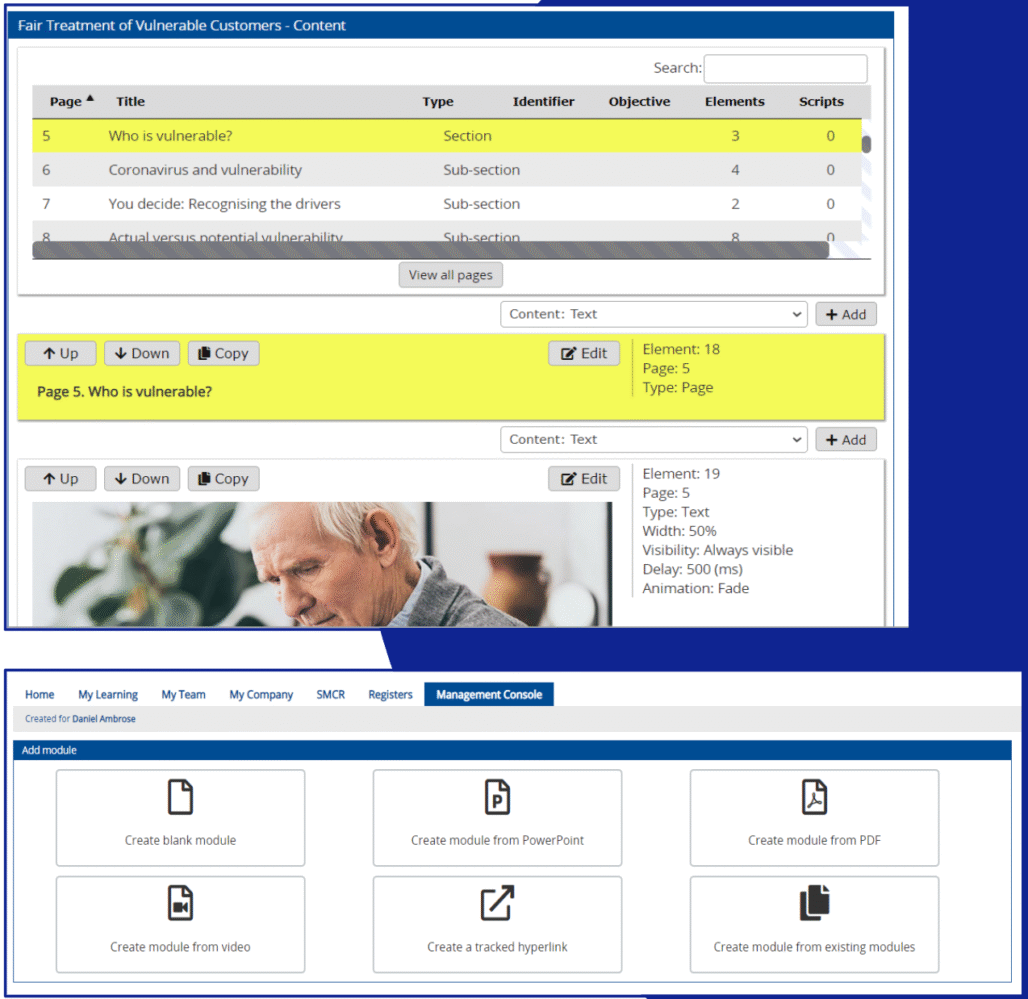
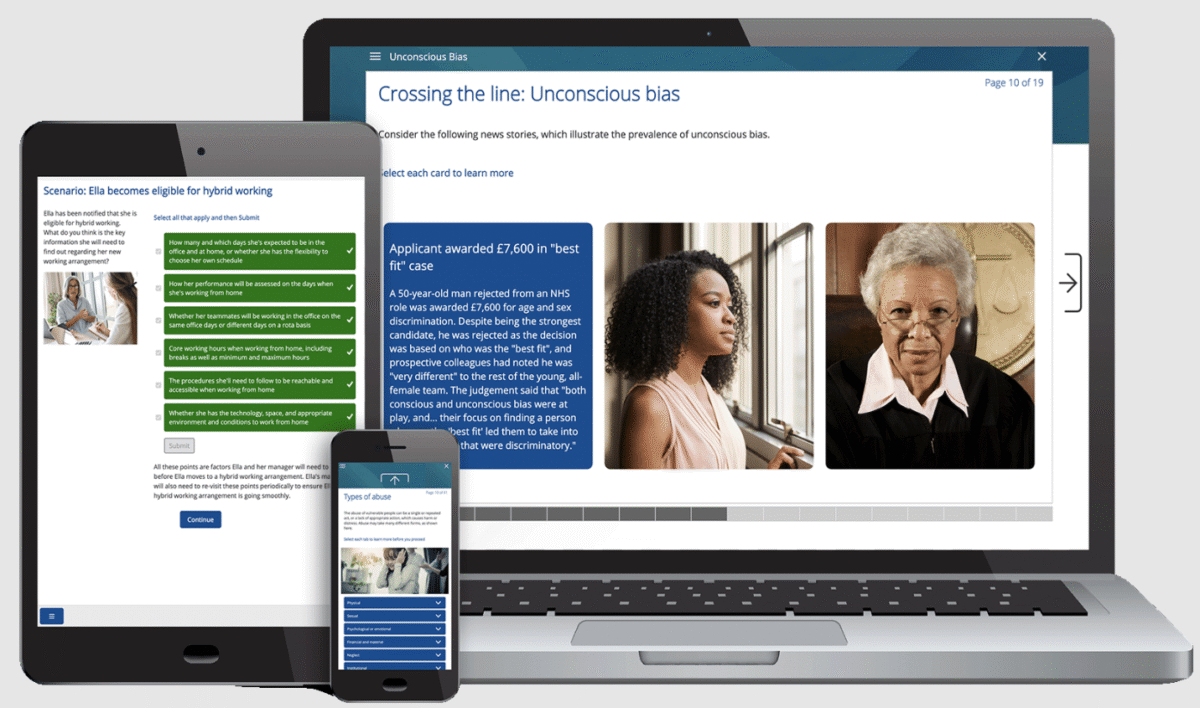
Skillcast LMS is a fully-managed, cloud-based LMS that enables companies to deliver e-learning and compliance apps on a single platform. It can be pre-loaded with compliance & risk course libraries, making it a top choice for regulatory compliance.
Skillcast LMS is a cloud-based Learning Management System designed to help organisations deliver, manage, and track compliance training efficiently.
It operates as a fully managed Software-as-a-Service (SaaS), offering a centralised platform for assigning courses, monitoring learner progress, and maintaining audit-ready records. The system supports corporate branding, dynamic course allocation based on job roles, and integration with HR systems through automated data feeds. Skillcast LMS is built to support scalable, secure, and user-friendly compliance training across industries.
"With Skillcast’s multi-tenanted Compliance Portal, we were able to seamlessly unify over 14 hubs under one brand while preserving individual oversight. Our collaboration delivered a tailored, efficient, and scalable compliance solution, ensuring regulatory excellence without disrupting business-as-usual."
Chief Risk & Compliance Officer
Sumer
Overview of Skillcast LMS benefits
Skillcast LMS provides a wide range of benefits for organisations aiming to streamline their compliance training.
Intuitive interface allows employees to access personalised learning assignments with minimal friction, while automated enrolment and reminders help ensure timely completion.
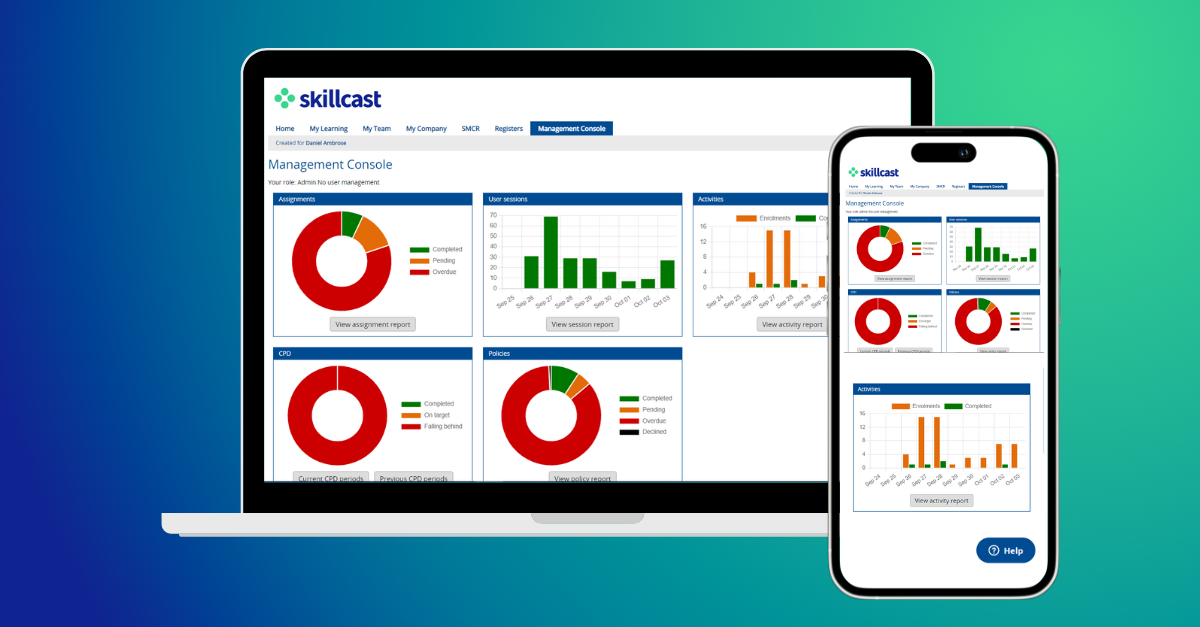
Advanced reporting tools let you track performance, identify gaps, and support regulatory audits.
Integrates and Accessibility: Seamlessly connects with HR and LXP platforms via SCIM, supports multilingual delivery, and offers mobile compatibility for flexible learning.
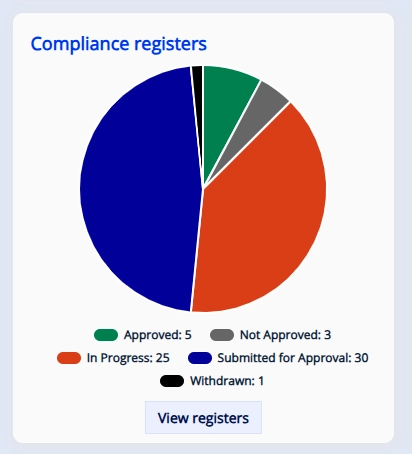
Beyond Training: Additional modules like Policy Hub and Compliance Registers extend its functionality beyond training, enabling policy management and incident reporting.
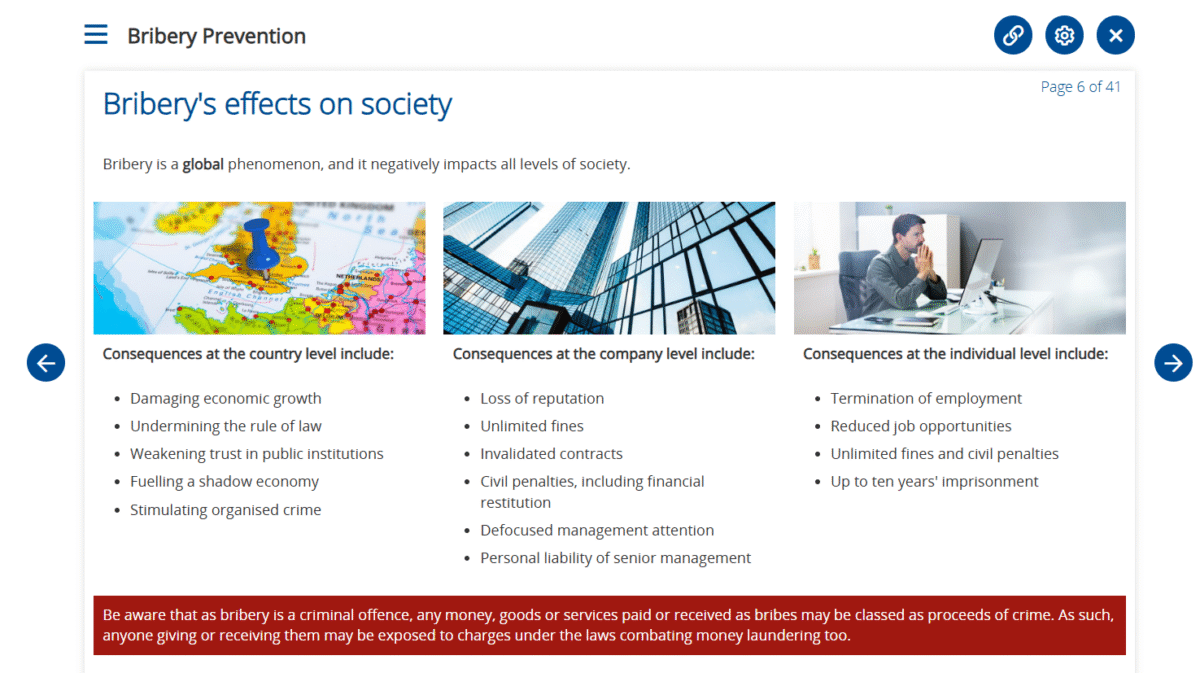
Extensive Course Library: Access over 400 courses backed by dedicated customer support.
Skillcast LMS helps organisations maintain a consistent, compliant, and efficient learning environment.
Features
Learn more about Skillcast LMS features that set it apart from the competition. Discover how its unique tools and capabilities enhance your processes.
Accounts
Add a new userAllows administrators to add new users directly to their LMS for streamlined user management.
Archive usersDeactivate and store user accounts without deleting them.
Based on eLearning Industry reviews from the past 4 years
Company Size
Areas of Focus
Top Industries
Financial Services
38%
Insurance
14%
Banking
10%
Investment Management
7%
Construction
5%
Other
26%
Pricing
Learn more about Skillcast LMS's pricing options, cost, and plans so you can make a well-informed, business-wise decision on the best software to use for organization.
Pricing Model
Free Trial
Subscription
License
Paid
Starting Price
Pricing packages built to suit each requirement
Free Trial
Yes
Annual subscription includes the services of a dedicated Customer Success Manager to help you manage the LMS in all respects, including portal configuration, user management, email communications and management information.
Integrations
Learn more about Skillcast LMS's integration options.
Outlook Calendar
Have you used Skillcast LMS before?
Answer a few questions and help the community to make the best decisions
Is Skillcast LMS the right solution for you? Read verified Skillcast LMS reviews from people in industries like yours to make a confident choice.
Performance Overview
Overall Rating
84%
Usefulness
Usability
Customer Experience
Likelihood to Recommend
Good end-user experience but clunky setup in the back end
Sep 27, 2021
Overall Rating
70%
Usefulness
Usability
Customer Experience
Likelihood to Recommend
What do you like best?
Useful tool for online e-learning and training. Great range of courses and content. Good management information for tracking users, completions and deadlines.
What do you dislike?
Very difficult to learn how to edit content, release new modules, obtain data or work around management information without the help from skillscast technicians. It is not an intuitive tool.
Skillcase LMS is a very user friendly system. The Skillcast team are very supportive.
Aug 24, 2021
Overall Rating
73%
Usefulness
Usability
Customer Experience
Likelihood to Recommend
What do you like best?
The Skillcast LMS team are very supportive and are open to new ideas. They make their customers needs a priority and always try to deliver a promising solution.
What do you dislike?
We have to solely rely on the Skillcast team to publish training through the portal.
The Skillcast LMS has been an excellent way to help our society get the training it needs.
Jul 27, 2021
Overall Rating
93%
Usefulness
Usability
Customer Experience
Likelihood to Recommend
What do you like best?
The customer service provided means that regardless of what comes up, it's simple and easy to get in touch with our representative and get the support we need.
What do you dislike?
Being a smaller financial institution, most modules need to be tailored to our size and the editing functions can be quite difficult to interpret for some members of staff. That said, this is countered by the customer service mentioned previously - we are yet to encounter anything that we couldn't get quick and effective help with.
Simple to use and covers everything we need, with fast response and service.
Jul 26, 2021
Overall Rating
92%
Usefulness
Usability
Customer Experience
Likelihood to Recommend
What do you like best?
The service is very fast, and Tim and team are extremely helpful and accomodating. The ability to easily create and pull reports is very useful.
What do you dislike?
Module editing isn't necessarily intuitive, but guides are provided and it can be done by the provider for a fee, so no issue.
Easy to use platform, the pending as well as completed trainings are visible on the main page.
Jul 21, 2021
Overall Rating
100%
Usefulness
Usability
Customer Experience
Likelihood to Recommend
What do you like best?
All trainings can be found in one place, you can quickly check progress and results of all users. Its great for record keeping. Customer support team is very efficient and helpful. There is a wide choice of different type of trainings which cover regulatory obligations.
What do you dislike?
I do not think there is a feature which I dislike as find this platform very useful and easy to navigate.
Easy to use, very intuitive, have very few issues with staff not being able to complete
Jul 21, 2021
Overall Rating
94%
Usefulness
Usability
Customer Experience
Likelihood to Recommend
What do you like best?
The support we receive when there is a problem is excellent. Leah is very quick to respond and provided the right level of guidance for me and my colleagues in setting up bespoke training courses.
What do you dislike?
I have no negative comments on this training portal or the support we have received.
Comprehensive and detailed module content. Module/Library selection can be confusing
Jul 20, 2021
Overall Rating
72%
Usefulness
Usability
Customer Experience
Likelihood to Recommend
What do you like best?
The technical services and account management is excellent. Mick is friendly, knowledgeable , response time is really quick and he support you in understanding how you can operate the system. Hannah, is knowledgeable, supportive, helpful and really easy to deal with. The people at Skillcast and the detail of the modules is great.
What do you dislike?
The system can be difficult to understand, how to make changes and building reports. Updating content is hard to review when configuring and the different libraries and access levels are confusing, module assignment can be difficult to follow. There are several modules with very similar titles and a lot of pre-work needs to be done to ascertain most applicable and/or to bespoke content.
Good product but the support is even better for me!
Jul 20, 2021
Overall Rating
90%
Usefulness
Usability
Customer Experience
Likelihood to Recommend
What do you like best?
It covers the basic elements very well but it can sometimes be quite superficial in the level of detail.
What do you dislike?
It would be nice to have different types of training too e.g. more interactive
Easy set up, and easy to use from a learner perspective and also as an Administrator.
Jul 20, 2021
Overall Rating
90%
Usefulness
Usability
Customer Experience
Likelihood to Recommend
What do you like best?
I like the ability to manage the platform myself, including adding new content and amending existing content. The ability to assign content and the flexibility that the system gives around audiences and content types is also a plus.
What do you dislike?
The fact that some of the functionality is only available as an add in, would be good to have access to all features out of the box.
It is fit for purpose and allows us to track colleagues against progress easily
Jul 14, 2021
Overall Rating
88%
Usefulness
Usability
Customer Experience
Likelihood to Recommend
What do you like best?
The ease of updating learning modules and reporting to function heads about progress and learning within their teams
What do you dislike?
It is sometimes difficult to know if changes you have made on the portal directly have filtered through and been updated
You've viewed 10 out of 42
Alternatives
Not a match? Find software alternatives that better suit your needs and compare them to discover the one that's right for you.