About the vendor
Founded In 2025
Customers
- Academic
- Freelancers
- Large Enterprises (>10,000)
- Non Profits
- Public Administrations
- Small/Medium Businesses
Industries
- Education: K-12
- eLearning
Deployment
- Software as a Service / Cloud
Browsers
- Apple Safari
- Google Chrome
- Internet Explorer
- Mozilla Firefox
Training
- Documentation
- In Person
- Online Tutorials
Support
- 24/7
- Email
- FAQ
- Knowledge Base
Languages Supported
- Arabic
- German
- English
- Spanish
- French
- Italian
- Japanese
- Korean
- Dutch
- Portuguese
- Russian
- Chinese
What is Storytool?
StoryTool is an AI-powered platform that turns your text into finished videos and audio. You can create story videos, educational and info videos, and multi-language voiceovers from simple scripts.
Just paste your text, choose an Agent and style, and click Generate. StoryTool handles scenes, images, voiceover, and timing for you.
StoryTool is built for content creators, educators, businesses, and authors. If you work with stories, lessons, or explainer content, StoryTool helps you turn scripts into ready-to-publish videos.
StoryTool supports videos up to around 2 hour, based on input text of up to about 120,000 characters.
---
We grew up captivated by fairy tales, Disney classics, and educational shows that defined our childhood. But today, the speed of AI has led to "AI Slop"-mindless content that clutters our digital lives.
StoryTool was born to change this. We believe AI should elevate human creativity, not replace meaning. We help users visualize stories and educational content that truly matter.
Read more
Read less
Overview of Storytool benefits
Why Storytool:
#1. Story Agent – consistent characters.
#2. Edu/Info Agent – clear, easy-to-follow visuals.
#3. Long scripts – up to 2 hours (~120,000 characters) (Video Slide Image).
#4. Full HD, small files – often 6x lighter than common editors (internal tests).
#5. Budget-friendly – high quality at low cost.
#6. Flexible – for stories, lessons, explainers, events and more.
---
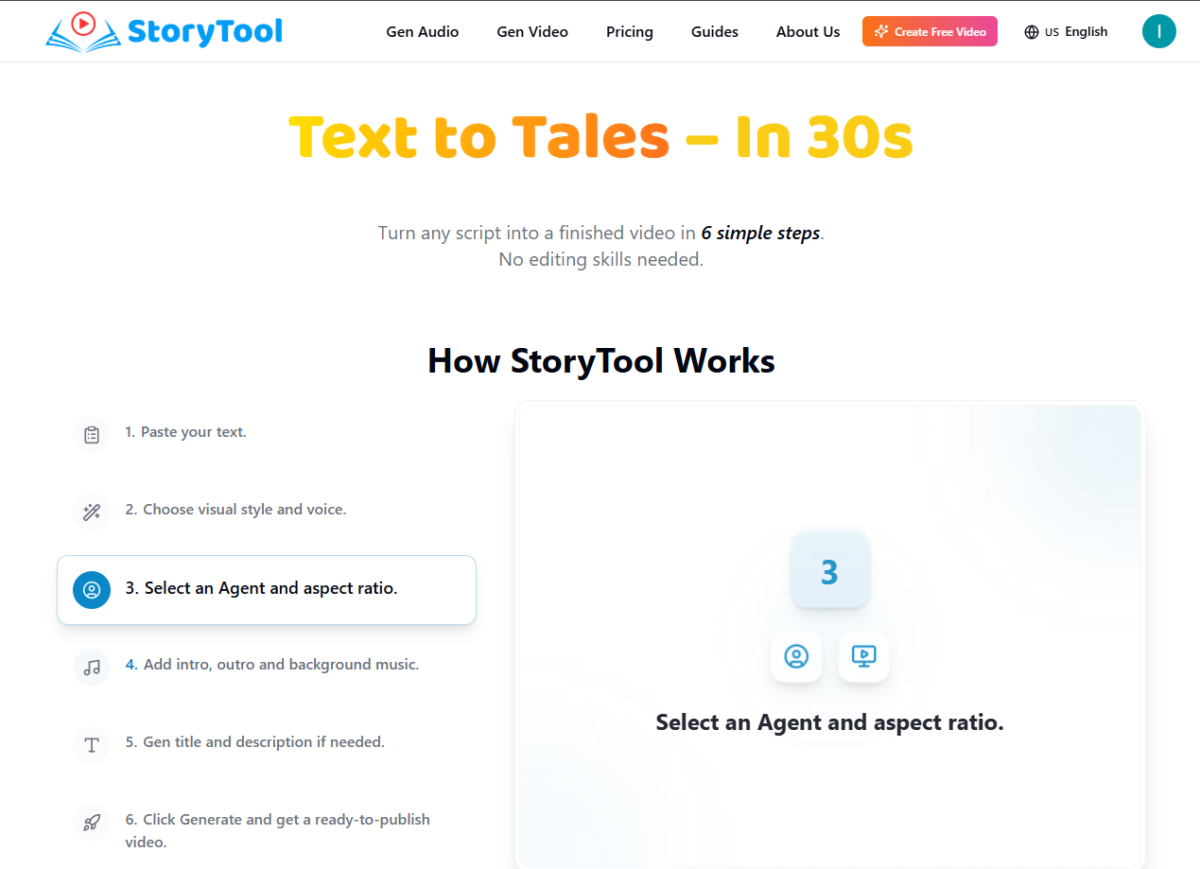
Create a video in 6 simple steps:
1. Paste your text.
2. Choose visual style and voice.
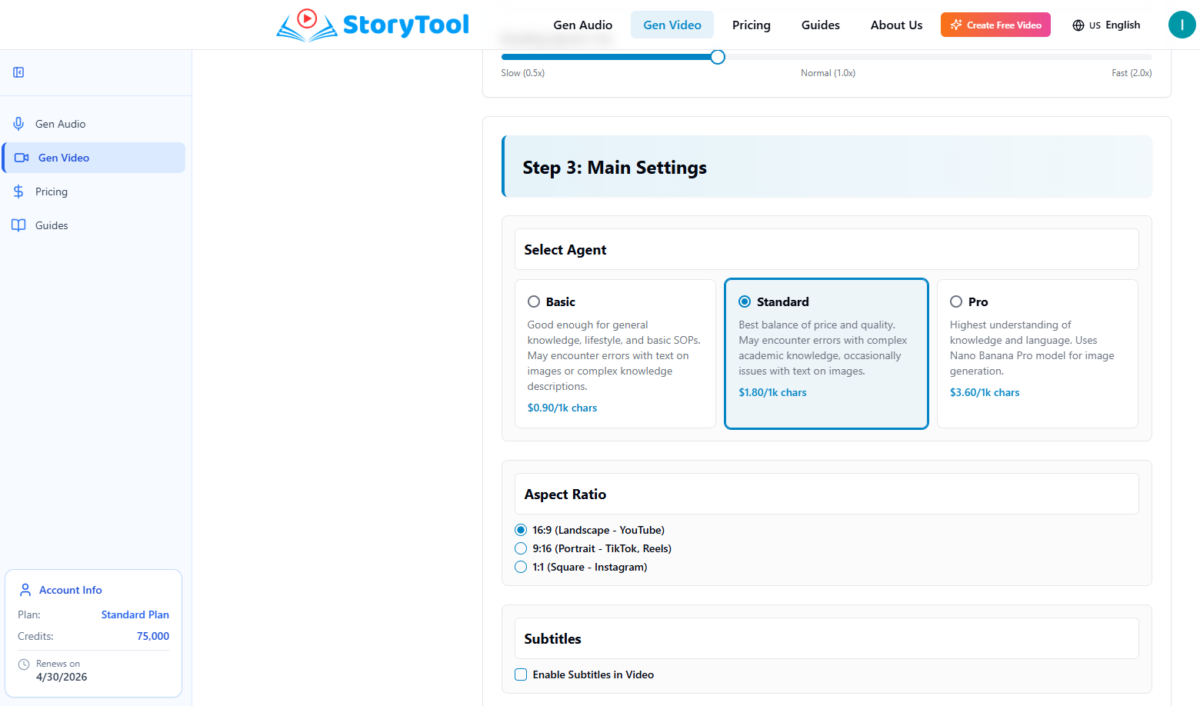
3. Select an Agent and aspect ratio.
4. Add intro, outro and background music.
5. Gen title and description if needed.
6. Click Generate and get a ready-to-publish video.
---
Who is StoryTool for?
We designed our Agents to serve four primary workflows:
1. Content Creators & YouTubers
The "Satellite Content" Strategy: Fill content gaps on your main channel with automated secondary series (e.g., Science explainers or Lore deep-dives) without filming.
Global Revenue: Multiply your ad revenue by cloning your content into 20+ languages instantly.
2. Authors & Writers
Conquer BookTok & Reels: Social algorithms ignore text. Turn your manuscript excerpts into cinematic trailers to hook the TikTok generation.
3. Educators & Schools
Visualize the Abstract: Transform dry textbooks—from the trenches of *World War I* to complex *DNA structures*—into vivid visual narratives. Boost student retention significantly.
Build a Digital Legacy: Create high-quality visual courseware once, use it for years. Update content instantly by editing text—no re-shooting required.
4. Businesses
No One Reads PDFs: Turn boring compliance docs and SOPs into engaging step-by-step video guides that employees actually watch.
Read more
Read less
Features
Learn more about Storytool features that set it apart from the competition. Discover how its unique tools and capabilities enhance your processes.
AI Agents & Chat Interfaces
AI Agents
AI Characters
AI Chatbots
Conversational AI Tools
Generative AI Tools
AI Data, Research & Knowledge
AI Knowledge Management Tools
AI Research Tools
AI Search Engines
AI Development & Integration
AI App Builders
AI Coding Tools
AI Detectors & Checkers
AI Platforms
API Integrations
Custom Model Training
AI Ethics, Governance & Security
Audit & Governance Tools
Bias & Fairness Tools
Data Security Tools
Privacy & Compliance Tools
AI for Business & Marketing
AI Automation Tools
AI Email Assistants
AI Marketing Tools
AI Meeting Assistants
AI Productivity Tools
AI Sales Tools
AI Scheduling Tools
AI for Content & Creativity
AI Avatar Generators
AI Content Creation Tools
AI Design Tools
AI Graphic Design Tools
AI Image Generators
AI Music Generators
AI Presentation Makers
AI Subtitle Generators
AI Text-to-Speech Tools
AI Text-to-Video Tools
AI Video Generators
AI Voice Generators
AI Writing Tools
AI for Learning & Training
AI Course Creators
AI for Onboarding & HR Automation
AI for Personalized Learning
AI Learning Platforms
AI LMS / AI-Powered LMS
AI Tools for Curriculum Design
AI Tools for Instructional Design
AI Tools for Students
AI Tools for Teachers
AI Training Platforms
Pricing
Learn more about Storytool's pricing options, cost, and plans so you can make a well-informed, business-wise decision on the best software to use for organization.
Have you used Storytool before?
Answer a few questions and help the community to make the best decisions
Alternatives
Not a match? Find software alternatives that better suit your needs and compare them to discover the one that's right for you.