


 ChatGPT
 Perplexity
 Claude
 Grok
Grok
Smart Gadget Choices For Online Learning
Online learning has become an essential part of modern education, from school-level digital classrooms to university lectures and professional skill development. Students and parents are increasingly relying on technology to support remote learning, blended education models, and self-paced online courses. Effective online learning doesn't require expensive or high-end gadgets. With the right approach, students can build a functional and efficient learning setup using budget-friendly devices that meet their academic needs. This step-by-step guide explains how students can choose and set up affordable gadgets for online learning and home study—without compromising on learning outcomes.
Step 1: Identify Learning Requirements Before Buying Any Device
Before choosing a gadget, it is important to understand how the device will be used. Learning needs vary based on age, curriculum, and course format.
Key Questions To Ask
- Is the student attending live online classes or watching recorded lessons?
- Are assignments mostly document-based, or do they include design, coding, or video editing?
- Is the device for school students, university students, or skill-based learners?
Examples
- School students typically need devices for video calls, assignments, and educational apps.
- University students may require higher processing power for research, presentations, or specialized software.
- Online certification learners often need stable performance for multitasking and assessments.
Clearly defining the learning purpose helps avoid overspending on unnecessary features.
Step 2: Choose The Right Type Of Gadget
Budget-friendly learning setups usually include one primary device. Choosing the right category is more important than choosing the most expensive model.
Laptops
Best for:
- Long study hours.
- Typing assignments and projects.
- Online exams and presentations.
Minimum recommended specifications:
- 8GB RAM (or 4GB for basic usage).
- SSD storage (faster than HDD).
- Built-in webcam and microphone.
- Good battery life.
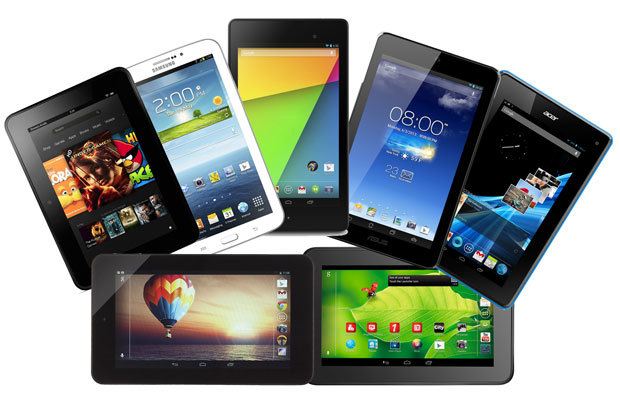
Tablets
Best for:
- Younger students.
- Reading, note-taking, and video lessons.
- Touch-based learning apps.
Tablets work well when paired with a keyboard for basic productivity.
Smartphones
Best for:
- Short lessons.
- Quick research.
- Learning apps and recorded content.
While smartphones are accessible, they should ideally be a secondary learning device, not the main one for serious academic work.
For students attending live classes, submitting assignments, and multitasking between learning platforms, choosing the best laptop based on performance, battery life, and long-term reliability can make a significant difference to the overall online learning experience.
Step 3: Focus On Performance Over Brand Names
When working within a budget, prioritizing essential performance features is key. Important factors to consider include:
- Processor efficiency for smooth video calls.
- RAM capacity for multitasking.
- Battery life for uninterrupted learning sessions.
- Display quality to reduce eye strain during long study hours.
For online learning, reliable performance matters more than premium design or brand popularity.
Step 4: Ensure Reliable Internet Connectivity
A stable internet connection is one of the most critical elements of online education. Best practices include:
- Use a reliable broadband or fiber connection.
- Position the router close to the study area.
- Use Wi-Fi extenders if connectivity is weak.
- Keep mobile data as a backup option.
Where high-speed internet is widely available, students should still test their connection before live classes or online assessments.
Step 5: Add Essential Learning Accessories
Affordable accessories can significantly improve the online learning experience. Recommended accessories are:
- Headphones or earphones with a microphone for clear audio.
- External webcam if the device camera quality is poor.
- Wireless mouse and keyboard for comfort and efficiency.
- Laptop stand or adjustable desk to maintain good posture.
These additions are often inexpensive but greatly enhance productivity and comfort.
Step 6: Create A Distraction-Free Home Study Environment
Technology alone is not enough. The learning environment plays a major role in academic focus. Setup tips include:
- Choose a quiet corner of the home.
- Ensure good lighting to reduce eye strain.
- Maintain a clutter-free desk.
- Set clear study schedules and break times.
A consistent study space helps students separate learning time from leisure time, improving concentration and discipline.
Step 7: Install Essential Software And Learning Tools
After setting up the device, install only the tools necessary for learning. Common requirements are:
- Video conferencing tools (for live classes).
- Document and presentation software.
- Cloud storage for assignments and backups.
- Antivirus and security updates.
Keeping the system lightweight and organized ensures smooth performance, especially on budget devices.
Step 8: Teach Basic Digital Safety And Device Care
Students should be guided on how to use devices responsibly and safely. Important practices include:
- Using strong passwords.
- Avoiding unknown downloads.
- Backing up important files regularly.
- Managing screen time to prevent burnout.
Proper care also extends the lifespan of budget gadgets, making them a long-term investment for learning.
Step 9: Review And Upgrade Only When Necessary
As learning needs evolve, students may require better performance or additional features. Instead of replacing devices immediately, consider:
- Adding more storage.
- Using external accessories.
- Updating software regularly.
Gradual upgrades are more cost-effective than frequent device replacements.
Conclusion
Online learning continues to grow, and access to the right technology plays a crucial role in student success. By carefully assessing learning needs, choosing the right type of device, and setting up a focused study environment, students can build an effective online learning setup without exceeding their budget. With thoughtful planning and smart choices, budget-friendly gadgets can fully support modern education and home study, enabling learners to stay productive, engaged, and prepared for academic success.