

 ChatGPT
 Perplexity
 Claude
 Grok
Inside An AI-Powered Customer Learning Portal: Bring Customers Back To Your Training
A customer opens a training portal with a question about a product they've bought. If the portal helps, they leave more confident in the product. If it doesn't, they raise a support ticket. For global enterprises that sell complex products across multiple business units and regions, those tickets add up quickly, and so do the customers who never discover the features they paid for.
That makes the design of a customer learning portal a business decision as much as a learning one. At LearnFlux 2026, CommLab India's annual virtual thought leadership summit, a product demo session showed how AI can shape a customer learning portal around the way customers learn.
Why Is Customer Learning Different From Employee Training?
Employee training can be assigned, tracked and required. Customer training can't. Customers decide whether to learn and how much time to give it, whether they're in one region or spread across many. 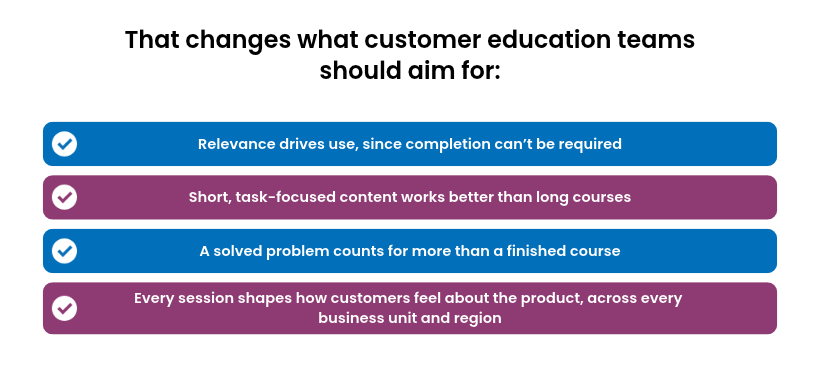
How Does AI Support Customers Through Their Learning Journey?
The demo of the EffectusLMS Customer Learning Portal followed the customer from first login onward, showing where AI steps in along the way.
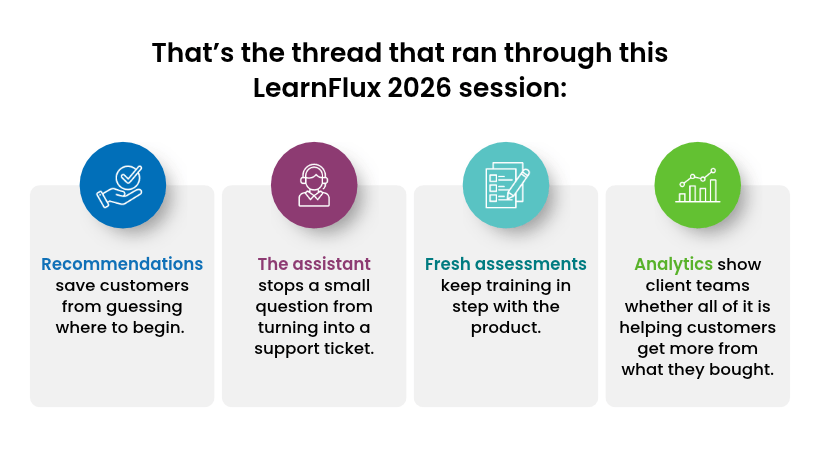
Finding where to start: AI training recommendations, shown live in the session, point each customer toward training that fits what they're doing. A new administrator and an experienced power user see different starting points. This capability does the most work, because it shapes every session that follows.
Getting help mid-course: When a customer has a question the course doesn't answer, an AI learning assistant responds inside the portal. The customer keeps learning instead of leaving to search for answers or raise a ticket.
Staying current with product updates: Features ship, interfaces move, and assessments age quickly. Generating assessments from course content with AI helps them keep pace with product changes without being rebuilt by hand.
Seeing what customers do: AI-driven analytics give customer education and customer success teams a clearer view of how customers engage with the portal across programs, including where they progress and where they drop off.
Personalization is where customer product training gets complex. A single enterprise's customers may include administrators, end users, resellers and service partners, each needing different product training. Some run the latest product version, while others are two releases behind. Some bought the full platform, others a single module. Recommendations have to account for those differences, because training customers on product features they don't have is the quickest way to lose their trust in the portal.
What Happens When The AI Capabilities Work Together?
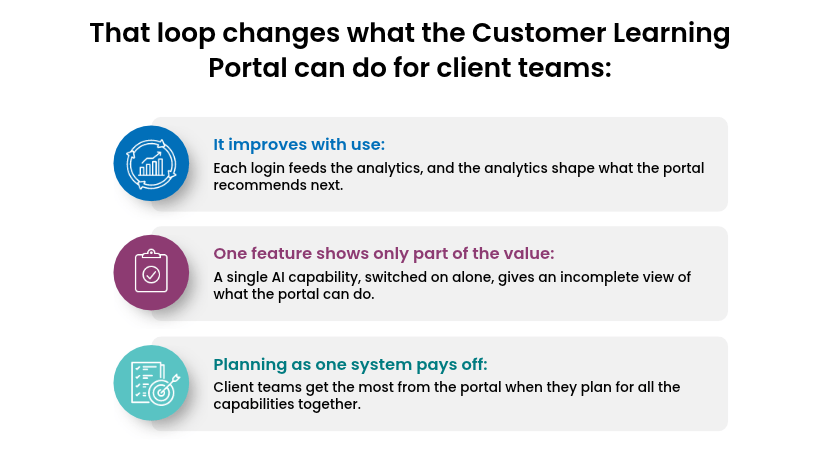
Each capability helps on its own, but the session's larger point was what happens when they connect. Recommendations decide where a customer starts. The assistant keeps them moving. Generated assessments confirm what they've understood. Analytics show customer education teams which paths customers follow and where they drop off, which in turn shapes what the portal recommends next.
Consider a customer administrator logging in a week after a major product release. Recommendations surface a short microlearning update for the module their company uses and skip the ones it doesn't. Halfway through, they're unsure how a new setting affects existing users, and the assistant answers without sending them elsewhere. The assessment at the end reflects the new release, not the old one. Meanwhile, the customer education team sees that most administrators are pausing at the same lesson, which tells them where the course needs a clearer explanation or a short job aid. One login, and every capability has played a part.
What Should Customer Education Teams Get Right Before Switching AI On?
AI in a customer learning portal depends on the foundation underneath it. These areas apply whatever platform a team uses, and four deserve attention before launch:
- Content readiness: Recommendations rely on content that's well organized and clearly labeled by product, role, and version, whether it's a full course, job aid, or scenario-based learning. A disorganized catalog produces confident but unhelpful suggestions.
- Ownership of answers: Every response from an AI learning assistant represents the enterprise's brand. Someone needs to own its accuracy and keep it consistent with product documentation and support guidance.
- A clear measure of success: Agree with customer success teams at the start on what the portal should improve, such as support tickets, onboarding time, or product adoption, so the analytics answer a question someone is asking.
- Security and data privacy: The data in a customer portal belongs to the enterprise's customers, and their security teams will want answers. The session addressed this directly. Portals built on enterprise cloud infrastructure, such as Microsoft Azure, give security teams an environment they already know how to evaluate.
Why Start With One Customer Segment?
It also helps to start narrower than the full catalog. Launching AI capabilities with one product line or one customer segment, such as new administrators during onboarding, gives customer education teams a contained space to check that recommendations make sense, that the assistant's answers hold up, and that the analytics show something useful.
The best first segment is usually one where the business impact is easy to see, such as a group that raises many support tickets or a product with low adoption. Clear before-and-after results make it easier to decide what to expand next.
Once that first group is working well, extending the same approach to other products and customer types becomes far easier, because the content structure, ownership, and success measures are already in place. A focused start also gives customer success teams early evidence to share internally.
Making Every Login Count
If your customers are learning on their own time, every part of the portal has to make that time worth it.
For customer education teams, that means shifting from building courses to designing an experience that answers questions at the moment they come up. AI helps make that possible at scale, but the thinking behind it determines whether customers stay.
None of this happens by switching on a feature and waiting. It takes well-organized content, clear ownership, agreed goals, and the security assurances customers expect. Get those right, and a customer learning portal becomes a place customers return to because it helps them, not because anyone asked them to.
This session was one of several at LearnFlux 2026 exploring how Human + AI is changing enterprise learning. If you'd like to go further, the playbook Scaling Learning in the Human + AI Era brings together the ideas, demos, and frameworks shared across LearnFlux 2026, ready for your team to explore together. Grab a copy, share it with the people shaping your customer education strategy, and see which ideas fit your organization.