


Why iPad Apps Are Valuable for Elementary Education
iPads have moved beyond being just a fun distraction. In elementary classrooms and at home, they have become genuinely useful learning tools when the right apps are involved. Free educational apps for iPad have made quality learning content accessible to far more children than traditional resources ever could.
Interactive Learning Experiences
Children learn better when they are actively doing something rather than passively watching or listening. iPad apps put kids in control, whether they are tapping through a maths game, recording their own story, or scanning a barcode to discover new content. That hands-on involvement helps children to memorize concepts in a way that a textbook page often does not. When a child makes a choice in an app and immediately sees the result, they learn through experience instead of simply memorizing information.
Personalized Learning Opportunities
One of the biggest challenges in any classroom is that every child learns at a different pace. Some children need to revisit a concept several times before it clicks, while others are ready to move ahead. iPad apps allow children to work at their own speed without feeling left behind or held back. Many apps automatically adjust their difficulty based on how a child is performing, which means the experience stays appropriately challenging without becoming overwhelming or too easy.
Student Engagement and Motivation
Getting a young child to sit still and focus is not always straightforward. Apps that use color, characters, sound, and game-like rewards make learning feel less like a chore. Apps like Sushi Monster and Todo K-2 are good examples of this: the learning is built directly into the gameplay, so children are motivated to move forward without even realizing they are practicing maths. That sustained engagement is hard to replicate with traditional worksheets.
Supporting Different Learning Styles
Some children are visual learners who respond well to images and animations. Others are auditory learners who benefit from hearing words spoken aloud, like the read-aloud feature in SpellingCity. Others need to physically interact with something to understand it, which is where touch- and movement-based apps come in. A good selection of free educational apps for iPad can cater to all these learning styles.
How To Choose The Right iPad Apps For Elementary Students
Not every app marketed for children is genuinely educational or appropriate. Before downloading anything, it is worth taking a few minutes to think through what you actually need.
Age Appropriateness
An app designed for older primary school students is less likely to suit a five-year-old. Always check the recommended age range before downloading. Most apps list this clearly in the App Store description. For elementary students, educational apps are usually designed for children ages 5 to 11, although their learning needs can vary widely across that age range. A kindergarten child and a six-year-old child have very different needs, so selecting an age-appropriate app is necessary.
Curriculum Alignment
The most useful apps are the ones that support what children are already learning in school. If your child's class is working on addition and subtraction, an app like Todo K-2 reinforces exactly that. If they are developing reading and writing skills, Story Creator or Our Story for iPad connects directly to those goals. Apps that feel completely separate from the school curriculum can still be valuable for enrichment, but the ones that align with classroom learning tend to deliver the most noticeable results.
Ease of Use
Young children need to be able to navigate an app independently. If the interface is confusing, the buttons are too small, or the setup process requires an adult's help every time, children may quickly abandon the app. Look for apps with simple, clear layouts that require minimal onboarding to navigate. The best free educational apps for iPad are the ones children can pick up and start using within seconds without needing a tutorial.
Privacy and Safety Considerations
Children's apps should never collect personal information unnecessarily, display inappropriate advertising, or allow unsupervised contact with strangers. Always read the privacy policy before downloading, particularly for apps used by younger children. Check whether the app contains in-app purchases that a child could accidentally activate, and use parental controls where needed to manage what is accessible on the device.
Accessibility Features
Some children with dyslexia, attention difficulties, or visual or hearing impairments have additional learning needs. Many iPad apps include features such as adjustable text size, high-contrast modes, or text-to-speech functionality that make them more inclusive. It is worth checking whether an app supports these features if any child in your class or home requires them.
Teach Elementary Students With 15 Free iPad Apps
1. Bookabi – free
The beauty of bookabi is that everything children need to tell their stories are already there – no drawing skills needed. bookabi has a collection of 2D and 3D characters, fanciful backgrounds and fun stickers and objects that you can place, resize and rotate with the swipe of a finger. Children can add speech bubbles, text, and even design the cover. You can also use your own photos as elements of the story or backgrounds (wait 'til you see how your living room looks with a spaceship in it!). Using bookabi's fun and colourful characters, backgrounds and stickers, it's easy for kids of almost any age to bring the worlds and fantasies from their imaginations to life.
2. BrainPOP Jr. Movie of the Week – free
Ideal for kids in Kindergarten through grade 3, the BrainPOP Jr. Movie of the Week app spans subjects within Science, Social Studies, Reading, Writing, Math, Health, Arts and Technology. The gentle, humorous, and relatable characters Annie and Moby serve as guides through each topic, empowering kids to form their own ideas. BrainPOP Jr. content is designed to cultivate critical thinking skills and encourage children to ask questions and make connections. The app is easily navigable by kids ages 5-9.
3. Chirp – free
Chirp is a magical new way to share your stuff – using sound. Chirp' sings' information from one iPhone to another. Share photos, links, notes and more: all from your built-in iPhone speaker. What will you chirp? Chirp lets you send information over the air to anyone running the app near you. Use the app to send or receive pictures from your camera and share with everyone in the room. Chirp is the super-simple way to share that everyone's talking about - download it now.
4. Doodle Buddy - Paint, Draw, Scribble, Sketch - free with ads
Doodle Buddy Gold is the most fun you can have with your finger! Finger paint with your favorite colors and drop in playful stamps. Connect with a friend to draw together over the Internet.
5. i-Nigma QR Code, Data Matrix, and 1D Barcode Reader – free
i-nigma turns your camera into a sophisticated barcode reader. Thanks to exceptionally quick and robust scanning, it is regularly ranked as top performer in this category.
6. iBooks – free
iBooks is an amazing way to download and read books. iBooks includes the iBooks Store, where you can download the latest bestselling books or your favorite classics – day or night. Browse your library on a beautiful bookshelf, tap a book to open it, flip through pages with a swipe or a tap, and bookmark or add notes to your favorite passages.
7. Our Story for iPad – free
Reading, even in the digital age, is probably one of the most important skills that children acquire. It can be an important source of pleasure which also develops vital language and social skills. It is fundamental to most school activities; it can also open up new worlds and give access to the wealth of human knowledge. This app that has been developed by child psychologists and other specialists at The Open University enables young children to take part in fun games which can help develop interests and skills that will be relevant to them when they start to read.
8. Rover - The Browser for Education - free; additional feature available with in-app purchase
Rover is an education app and the only education browser for your iPad designed for teachers and students of all ages. Rover is targeted towards enhancing the K-12 education experience, bringing the best online learning content to your iPad- including access to content ordinarily available on the Apple tablet (e.g., Flash content). We have partnered with major education brands to make sure you have access to leading educational content on the iPad. Rover can transform your classroom into a fun, easy-to-use, and exciting learning lab!
Create the best Course for your School with the Right Vendor
9. SpellingCity – free
VocabularySpellingCity is a fun way to learn spelling and vocabulary words by playing engaging learning games using any word list. The most popular activities are Spelling TestMe, HangMouse, and our vocabulary games, available to Premium Members. The most popular word lists are Sound Alikes, Compound Words, Hunger Games and SAT Words. The free app includes ten of our most popular word lists and eight of our most popular learning games and activities. Spelling TestMe is a spelling test that reads each word aloud, uses it in a sentence, and repeats the word. Students can work at their own pace and receive instant feedback upon submitting the completed test.
10. Story Creator – free
With Story Creator, you can easily create beautiful storybooks containing photos, videos, text, and audio all in one gorgeous collection. Story Creator truly brings your best stories to life and easily allows you to retell and share your most memorable moments. Story Creator offers a magical way to enjoy your personal pictures, videos, and experiences with family and friends.
11. Student Clicker - Socrative – free
Socrative brings smart clickers, student response and ease of use to a whole new level. Be engaged for the entire class with educational exercises and games. See all your classmates' ideas in real time and interact with the responses. Provide your instructor feedback on the lessons and how well you understand the material. Ask your own poll questions for the entire class or build a premade activity for your whole class. Have Fun!
12. Sushi Monster – free
Meet Sushi Monster! Scholastic's new game to practice, reinforce, and extend math fact fluency is completely engaging and appropriately challenging. Strengthen reasoning strategies for whole number addition and multiplication by helping monsters make a target sum or product. Earn points with each correct answer… but watch out for distractions! To be successful, plan ahead and strategically select numbers from the sushi counter.
13. Todo K-2 Math Practice – free
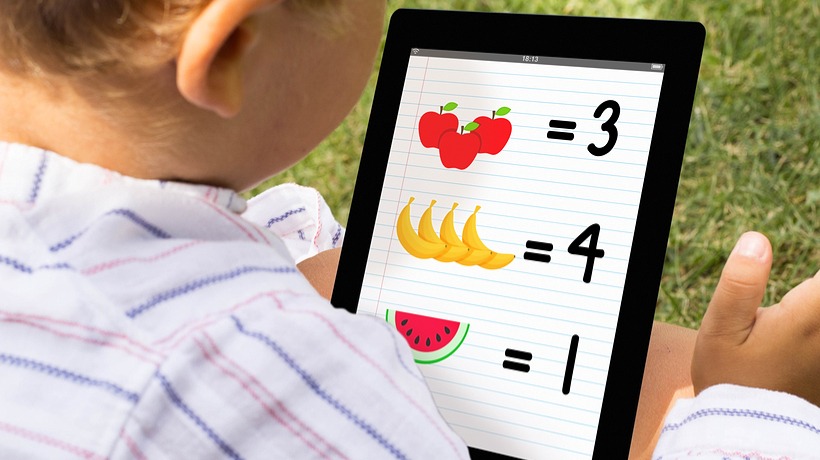
Todo K-2 Math Practice is a series of 6 fun and engaging multi-level games that offer children practice and support in Pre-K through 2nd grade math fluency skills including: counting, writing numerals, addition and subtraction. Developed by award-winning game designers and in collaboration with teachers and math experts, Todo K-2 Math Practice offers meaningful play for students who struggle to master early elementary math. Combining research-based instructional strategies with playful game design helps children who struggle with math understand the meaning of mathematical operations building a strong foundation for further mathematical learning.
14. Toontastic: Free - free; additional features available with in-app purchase
Lights, Camera, Play! Toontastic is a storytelling and creative learning tool that enables kids to draw, animate, and share their own cartoons with friends and family around the world through simple and fun imaginative play! With over 2 million cartoons created in over 150 countries, parents and teachers rave about the app... and kids can't stop creating! Making cartoons with Toontastic is as easy as putting on a puppet show - simply press the record button, move your characters onscreen, and tell your story. Toontastic records your animation and voice as a cartoon video to share with friends and family on ToonTube, the app's global storytelling network for kids.
15. Virtual Manipulatives! – free
I have provided a virtual set of fraction bars on www.abcya.com for several years. Many teachers have contacted me about creating a similar application for the iPad. Here it is! I offer this app for free because virtual manipulatives alone do not provide meaning for learners; they require a teacher to guide meaning and connections.
Educational Categories of iPad Apps
The fifteen apps in this list cover a broad range of subjects and skills. Here is a breakdown of their respective categories.
Reading And Literacy Apps
Apps like iBooks, Our Story for iPad, and Bookbi all support literacy in different ways. iBooks gives children access to a huge library of books at no cost. Our Story for iPad, developed with input from child psychologists at The Open University, uses games to build early reading and language skills. Bookbi takes a creative approach, letting children construct their own illustrated stories using ready-made characters and backgrounds, which builds both narrative thinking and writing confidence.
Mathematics Apps
Sushi Monster, Todo K-2 Math Practice, and Virtual Manipulatives are all designed to make math more approachable and enjoyable. Sushi Monster reinforces addition and multiplication through a game format that keeps children coming back. Todo K-2 covers counting, numeral recognition, addition, and subtraction for Pre-K through Year 2. Virtual Manipulatives offers fraction bars and other hands-on tools that help children visualize abstract mathematical concepts.
Creativity And Storytelling Apps
Toontastic, Story Creator, and Doodle Buddy all give children a creative outlet that also builds important skills. Toontastic lets children draw, animate, and voice their own cartoon characters, developing storytelling, art, and even emotional intelligence as they script scenes. Story Creator combines photos, video, text, and audio into personalized storybooks. Doodle Buddy is a simple but popular drawing tool that encourages free creative expression.
Collaboration And Classroom Apps
Socrative (Student Clicker) and Rover are both designed with the classroom environment in mind. Socrative allows students to respond to teacher-led questions in real time and see how their peers have answered, which makes the lesson more interactive. Rover is a purpose-built educational browser that gives students safe, managed access to online learning content on the iPad, including content that may not display correctly in standard browsers.
Benefits And Challenges Of Using iPads In Elementary Education
iPads in the classroom offer real advantages, but they also come with genuine challenges that teachers and parents need to plan for. The table below gives a clear side-by-side overview.
| Benefits | Challenges |
| Increased engagement | Screen time concerns |
| Personalized learning | Device management |
| Interactive content | Distractions |
| Accessibility support | Internet dependency |