About the vendor
Located In Salcha, US
Founded In 2006
Use Cases
- Compliance Training
- Customer Training
- Employee Onboarding
- Employee Training
- Franchise/Dealer Training
- Training Companies
Deployment
- Software as a Service / Cloud
Browsers
- Apple Safari
- Google Chrome
- Internet Explorer
- Mozilla Firefox
Training
- Documentation
- Online Tutorials
Support
- 24/7
- Business Hours
- Email
- FAQ
- Knowledge Base
- Phone
Languages Supported
- German
- English
- Spanish
- French
- Japanese
- Portuguese
What is eProfessor?
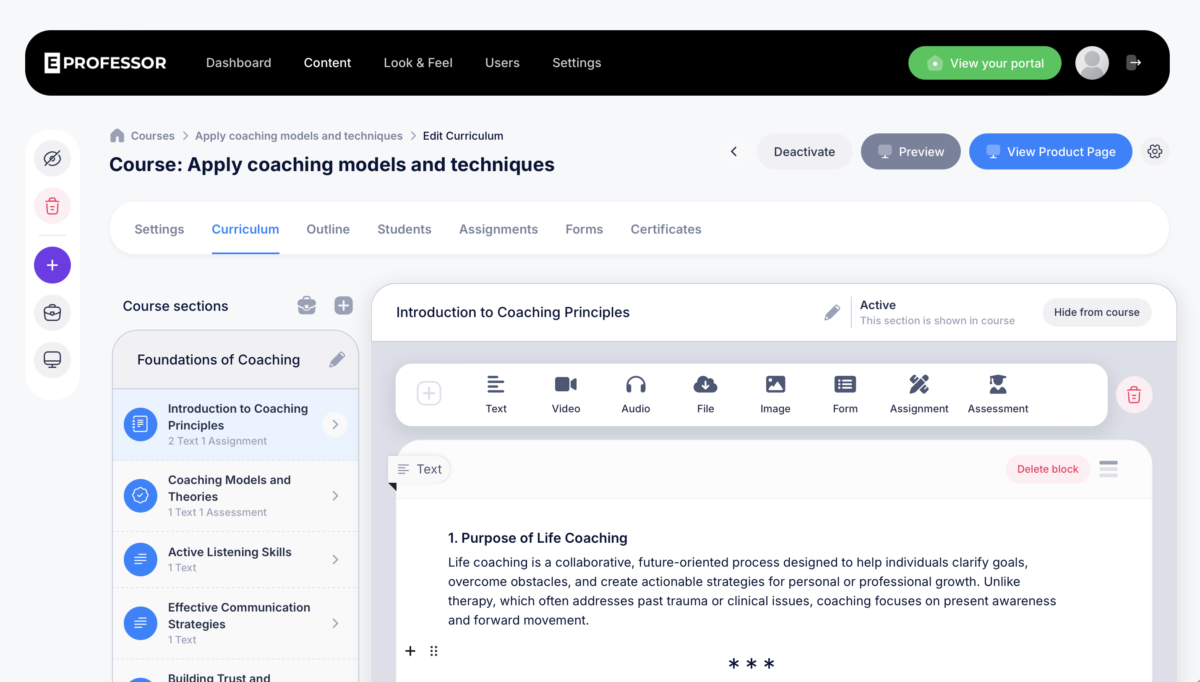
eProfessor is an all-in-one e-learning platform for creating, marketing, and selling online courses, exams, quizzes, and assessments. Built on an assessment engine refined over 17 years (formerly known as Exam Professor), eProfessor combines proven testing and grading technology with modern course creation tools. Educators, trainers, and businesses use eProfessor to build branded learning portals, deliver lessons with AI-assisted authoring, randomize quiz questions and answers for fair testing, and keep students engaged on their own site instead of a third-party marketplace. The platform supports private, public, or paid course delivery, team collaboration on course content, and self-enrollment or bulk student imports.
Overview of eProfessor benefits
eProfessor helps creators and organizations monetize knowledge while keeping full control of the learner experience. Key benefits include a white-label, fully branded student portal so learners stay on your domain rather than browsing a marketplace of competing courses; an assessment engine with 17 years of refinement, including randomized questions and answer choices for fair, varied testing; flexible delivery options for private, public, or paid content; team collaboration tools so multiple creators can build and edit courses together remotely; and simple student management through self-enrollment or bulk import from existing student systems. The result is a platform built to teach and evaluate in one seamless flow, rather than stitching together separate tools for content, testing, and tracking.
Features
Learn more about eProfessor features that set it apart from the competition. Discover how its unique tools and capabilities enhance your processes.
Accounts
Add a new user
Allows administrators to add new users directly to their LMS for streamlined user management.
Archive users
Deactivate and store user accounts without deleting them.
Custom/Mandatory User profile fields
Activity grading
Gradebook
Centralized view of all learner grades.
Gradebook audit trail
Gradebook comments
Manual Grading ("Marking")
Multiple grading scales
AI Features
Adaptive Learning
AI Powered
Chatbot
Content development
Content Translation
Intelligent recommendations
Natural Language Processing
Predictive analysis
Text-to-speech
Authentication
Active Directory/LDAP Integration
Manual Accounts
No login
SAML2/API Integration
Self-Registration w. Admin Confirmation
Categories
Assign Courses to categories
Create new Categories
Manage Categories
Priced Categories (Bundle)
Certificate management
Unique Certificate by Course
Unique Certification by Curriculum
Compliance management
Certificate expiration notifications
Certification Expiration Management
Due Date notifications
Soft/Hard Stop Due Dates
Course Creation
Content Library
A repository of pre-made templates, existing content, multimedia sets, and learning outlines.
Course backup Options
Drag & Drop Interactions
Learning Paths (Curriculums)
LRS
Scheduling LIVE events
Upload courses
Customization
Personalized views
Enrollment
Attendance Tracking
Automated Enrollment (based on User data)
Guest Access Settings
Self-enrollment (with a PIN #)
Survey enrollment (based on a response)
Format
Course Discussions
Gamification Format
Learner Upload
LIVE Chat Option
Social Format
Topics Format
Video Conferencing Integration
Weekly Format
Gamification
Badge customization
Badges
Customize Gamification mechanics
Leaderboards
Levels
Points
Rewards
Interface options
Additional external pages
Block Management
Calendar Settings
Learning Accessibility
Media embedding settings
Multilanguage Support
Learning types
Asynchronous Instructor-led
Blended Learning
Synchronous Virtual Classroom
Mobile learning
Offline (disconnected Mobile app)
Offline
Support for offline access to content
Reports
Automated Report Scheduling
Canned Reports
Email delivery of Reports
Learning Analytics Tools
Training Record Maintenance
Roles
Teams and Team Hierarchies
Security
Anti-virus
IP Blocker
Restrict registration to specific domains
Shopping cart
Shopping Cart as Plug-In
System reports
Automatic email reports in predefined intervals
Custom reports generator
Live Logs
Pricing
Learn more about eProfessor's pricing options, cost, and plans so you can make a well-informed, business-wise decision on the best software to use for organization.
Integrations
Learn more about eProfessor's integration options.
-
Have you used eProfessor before?
Answer a few questions and help the community to make the best decisions
Alternatives
Not a match? Find software alternatives that better suit your needs and compare them to discover the one that's right for you.