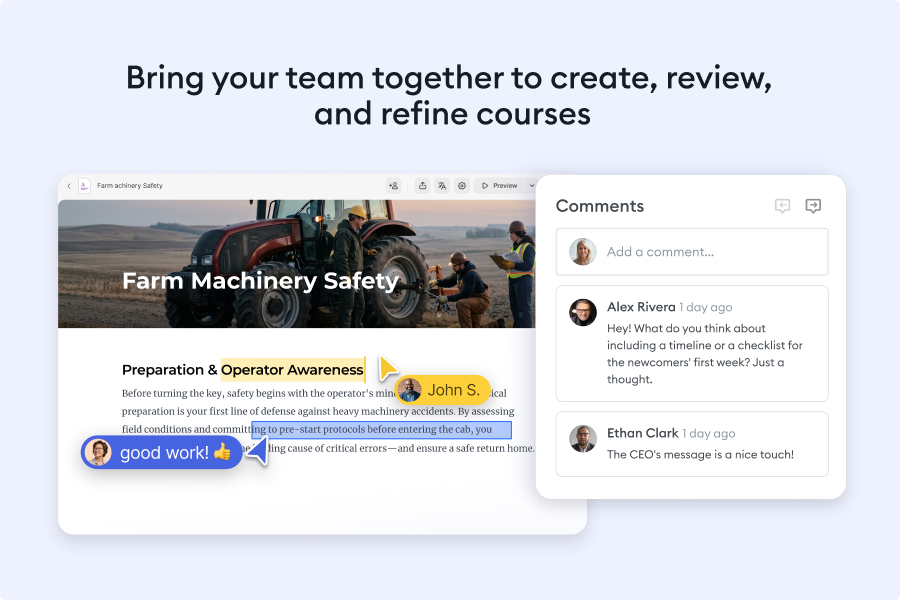
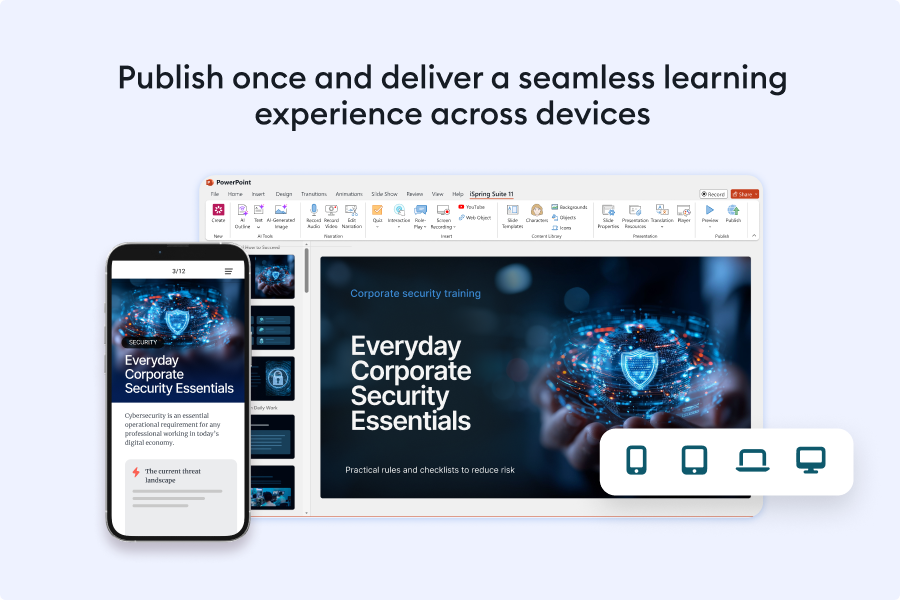
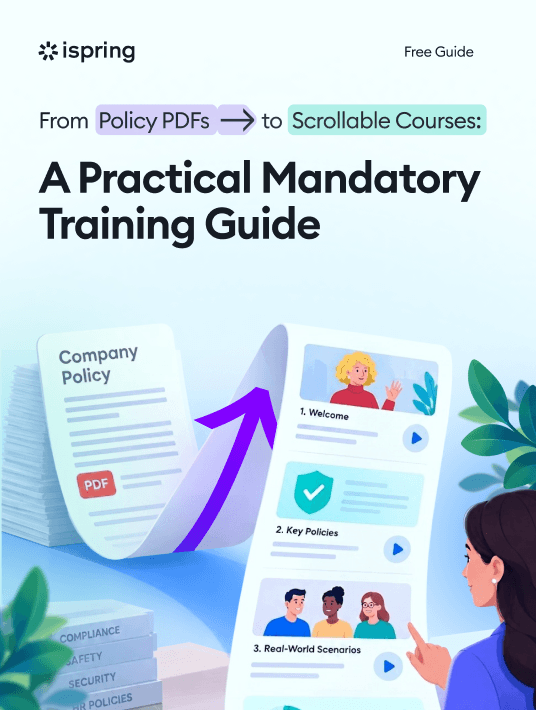
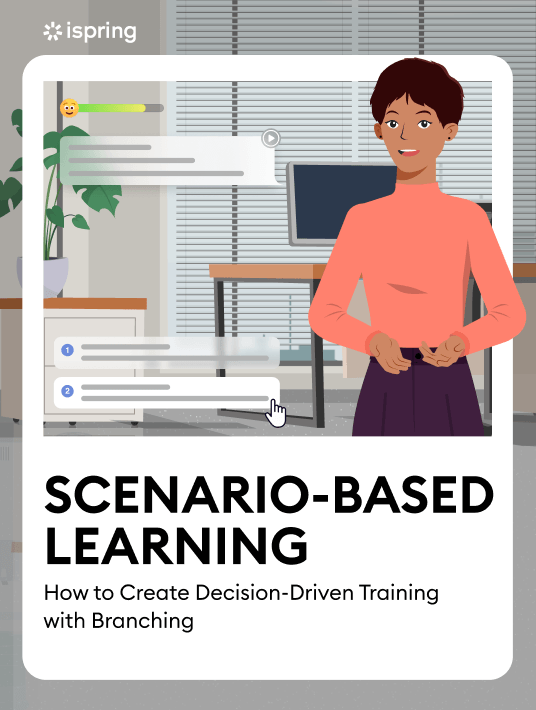
An all-in-one software solution for creating versatile learning content and teamwork on eLearning projects. Super easy to use; no coding or design skills are required.
Instructional designers, corporate trainers, L&D professionals, and educators who want to turn a topic or existing materials into interactive courses using AI-assisted course generation, right inside PowerPoint.
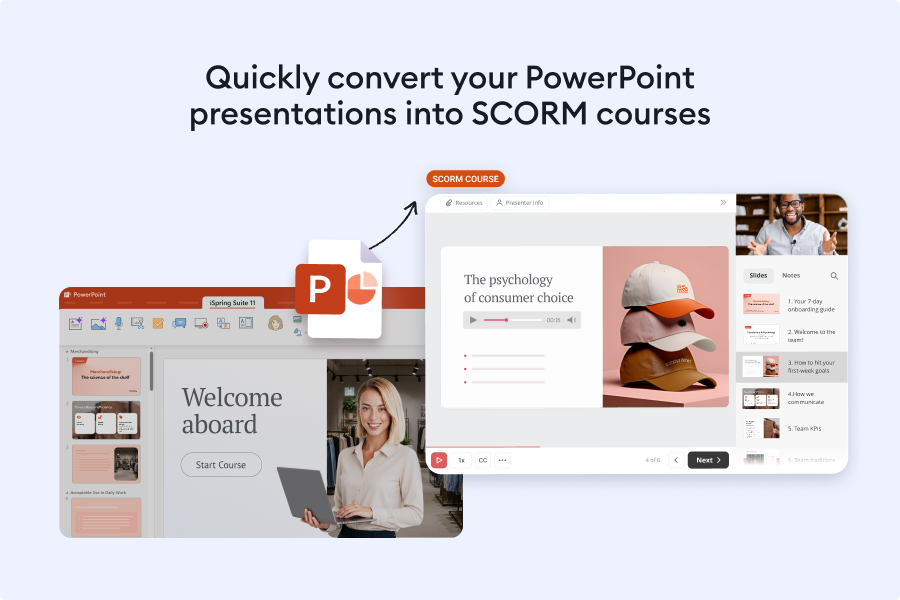
iSpring Suite is an AI-powered authoring tool for building slide-based and scrollable online courses inside Microsoft PowerPoint. The iSpring Suite AI package includes:
The iSpring Suite AI authoring toolkit - a PowerPoint-based editor for building courses, quizzes, role-plays, video lessons, and screencasts.
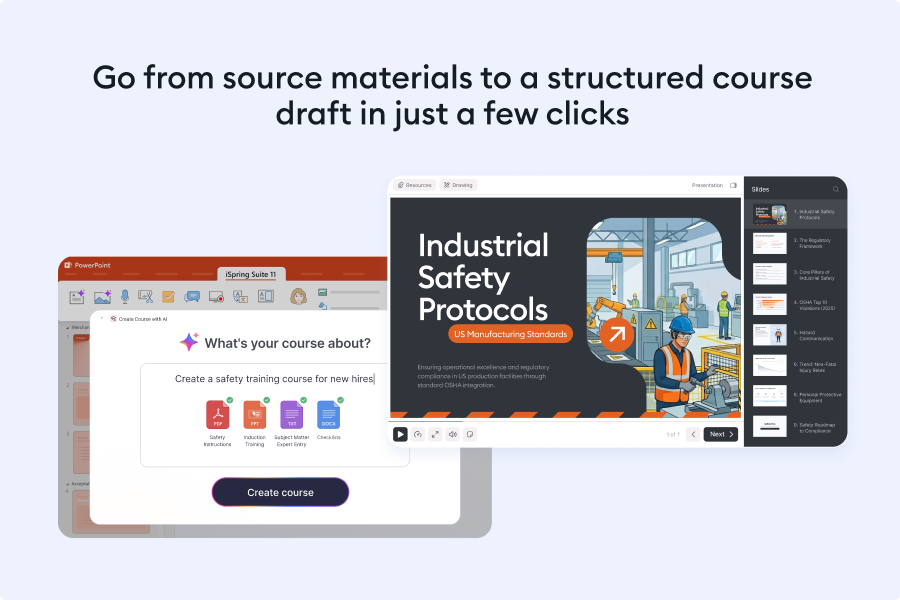
AI course generator - drafts a course outline, slide content, and assessments from a topic or uploaded source material, grounded in principles such as Bloom's Taxonomy.
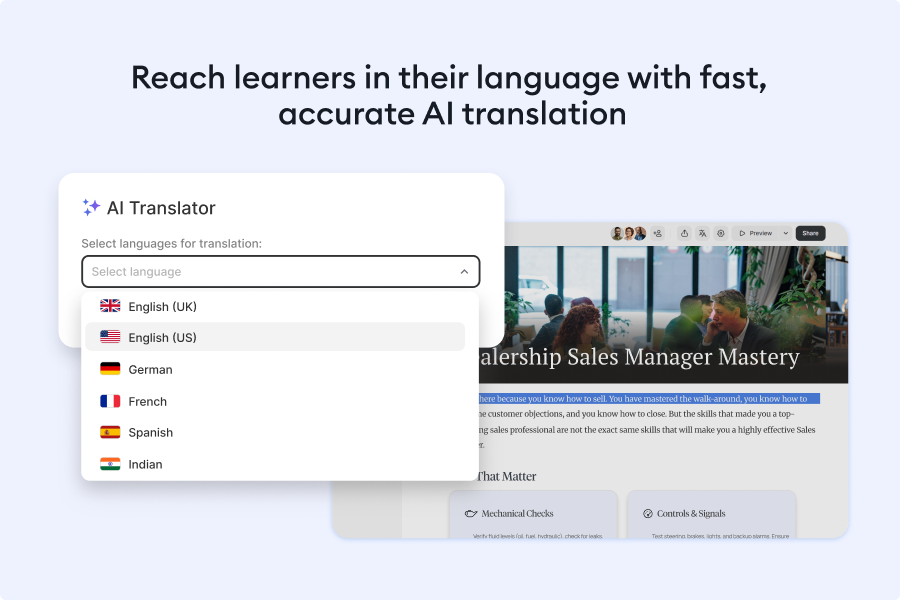
AI production tools - voiceover generation, image generation, an AI text editor, and translation, all built into the authoring workflow.
iSpring Cloud AI - an online space for creating and collaborating on scrollable courses directly in a browser.
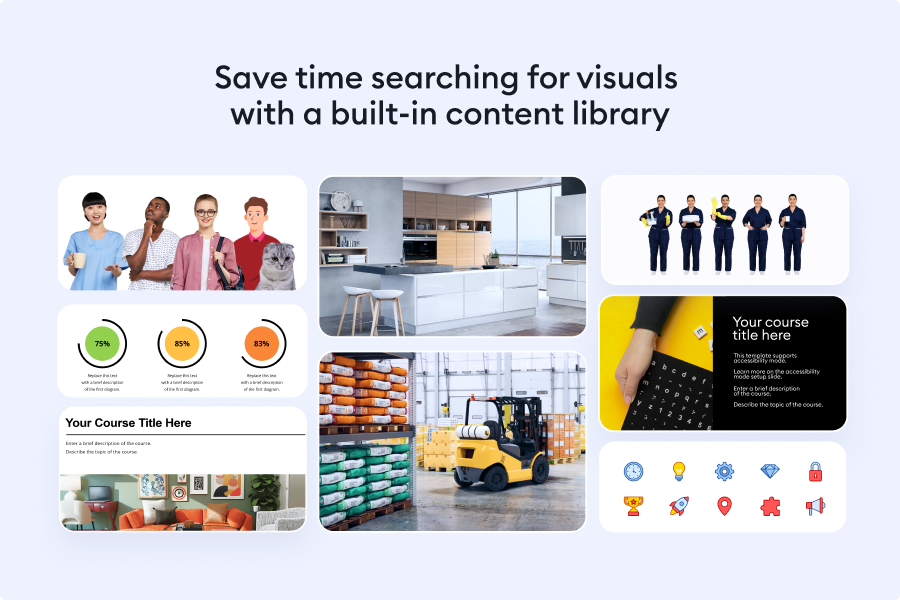
Content Library - professionally designed eLearning assets, including course templates, characters, locations, icons, and controls.
24/7 technical support - available by phone, chat, and email, along with an in-product AI assistant for quick software questions.
Overview of iSpring Suite benefits
AI course creation from a topic or your own materials. Describe what the course should cover, or upload SME notes, slides, and PDFs, and the AI course generator drafts a structured outline, slide text, and a quiz grounded in Bloom's Taxonomy.
AI voiceovers, visuals, and translation. Generate natural-sounding narration and custom images from a text prompt, then translate an entire course - including quizzes and role-plays - into 70+ languages without rebuilding the layout.
Minimal learning curve. iSpring Suite works inside the familiar PowerPoint environment, so authors can start building courses, quizzes, and simulations with little to no prior experience.
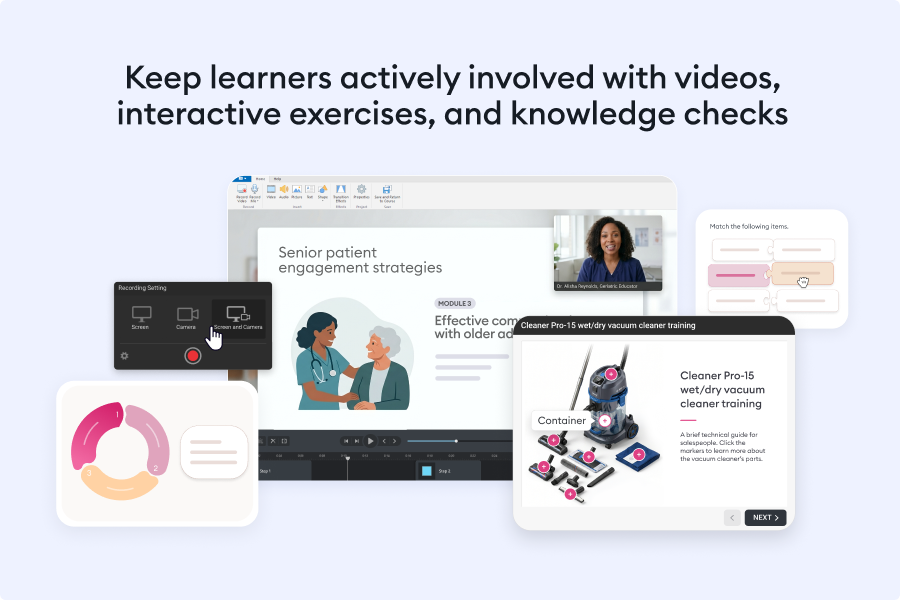
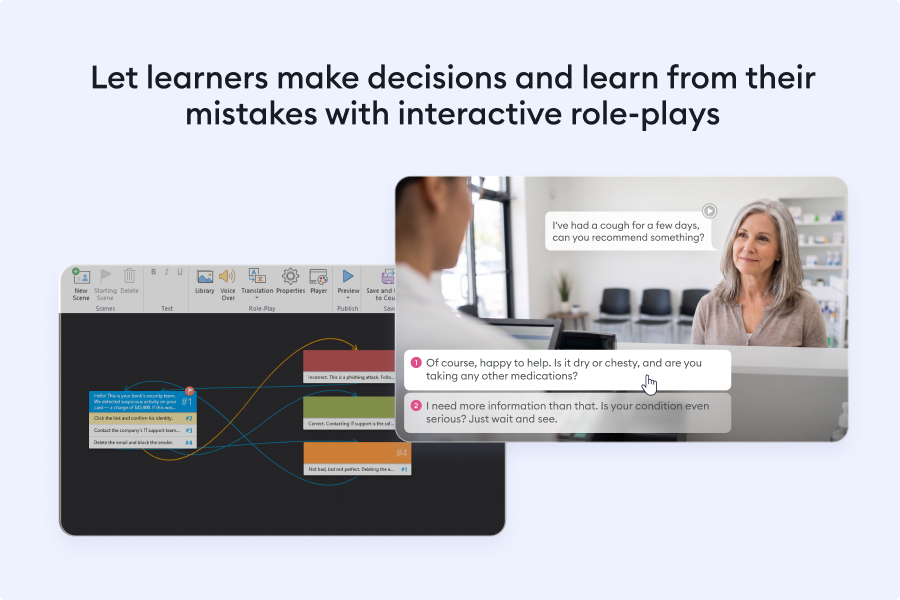
A complete authoring toolkit. Screen recording, 14 quiz question types, 14 interaction templates, and branching role-plays are all built in, so there's no need for separate video, quiz, or design software.
Verified LMS compatibility. Courses publish to SCORM, xAPI, cmi5, AICC, and HTML5, and are verified to work correctly across 160+ LMS platforms.
Comprehensive built-in Content Library. More than 130,000 characters, backgrounds, and templates, plus a custom character builder, are available directly inside the editor.
Features
Learn more about iSpring Suite features that set it apart from the competition. Discover how its unique tools and capabilities enhance your processes.
Based on eLearning Industry reviews from the past 4 years
Company Size
Areas of Focus
Top Industries
Elearning
23%
Education - Higher
11%
Higher Education
3%
Professional Training & Coaching
3%
Nonprofit Organization Management
3%
Other
57%
Pricing
Learn more about iSpring Suite's pricing options, cost, and plans so you can make a well-informed, business-wise decision on the best software to use for organization.
Pricing Model
Free Trial
Subscription
License
Free
Paid
Starting Price
$970
Free Trial
Yes
Incredible value at a reasonable price! Volume, academic, non-profit, and government discounts are available.
Have you used iSpring Suite before?
Answer a few questions and help the community to make the best decisions
Is iSpring Suite the right solution for you? Read verified iSpring Suite reviews from people in industries like yours to make a confident choice.
Performance Overview
Overall Rating
93%
Usefulness
Usability
Customer Experience
Likelihood to Recommend
Perfectly easy to use even if you have no prior experience with eLearning authoring tools.
Oct 15, 2026
Overall Rating
94%
Usefulness
Usability
Customer Experience
Likelihood to Recommend
What do you like best?
I started my position with no significant experience with eLearning authoring tools and primarily used iSpring as an addon to PowerPoint. As my skills developed, I became more proficient in suing other options this tool has and now I am able to make quite complex courses with just one tool. The mere fact that I have been using the tool for almost 4 years now and have no intention to change it, speaks for itself. The updates are amazing and it has been developing very fast in the past years.
What do you dislike?
With the rise of AI, there have been amazing features developed, but sometimes I feel that some of the basic functions that could have been updated, somehow are left behind. On the other hand, support team reacts very well to feedback.
iSpring Suite makes turning boring slides into actual training a lot easier
Oct 8, 2026
Overall Rating
89%
Usefulness
Usability
Customer Experience
Likelihood to Recommend
What do you like best?
Not every training course needs to be some fancy interactive masterpiece. Sometimes I've got a PowerPoint presentation, a deadline that's way too close, and a bunch of people who need to learn something by Friday 😅 That's when iSpring really comes in handy. I can take slides I already have, add a quiz, record some explanations and turn the whole thing into a proper course. The fact that it works right inside PowerPoint is a big plus. Less switching between apps, less headache.
What do you dislike?
I wouldn't say it's the best choice when you want to build something really unusual or heavily customized. You start noticing the limits once you move beyond standard course formats. Also, the price might be a bit much if you only create training materials occasionally.
iSpring Suite makes it easy to create engaging courses from PowerPoint.
Sep 29, 2026
Overall Rating
93%
Usefulness
Usability
Customer Experience
Likelihood to Recommend
What do you like best?
What I like most about iSpring Suite is that it works right inside PowerPoint. I can build on slides I’m already familiar with, then add quizzes, interactions, and voiceovers without having to learn a completely new tool.
What do you dislike?
What I like least is that some design choices still feel tied to PowerPoint’s limits. It’s great for putting a course together quickly, but when I want a more tailored interaction or layout, I sometimes have to work around the tool.
I found iSpring Suite easy to use, intuitive, with support readily available whenever needed.
Sep 20, 2026
Overall Rating
100%
Usefulness
Usability
Customer Experience
Likelihood to Recommend
What do you like best?
I especially liked the variety of options it offers, including voice features and a catalogue of images, which made it easier to create engaging content.
What do you dislike?
I enjoyed using the platform and would recommend it to other e-learning developers especially for beginners.
Useful platform for Online Learning Platform for online presentation
Sep 18, 2026
Overall Rating
80%
Usefulness
Usability
Customer Experience
Likelihood to Recommend
What do you like best?
Customer services- Never missed the inquiries within 1 day. Very helpful with almost everything including tech errors.
What do you dislike?
AI application for video and animation. It's hard to create interactive animation and/or video for presentation.
Wonderful program that works well for my purposes.
Sep 17, 2026
Overall Rating
93%
Usefulness
Usability
Customer Experience
Likelihood to Recommend
What do you like best?
The customer service has always been exceptional. And the program's flexibility, with its interactions and quizzes, is wonderful.
What do you dislike?
The training videos are often lacking in detail. I found that when I watch and try to follow along, it doesn't always work.
Well designed, easy to use training course authoring product
Sep 16, 2026
Overall Rating
100%
Usefulness
Usability
Customer Experience
Likelihood to Recommend
What do you like best?
Easy to be productive very quickly. Very short learning curve. I am familiar with a couple of authoring tools, but I think anyone could be productive fairly quickly with iSpring.
What do you dislike?
I really don't have anything negative to say about this software. The more I use it the more I find I can do with it.
iSpring Suite is the perfect tools for us to produce coherent eLearning modules.
Sep 15, 2026
Overall Rating
90%
Usefulness
Usability
Customer Experience
Likelihood to Recommend
What do you like best?
Interactions like Steps and Media catalog are excelent tools for us to explain the things we teach. Also the production of scorms is very easy to use.
What do you dislike?
I can't think of anything off the top of my head that I don't like. A good editor for instructional videos might be a valuable addition for us. We currently use a separate tool for that, which isn't an issue for us.
The best overall LMS program that ticks all the boxes, including functionality and interactivity.
Sep 14, 2026
Overall Rating
99%
Usefulness
Usability
Customer Experience
Likelihood to Recommend
What do you like best?
It was so easy to set up. I was really intimidated initially but after getting signed up, I spent time with the customer support team and got all of the necessary training done quickly!
What do you dislike?
There really isn't anything that I don't like as this program really provides everything that I needed and a startup LMS user.
Great tool for making presentations, help in team engaging
Sep 12, 2026
Overall Rating
75%
Usefulness
Usability
Customer Experience
Likelihood to Recommend
What do you like best?
Quiz feature in PowerPoint i liked the most, and character feature as well. It will help to keep our team engage through Quiz.
What do you dislike?
I have liked mostly everything and there is nothing like feature that i have disliked the most, all good 👍🏼
You've viewed 10 out of 322
Alternatives
Not a match? Find software alternatives that better suit your needs and compare them to discover the one that's right for you.