


Trending Learning Management Systems (LMS)
About the vendor
Located In Hanoi, VN
Founded In 2024
Customers
  • Academic
  • Small/Medium Businesses
Use Cases
  • Academic Learning
  • Compliance Training
  • Continuing Education
  • Customer Training
  • Employee Onboarding
  • Employee Training
  • Training Companies
Industries
  • Education Management
  • Education: K-12
  • eLearning
  • Higher Education
  • Human Resources
  • Information Technology and Services
  • Professional Training & Coaching
Deployment
  • Mobile Application
  • Software as a Service / Cloud
Platforms
  • Linux
  • Mac
  • Windows
Browsers
  • Apple Safari
  • Google Chrome
  • Mozilla Firefox
Training
  • Documentation
  • Online Tutorials
Support
  • Business Hours
  • Email
  • Knowledge Base
Supported Specifications
  • SCORM 1.2
  • SCORM 2004
  • xAPI/Tin Can API
Languages Supported
  • English
LinkedIn Page
@Linkedin
X
-
Change your privacy settings to see the content.
In order to watch this video you need to have advertising cookies enabled.
You can adjust your cookie preferences here.

What is uLearnBox?

uLearnBox is a learning management system for training centers, schools and companies that want their own learning platform without running servers or plugins.

Each organization gets its own learning center on a uLearnBox subdomain, with its logo, colors and email templates. On Pro and higher plans it can also run on the organization's own domain, such as learn.yourcompany.com. Hosting, HTTPS, updates, monitoring and backups are handled for you.

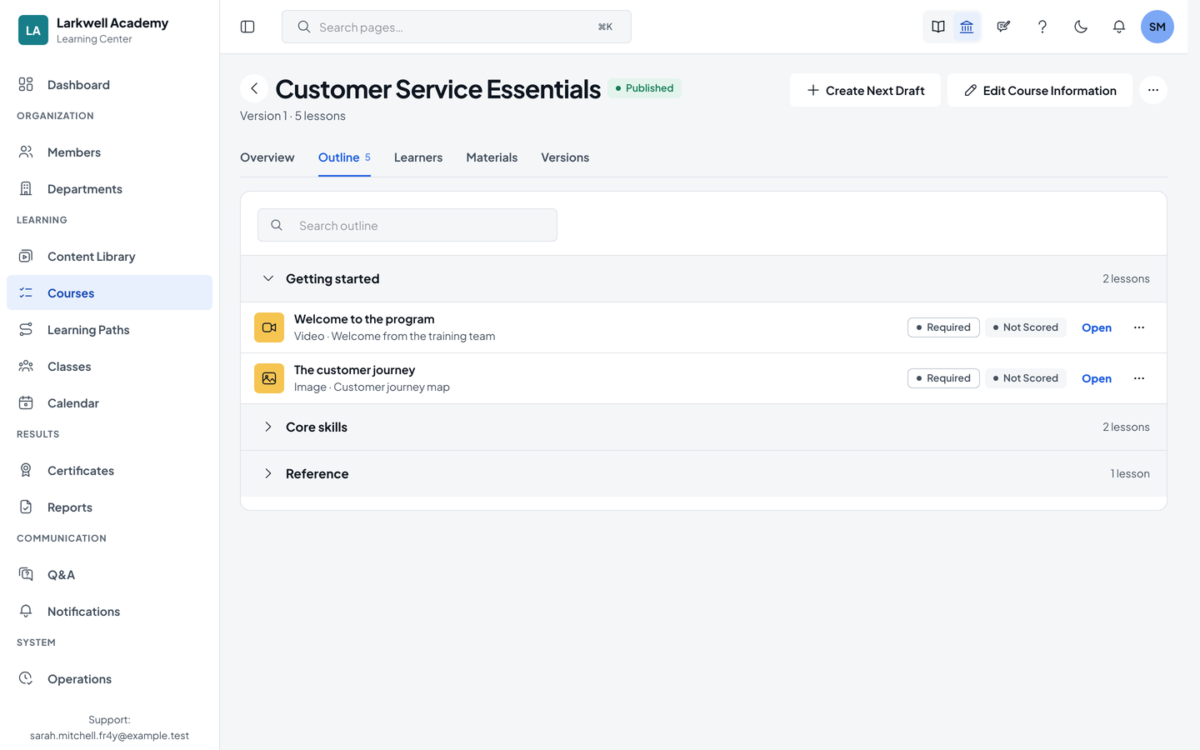
Build courses from video, PDF, slides, links and assignments, or upload SCORM 1.2, SCORM 2004 and xAPI packages. Content made in ActivePresenter publishes straight into uLearnBox. Combine courses into learning paths with required and optional steps and due dates.

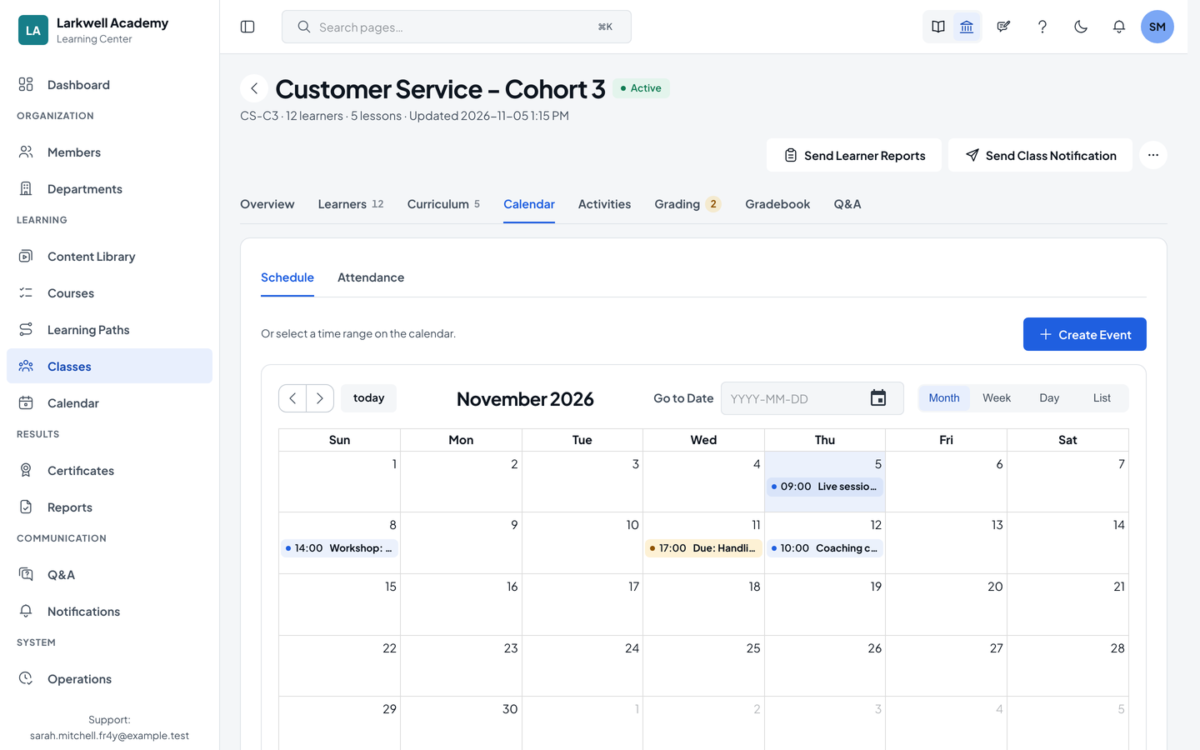
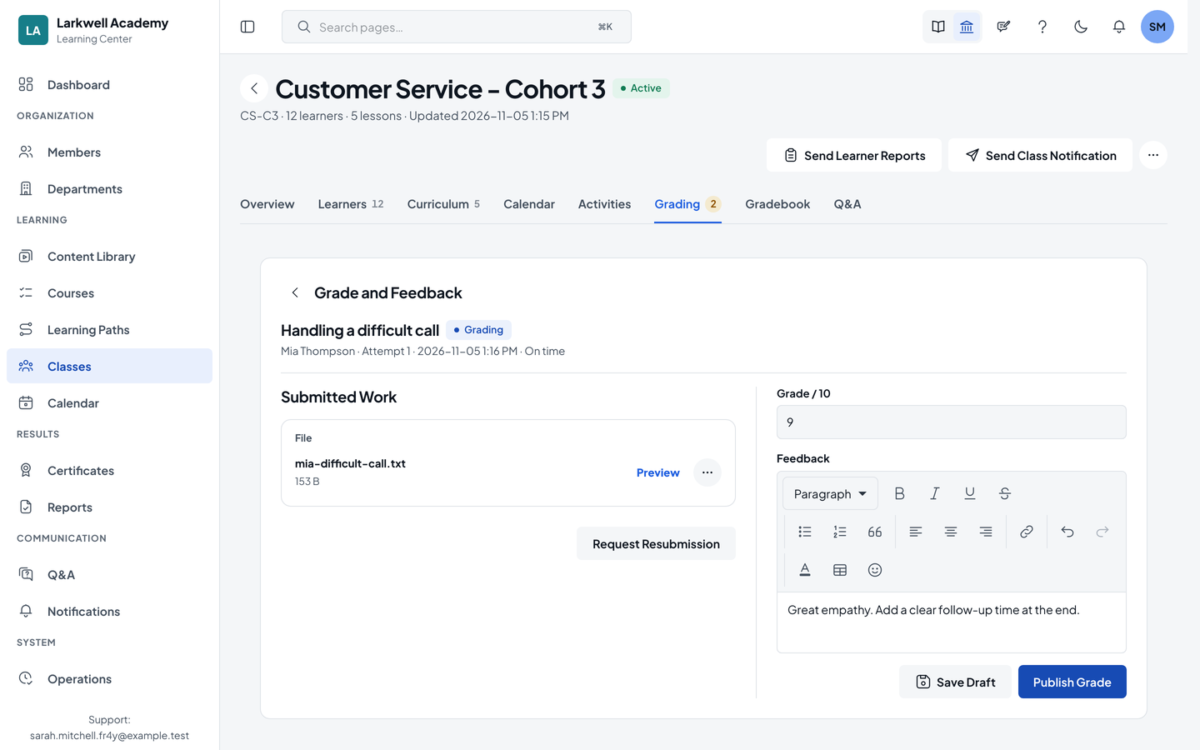
Run online or hybrid classes from a class calendar: recurring sessions can carry a Zoom, Google Meet or Microsoft Teams link, and teachers take attendance. Learners submit files, photos or links; teachers grade, comment and request resubmission in a few clicks.

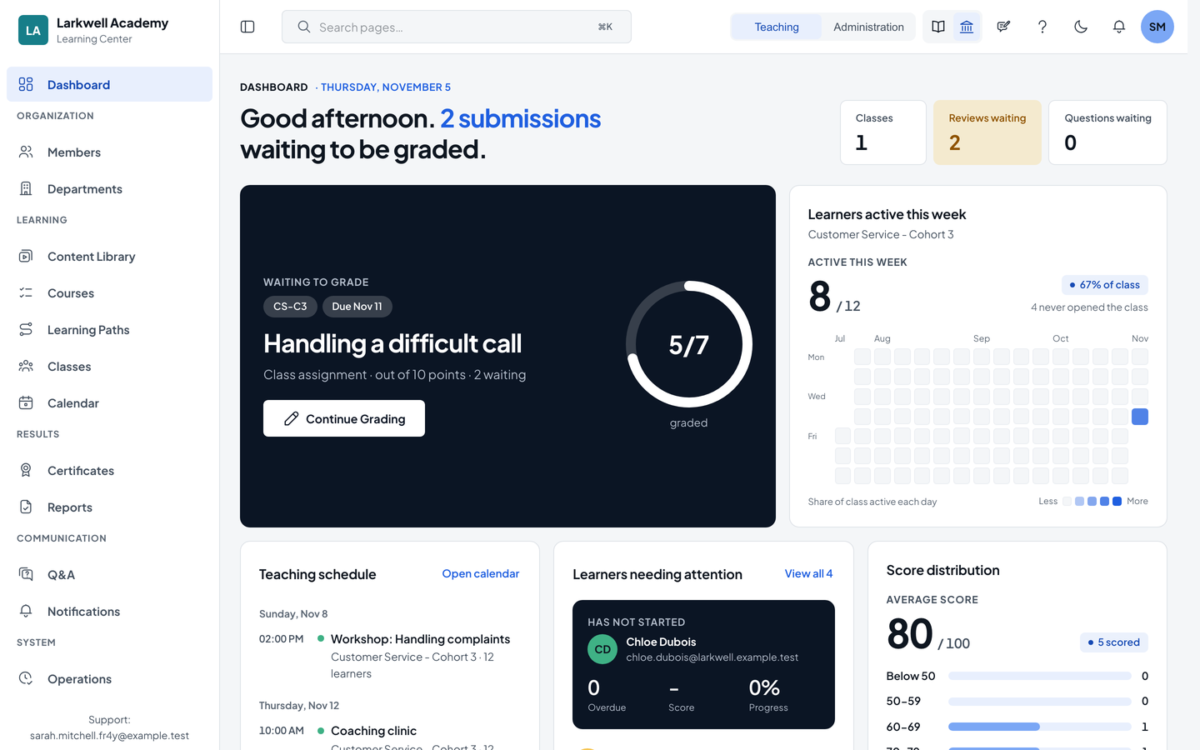
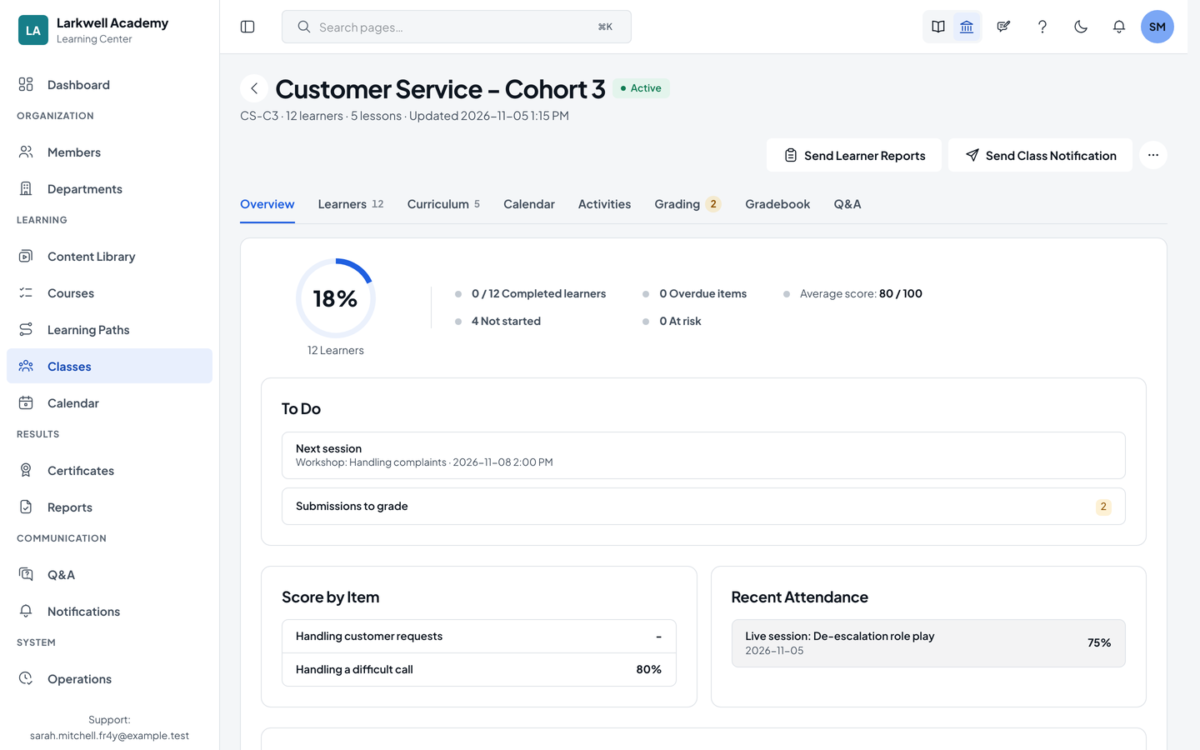
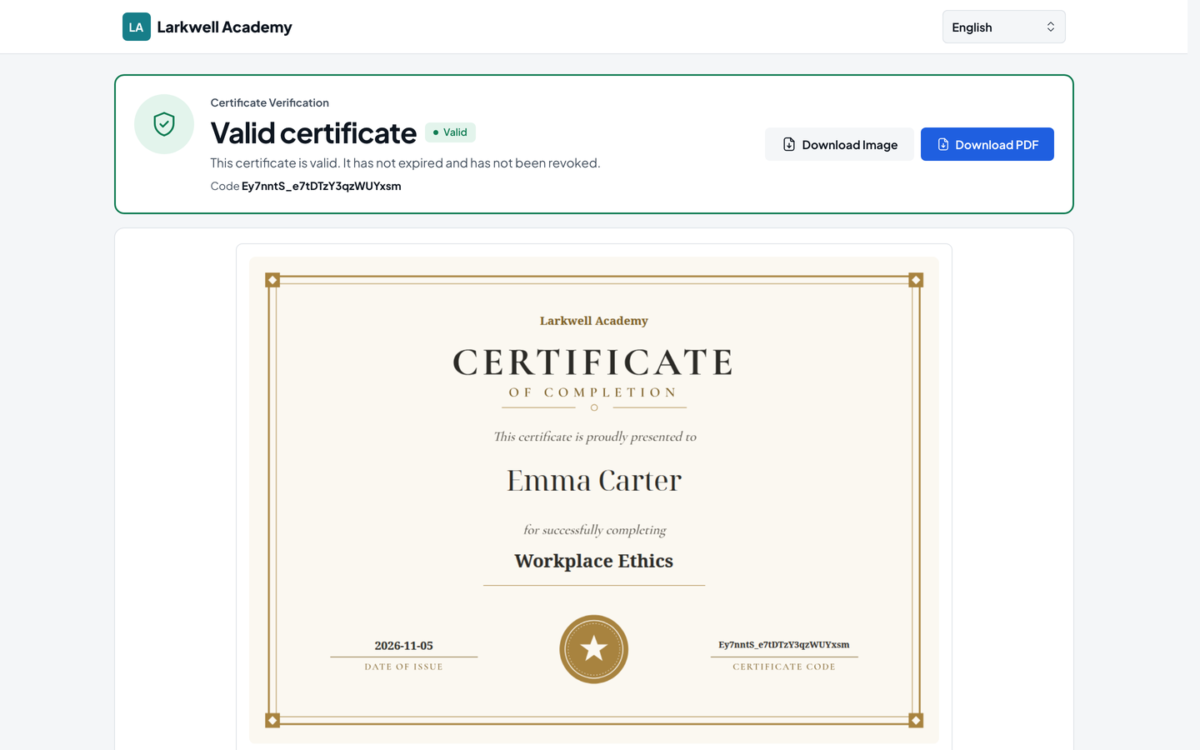
Progress, scores, attempts and completion update as learners work. Managers see who finished and who is behind by class, course or learning path, and export reports to Excel or CSV. Certificates are issued on completion, each with a code anyone can verify.

Learners follow what is due on the web or in the iOS and Android apps, with push notifications.

Start on the Free plan with up to 30 active learners a month, no card required. Paid plans are priced by active learners, so enrolled learners who do not study are not counted.


Overview of uLearnBox benefits

  • SCORM 1.2, SCORM 2004 and xAPI player with a built-in Learning Record Store
  • One-click publishing from ActivePresenter
  • Course builder and reusable content library with versioning
  • Learning paths with required and optional courses
  • Class calendar for online and hybrid sessions, with attendance
  • Assignments with file, photo and link submissions, grading and resubmission
  • Gradebook, progress reports and Excel/CSV export
  • Certificates with a public verification code
  • Roles and permissions by center, class, course and content
  • Your logo, colors and email templates; own domain on Pro and higher
  • Learner apps for iOS and Android with push notifications
  • Free plan for up to 30 active learners a month
Features

Learn more about uLearnBox features that set it apart from the competition. Discover how its unique tools and capabilities enhance your processes.

Accounts

Add a new user
Archive users
Browse list of users
Bulk User Actions
Custom/Mandatory User profile fields
Upload users

Activity grading

Course History
Gradebook
Gradebook audit trail
Gradebook comments
Manual Grading ("Marking")
Multiple grading scales

AI Features

Adaptive Learning
AI Powered
Chatbot
Content development
Content Translation
Intelligent recommendations
Natural Language Processing
Predictive analysis
Quiz generation
Text-to-speech

Authentication

Active Directory/LDAP Integration
Custom User login page
Manual Accounts
No login
SAML2/API Integration
Self-Registration
Self-Registration w. Admin Confirmation

Categories

Assign Courses to categories
Create new Categories
Manage Categories
Priced Categories (Bundle)

Certificate management

Certification life-cycle
Manage certification templates
Predefined certification templates
Unique Certificate by Course
Unique Certification by Curriculum

Compliance management

Certificate expiration notifications
Certification Expiration Management
Due Date notifications
Soft/Hard Stop Due Dates

Course Creation

Assignments Engine
Built-In Authoring Tool
Can reuse PPTs, PDFs, Videos
Changing Course default settings
Consume online video content
Content Library
Course backup Options
Drag & Drop Interactions
Hybrid Learning Courses
Learning Paths (Curriculums)
LRS
Scheduling LIVE events
Survey Engine
Tests Engine
Upload courses

Customization

Mobile Learning Support
Personalized views

Enrollment

Attendance Tracking
Automated Enrollment (based on User data)
Guest Access Settings
Manual Enrollment
Progress Tracking
Self-enrollment
Self-enrollment (with a PIN #)
Survey enrollment (based on a response)

Format

Course Discussions
Gamification Format
Learner Upload
LIVE Chat Option
Social Format
Topics Format
Video Conferencing Integration
Weekly Format

Gamification

Badge customization
Badges
Customize Gamification mechanics
Leaderboards
Levels
Points
Rewards

Interface options

Additional external pages
Block Management
Calendar Settings
Language settings
Learning Accessibility
Location Settings
Media embedding settings
Multilanguage Support
Ready-made Themes

Learning types

Asynchronous Instructor-led
Asynchronous Self-paced
Blended Learning
Synchronous Virtual Classroom

Mobile learning

Offline (disconnected Mobile app)
Online (Internet connected)

Offline

Support for offline access to content

Reports

Automated Report Scheduling
Canned Reports
Dashboards and Graphic Reports
Email delivery of Reports
Exporting Reports in variety of formats
Grading Report Settings
Learning Analytics Tools
Training Record Maintenance

Roles

Define roles
Role Assignment
System Permissions per role
Teams and Team Hierarchies

Security

Anti-spam
Anti-virus
IP Blocker
Restrict registration to specific domains
Strong Passwords

Shopping cart

Built-In Shopping Cart
Shopping Cart as Plug-In

System reports

Automatic email reports in predefined intervals
Custom reports generator
Email notification settings
Live Logs
Pricing

Learn more about uLearnBox's pricing options, cost, and plans so you can make a well-informed, business-wise decision on the best software to use for organization.

Pricing Model
  • Freemium
  • Subscription
License
  • Free
  • Paid
Starting Price
  • $60
Free Trial
  • No

Free plan: up to 30 active learners a month, no card required, no time limit. Starter: $60/month billed yearly ($75 monthly), 100 active learners. Pro: $120/month billed yearly ($150 monthly), 250 active learners, own domain. Business: $240/month billed yearly ($300 monthly), 500 active learners. Enterprise: custom quote. Prices exclude VAT. Plans are priced by active learners, so enrolled learners who do not study are not counted.

Integrations

Learn more about uLearnBox's integration options.

-
uLearnBox logo
Have you used uLearnBox before?
Answer a few questions and help the community to make the best decisions
Alternatives

Not a match? Find software alternatives that better suit your needs and compare them to discover the one that's right for you.

uLearnBox

Thought Industries

4.3/5
Compare

Absorb

4.8/5
Compare

Bridge

4.6/5
Compare

360Learning

4.7/5
Compare

Nano LMS

Compare

TalentLMS

4.8/5
Compare

Connecteam - Mobile Teams LMS

4.0/5
Compare