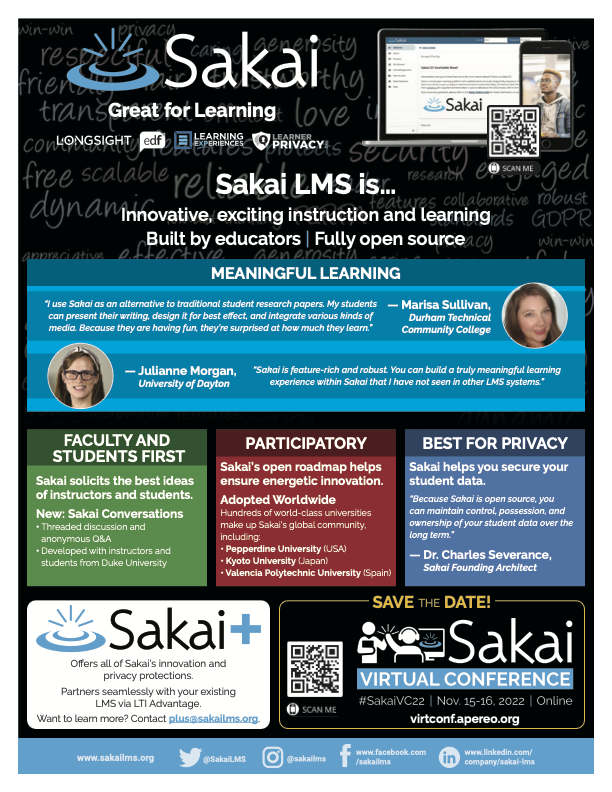
Sakai is great for learning! We're an open source learning management system that provides creative teachers with innovative tools for student learning. With SakaiPlus, you can use Sakai with your existing enterprise LMS. Check us out!
Sakai is great for learning. We provide creative teachers with innovative tools for student learning. We're an open source LMS, with an active, energetic, collaborative community of higher ed teachers and technologists.
With SakaiPlus, you can add Sakai's innovative tools for creative teachers to your existing enterprise LMS.
Sakai's Lessons tool is unparalleled -- powerful and flexible so that instructors can create attractive, usable learning content of all kinds.
Sakai's new Conversations tool, built with extensive user research, faculty feedback, and student input, leverages the best thinking about what makes for effective online discussions.
Our unique, open 3-year roadmap is collaboratively established each year by community members.
We welcome everyone. Our discussions are open to all, and expert community members answer questions every day.
Please join us!
Features
Learn more about Sakai features that set it apart from the competition. Discover how its unique tools and capabilities enhance your processes.
Accounts
Add a new userAllows administrators to add new users directly to their LMS for streamlined user management.
Archive usersDeactivate and store user accounts without deleting them.
Learn more about Sakai's pricing options, cost, and plans so you can make a well-informed, business-wise decision on the best software to use for organization.
Pricing Model
Free
Free Trial
Freemium
Subscription
License
Open Source
Starting Price
N/A
Free Trial
Yes
Sakai is open source, so you can download the software and host it in your campus data center. Or you can work with an expert, collaborative Sakai commercial affiliate to host Sakai in the Amazon cloud.
Integrations
Learn more about Sakai's integration options.
BigBlueButton
G Suite
Google Calendar
Office 365
OneDrive
Zoom
Have you used Sakai before?
Answer a few questions and help the community to make the best decisions
Is Sakai the right solution for you? Read verified Sakai reviews from people in industries like yours to make a confident choice.
Performance Overview
Overall Rating
83%
Usefulness
Usability
Customer Experience
Likelihood to Recommend
Cost-effective LMS ideal for instructors seeking customizable teaching solutions
Mar 28, 2025
Overall Rating
83%
Usefulness
Usability
Customer Experience
Likelihood to Recommend
What do you like best?
One of the significant benefits of Sakai is that it is free for educational institutions. It also provides an easy setup for instructors to create and use lesson outlines, quizzes, and activities in groups. The platform is nothing short of a boon for collaborative learning, group projects, which are common in higher education. The menu-driven navigation is easy to understand, making it seamless for both teachers and students to get started.
What do you dislike?
While it does the job, certain features like assignment grading and analytics reporting are not as well-polished as you might find in a paid solution. For situations involving high course enrollments or complex integration with other enterprise systems, this could pose a challenge for administrators.
Solid For Traditional Coursework And Text Based Learning But Lacks Robust Multimedia
Nov 27, 2024
Overall Rating
84%
Usefulness
Usability
Customer Experience
Likelihood to Recommend
What do you like best?
For standard academic workflows such as posting course materials, scheduling assignments, collecting due student work, and grading it, Sakai keeps pace with the other systems. It has practical tools for creating quizzes, assignments, and entering grades, and teachers who are only looking for a reliable LMS will find it more than adequate.
What do you dislike?
Sakai lacks robust multimedia, videos, and real-time tools, which also makes it unsuitable for online or hybrid classes that rely heavily on video lectures or live sessions. The grade book and discussion board capabilities, although fully functional, seem a bit dated. Updates to the grade book may not be reflected immediately, and understanding threaded discussions is not as intuitive or straightforward as one would like.
Great For Structured Assignments And Collaboration But Lacks Rich Media Support
Oct 22, 2024
Overall Rating
81%
Usefulness
Usability
Customer Experience
Likelihood to Recommend
What do you like best?
Sakai's strength lies in its powerful collaboration tools, which often result in significant student-staff interaction through discussion forums, group workspaces, and shared resources. It manages assignment uploads, due dates, and grading consistently and transparently.
What do you dislike?
However, Sakai has limited support for rich media, such as video lectures, live webcams, or streaming coverage. This means that Sakai is less well-suited for contemporary e-learning implementations. At times, the user experience has felt clunky: the design is utilitarian rather than intuitive, and navigation can require several clicks to get you where you need to be for basic tasks.
Comprehensive academic LMS offering open-source benefits with some usability trade-offs
Oct 12, 2024
Overall Rating
85%
Usefulness
Usability
Customer Experience
Likelihood to Recommend
What do you like best?
Sakai is a powerful LMS platform with tools specifically designed for a broad range of academic needs. Because it is open-source, institutions can design tailor-made features, and the system will continue to adapt over time to meet particular teaching needs. Faculty love the group tools, responsive mobile learning design, and web conferencing integrations for teaching in-room and often simultaneously, in remote or hybrid settings.
What do you dislike?
Primarily limited to community-driven development resources. Institutions require processes to function within established timelines, and these timelines may not align well within each community. A few administrative tasks can be time-consuming, especially grading and analytics. The platform is also less modern from a UI perspective and requires specialized technical expertise to get the most out of the tools.
Strong Collaboration Tools Support Groups But Interface Looks Plain And Dated
Oct 7, 2024
Overall Rating
83%
Usefulness
Usability
Customer Experience
Likelihood to Recommend
What do you like best?
I rely heavily on Sakai for courses that require teamwork. The platform gives me forums, shared workspaces, wikis, and communication tools that help groups stay organized. I use it for corporate training and academic projects, and it supports both surprisingly well.
What do you dislike?
It takes time to get comfortable with the system. Some features are not immediately obvious, so new users often need guidance. The interface looks plain and lacks the visual appeal that many users expect from modern training platforms. I have also found that customization can be challenging unless you have solid technical support.
Open Source LMS Fits Teaching Needs But Setup Requires Technical Skill
Oct 5, 2024
Overall Rating
83%
Usefulness
Usability
Customer Experience
Likelihood to Recommend
What do you like best?
I picked Sakai because its open-source nature gives me control and saves licensing costs. I use it to build courses, set up assignments, run quizzes, and manage discussions. Once I worked through installation and configuration, the system settled into a dependable rhythm. It handles content delivery smoothly, and I like how predictable it feels when managing weekly instruction.
What do you dislike?
The toughest part was getting everything set up. It requires someone who is comfortable with configuration, server environments, and troubleshooting. Some tasks take more steps than they should, which occasionally slows me down. Once you learn it, it is manageable, but the learning curve is real.
Cost Effective And Community Driven LMS But Setup And Maintenance Are Challenging
Sep 19, 2024
Overall Rating
84%
Usefulness
Usability
Customer Experience
Likelihood to Recommend
What do you like best?
Since Sakai is an open-source system that can be self-hosted, many institutions have minimized licensing costs and maximized control over data and customizability. This flexibility enables institutions with internal tech teams to customize the LMS experience, from permissions to course structure and integrations.
What do you dislike?
On the downside, Sakai can be challenging to set up and maintain. Naturally, without the assistance of experts or an IT team to implement and troubleshoot, the LMS can be overwhelming. The UI/UX is subpar, and there is no apparent logic to the design. Some tools don’t translate equally well across modules, and features such as media handling or real-time collaboration often feel underdeveloped.
Dependable Open Source LMS For Core Needs But Interface Is Dated And Basic
Sep 15, 2024
Overall Rating
81%
Usefulness
Usability
Customer Experience
Likelihood to Recommend
What do you like best?
Sakai provides a robust foundation with tools that enable the straightforward and reliable posting of syllabi, assignments, and readings. The interface is easy for educators to use in implementing the structuring of courses themselves, without requiring sophisticated programming skills. Students appreciate that they can view class rosters, receive email announcements, and access materials from their phone or computer.
What do you dislike?
That said, Sakai feels dated when measured against newer platforms. The user interface is relatively basic and can seem bland or uninspiring. For students, the gradebook section can be cumbersome, as there is no automatic overall grade calculation, requiring manual summing of scores to estimate final grades.
Practical Open Source Option For Dependable Work But System Feels Plain
May 28, 2024
Overall Rating
83%
Usefulness
Usability
Customer Experience
Likelihood to Recommend
What do you like best?
Sakai has turned out to be a dependable system for my daily teaching. I like that it covers the basics without trying to do too much. It supports quizzes, assignments, grading, and lecture content in a straightforward way. Being open source means we keep costs down, which matters for our institution.
What do you dislike?
The system feels plain compared to newer platforms. Some features require more steps than necessary, which slows me down occasionally. While the tools work, they lack the smoother flow and updated look that a modern LMS would offer. Users who expect a polished interface may feel underwhelmed.
Cost Saving LMS Covers Essential Features But Updates And Visuals Are Slow
May 25, 2024
Overall Rating
83%
Usefulness
Usability
Customer Experience
Likelihood to Recommend
What do you like best?
I appreciate Sakai because it gives my institution the main LMS functions without high subscription fees. I use it for assignments, grading, collaboration, and content delivery, and it supports these tasks well. The open-source community offers guidance, which adds value for long-term use.
What do you dislike?
Updates arrive slowly, and visual changes are rare. Some features feel older compared with commercial competitors. I sometimes wish navigation felt smoother, especially for new users. While the platform works, it could benefit from more modern design choices to help students and instructors feel comfortable from day one.
You've viewed 10 out of 17
Alternatives
Not a match? Find software alternatives that better suit your needs and compare them to discover the one that's right for you.