
Top Blended Learning Management Solutions
Choosing the best blended learning LMS for your business needs doesn't have to be a trial-and-error process. We've curated this guide to simplify your evaluation and help you make a confident, future-proof decision.
Blended learning bridges the gap between traditional classroom sessions and dynamic digital learning, empowering your workforce with greater autonomy, flexible schedules, and higher retention.
By implementing an LMS for blended learning, training managers can streamline and simplify tasks. At the same time, they can still deliver a targeted and flexible training program. More importantly, they can customize the training program to the needs of different learners because of this flexibility.
It's well known that a blended learning strategy is often the favored method of companies wishing to train their employees effectively. While blending learning can work well for most industries, it has proven particularly valuable for industries like manufacturing and healthcare. What's more, it is also an efficient method for sales training.
Explore eLearning Industry's list of top blended learning tools to:
- Find LMS platforms that meet your budget
- Explore top LMS features for blended learning
- Evaluate blended learning platforms and check user reviews
- Compare LMS solutions for a mixed learning approach
- Find the most suitable LMS via a demo or a free trial and test its UI
Our eLearning experts have selected the best Learning Management Systems for blended learning in this hand-picked list. However, if you're interested in a specific LMS use case, please visit our complete LMS directory.
The Best LMS Solutions For Blended Learning In 2027
If your tool is among the Best Blended Learning LMS Solutions in 2027, feel free to add this badge to your website!
Vendors List
| # | Software | Top features |
|---|---|---|
| 1 | Self-Enrollment Learning Paths, Document-to-Course Conversion | |
| 2 | Configurable Classroom Waitlists, E-Signature Check-In | |
| 3 | Multi-Language Instructor Observation Checklists, Concurrent Multi-VILT Connections | |
| 4 | Hybrid Competency Mapping, Automated Schedule Nudging | |
| 5 | Unified Multi-Modal Delivery, AI-Powered Personalized Learning Paths | |
| 6 | Smart Administration Workflows, Absorb Analyze Pivot Reporting | |
| 7 | Cross-Stack xAPI Tracking, Predictive Engagement Nudges |





Vendor descriptions
 1
1
Schedule the live session, assign the coursework around it, and give people a private AI space to rehearse what they learned. One platform used by 12,000+ organizations to train 22 million learners.
Get started with a free account and run your first blended program this week. See how live, self-paced, and AI practice sit side by side.
Take a look at real user reviews for TalentLMS.
Highlights
- Run The Live Part From Anywhere
- Give People A Place To Rehearse
- Assign A Program, Not A Pile Of Courses
Highlights
- Run The Live Part From Anywhere
Instructors host sessions through Zoom, Microsoft Teams, GoToMeeting, or BigBlueButton, inside the same platform where learners find their coursework.
- Give People A Place To Rehearse
Learning Playground is an AI space that lets learners practice as often as they want, alongside the courses and sessions already assigned to them.
- Assign A Program, Not A Pile Of Courses
Send a full learning path to a department or cohort in one move, and let team leads follow progress and skill gaps without full admin rights.
Plans And Pricing
No sales call is needed to see what it costs. Every plan price is published on the site. Try the platform for free, with ten courses and five users, then step up when your blended program needs more seats, learning paths, and reporting. Paid plans start at $119 a month.

















Core
-
Up to 100 users
-
Unlimited Courses Unlimited
-
Email Support
-
Custom homepage
-
Single Sign-on Support
-
Custom Domain + SSL
-
Consultation Call TalentCraft
Grow
-
Up to 500 active users
-
Unlimited Courses
-
Unlimited Email Support
-
Custom homepage
-
Single Sign-on Support
-
Custom Domain + SSL 3 branches
-
Onboarding
-
Custom Reports
-
TalentCraft Premium
Pro
Best value-
Up to 1000 active users
-
15 branches
-
Unlimited Courses
-
Priority email support
-
Live Chat Support
-
Custom homepage
-
Custom Reports
-
Single Sign-on Support
-
Custom Domain + SSL
-
Onboarding premium
-
Customer Success Manager
-
Automations
-
TalentCraft Premium
-
TalentLMS Skills
Enterprise
>1000 active users
- Ease of Use & Navigation Reviewers consistently highlight that TalentLMS is intuitive, with a clean interface that admins and learners adopt quickly. Setup and daily use are straightforward, even for non-technical users.
- Implementation & Onboarding Many reviewers say that launching the platform and creating courses is fast and simple, enabling teams to go live quickly without lengthy configuration.
- Feature Set & Functionality Features like progress tracking, gamification (quizzes, badges), branches for audience segmentation, and AI tools (e.g., TalentCraft) are repeatedly mentioned as valuable for engaging learning.
- Value for Money / Pricing & ROI Multiple reviewers note that TalentLMS offers a strong balance of capabilities for its price, making it a cost-effective choice for growing organizations.
- Customer Support & Service Support responsiveness and helpfulness come up positively, with several users saying assistance is timely and useful when issues arise.
- Reporting & Analytics Issues Several users want more advanced or customizable reporting options; while basic reports work well, deeper analytics can be challenging to produce.
- Complexity & Learning Curve (New Interface) Some reviewers mention that recent interface changes can introduce a learning curve—especially for long-time users accustomed to the old UI.
- Performance & Minor Technical Quirks A few comments point to occasional minor system lag or less intuitive search functionality, though these don’t significantly impede workflows for most users.
- Customization Limitations (UI/AI Tools) There are mentions that AI features have limitations (e.g., restricted formatting options) and that broader interface customization could be improved.
- Support Access Options There are mentions that AI features have limitations (e.g., restricted formatting options) and that broader interface customization could be improved.
2
360Learning is the AI-driven enterprise LMS that combines virtual webinars, in-person training, and collaborative learning to close skills gaps at scale.
Ready to go beyond top-down training? See how agentic AI and collaborative learning transform blended learning.
Read reviews for 360Learning in our directory.
Highlights
- Blended Learning Paths
- Smart Classroom Management
- Expert-Led Collaborative Creation
Highlights
- Blended Learning Paths
Combine self-paced online courses and AI scenarios with virtual webinars and in-person sessions into unified, collaborative learning journeys.
- Smart Classroom Management
Optimize live training with automated scheduling, registration, attendance tracking, and data-driven insights to maximize fill rates.
- Expert-Led Collaborative Creation
Empower internal experts to include interactive knowledge-sharing, discussions, and feedback directly in blended training programs.
Plans And Pricing
360Learning offers flexible plans tailored for enterprise scale. Their AI-driven platform unifies digital, live, and collaborative learning to maximize ROI and close skills gaps across your workforce.



Team Plan
Best valueUp to 100 users One platform to manage all learning Transparent pricing—no setup fees Access to best-in-class resources and support
Business/Enterprise
Unlimited users
- Ease of Use & Navigation Users frequently highlight that course creation is straightforward and the platform is easy to learn, even for those without prior experience building eLearning modules
- Feature Set & Functionality Reviewers appreciate content diversity and learning paths, including AI-powered features and collaborative capabilities that enrich training design and delivery.
- Customer Support & Service Several users specifically praise the customer success and support teams, noting responsive help and a positive support experience.
- User Experience & Engagement Many comments point to an engaging learning structure and clear learning organization that supports learners’ motivation and progress.
- Implementation & Onboarding Some reviewers note smooth onboarding experiences and beneficial features like SSO that aid with platform deployment.
- Reporting & Analytics Issues Users cite that statistical reporting and access issues are clunky or need improvement, particularly when generating usable reports.
- Complexity & Learning Curve Several reviewers mention that ergonomics/navigation can be confusing in areas like session creation or role management and that the interface sometimes feels non-intuitive.
- Feature Limitations / Missing Tools Some feedback calls out that certain features (e.g., the new skills feature, advanced authoring options) are basic or underdeveloped compared with expectations.
- Performance & Usability Quirks A few users mention navigation frustrations (e.g., filters resetting, difficult session creation) and general usability pain points.
- Cost & Licensing Issues Price and add-ons come up as pain points in some reviews, with users wishing for more flexibility in billing or fewer paid connectors.
3
Adobe Learning Manager is an award-winning learning platform designed to offer AI-driven personalized learning experiences for employees, customers, and partners alike. It's known for its state-of-the-art security, agility, and performance. Do you need one platform for all your blended learning needs for both internal and external audiences?
Learn how Learning Manager addresses your use cases.
Explore user reviews for Adobe Learning Manager.
Highlights
- Instructor/Attendee Management
- Native Integration With Web Conferencing Tools
- Easy Setup Of Blended Learning Programs
Highlights
- Instructor/Attendee Management
Learning Manager comes with an in-built instructor, classroom, and attendee management system that allows administrators to set up classrooms, waitlists, and attendees.
- Native Integration With Web Conferencing Tools
Learning Manager has native integrations with leading web conferencing tools. Learners can also access the learning platform from within MS Teams.
- Easy Setup Of Blended Learning Programs
With its easy administrative features and LXP UI, Learning Manager offers an easy way to set up blended learning programs.
Plans And Pricing
Learning Manager offers a monthly active user or registered user-based pricing model. The blended learning features are offered for both internal and extended enterprise systems, and it is easy to set up blended learning programs for any audience.


Registered users
The registered user model lets you assign individual licenses to a fixed number of learners within your account who will have continuous access to courses.
-
A fixed number of learners.
-
Employee reskilling
-
Compliance training
-
Sales training
Monthly active users
The monthly active user model is for organizations whose users do not need continuous access to courses. Rather than assigning licenses to individuals, this model gives users on-demand access.
-
A mix of floating learners.
-
Customer education
-
Partner training
-
Franchisee and store training
-
Ease of Use & Navigation
Multiple users praised the platform's simple and intuitive UI. One user noted the navigation is "straightforward, making it easy to find any course," while another mentioned the updated UI makes the system "smoother and more intuitive for customers" without unnecessary complexity.
-
Customer Support & Service
Reviewers highly rated Adobe's support team. One customer highlighted that the "Help desk support is excellent, fast responses and persistent follow-up until issues are solved," and another mentioned the support teams are always there to help smooth out the learning curve.
-
Customization & Flexibility
Users appreciate the ability to tailor the platform. Reviews cited "powerful customization capabilities, allowing for personalized learning paths and a branded user experience," as well as flexibility in managing different user types and assigning training.
-
Feature Set & Functionality
The breadth of tools and integrations was a major plus. Reviewers loved the seamless integration with Adobe Captivate and Premiere Pro, as well as the ability to use multiple content formats (PDFs, slides, videos, audio, live training) and external course catalogs.
-
User Experience & Engagement
The platform successfully drives learner engagement. One user specifically compared the personalized experience to Netflix, praising the "curated course suggestions, gamification, multilingual support, and LinkedIn badge sharing."
-
Limited Features / Missing Tools
Some users found specific tools lacking for their business needs. For example, one reviewer noted the platform "does not seem to have any ecommerce ability to resell courses," and another mentioned that marking a course complete requires manual clicks rather than being automated.
-
Customization Limitations
Certain areas of the platform feel rigid to users. One review pointed out that "managers on self-registered users can’t be edited, which limits flexibility," while another mentioned that "email templates could offer more editing options."
-
Reporting & Analytics Issues
Data visibility is a pain point for some administrators. Multiple reviews (from different users/dates) specifically stated that "Finding the exact report can be challenging," suggesting the reporting interface could be more intuitive.
-
Complexity & Learning Curve
While usable once set up, the initial phase can be daunting. Reviewers noted "there's a learning curve for new users" and that "the initial setup and configuration can be extremely lengthy."
-
Integration & Technical Challenges
Users experienced a few technical and system-handling glitches. Examples include "migrating third-party content is tedious," retired classes still appearing to learners, and password reset issues occurring when multiple employees share the same name. Switching between sandbox and live environments also requires clunky workarounds, such as using incognito mode.
4
iSpring is a global eLearning expert and software provider. Since 2001, the company has been spreading its expertise around the world and developing robust tools for online and blended training to help businesses thrive.
Launch effective blended training, streamline processes, and achieve unmatched learner engagement with iSpring LMS.
Make sure to visit our directory and read user reviews for iSpring LMS.
Highlights
- Blended Training Programs
- Smart Training Management
- Advanced Reporting
Highlights
- Blended Training Programs
Create sequential, multimodal learning tracks that combine courses, video lectures, mentoring sessions, webinars, and final tests, and assign them to groups or individuals.
- Smart Training Management
Plan all your activities on a single calendar, host and attend Zoom or MS Teams sessions directly from the LMS, and automatically notify learners when the schedule changes.
- Advanced Reporting
Track training from every angle with 20+ detailed, scheduled reports and visual dashboards to get any statistics you need, including learner attendance in live sessions.
Plans And Pricing
The cost depends on the number of active users and starts at $3.97 per user/month. You can also test-drive the platform with a free 30-day trial or schedule a live demo at no cost.
Business
Best value100 Users 300 Users 500 Users All plans include iSpring LMS core features: Training management Content management Analytics 360° feedback Corporate portal On the job training API Support
Enterprise
Strong performance for up to 150,000 users On-premise installation available Dedicated premium support SSO and unlimited APIs Out-of-the-box integrations
- Ease of Use & Navigation The platform is highly praised for its friendly interface. Reviewers noted it has an "intuitive interface," "friendly user and administrator interfaces," and that "course creation is intuitive, drag and drop makes it easy to organize and edit."
- Customer Support & Service Support is a standout feature for many users, with one noting, "the friendly and responsive Tech Support makes it a wonderful tool." Others mentioned that support is "quick and consistent" and praised specific CSM team members for being supportive even outside business hours.
- Implementation & Onboarding Unlike systems that take months to deploy, users found iSpring exceptionally fast to roll out. Reviewers highlighted that it is "easy to set up & deploy," allowing teams to be "up and running in a matter of hours (not weeks or months)."
- Feature Set & Functionality Users valued the robust authoring capabilities and content management. Reviewers loved the "seamless integration with content creation tools" (like PowerPoint and iSpring Suite) and the ability to easily build learning paths, quizzes, and track user progress.
- Value for Money / Pricing & ROI Reviewers felt they received excellent returns on their investment, stating, "You get a lot of value for your buck!" One owner noted that the system delivered everything they needed to look professional with zero prior course-delivery experience.
- Complexity & Learning Curve Some users faced initial hurdles with documentation and setup. One administrator found that "the help docs are a little difficult for me to understand," while another noted that the "initial setup, especially for teams and groups, was tricky without guidance."
- Integration & Technical Challenges Users noted friction when bridging different tools. Reviewers pointed out a lack of "seamless integration across Suite tools—like sending a course from Cloud to Learn," issues with an API feed to connect e-commerce sites, and technical hurdles like "Mac users face issues with Windows-only downloads."
- Reporting & Analytics Issues Reporting functionality left some administrators wanting more depth. Criticisms included that "individual training history reports could be more streamlined and customizable" and that "reports lack department filtering."
- Customization Limitations Several users ran into rigidity when tailoring the system, stating they "lack the ability to customise things to suit our own needs or operation." Specific limitations highlighted include an uncustomizable org chart and a desire for expanded branding and UI design options.
- Limited Features / Missing Tools Reviewers called out specific missing capabilities, such as the lack of a "built-in form signing feature" (requiring third-party tools like DocuSign) and "gamification features [that] didn’t fully meet our expectations." Others noted the platform has a heavy corporate focus, meaning certain features relevant to academic institutions are missing.
5
Litmos helps organizations deliver impactful blended learning by combining on-demand courses and content, instructor-led training, and hands-on experiences to boost engagement, accelerate skill development, and improve learning outcomes.
Ready to build capability at AI speed? Explore a demo of Litmos.
Read reviews for Litmos in our directory.
Highlights
- Unified Platform For Multiple Learning Modalities
- AI-Powered Personalized Learning Paths
- Measure Learning Impact Beyond Completion
Highlights
- Unified Platform For Multiple Learning Modalities
Litmos unifies self-paced eLearning, instructor-led training, simulations, and microlearning. Deliver consistent blended experiences without managing multiple systems.
- AI-Powered Personalized Learning Paths
AI personalizes learning by role and skill, recommending content when needed. Increases engagement and reduces time to competency.
- Measure Learning Impact Beyond Completion
Analytics track skill development and business outcomes, proving ROI and optimizing blended learning strategies.
Plans And Pricing
Litmos delivers blended learning combining self-paced courses, live instruction, simulations, and AI personalization on one platform. Flexible user-based pricing adapts to your budget and scale. Advanced analytics measure learning outcomes and prove business impact.


Foundation
Streamline how you deliver learning with an all-in-one learning solution designed for small companies or departments who need LMS capabilities for up to 250 learners. Award winning platform, including: SCORM and xAPI support White-labeled, customizable design Live, ILT, vILT training Learning paths Custom roles & permissions Teams/Groups Assessments & surveys Localization External training eCommerce Mobile Email SSO Reporting & Dashboards
Platinum AI
Empowering high-growth, mid-market and enterprise companies with large-scale learning and AI initiatives, Platinum AI offers enterprise controls, as well as deep learner engagement and analytics. All features in Foundation, plus: AI Assistant AI Playlist AI Content Authoring AI assessments 360-degree immersive video Multiple branded experiences Communication: SMS notification, Email, SMS LRS Gamification Discussion forums Competencies/skills Connectors, APIs, LITs and webhooks *Platinum is available with or without AI
- Ease of Use & Navigation Reviewers overwhelmingly praise the platform's accessibility for all user tiers. They noted it is "very user-friendly for both administrators and end users" and highlighted its "clean, intuitive interface [that] simplifies navigation and course management."
- Customer Support & Service The Litmos team receives high marks for being "responsive, knowledgeable, and always professional." Users specifically called out the "managed admin services team" for being flexible and taking the time to educate in-house teams.
- Implementation & Onboarding Transitioning to the software is described as efficient and pain-free. One administrator noted that "from setup to implementation everything ran smoothly," including migrating "tons of learner data from our previous LMS."
- Feature Set & Functionality Reviewers valued the platform's robust feature set, highlighting "integrations with other systems via APIs enabling us to automate a large number of our processes," flexible assessment tools, and automated reminders.
- User Experience & Engagement The built-in engagement tools are highly effective at driving completion rates. Administrators reported that the platform's "gamification elements have significantly increased learner engagement and accountability" across their teams.
- Reporting & Analytics Issues Data extraction and analysis present major hurdles. Multiple users noted that the reporting functionality challenges their organization, with one explaining, "We typically export Litmos data and use another platform with stronger reporting capabilities."
- Customization Limitations Making large-scale adjustments to permissions or content can feel rigid. Reviewers complained that "custom permissions are inflexible," advanced customization requires complex support, and updating certificate templates at scale requires tedious manual edits to each individual course.
- Complexity & Learning Curve While basic usage is simple, deeper administration requires advanced knowledge. One user stated it "felt like you need to know coding to be able to fully use the software to its full potential," while another noted that admin tasks become "cumbersome at scale" for large teams.
- Performance or Reliability Issues Technical glitches occasionally disrupt the experience. Reviewers cited experiencing "frequent lag and login issues," a lack of precision in interactive screen click tests, and formatting bugs where "certain design features don't render pictures well."
- Cost & Add-ons Long-term budget scalability is an issue for expanding organizations. Reviewers noted that "pricing escalates quickly, especially with the course library," and that advanced customization features often "incur extra costs."
6
Absorb LMS is a strategic learning system that turns training into impact. Deliver dynamic, self-paced learning paired with real-time feedback to build trust, deepen loyalty, and drive measurable business results.
Discover how Absorb LMS powers smarter training with learner-driven, customizable experiences.
Care to learn more about its features? Explore Absorb LMS reviews in our directory.
Highlights
- Train Every Brain
- Flexible Learning Access
- Multi-Modality Adult Learning
Highlights
- Train Every Brain
Support every learning style—visual, auditory, discussion—to boost engagement and retention across your workforce.
- Flexible Learning Access
Enable easy access to digital and in-person training anytime and anywhere for personalized, flexible learning.
- Multi-Modality Adult Learning
Combine structured learning content with mentoring/coaching sessions to solidify knowledge and create connections.
Plans And Pricing
Absorb LMS offers flexible pricing models to suit every learning need, internal or external. Leverage powerful blended learning features and collaboration tools that enhance engagement, boost retention, and connect learning metrics to real business outcomes.

- Ease of Use & Navigation Multiple reviewers explicitly note that Absorb LMS is easy to use for both administrators and learners, with a clear and intuitive interface that minimizes the need for extensive training.
- Customer Support & Service Users frequently praise the responsiveness and quality of support, including Client Success Managers and online support resources that help resolve issues quickly.
- Feature Set & Functionality Reviews highlight useful features such as automated enrollments, integrated content creation tools (e.g., Absorb Create), and customization options that support diverse learning workflows.
- Performance & Reliability Many users report that the platform is stable, reliable, and supports smooth everyday use for training and learning delivery
- Implementation & Onboarding Several reviewers mention that setting up the system is straightforward, with good help during implementation and relatively quick time to launch.
- Limited Features / Missing Tools Some users feel that certain features are missing or could be improved, such as extended options for enrollment workflows or more robust course planning functions.
- Reporting & Analytics Issues A segment of reviewers want more powerful or flexible reporting—some noted limitations in exporting detailed data and generating complex report structures.
- Customization Limitations Although customization is generally good, a few users said that deeper customization (especially custom coding or advanced design control) is lacking compared with more technical platforms.
- Complexity & Learning Curve (Advanced Use) Some reviews suggest that the broader feature set and configuration options can feel overwhelming at first before users become fully confident.
- Integration or Functional Quirks A minority of reviewers note specific functional limitations (e.g., hierarchical management issues, session enrollment steps, or integration gaps) that cause occasional friction in workflow execution.
7
Learning Pool helps 1100 organizations and 5.1 million learners worldwide to deliver exceptional performance. As a full-service online training provider, they do so with their pioneering online learning platforms, creative content, and powerful analytics.
Learn more about Learning Pool LXP, a tool that evolves with your ambition.
Visit our directory to read reviews for Learning Pool LXP.
Highlights
- Free Upgrades
- Lower Total Cost Of Ownership
- Support Built For Peace Of Mind
Highlights
- Free Upgrades
They don't just deploy your LXP or LMS. Learning Pool guarantees to upgrade your platform for free.
- Lower Total Cost Of Ownership
This team believes in transparent subscription fees and no vendor lock-in.
- Support Built For Peace Of Mind
A dedicated account manager is going to lead you to success, backed up by their award-winning telephone support.
Plans And Pricing
Tailored learning plans and programs cover everything from initial onboarding to leadership training. Increase engagement and performance with 360 feedback. All tied together with powerful reporting, helping you to achieve your organizational goals.

-
Ease of Use & Navigation
Reviewers consistently highlighted how straightforward the platform is, noting that "the interface is intuitive for admins and learners." Multiple users pointed out that the clear, sensible layout allows new users to get to grips with it quickly without needing extensive instructions.
-
Customer Support & Service
The support team is highly regarded as "knowledgeable, patient, and eager to help." Users noted that customer service response rates are "usually quick to respond," making it easy to resolve technical issues or get guidance when stuck.
-
Customization & Flexibility
The software offers strong tailoring options, allowing organisations to "adjust the system to our needs thanks to customization, flexibility and all options like dashboards." Users enjoy branding the content so it feels like a native part of their business.
-
Feature Set & Functionality
Reviewers valued tools like the "bulk emailing facility" which allows communications to be sent to thousands of users in minutes. They also appreciated AI-driven skills tracking, automated path recommendations, and the ability to add diverse content types (videos, text, PDFs).
-
User Experience & Engagement
The platform succeeds in creating visually appealing, interactive learning environments. Reviewers called out its "gamification available within the system" and interactive ways for learners to engage, resulting in excellent industry user sentiment scores.
-
Reporting & Analytics Issues
Data extraction suffers from latency and disjointed workflows. Users mentioned that "reports take a moment to load when datasets are large," and that some tracking reports do not interact, forcing admins to open three separate reports just to see course compliance, non-compliance, and future bookings.
-
Customization Limitations
Admin limitations exist behind the scenes, such as a "lack of flexibility to change the main home page layout without additional cost." Others disliked rigid settings where a course rule applies to all users (e.g., making it mandatory for everyone) without an option to let interested people browse without demanding completion.
-
Performance or Reliability Issues
Reviewers cited communication sync bugs between systems, stating, "We have, from time to time, a lot of issues with the LMS and the LRS; they do not communicate correctly sometimes, and learner completions are not updated."
-
Complexity & Learning Curve
Deeper backend systems can feel unapproachable. Reviewers noted that "the back end at times is a little complex" and that the built-in "Adapt" tool used to create courses is "quite clunky and requires a lot of training beforehand." Additionally, learning materials inside their academy can be hard to search through, and help guides can be vague.
-
Limited Features / Missing Tools
Long-term users feel the system is showing its age, with reviews stating the "look and feel of the LMS is now pretty old" or "feels a touch dated in places." Growing companies noted that the basic LMS features no longer meet their evolving business requirements, prompting them to look into migrating to an LXP model instead.
Compare The Best Blended Learning LMS Solutions
eLearning Industry's LMS Selection Criteria
Globally recognized LMS experts, including C. Pappas and our editorial team, did a thorough review of each vendor's eligibility and relevant published content (articles, eBooks, webinars). Our committee ranked the top LMS software for blended learning training based on the following 9 criteria:
- Customer support
- Customer experience
- Software features
- Software innovation
- Customer reviews
- Economic growth potential
- Customer retention
- Employee turnover
- Social responsibility
One thing is for sure: blended learning makes training and education more accessible. Using apps, games, or measurable programs to teach concepts allows learners/students to engage with the material at their own pace. Plus, you can promote deeper learning, reduce stress, and increase learner satisfaction.
Now that you've checked the rankings of this top list, please focus on our tips and insights below. Find out what you need to know before purchasing the best blending learning LMS for your needs.
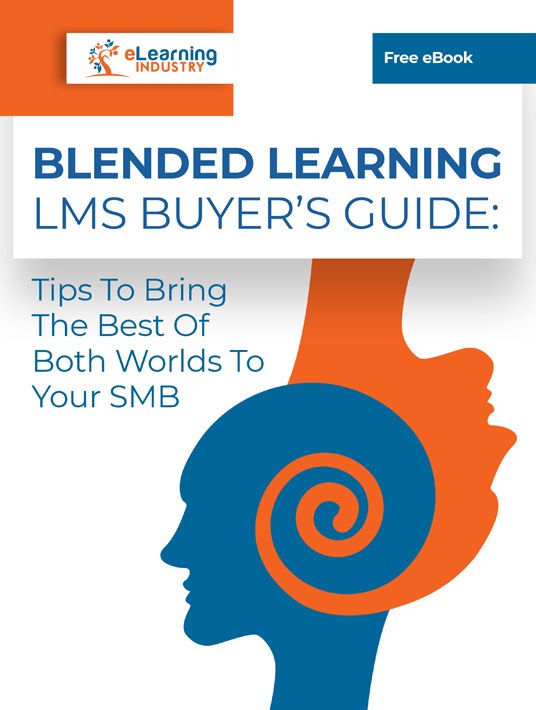
Are You Looking For The Best Blended Learning LMS Buyer's Guide?
Benefits Of Blended Learning Management Software
So, what type of training should you choose? Online training or traditional learning? One way to figure out the best training approach is to get to know your audience.
For example, if your employees are mostly made up of millennials, you shouldn't be surprised if they expect or demand an eLearning solution. On the other hand, maybe some of your learners want a more traditional approach. If you have a real mix of people who want different things, why not find a solution that covers everything? This is when you might want to consider a blended approach that will work for everyone. Just ask them and see what they would like.
What's more, for some training subjects, instructors that use a blended Learning Management System can leverage real-time in-person training. The above allows trainers to convey all the subtleties of a physical task. Plus, it helps them demonstrate particular techniques and engage in a live discussion with their learners. As a result, they can evaluate learners' dexterity in real-world conditions.
Here are some top benefits of utilizing a blended Learning Management System:
- Individualized learning
- Immediate learner feedback
- Real-time learner performance evaluation
- Asynchronous and synchronous training scenarios
- Varied modes of learning
- Collaboration
- Attainment of future work skills
Modern LMS solutions like the ones we have highlighted on this list let you have the best of both worlds. You can take advantage of web and mobile-based online learning for the bulk of your courses.

Blended Learning Models: What's The Right Mix?
There are plenty of factors that drive the growth of blended learning models. These include economic advantages, a personalized and customized curriculum, convenience, efficiency, and effectiveness. In short, blended learning models work and appeal to both educators/trainers and learners.
Of course, there are several ways to formulate blended learning programs. For example, learners can rotate from online to in-person training for several cycles throughout the program. Or, you could keep it more flexible and allow learners to come together occasionally for in-person activities. You might even allow them to request face-to-face time with instructors on an as-needed basis—if they need tutoring support, that is.
Another option is to offer a la carte blended learning. In this case, learners can request face-to-face instructional support through virtual means, like real-time online chat forums or a Skype video call. Finally, you can offer enriched virtual blended learning by supplementing face-to-face instruction with various online options. Hence, you'll manage to enhance in-person learning while at the same time keeping the mix of media types fresh and diverse.
At the end of the day, it always comes down to how your learners want to learn and what's the best way to deliver the required training. When you choose a system that can combine traditional and online training, you've got so many options you'll never run out of ideas to implement new initiatives!
Next Steps: LMS Comparison And Evaluation Of Learning Management Systems For Blended Learning
A blended learning platform in corporate training can help bring growth to your business. Once you start allowing eLearning to complement other traditional learning projects, you'll be able to bring in a huge variety of materials. For example, videos, podcasts, gamification, animations, enhanced slide presentations, and more can bring your eLearning to the next level. In this way, everyone ends up getting at least a healthy dose of what they like best in terms of learning delivery.
But how do you make the right blended learning platform choice?
Here are a few significant features and capabilities to consider when choosing an LMS for blended learning:
- Instructor-Led Training (ILT) management
- Virtual classroom event management
- Customization
- Social learning
- Learning paths
- Tracking and reporting with learning analytics
- Scalability and support
The above are only some of the most critical aspects of eLearning platforms to consider when deciding to use a blended learning strategy. If you can find an LMS with these elements, you're going to be able to better streamline training. Meaning, you'll be able to move between the classroom and an online format, thus ensuring you're getting the most from your investment.
So, are you ready to put the best solutions to the test? Before you make your decision, make sure to read LMS reviews and check out which tools have received recognition through the years.
Visit our directory to start your own blended learning LMS comparison.